1. Okwu mmalite
Thank you for choosing the Togo POWER Portable Solar Charger Controller. This device is designed to efficiently convert solar energy from your portable solar panel into usable power for charging various electronic devices via USB-A and USB-C ports. It features intelligent charging protection and a compact design, making it ideal for outdoor adventures and emergency preparedness. Please read this manual thoroughly before use to ensure safe and optimal operation.
2. Ntuziaka nchekwa
- Do not expose the controller to extreme temperatures, direct sunlight for prolonged periods, or moisture.
- Gbaa mbọ hụ na echekwabara njikọ niile tupu arụ ọrụ.
- Anwala ịkwasa ma ọ bụ gbanwee ngwaọrụ ahụ. Nke a ga-emebi akwụkwọ ikike ma nwee ike ibute mmebi ma ọ bụ mmerụ ahụ.
- Debe ebe ụmụaka na-apụghị iru.
- Use only with compatible solar panels and charging cables.
- Zere idobe ma ọ bụ idobe ngwaọrụ ahụ na mmetụta siri ike.
3. Ngwaahịa gafereview
The Togo POWER Portable Solar Charger Controller expands the charging capabilities of your portable solar panel, offering multiple output ports and robust protection features.
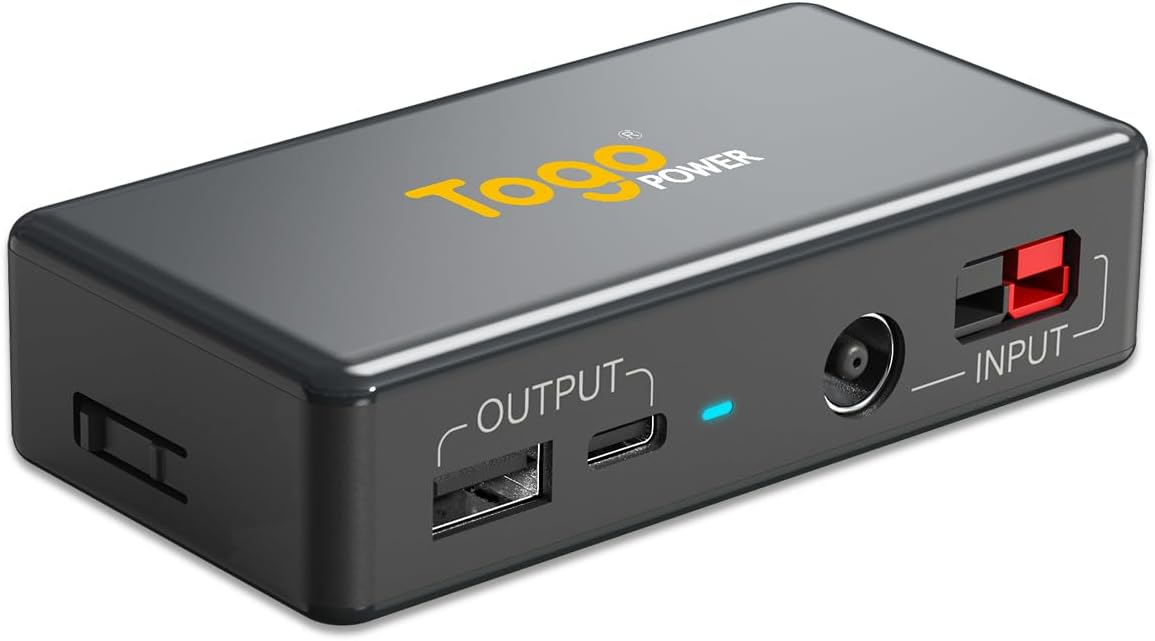
Foto: N'elu-ala view of the Togo POWER Portable Solar Charger Controller, highlighting its compact design and port layout.
Akụkụ ndị bụ isi:
- Ọdụ ụgbọ mmiri ntinye abụọ: DC7909 and Anderson connections for versatile solar panel compatibility.
- Ọdụ ụgbọ mmiri Mpụta Abụọ: USB-A (Max 24W) and USB-C (Max 60W) for fast charging multiple devices.
- Nchekwa ọgụgụ isi: Includes auto-restart, overload, short-circuit, and overvoltage nchedo.
- Nchekwa okpomọkụ: Ensures safe charging of connected devices.
- Kọmpat ma dị fechaa: Easy to carry for travel and outdoor use.
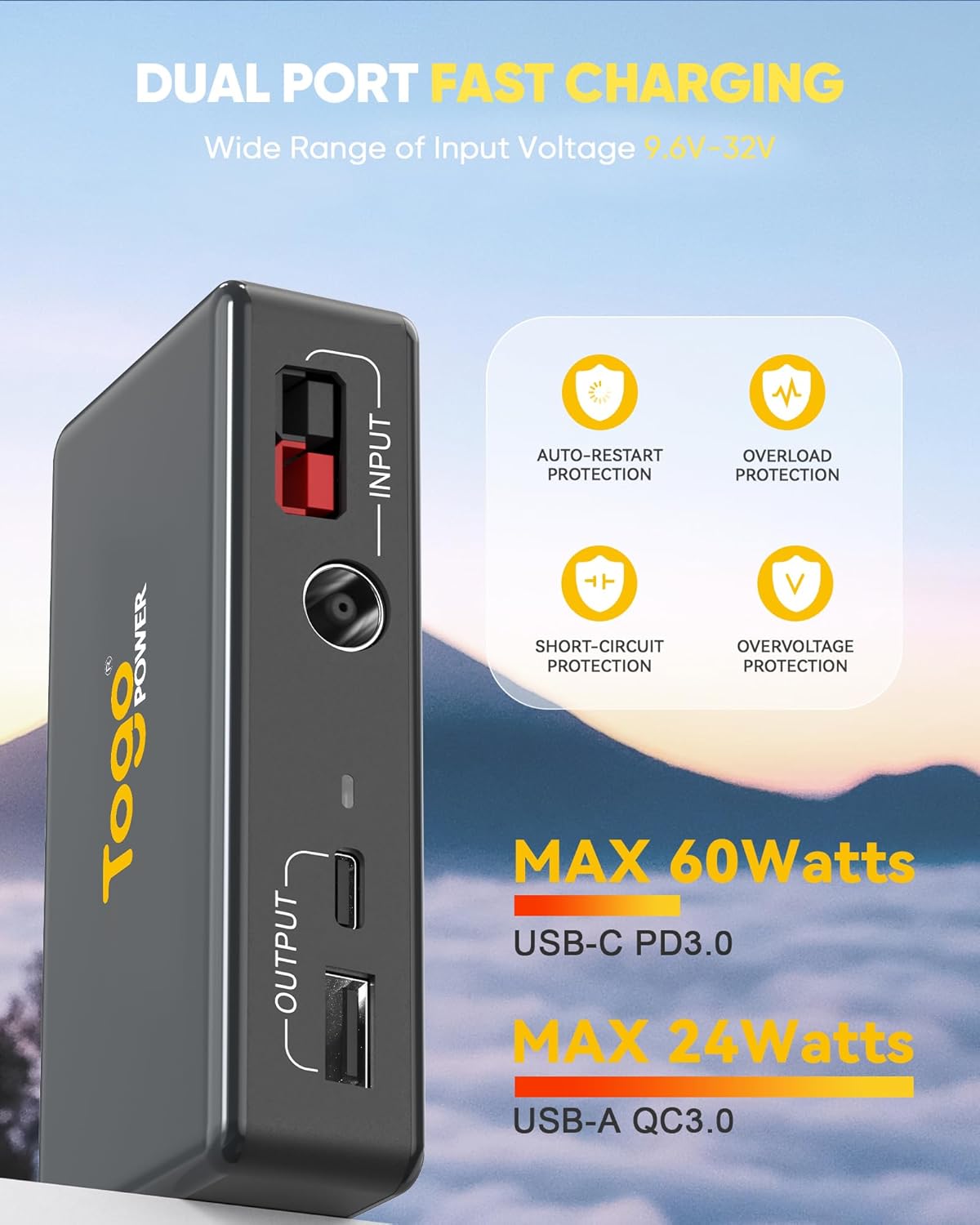
Image: Visual representation of the controller's dual fast charging capabilities and integrated protection features.
4. Nhazi ntuziaka
Jikọọ na panel anyanwụ:
- Ensure your solar panel is placed in direct sunlight for optimal power generation.
- Identify the output cable from your solar panel. The Togo POWER controller supports DC7909 and Anderson connectors.
- Connect the solar panel's output cable to the corresponding input port on the Togo POWER controller. The input ports are labeled 'INPUT'.
- Once connected, a red light on the controller will illuminate, indicating that input power is available.

Image: The controller displaying its DC7909 and Anderson input ports, illustrating its universal compatibility.

Image: The controller's indicator lights, showing when input power is detected and when fast charging is active.
5. Ntuziaka ọrụ
Ngwa ịchaji:
- After connecting the solar panel to the controller, connect your electronic device (e.g., smartphone, tablet) to either the USB-A or USB-C output port on the controller using a compatible charging cable.
- The controller will automatically detect the connected device and begin charging. The red light will indicate fast charging mode if supported by the device and sufficient solar input.
- You can charge multiple devices simultaneously using both USB-A and USB-C ports.
- The controller's design allows you to keep your sensitive devices in a shaded or safe environment while the solar panel remains in direct sunlight.

Image: The controller facilitating device charging inside a tent, keeping the device protected from direct sunlight while the solar panel is exposed.
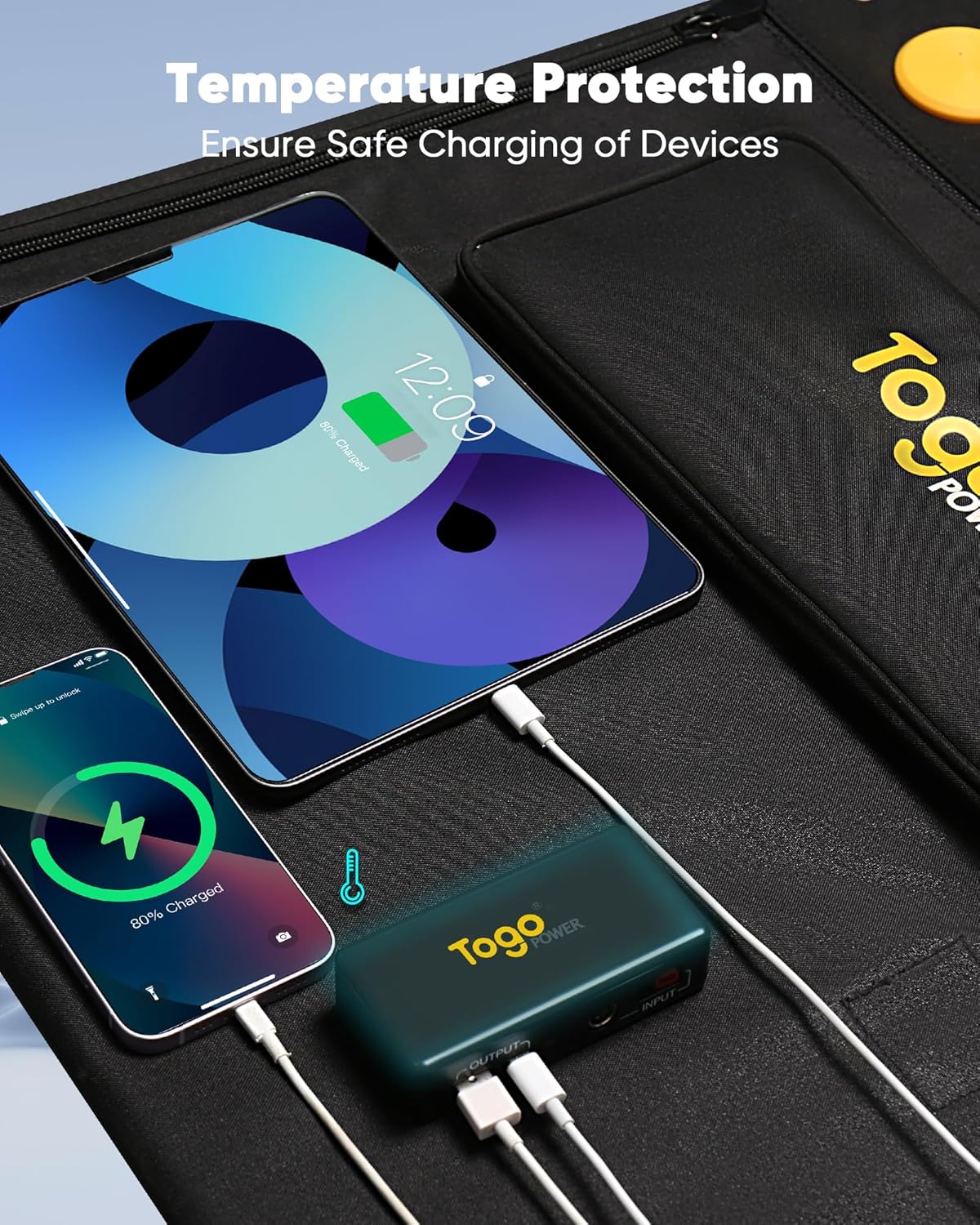
Image: Multiple devices being charged by the controller, demonstrating its temperature protection feature.
6. Nlekọta
- Keep the controller clean and free from dust and debris. Use a soft, dry cloth for cleaning.
- Chekwaa ngwaọrụ ahụ n'ebe dị jụụ, kpọrọ nkụ mgbe ọ naghị eji ya.
- Regularly check cables and connectors for any signs of wear or damage. Replace damaged components immediately.
- Avoid exposing the ports to water or other liquids.
7. Nchọpụta nsogbu
Okwu na azịza ndị nkịtị:
- Ngwaọrụ anaghị akwụ ụgwọ:
- Gbaa mbọ hụ na akụkụ anyanwụ na-enweta ìhè anyanwụ zuru oke.
- Verify all connections between the solar panel, controller, and device are secure.
- If there was a power interruption, try disconnecting and reconnecting the USB load to restart charging.
- Check if the red input light on the controller is illuminated, indicating power from the solar panel.
- Nchaji nwayọ:
- Ensure the solar panel is in optimal sunlight conditions.
- Check the charging cable for damage or if it supports fast charging for your device.
- The output power depends on the input voltage from the solar panel. For 20V Power Delivery (PD) output, the input voltage from the solar panel typically needs to be above 21V. If the input voltage is lower, the maximum output voltage ga-enwe oke.
- Controller feels warm:
- It is normal for the controller to become warm during operation, especially during fast charging or high power output. The device includes temperature protection to prevent overheating.
- If it becomes excessively hot, disconnect devices and allow it to cool down in a shaded area.
8. Nkọwapụta
| Njirimara | Nkọwa |
|---|---|
| Akụkụ ngwaahịa | 4.13 x 2.05 x 0.98 sentimita asatọ |
| Ibu Ibu | 3.52 ounce (0.16 lbs) |
| Ntinye Voltage | 9.6V-32V (DC7909/Anderson) |
| USB-A mmepụta | Max 24W (5V⎓3A, 9V⎓2A, 12V⎓2A) |
| USB-C mmepụta | Max 60W (5V⎓3A, 9V⎓3A, 12V⎓3A, 15V⎓3A, 20V⎓3A) |
| Okpomọkụ na-arụ ọrụ | -20℃ ruo 65℃ (-4℉ ruo 149℉) |
| Njirimara nchedo | Auto-restart, Overload, Overcurrent, Short-circuit, Overvoltage, Temperature Protection |
| Ngwa gụnyere | Controller, Extension Cable (if applicable) |
9. Akwụkwọ ikike Ozi
Togo POWER products are designed and manufactured to the highest quality standards. This product comes with a limited warranty against defects in materials and workmanship. For specific warranty terms and conditions, please refer to the warranty card included with your purchase or visit the official Togo POWER websaịtị. Biko dowe ihe akaebe nke ịzụrụ ihe maka akwụkwọ ikike.
10. Nkwado ndị ahịa
If you encounter any issues or have questions regarding your Togo POWER Portable Solar Charger Controller, please contact our customer support team. You can find contact information on our official websaịtị ma ọ bụ site na ikpo okwu ịzụrụ ihe.
For more information and product updates, visit the Togo POWER Store on Amazon.


