Okwu mmalite
This manual provides detailed instructions for the safe and efficient operation of your YABER E1 Mini Projector. Please read this manual thoroughly before using the product and retain it for future reference.
Ozi nchekwa dị mkpa
- Elela anya ozugbo na oghere projector mgbe lamp dị na.
- Gbaa mbọ hụ na ikuku ikuku dị n'akụkụ ihe nrụpụta iji gbochie ikpo oke ọkụ.
- Use only the power adapter provided with the projector.
- Debe ihe ngosi ahụ ka ọ ghara ịnọ na mmiri ma ọ bụ ihe ndị ọzọ dị n'ime ya.
- Zere idobe ihe nrụpụta n'elu ebe anaghị akwụsi ike.
- Agbalịla ịkwatu ma ọ bụ rụzie ihe onyonyo ahụ n'onwe gị. Kpọtụrụ ndị ọrụ nkwado maka enyemaka.
Kedu ihe dị na Igbe ahụ
Mgbe ebupuchara, biko chọpụta na agụnyere ihe niile ndị a:
- 1 E1 Projector
- Njikwa anya
- Ụdọ ọkụ
- HDMI USB
- Ngwa nhicha
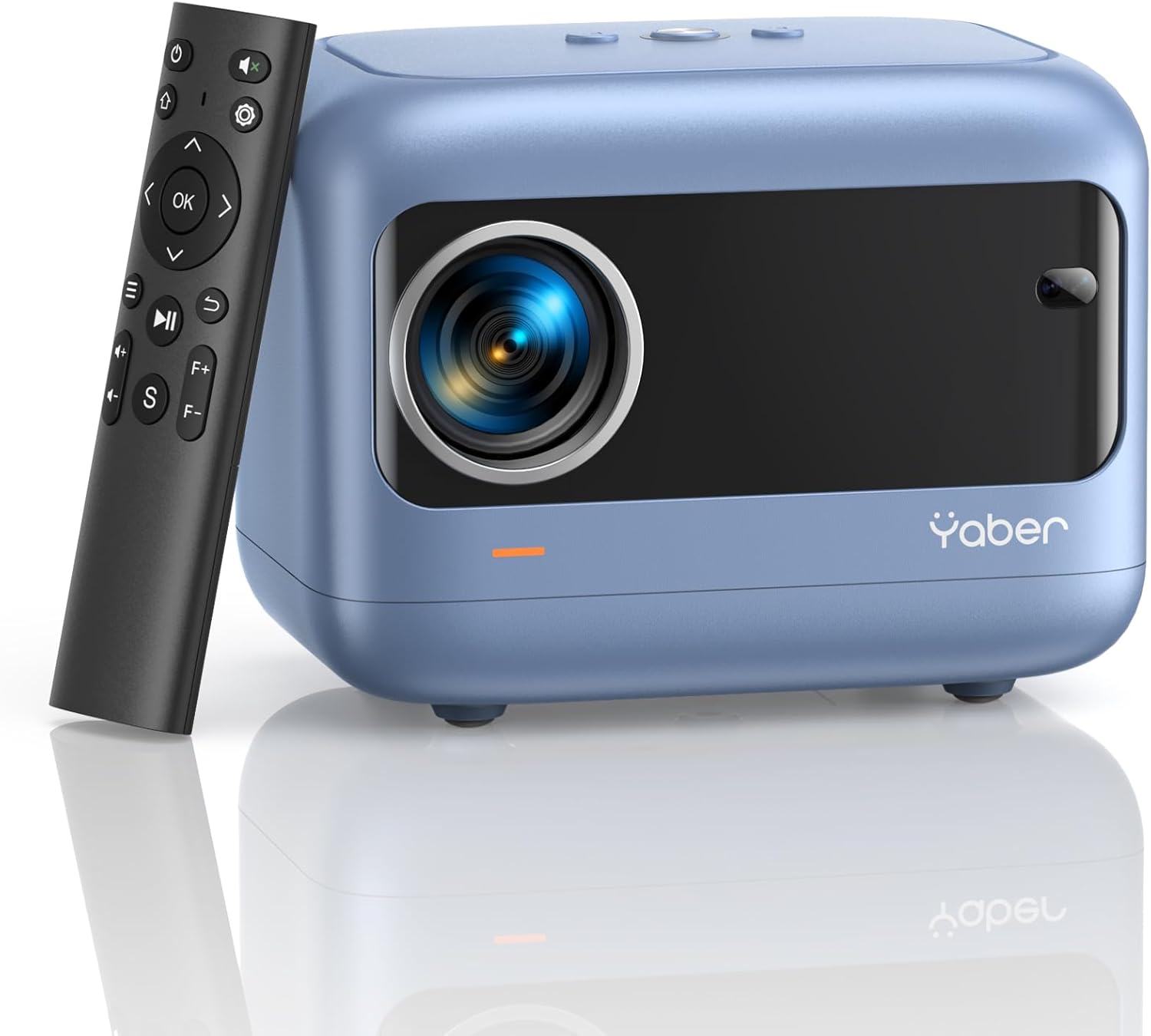
Image: YABER E1 Mini Projector with its remote control.
Ntuziaka nhazi
1. Ntinye anụ ahụ
Place the projector on a stable, flat surface. Ensure there is adequate space around the projector for ventilation. The optimal projection distance ranges from 2.6 feet to 16.4 feet, allowing for a screen size of 50 to 200 inches.
2. Njikọ ike
Connect the provided power cord to the projector's power input and then to a power outlet.
3. Initial Adjustments: Electric Focus and Keystone Correction
The YABER E1 features advanced electric focus and keystone correction for optimal image clarity and shape. Use the remote control or the buttons on the projector panel to adjust these settings.
- Eletrik lekwasịrị anya: Automatically adjusts the lens position for precise focus.
- Ndozi isi okwu: Corrects image distortion (up to ±40° vertical) when the projector is not perfectly perpendicular to the screen.

Image: Adjusting electric focus using the remote control.

Image: Illustrating vertical keystone correction.
Ntuziaka ọrụ
1. Njikọta Nhọrọ
The YABER E1 offers various connectivity methods to display your content.
- Wireless Connectivity (5GHz WiFi): Supports wireless screen mirroring for iOS, Android, and Windows devices. Navigate to the WiFi settings in the projector menu to connect to your home network and enable screen mirroring from your device.
- Bluetooth Bluetooth: Connect external Bluetooth speakers, headphones, or other audio equipment for an enhanced sound experience. Access Bluetooth settings in the menu to pair devices.
- Njikọ waya: The projector includes multiple ports for wired connections:
- 2 x ọdụ ụgbọ USB
- 1 x HDMI ọdụ ụgbọ mmiri
- 1 x 3.5mm audio port
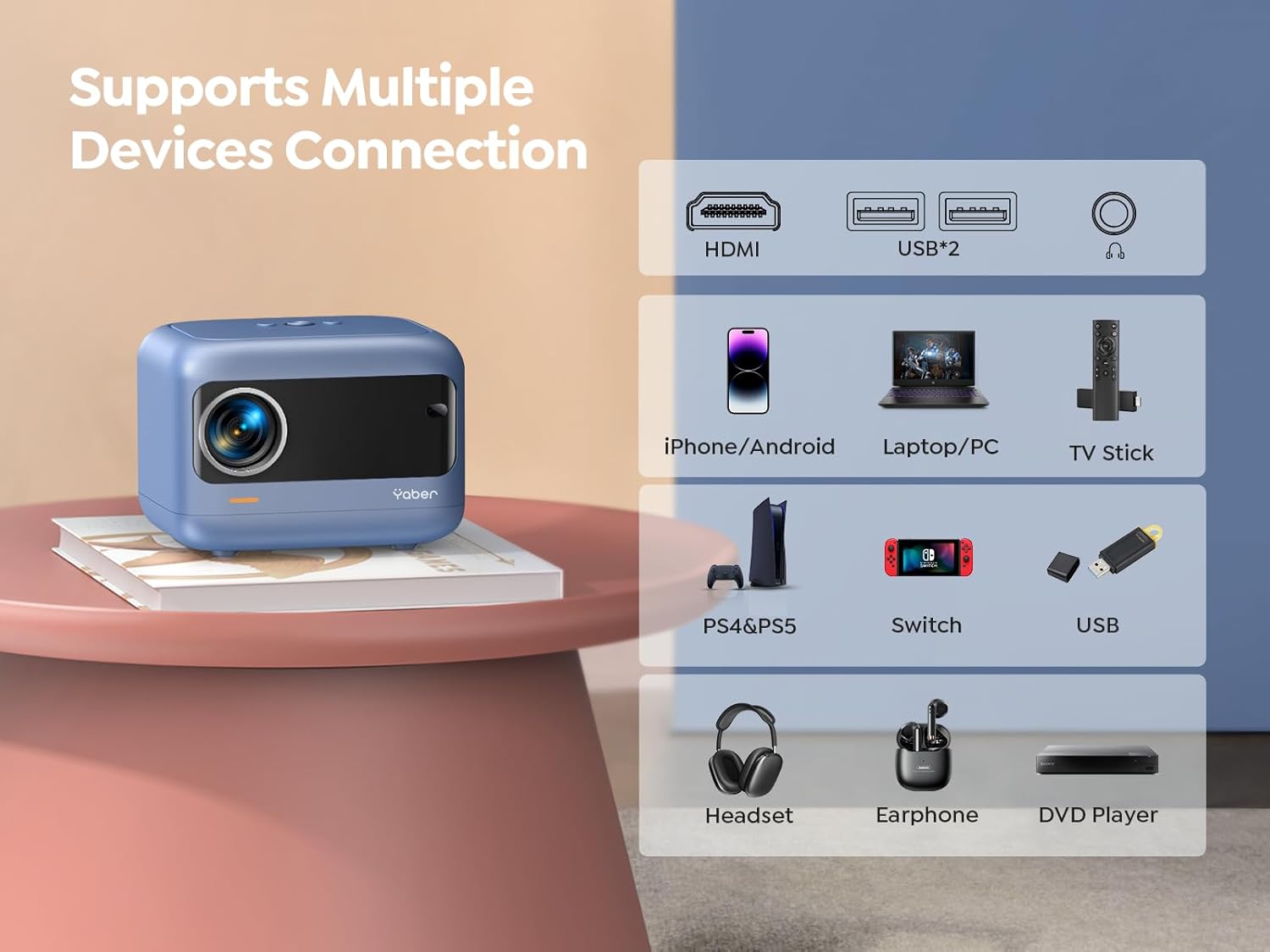
Foto: Ofeview of available ports and compatible devices.

Image: Demonstrating 5G and 2.4G WiFi connectivity for streaming.

Image: Connecting external audio devices via Bluetooth 5.2.
2. Screen Zoom Function
The zoom function allows you to adjust the screen size without moving the projector. This is useful for fine-tuning the image to fit your projection surface.
3. Mmepụta ọdịyo
The YABER E1 includes dual 6W built-in speakers. For a more immersive audio experience, connect external speakers or headphones via Bluetooth 5.2 or the 3.5mm audio jack.
Nlekọta
- Nchacha oghere: Use the provided cleaning kit or a soft, lint-free cloth to gently clean the projector lens. Avoid abrasive materials that could scratch the lens.
- Mwepụ uzuzu: Regularly clean the projector's vents to ensure proper airflow and prevent dust buildup, which can affect performance and lifespan.
- Nchekwa: When not in use, store the projector in a cool, dry place, ideally with the lens cap on to protect it from dust and damage.
Nchọpụta nsogbu
For common issues such as signal loss, sound problems, or connectivity difficulties, please refer to the detailed troubleshooting guide available on the product detail page or contact YABER customer support.
- Enweghị onyonyo/ akara: Check all cable connections (HDMI, USB) and ensure the correct input source is selected on the projector. For wireless connections, verify WiFi settings and screen mirroring activation on your device.
- Onyonyo agbaghi agba: Use the electric focus function to sharpen the image. Ensure the projector is placed within the recommended projection distance.
- Foto gbagọrọ agbagọ: Utilize the keystone correction feature to adjust the image shape.
- Enweghị ụda: Check the volume settings on both the projector and the connected device. If using external speakers, ensure they are properly connected and powered on. Verify Bluetooth pairing if applicable.

Image: General troubleshooting tips for quick resolution.
Nkọwapụta
| Njirimara | Nkọwa |
|---|---|
| Akụkụ ngwaahịa | 6.26 x 4.92 x 4.61 sentimita asatọ |
| Ibu Ibu | 2.11 pound |
| Nọmba nlereanya | YABER E1 |
| Ngosipụta mkpebi | 1920 x 1080 (HD zuru ezu) |
| Teknụzụ Njikọta | Wireless (5G WiFi), Bluetooth 5.2, HDMI, USB |
| Atụmatụ pụrụ iche | Electric Focus, ±40° Keystone Correction, Dual 6W Speakers, Wireless Screen Mirroring |
| Eji akwadoro | Ụlọ ihe nkiri |
Akwụkwọ ikike na nkwado
YABER offers comprehensive customer support for your E1 Mini Projector.
- Ọrụ: 24/7 customer service team.
- Ndochi: 3-year free replacement policy.
- Nkwado: Nkwado teknụzụ ndụ oge niile.
- Kpọtụrụ: For any questions or assistance, please contact us via email at support03@yaberauto.com.

Foto: Ofeview of YABER's customer service commitments.


