1. Okwu mmalite
Thank you for choosing the HOCO W41 Bluetooth Headphones. This manual provides detailed instructions for setting up, operating, and maintaining your headphones to ensure optimal performance and longevity. Please read this manual carefully before use and retain it for future reference.
2. Ozi nchekwa
- Ekwela ka ekweisi gị hụ oke okpomọkụ, iru mmiri, ma ọ bụ ihe ndị na-emebi emebi.
- Zere idobe ma ọ bụ idobe ekweisi na mmetụta siri ike.
- Do not disassemble or modify the headphones. This will void the warranty.
- Jiri akwa dị nro hichaa ekweisi. Ejila kemịkalụ siri ike ma ọ bụ ihe abrasive.
- Gee ntị n'ogo olu na-agafeghị oke iji gbochie mmebi ntị.
3. Ihe ngwugwu
Biko lelee ọdịnaya nke ngwugwu mgbe ị na-ebupụ igbe:
- HOCO W41 Bluetooth Headphones (Pink)
- Ịchaji eriri
- USB USB (3.5mm)
- Akwụkwọ ntuziaka onye ọrụ
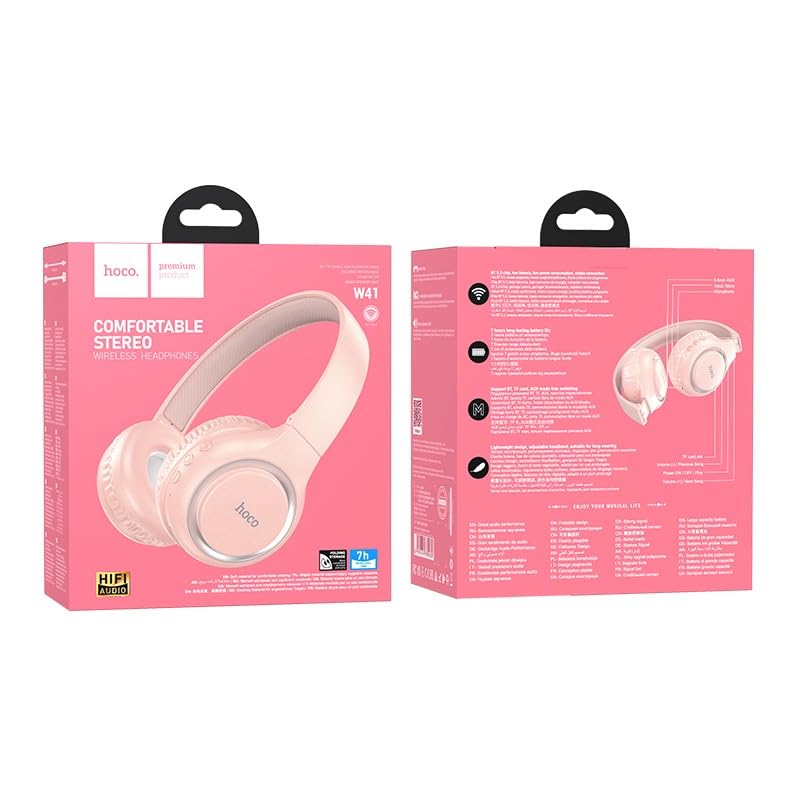
Image: The HOCO W41 Bluetooth Headphones in their retail packaging, showcasing the pink color variant.
4. Ngwaahịa gafereview
Familiarize yourself with the various parts and controls of your HOCO W41 headphones.
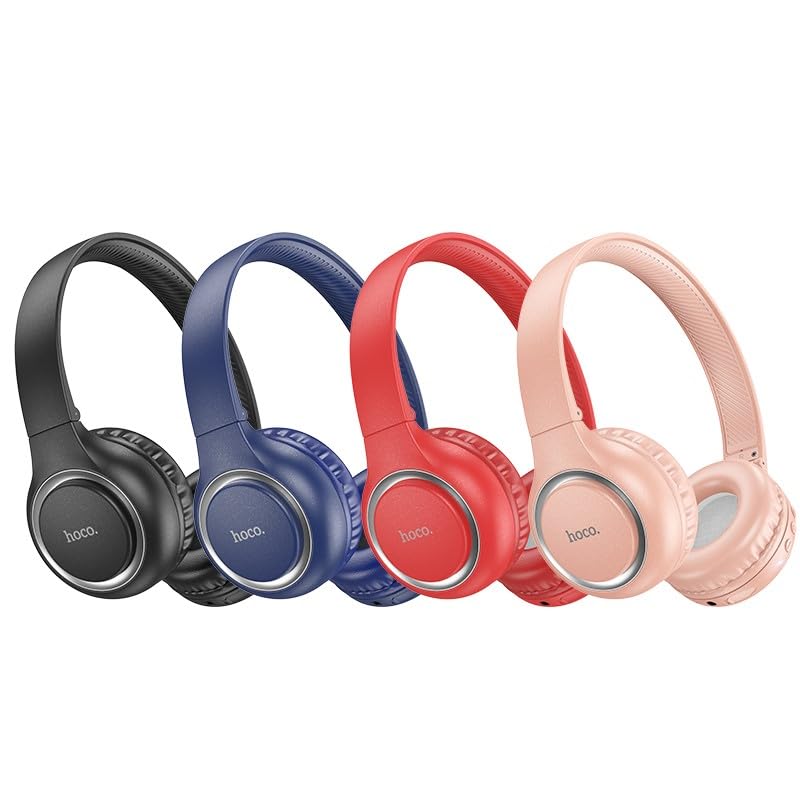
Image: A lineup of HOCO W41 headphones in various colors (black, blue, red, pink), illustrating the overall design.
Njikwa na ọdụ ụgbọ mmiri:
- Bọtịnụ ike: On/Off, Play/Pause, Answer/End Call.
- Elu elu (+): Mee ka olu dịkwuo elu, egwu na-esote (pịa ogologo).
- Mpịakọta ọnụ (-): Belata olu, Egwu gara aga (pịa ogologo).
- Igwe okwu: Maka oku na-enweghị aka.
- Nchaji ọdụ ụgbọ mmiri: USB (Type-C, if applicable, otherwise micro USB).
- Jack Audio: 3.5mm Maka njikọ waya.
- Ihe ngosi LED: Na-egosi ike, chaja, na ọnọdụ njikọta.
5. Nhazi
5.1 Ịchaji ekweisi
- Connect the charging cable to the charging port on the headphones.
- Jikọọ nsọtụ nke ọzọ nke eriri ahụ na isi iyi ike USB (dịka ọmụmaatụ, ọdụ ụgbọ USB kọmputa, ihe nkwụnye mgbidi).
- The LED indicator will illuminate (e.g., red) during charging and turn off or change color (e.g., blue) when fully charged.
- Nchaji zuru ezu na-ewe ihe dịka otu elekere.
5.2 Njikọ Bluetooth
- Gbaa mbọ hụ na chajịrị ekweisi nke ọma.
- Press and hold the Power button for approximately 3-5 seconds until the LED indicator flashes rapidly (e.g., blue and red alternately), indicating pairing mode.
- Na ngwaọrụ gị (smartphone, tabletị, laptọọpụ), gbanye Bluetooth wee chọọ ngwaọrụ dị.
- Select "HOCO W41" from the list of found devices.
- Once paired, the LED indicator will stop flashing and may show a solid blue light. A voice prompt may confirm the connection.
- Igwe ekweisi ga-ejikọta ya na ngwaọrụ ejikọrọ ikpeazụ na-akpaghị aka mgbe agbanyere ya, ma ọ bụrụ na ngwaọrụ Bluetooth na-arụ ọrụ yana n'ime oke.
5.3 Wired Njikọ (3.5mm Audio USB)
- Fanye otu njedebe nke eriri ọdịyo 3.5mm n'ime jakị ọdịyo dị na ekweisi.
- Insert the other end into the 3.5mm audio output jack of your device.
- Igwe ekweisi ga-agbanwe na-akpaghị aka na ọnọdụ wired. A ga-enwe nkwarụ ọrụ Bluetooth.
6. Ntuziaka ọrụ
6.1 Gbanyụọ ma ọ bụ gbanyụọ
- Ike Na: Press and hold the Power button for 3 seconds. The LED indicator will flash blue.
- Gbanyụọ: Press and hold the Power button for 3 seconds. The LED indicator will turn off.
6.2 Nghaghachi egwu
- Gwuo/kwụsịtụ: Obere pịa bọtịnụ Ike.
- Olu elu: Pịa bọtịnụ "+" nkenke.
- Olu ala: Pịa bọtịnụ "-".
- Track na-esote: Long press the "+" button.
- Gara aga Track: Long press the "-" button.
6.3 Njikwa oku
- Azịza/Kwụsị Oku: Obere pịa bọtịnụ Ike.
- Jụ oku: Ogologo pịa bọtịnụ Ike maka 2 sekọnd.
- Nọmba Ikpeazụ emegharịgharịrị: Double-press the Power button.
6.4 Onye enyemaka olu
- Mee ka onye enyemaka olu rụọ ọrụ (Siri/onye enyemaka Google): Triple-press the Power button.
7. Nlekọta
- Nhicha: Jiri nro dị nro damp cloth to wipe the earcups and headband. Do not use alcohol, benzene, or other chemical cleaners.
- Nchekwa: Mgbe ejighị ya, chekwaa ekweisi n'ebe dị jụụ, kpọrọ nkụ, pụọ na ìhè anyanwụ kpọmkwem na oke okpomọkụ.
- Nlekọta batrị: To prolong battery life, charge the headphones regularly, even if not used frequently. Avoid fully discharging the battery for extended periods.
8. Nchọpụta nsogbu
| Nsogbu | Ihe nwere ike ime | Ngwọta |
|---|---|---|
| Igwe ekweisi anaghị agba ọkụ. | Batrị dị ala. | Chajie ekweisi nke ọma. |
| Enweghị ike ijikọ na ngwaọrụ. | Ekweisi anaghị adị n'ụdị njikọta; Bluetooth ngwaọrụ agbanyụrụ; Ọ dị oke anya site na ngwaọrụ. | Ensure headphones are in pairing mode (flashing LED). Turn on device Bluetooth. Move headphones closer to device. |
| Enweghị ụda. | Volume too low; Not connected; Wrong audio output selected. | Increase volume on headphones and device. Re-pair headphones. Check device's audio output settings. |
| Mgbagwoju anya ụda. | Interference; Device too far; Low battery. | Move away from sources of interference. Move closer to device. Charge headphones. |
9. Nkọwapụta
| Aha nlereanya: | W41_pink |
| Ụdị Bluetooth: | 5.3 |
| Teknụzụ Njikọta: | Ikuku (Bluetooth), waya (Jack3.5mm) |
| Ndụ batrị: | Ruo oge egwuregwu awa 12 |
| Oge nchaji: | Ihe dị ka elekere 1 |
| Ụdị ntị: | N'elu Ntị |
| Igwe okwu: | Igwe okwu arụnyere n'ime ya |
| Njikwa mkpọtụ: | Mwepu ụda |
| Ọkwa Nguzogide mmiri: | Mmiri anaghị agbaze (Ọsụsọ) |
| Ibu ihe: | 180 g |
| Onye nrụpụta: | HOCO |
| Mba onye si: | China |
10. Akwụkwọ ikike na nkwado
The HOCO W41 Bluetooth Headphones come with a Akwụkwọ ikike nke afọ 1 site na ụbọchị ịzụrụ. Akwụkwọ ikike a na-ekpuchi ntụpọ nrụpụta na arụ ọrụ n'okpuru ojiji nkịtị.
Akwụkwọ ikike anaghị ekpuchi:
- Mmebi nke sitere na iji ihe eme ihe n'ụzọ na-ezighị ezi, mmegbu, ihe mberede, ma ọ bụ nleghara anya.
- Ndozi ma ọ bụ mgbanwe na-enweghị ikike.
- Nkịtị iyi na akwa.
For warranty claims or technical support, please contact your retailer or the HOCO customer service department with your proof of purchase.
Ozi mkpọtụrụ: Please refer to the contact details provided on the product packaging or the official HOCO websaịtị maka ozi nkwado kachasị ọhụrụ.


