1. Okwu mmalite
This manual provides instructions for the proper setup, operation, and maintenance of the Flashpoint Wave Commander II Camera Release Cable. This accessory is designed to provide remote shutter control and intervalometer functions for compatible cameras equipped with a Canon Sub-Mini Connector.
Please read this manual thoroughly before using the product to ensure safe and effective operation.
2. Ngwaahịa gafereview
The Flashpoint Wave Commander II Camera Release Cable is a durable and reliable accessory that connects to your camera's remote port. It facilitates remote shutter release, reducing camera shake for sharper images, and offers advanced functions such as an intervalometer for time-lapse photography and a self-timer when used with a compatible remote unit.
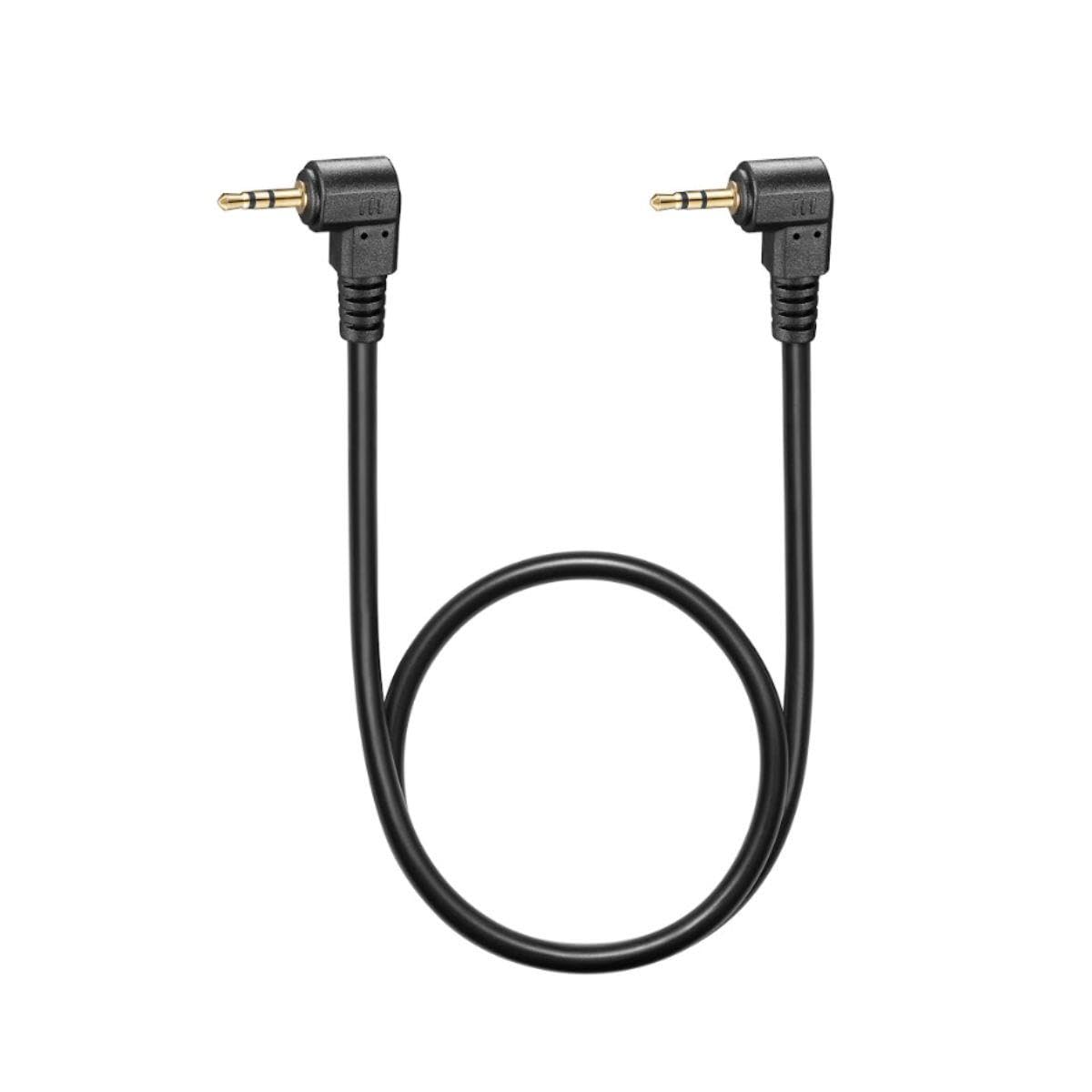
Foto 1: Flashpoint Wave Commander II Camera Release Cable. This image shows the cable with its connectors, designed for remote camera control.
Atụmatụ gụnyere:
- Ogologo Ogologo: A 3-foot cable length allows for remote operation, preventing camera shake.
- Nkwụsi ike emelitere: Eliminates vibrations caused by direct shutter button presses.
- Ihe owuwu na-adịgide adịgide: Built for regular use and reliable performance.
- Ọtụtụ ọrụ: Enables remote shutter release, intervalometer, or self-timer functions when paired with a compatible remote unit.
3. Ndakọrịta
This cable is compatible with cameras featuring a Canon Sub-Mini Connector. Verified compatible camera models include, but are not limited to:
- Canon R6 II, R7, T7, R6, R, SX70, 90D, T8i, R10, RP, SL3, RP, G1X Mark III, 80D
- Fujifilm X-T5, FUJIFILM X-T30 II, FUJIFILM X-T4, FUJIFILM GFX 100S
For other camera models, please verify the connector type before use.
4. Nhazi
Follow these steps to connect the Wave Commander II Camera Release Cable to your camera:
- Locate the Remote Port: Identify the remote control terminal on your camera. This is typically a small port, often labeled with a remote control icon or "REMOTE". For Canon cameras, this is the Sub-Mini Connector port.
- Jikọọ eriri: Gently insert the connector end of the Wave Commander II cable into the camera's remote port. Ensure it is fully seated to establish a secure connection.
- Connect to Remote Unit (if applicable): If using with a separate remote trigger unit (e.g., Flashpoint Wave Commander II remote), connect the other end of the cable to the designated port on the remote unit.
- Ike Na: Turn on your camera and the remote unit (if applicable).
The cable is now ready for operation.
5. Ntuziaka ọrụ
Once connected, the Wave Commander II cable enables various remote control functions:
5.1. Remote Shutter Release
- Ọkara Pịa: Press the shutter button on your remote unit (or the cable's integrated button, if present) halfway down to activate autofocus and metering, similar to pressing the camera's shutter button halfway.
- Pịa zuru ezu: Press the shutter button fully down to trigger the camera's shutter and capture a photograph.
- Ụdị bọlbụ: For long exposures in Bulb mode, press and hold the shutter button on the remote unit. Release the button to end the exposure. Some remote units may have a lock function for extended Bulb exposures.
5.2. Intervalometer / Self-Timer Functions
When used with a compatible remote unit that features intervalometer or self-timer capabilities, the cable transmits these commands to the camera. Refer to your remote unit's specific manual for detailed instructions on setting up time-lapse sequences, delayed shots, or continuous shooting modes.
6. Nlekọta
To ensure the longevity and optimal performance of your Wave Commander II Camera Release Cable, follow these maintenance guidelines:
- Nchekwa: Store the cable in a cool, dry place away from direct sunlight and extreme temperatures. Avoid tightly coiling or bending the cable sharply, which can damage internal wires.
- Nhicha: Use a soft, dry cloth to wipe the cable and connectors. Do not use liquid cleaners, solvents, or abrasive materials.
- Ijikwa: Always grasp the connector housing when plugging or unplugging the cable. Avoid pulling directly on the cable itself.
- Nyocha: Periodically inspect the cable for any signs of wear, fraying, or damage to the connectors. Discontinue use if damage is observed.
7. Nchọpụta nsogbu
If you encounter issues with your Wave Commander II Camera Release Cable, consider the following:
- Cable Not Responding:
- Ensure the cable is securely connected to both the camera and the remote unit (if applicable).
- Verify that the camera and remote unit are powered on.
- Check camera settings to ensure remote control is enabled, if applicable.
- Test with another compatible camera or remote unit if available, to isolate the issue.
- Njikọ na-adịte aka:
- Inspect connectors for dirt, dust, or damage. Clean gently with a dry, soft brush if necessary.
- Ensure the cable is not strained or bent at sharp angles during use.
- Camera Shake Still Occurs:
- While the cable reduces shake from pressing the shutter, other factors like tripod stability or wind can still cause movement. Ensure your camera setup is stable.
If problems persist, contact Flashpoint customer support for further assistance.
8. Nkọwapụta
| Nọmba nlereanya: | Wave Commander II Cable |
| Akara: | Ebe mgbari |
| Ụdị njikọ: | Canon Sub-Mini Connector |
| Ogologo eriri USB: | Ihe dị ka ụkwụ 3 (0.9 mita) |
| Akụkụ ngwaahịa: | 7 x 5 x 0.05 inches (approximate packaging/shipping dimensions) |
| ASIN: | B0CD2M2G1N |
| Ụbọchị mbụ dị: | Julaị 27, 2023 |
9. Akwụkwọ ikike na nkwado
Specific warranty information for the Flashpoint Wave Commander II Camera Release Cable is not provided in this document. For details regarding warranty coverage, technical support, or service inquiries, please contact Flashpoint customer service directly or refer to the official Flashpoint websaịtị.
Debe akwụkwọ nnata ịzụrụ ihe gị dị ka ihe akaebe nke ịzụrụ ihe maka akwụkwọ ikike ọ bụla.


