1. Okwu mmalite
Thank you for choosing the EVOLAND Vibration Platform Fitness machine. This manual provides essential information for the safe and effective operation, maintenance, and troubleshooting of your new fitness equipment. Please read this manual thoroughly before use and keep it for future reference.
2. Ntuziaka nchekwa
WARNING: Consult your physician before starting any new exercise program, especially if you have pre-existing medical conditions. Do not use if pregnant, have a pacemaker, or suffer from severe osteoporosis, epilepsy, or acute thrombosis.
- Ensure the platform is placed on a stable, level surface.
- Debe ụmụaka na anụ ụlọ n'ebe igwe anaghị arụ ọrụ.
- Agafela ikike ịdị arọ kacha nke kilogram 150 (330 lbs).
- Always hold onto a stable support if you feel unsteady during exercise.
- Kwupu igwe n'igwe ọkụ mgbe anaghị eji ya ma ọ bụ tupu ihicha.
- Ejila igwe ma ọ bụrụ na eriri ọkụ ma ọ bụ plọg mebiri emebi.
3. Ihe ngwugwu
Biko lelee igbe maka ihe ndị a:
- 1 x EVOLAND Vibration Platform
- 2 x Otu ndị na-eguzogide
- 1 x Njikwa anya
- 1 x Cdọ Ike
- 1 x Akwụkwọ ntuziaka onye ọrụ
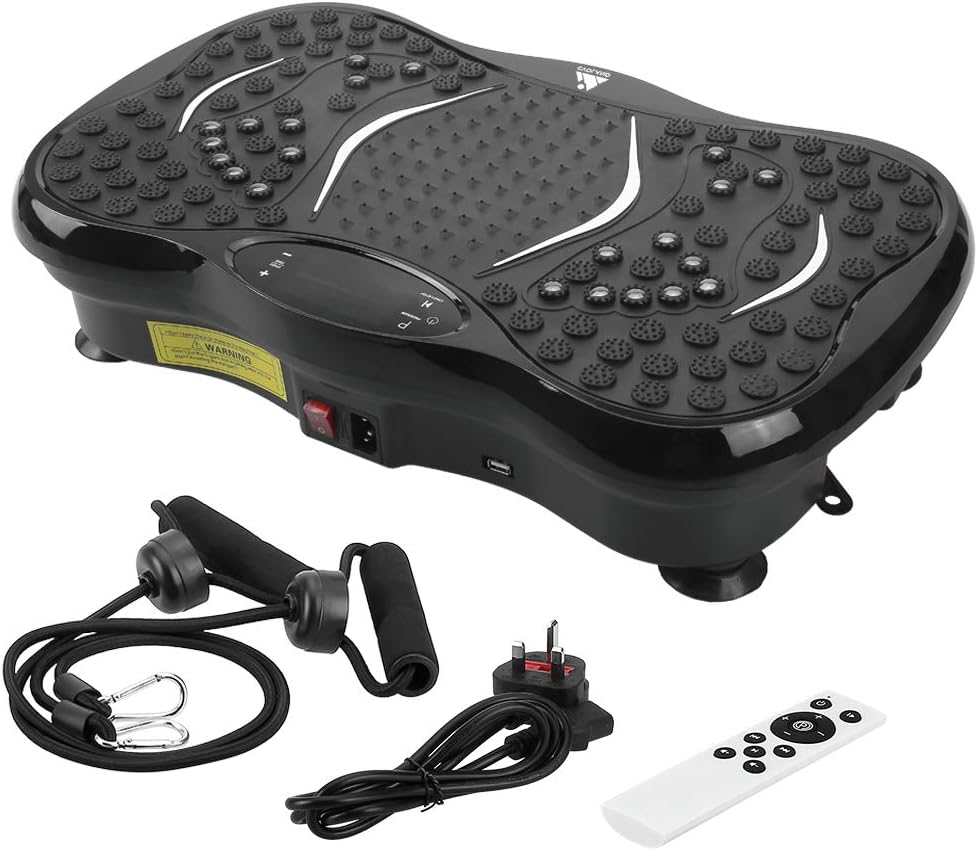
Image: All components included in the EVOLAND Vibration Platform package.
4. Ngwaahịa gafereview na akụrụngwa
Familiarize yourself with the main parts of your vibration platform:
- Vibration Platform: Main unit with textured surface for foot placement.
- Ngosipụta LCD: Shows time, speed, program, and Bluetooth status.
- Ogwe njikwa: Buttons for power, program selection, speed adjustment.
- Ike mgba ọkụ: Located on the side of the unit.
- Ntinye ike: Maka ijikọ eriri ọkụ.
- Resistance Band Attachment Points: Rings on the bottom for resistance bands.
- Ọkà okwu Bluetooth: Integrated for audio playback.

Image: Close-up of the control panel, power switch, and USB port on the vibration platform.

Foto: Ofeview of the vibration platform showing its dimensions and included accessories like the remote control, power plug, and resistance bands.
5. Nhazi
Follow these steps to set up your EVOLAND Vibration Platform:
- Tinye eriri mgbochi: If desired, fasten the two resistance bands to the rings located on the bottom of the platform.
- Njikọ Ike: Plug the power cord into the power inlet on the platform, then plug the other end into a standard wall outlet.
- Gbanwuo: Locate the main power switch on the side of the unit and flip it to the 'ON' position. The LCD display will illuminate.

Image: Visual guide demonstrating how to attach resistance bands, connect the power cord, and turn on the unit.
6. Ntuziaka ọrụ
6.1. Basic Ọrụ
- Gbanyụọ/ Gbanyụọ: Use the main power switch on the side or the power button on the remote/control panel.
- Malite/Kwụsị: Press the 'START/STOP' button on the control panel or remote to begin or pause vibration.
- Gbanwee ọsọ: Use the '+' and '-' buttons to increase or decrease the vibration intensity (99 levels available).
- Tọọ oge: The machine has an automatic timer (1-15 minutes adjustable).
6.2. Programs and Modes
The platform offers 5 pre-set programs (P1-P5) and a manual mode:
- Ụdị akwụkwọ ntuziaka: Allows you to manually adjust speed and time.
- Pre-set Programs (P1-P5): Each program offers a unique combination of vibration patterns and intensity changes. Press the 'PROGRAM' button to cycle through them.
6.3. Njikọ Bluetooth
Iji jikọọ ngwaọrụ gị site na Bluetooth:
- Ensure the vibration platform is powered on.
- Mee ka Bluetooth rụọ ọrụ na ekwentị gị, mbadamba gị, ma ọ bụ ngwaọrụ ọzọ.
- Chọọ maka 'EVOLAND' or a similar device name in your device's Bluetooth settings.
- Pair with the platform. Once connected, you can play music through the integrated speaker.
6.4. Iji Remote Control
The remote control provides convenient access to all functions:
- Gbanyụọ/ Gbanyụọ
- Malite/Kwụsị
- Nhọrọ mmemme
- Mgbanwe Ọsọ (+/-)
- Music Playback Controls (if applicable)

Foto: Ofeview of the LCD display and the remote control, highlighting various functions and buttons.
7. Ntuziaka mmega ahụ
The EVOLAND Vibration Platform can be used for various exercises to target different muscle groups. A typical session of 10-15 minutes is recommended.
- Na-eguzo: Stand with feet shoulder-width apart, knees slightly bent. Adjust foot position for different intensity levels (wider stance for more intense vibration).
- Squats: Perform squats while standing on the platform to engage leg and glute muscles.
- Push-ups: Place hands on the platform for an intensified upper body workout.
- Iji Njikọ Mgbochi: Attach the bands and perform exercises like bicep curls, tricep extensions, or shoulder presses while standing on the platform.
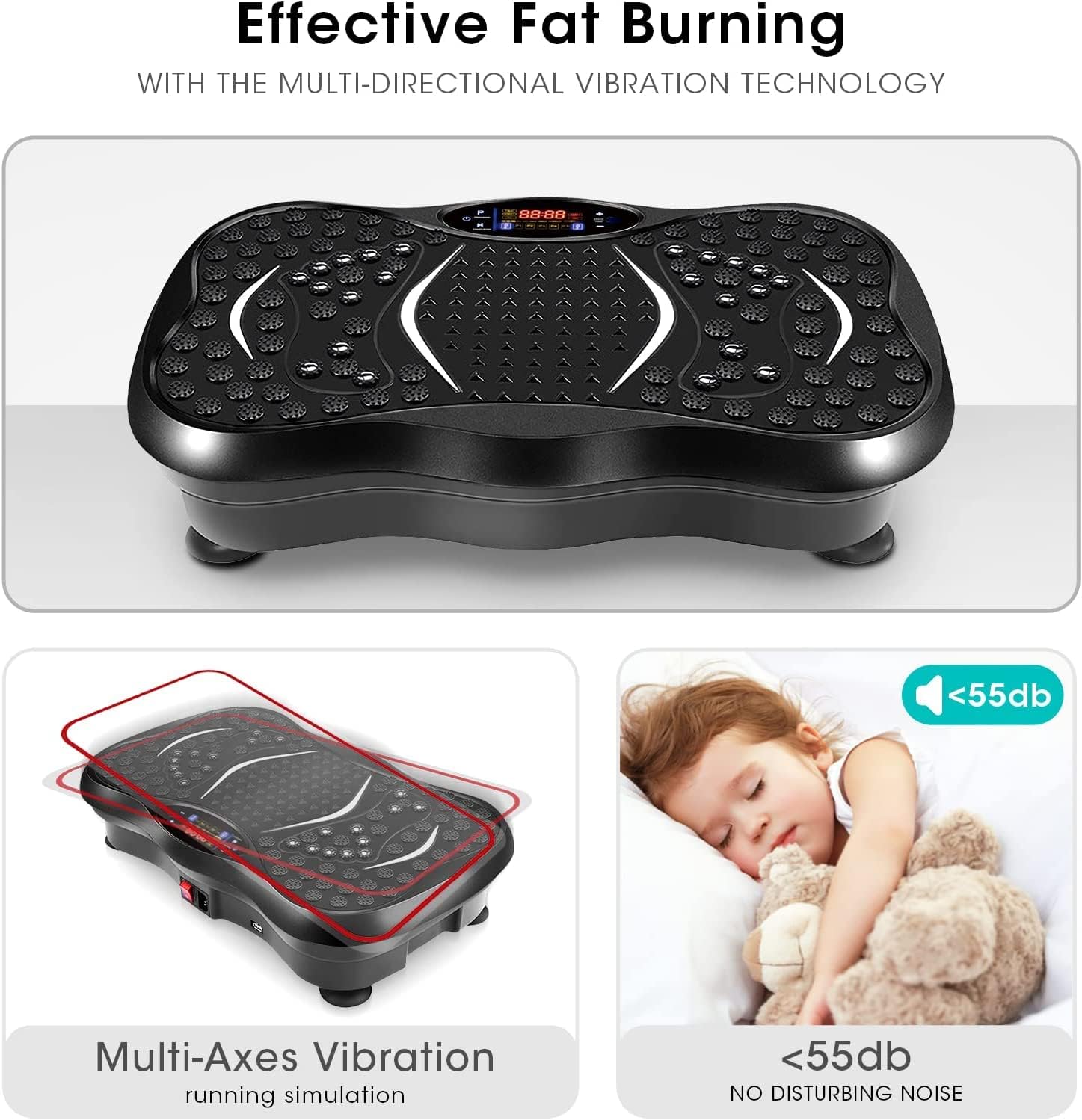
Image: A user demonstrating an exercise on the vibration platform while utilizing the included resistance bands for an upper body workout.
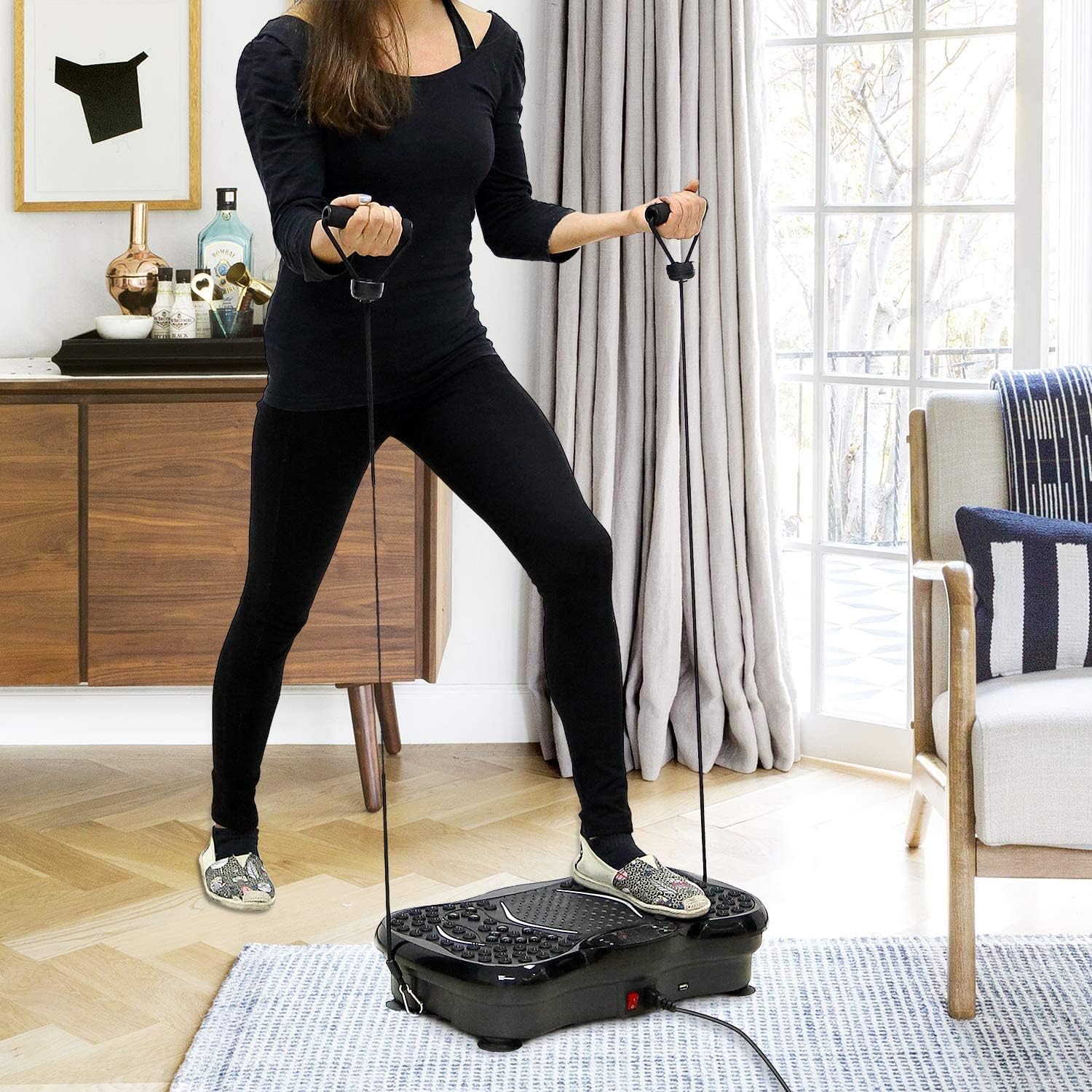
Image: Illustrates the potential benefits of using the vibration platform, comparing 15 minutes of vibration to the equivalent of other common exercises like riding, swimming, running, yoga, push-ups, and sit-ups.
8. Nlekọta
- Nhicha: Wipe the surface of the platform with a soft, damp Ákwà. Ejila ihe nhicha ma ọ bụ ihe mgbaze. Hụ na ewepụla ihe mkpuchi igwe ahụ tupu ị sachaa ya.
- Nchekwa: Chekwaa igwe ahụ n'ebe dị jụụ, kpọrọ nkụ na-adịghị na ìhè anyanwụ na mmiri.
- Nyocha: Periodically check the power cord and all connections for any signs of wear or damage.
9. Nchọpụta nsogbu
If you encounter any issues, refer to the table below:
| Nsogbu | Ihe nwere ike ime | Ngwọta |
|---|---|---|
| Igwe anaghị agba ọkụ | Power cord not properly connected; Main power switch off; Power outlet issue. | Ensure power cord is securely plugged in; Flip main power switch to 'ON'; Test power outlet with another device. |
| Enweghị mmaji | Machine is paused; Program not selected; Speed set to 0. | Press 'START/STOP'; Select a program or adjust speed using '+' button. |
| Bluetooth anaghị ejikọ | Bluetooth on device is off; Incorrect device selected. | Ensure Bluetooth is enabled on your device; Select the correct 'EVOLAND' device from the list. |
| Mkpọtụ na-adịghị ahụkebe n'oge arụ ọrụ | Loose components; Uneven surface. | Check for any loose parts; Ensure the platform is on a flat, stable surface. If noise persists, discontinue use and contact support. |

Image: Highlights the multi-axes vibration technology and the quiet operation (below 55dB) of the EVOLAND Vibration Platform, indicating a smooth user experience.
10. Nkọwapụta
| Ụdị | EVAND |
| Nlereanya | B0CCXMG7XT |
| Ụdị ngosi | LCD |
| Ụdị ihe | Acrylonitrile Butadiene Styrene (ABS), igwe |
| Ngwa gụnyere | Platform ịma jijiji |
| Akụkụ ngwaahịa (L x W x H) | 57.4 x 41.91 x 16.51 cm (22.6 x 16.5 x 6.5 inch) |
| Ibu | 8.54 n'arọ (18.8 lbs) |
| Agba | Nwa |
| Nkwanye ịdị arọ kacha | 150 n'arọ (330 lbs) |
| Ụdị njikwa | Njikwa anya |
| Ike | 200W |
| Voltage | 220V |
| Ọkwa ọsọ | 1-99 |
| Ụdịdị | Automatic + 5 Manual Programs |
| Oge akpaaka | 1-15 minutes adjustable |
11. Akwụkwọ ikike na nkwado
EVOLAND products are manufactured to high-quality standards. For warranty information or technical support, please refer to the contact details provided with your purchase documentation or visit the official EVOLAND website. Please have your model number (B0CCXMG7XT) ready when contacting support.


