1. Okwu mmalite
This manual provides essential instructions for the safe and efficient operation, setup, maintenance, and troubleshooting of your Total P20S Lithium-ion Battery Charger, model TFCLI20411. Please read this manual thoroughly before using the charger to ensure proper function and to prevent injury or damage.
The Total P20S Lithium-ion Battery Charger is designed to quickly and reliably charge Total P20S series Lithium-ion batteries, ensuring your tools are ready for use.
2. Ntuziaka nchekwa
ỊDỌ AKA NA NTỊ: Gụọ ịdọ aka ná ntị na ntụziaka nchekwa niile. Ọdịda ịgbaso ịdọ aka ná ntị na ntuziaka nwere ike bute ujo ọkụ eletrik, ọkụ na/ma ọ bụ mmerụ ahụ dị egwu.
- Nchekwa Eletriki: Ensure the charger is connected to a power supply that matches the specifications indicated on the charger label. Do not use the charger in wet conditions or expose it to rain. Always disconnect the charger from the power supply before cleaning or maintenance.
- Ndakọrịta batrị: This charger is designed exclusively for Total P20S series Lithium-ion batteries. Do not attempt to charge other types of batteries, as this may lead to fire, injury, or damage.
- Igwe ikuku: Operate the charger in a well-ventilated area. Do not cover the charger's ventilation slots during operation, as this can lead to overheating.
- Nyocha mmebi: Regularly inspect the charger, cable, and plug for any signs of damage. Do not use a damaged charger. Contact Total customer support for repairs.
- Children and Unauthorized Use: Ezubere ngwa a maka ndị mmadụ (gụnyere ụmụaka) nwere ike anụ ahụ, mmetụta uche, ma ọ bụ nke uche, ma ọ bụ enweghị ahụmịhe na ihe ọmụma, ma ọ bụrụ na enyereghị ha nlekọta ma ọ bụ ntụziaka gbasara iji ngwa ahụ site n'aka onye na-ahụ maka nchekwa ha. . Ekwesịrị ilekọta ụmụaka ka ha hụ na ha ejighi ngwa eji egwu egwu egwu.
- Zenarị mkpirisi okirikiri: Do not short-circuit the battery terminals or the charger terminals.
- Okpomọkụ: Do not charge batteries in extremely hot or cold environments. The optimal charging temperature range is typically between 10°C and 40°C (50°F and 104°F).
3. Ngwaahịa gafereview
Familiarize yourself with the components of your Total P20S Lithium-ion Battery Charger.
3.1 Charger Unit

Figure 1: Total P20S Lithium-ion Battery Charger TFCLI20411 in its retail packaging, showing the charger unit and product branding.
3.2 Ihe ngosi ọkụ
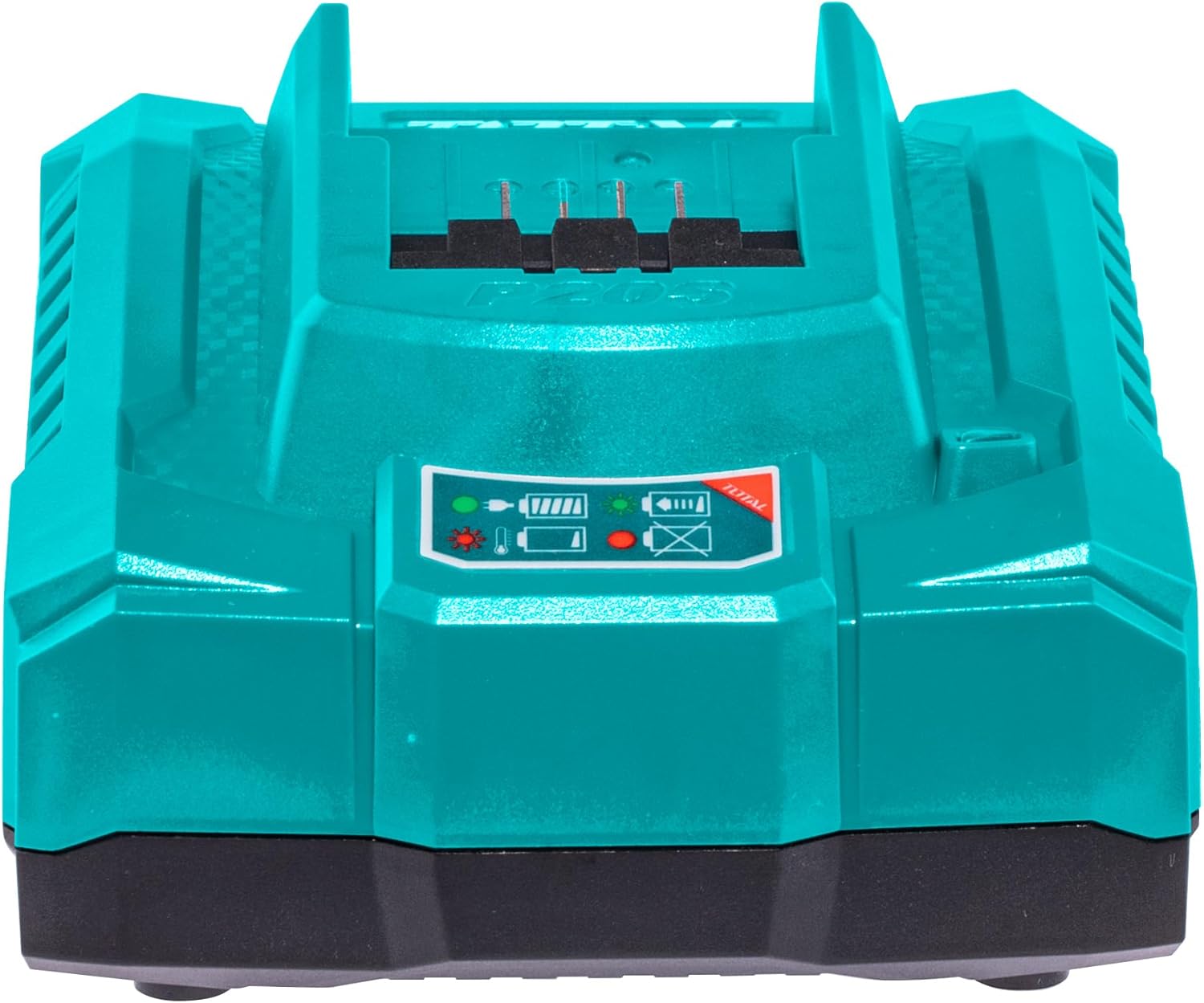
Foto 2: N'ihu view of the Total P20S Lithium-ion Battery Charger, highlighting the battery slot and the status indicator lights.
- Red Light (Solid): Indicates the charger is powered on and ready to charge.
- Green Light (Flashing): Na-egosi na batrị ahụ na-achaji ugbu a.
- Green Light (Solid): Na-egosi chajịrị batrị zuru oke.
- Ọkụ Uhie (Na-enwu enwu): Indicates a charging error (e.g., faulty battery, incorrect temperature).
3.3 Oghere ikuku
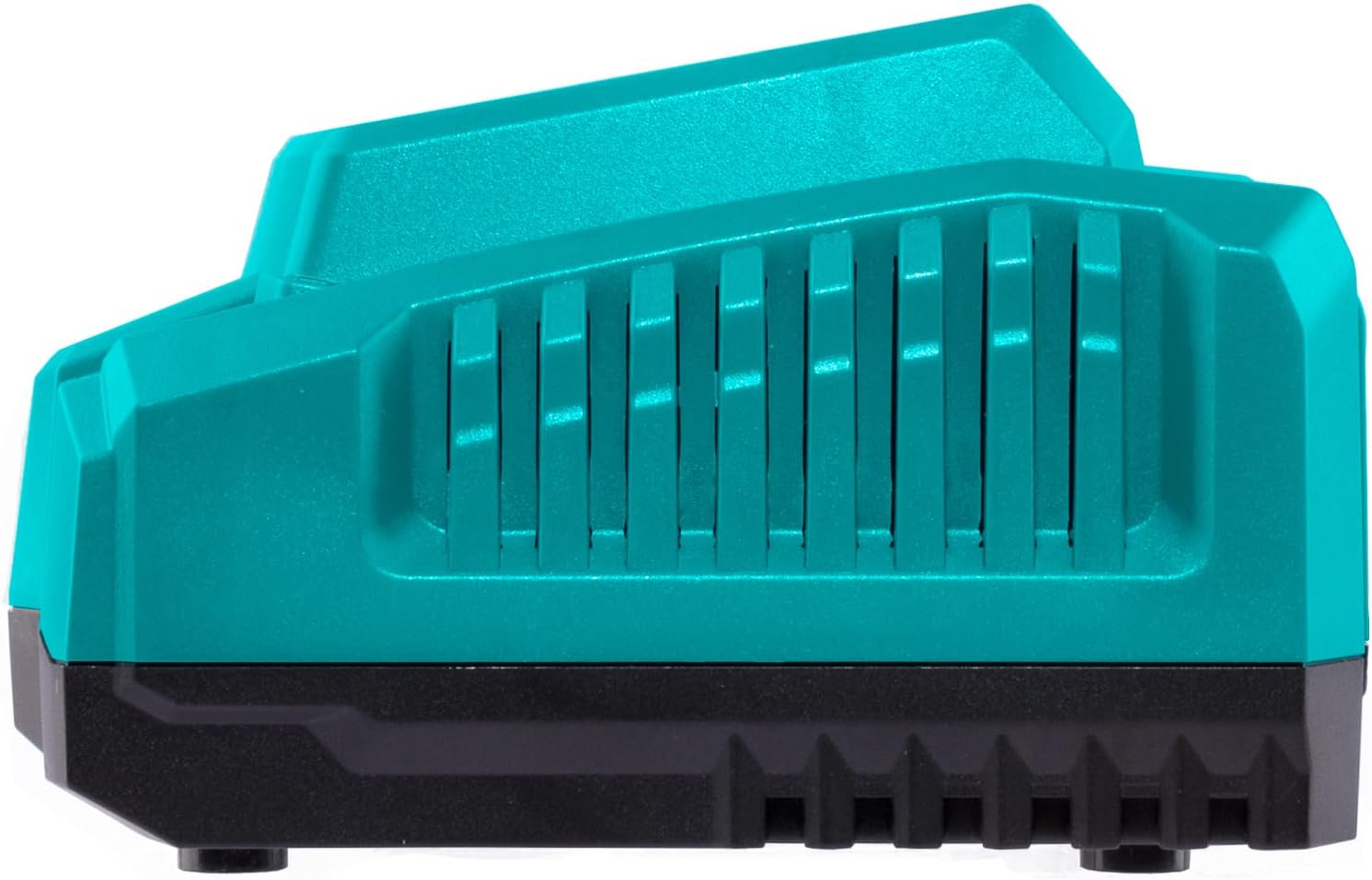
Foto 3: Akụkụ view of the Total P20S Lithium-ion Battery Charger, illustrating the ventilation slots crucial for heat dissipation during charging.
4. Nhazi
- Ịkwapu: Carefully remove the charger from its packaging. Retain packaging for future storage or transport.
- Nkwanye: Place the charger on a stable, flat, and non-combustible surface. Ensure there is adequate ventilation around the charger. Avoid placing it on carpet or other materials that could block airflow.
- Njikọ ike: Plug the charger's power cord into a suitable 240V AC electrical outlet. The red indicator light on the charger should illuminate, indicating it is powered on and ready.
5. Ntuziaka ọrụ
5.1 Ịchaji batrị
- Ensure the charger is plugged into a power outlet and the red indicator light is solid.
- Align the Total P20S Lithium-ion battery with the charging slot on the charger.
- Slide the battery firmly into the charging slot until it clicks into place.
- The green indicator light will begin flashing, indicating that the battery is charging.
- Once the battery is fully charged, the green indicator light will turn solid. The typical charging time for a compatible battery is approximately 0.5 hours.
- To remove the battery, press the release button (if present on the battery) and slide the battery out of the charger.
5.2 Ịghọta Ọkụ Ihe Ngosi
- Uhie siri ike: Charger is connected to power, no battery inserted or ready for charging.
- Green na-egbuke egbuke: Battery is actively charging.
- Green siri ike: Achajila batrị nke ọma.
- Uhie na-egbuke egbuke: Charging error. This could indicate a faulty battery, an overheated battery, or an issue with the charger itself. Disconnect the battery and charger, allow them to cool, and try again. If the error persists, consult the troubleshooting section.
6. Nlekọta
- Nhicha: Disconnect the charger from the power supply before cleaning. Use a soft, dry cloth to wipe the exterior of the charger. Do not use abrasive cleaners or solvents. Keep the charging terminals free of dust and debris.
- Nchekwa: When not in use, store the charger in a clean, dry place, away from direct sunlight and extreme temperatures.
- Nyocha: Periodically check the power cord and charger housing for any signs of damage. If damage is found, discontinue use and seek professional repair.
7. Nchọpụta nsogbu
| Nsogbu | Ihe nwere ike ime | Ngwọta |
|---|---|---|
| Charger not powering on (no lights) | No power to the outlet; faulty power cord/plug; charger malfunction. | Check power outlet with another device. Inspect power cord for damage. If problem persists, contact support. |
| Battery not charging (red light solid, no green flashing) | Battery not properly inserted; battery is not a Total P20S Lithium-ion type; battery is already fully charged. | Ensure battery is fully seated. Verify battery type. Check if battery is already charged. |
| Ìhè ihe ngosi uhie na-egbuke egbuke | Faulty battery; battery too hot/cold; charger malfunction. | Remove battery, allow to cool/warm to room temperature, then reinsert. Try charging a different, known-good battery. If error persists, the battery or charger may be faulty. |
8. Nkọwapụta
| Njirimara | Nkọwapụta |
|---|---|
| Nlereanya | TFCLI20411 |
| Ụdị | Mkpokọta |
| Ntinye Voltage | 240 volts AC |
| Mmepụta Voltage | 20 volts DC |
| Ogo dị ugbu a | 4 Amps |
| Ndakọrịta ụdị batrị | Total P20S Lithium-ion |
| Oge Njikere Odika | 0.5 Hours (for compatible batteries) |
| Ibu Ibu | 209 g (0.21 Kilogram) |
| Akụkụ ngwaahịa (L x W x H) | 12 x 16 x 15 cm |
| Agba | Turquoise |
| Ụdị nkwụnye ọkụ | Type G or Type I (Region Dependent) |
9. Akwụkwọ ikike na nkwado
Total products are manufactured to high-quality standards. For information regarding warranty coverage, please refer to the warranty card included with your purchase or visit the official Total website. For technical support, spare parts, or service inquiries, please contact your local Total dealer or authorized service center.
Biko dowe ihe akaebe nke ịzụrụ ihe maka akwụkwọ ikike.


