Okwu mmalite
Thank you for choosing the HOCO W40 Bluetooth Headphones. These wireless headphones are designed to provide a high-quality audio experience with deep bass, clear calls, and comfortable wear. This manual will guide you through the setup, operation, and maintenance of your new headphones.
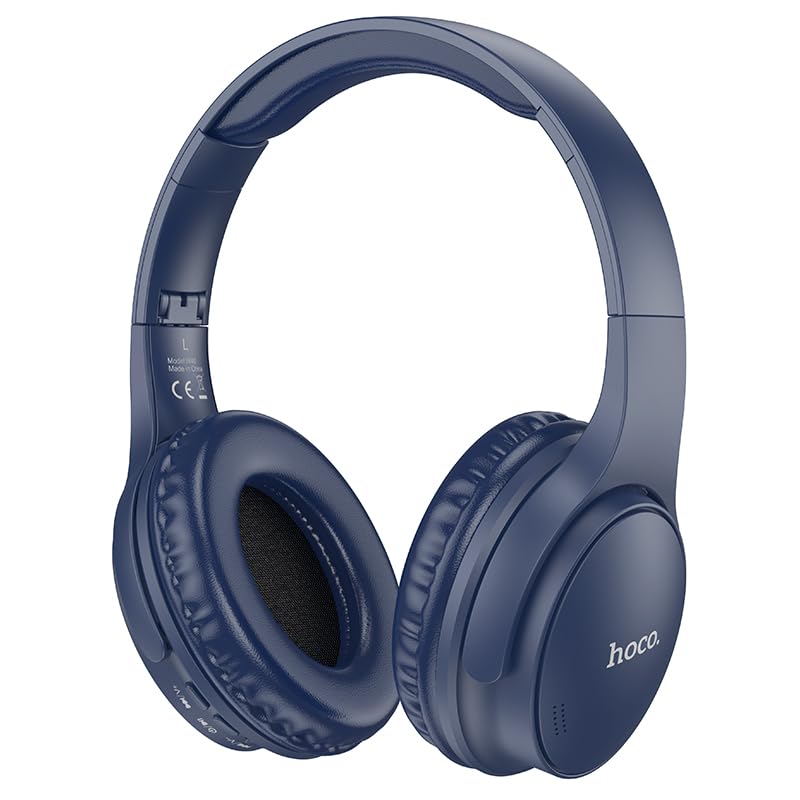
Image: HOCO W40 Bluetooth Headphones in a folded position, showcasing the earcups and headband. The headphones are blue.
Kedu ihe dị na Igbe ahụ
Biko lelee ọdịnaya nke ngwugwu gị ka ị hụ na ihe niile dị:
- HOCO W40 Bluetooth Headphones
- Nkịta ntị
- Headband (integrated with headphones)
The package includes the HOCO W40 Bluetooth Headphones, along with ear cushions and the integrated headband for comfortable use.
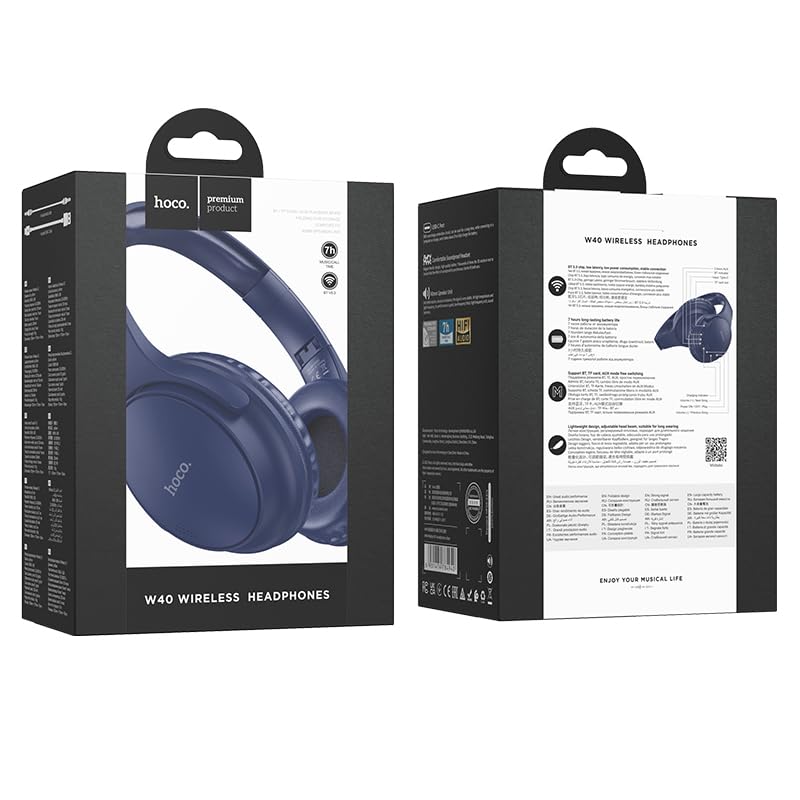
Image: Retail packaging for the HOCO W40 Wireless Headphones, showing the product image and some features on the box.
Ngwaahịa gafereview
Familiarize yourself with the various parts and controls of your HOCO W40 headphones.
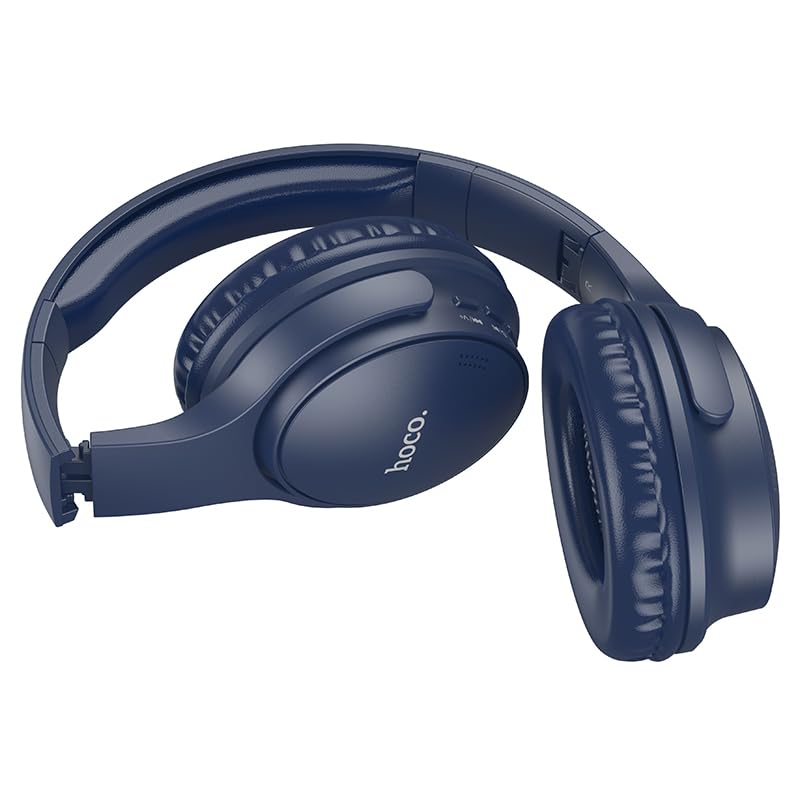
Foto: Akụkụ view of the HOCO W40 Bluetooth Headphones, highlighting the earcup and headband design. The controls are visible on the right earcup.
Njikwa na egosi:
- Bọtịnụ ike: Used to power the headphones on/off and initiate pairing.
- Njikwa olu: Adjusts the listening volume using touch controls.
- Bọtịnụ ọtụtụ ọrụ (MFB): For play/pause, answer/end calls.
- Igwe okwu: Built-in for hands-free calls.
- Nchaji ọdụ ụgbọ mmiri: Maka ijikọ eriri nchaji.
- Ihe ngosi LED: Shows power status, pairing mode, and charging status.
The headphones feature touch controls for volume adjustment and other functions, along with a built-in microphone for clear communication.
Melite
1. Ịchaji ekweisi
Before first use, fully charge your headphones. A full charge takes approximately 1 elekere.
- Connect the charging cable (not included in the JSON's 'whats_in_the_box' but typically provided) to the charging port on the headphones.
- Jikọọ nsọtụ nke ọzọ nke eriri na isi iyi ike USB (dịka ọmụmaatụ, kọmputa, ihe nkwụnye mgbidi).
- The LED indicator will show the charging status (e.g., red while charging, blue/off when fully charged).
Once fully charged, the headphones provide up to awa 12 of continuous playtime.
2. Ijikọ na ngwaọrụ Bluetooth
The HOCO W40 headphones use Bluetooth 5.3 for stable and seamless connectivity. They are compatible with smartphones, tablets, laptops, and other Bluetooth-enabled devices (iOS, Android).
- Gbaa mbọ hụ na agbanyụrụ ekweisi.
- Press and hold the Power Button until the LED indicator flashes rapidly (usually blue and red alternately), indicating pairing mode.
- Na ngwaọrụ gị, gbanye Bluetooth ma chọọ ngwaọrụ dịnụ.
- Select "HOCO W40" from the list of found devices.
- Once paired, the LED indicator will stop flashing and may turn solid blue or off, depending on the model.
- The headphones have a wireless range of up to 10 mita.
If pairing is unsuccessful, turn off both devices, wait a few seconds, and repeat the steps.
Ntuziaka ọrụ
Gbanyụọ/ Gbanyụọ
- Ike Na: Press and hold the Power Button for approximately 3 seconds until the LED indicator lights up.
- Gbanyụọ: Press and hold the Power Button for approximately 5 seconds until the LED indicator turns off.
Njikwa egwu
- Gwuo/kwụsịtụ: Short press the Multi-function Button (MFB).
- Olu elu: Tap the designated touch control area for volume up.
- Olu ala: Tap the designated touch control area for volume down.
- Track na-esote: Double-tap the MFB or use the designated touch control.
- Gara aga Track: Triple-tap the MFB or use the designated touch control.
Note: Specific touch control gestures may vary slightly. Refer to the quick start guide included with your product for precise details.
Njikwa oku
- Azịza/Kwụsị Oku: Short press the Multi-function Button (MFB).
- Jụ oku: Pịa ma jide MFB maka sekọnd 2.
- Nọmba Ikpeazụ emegharịgharịrị: Double-press the MFB when not on a call.
Nlekọta
Proper care will extend the life of your HOCO W40 headphones.
- Nhicha: Jiri akwa dị nro dị nro hichaa ekweisi. Ejila ihe nchacha abrasive ma ọ bụ ihe mgbaze.
- Nchekwa: Chekwaa ekweisi n'ebe dị jụụ, kpọrọ nkụ na-adịghị na ìhè anyanwụ kpọmkwem na oke okpomọkụ.
- Nguzogide mmiri: The headphones are water resistant, making them suitable for workouts and outdoor activities. However, they are not designed for submersion in water. Avoid prolonged exposure to heavy rain or direct water jets.
- Nlekọta batrị: To preserve battery life, charge the headphones regularly, even if not in frequent use. Avoid fully discharging the battery for extended periods.
Nchọpụta nsogbu
| Nsogbu | Ngwọta enwere ike |
|---|---|
| Igwe ekweisi anaghị agba ọkụ. | Ensure the headphones are charged. Connect them to a power source and try again after a few minutes. |
| Enweghị ike ijikọ na ngwaọrụ. |
|
| Enweghị ụda ma ọ bụ obere olu. |
|
| Ogo oku adịghị mma. |
|
Nkọwapụta
| Nlereanya | W40 |
| Ụdị | HOCO |
| Teknụzụ Njikọta | Ikuku (Bluetooth 5.3) |
| Oke Bluetooth | 10 mita |
| Ndụ batrị | Ruo awa 12 |
| Oge Nchaji | Ihe dị ka elekere 1 |
| Ụdị ọkwọ ụgbọ ala ọdịyo | Ọkwọ ụgbọala dị ike |
| Njikwa mkpọtụ | Mwepu ụda |
| Ọkwa Nguzogide mmiri | Mmiri na-eguzogide |
| Ụdị njikwa | Volume Control (Touch) |
| Igwe okwu arụnyere n'ime ya | Yes, for Hands-Free Calls |
| Ngwa dakọtara | Smartphones, Tablets, Laptops (Universal Compatibility) |
| Ihe onwunwe | Plastic |
| Ibu Ibu | 180 g |
Vidiyo ngwaahịa ngwaahịa
Lelee vidiyo ngwaahịa gọọmentị maka nlele anyaview of the HOCO W40 Bluetooth Headphones and their key features.
Vidiyo: Ngwaahịa a kwụsịrịview of the HOCO W40 Bluetooth Headphones, demonstrating its features, battery life, design, and device compatibility.
Akwụkwọ ikike na nkwado
For warranty information and customer support, please refer to the documentation included with your purchase or visit the official HOCO websaịtị. Debe ihe akaebe nke ịzụrụ ihe maka akwụkwọ ikike ọ bụla.
Maka enyemaka ọzọ, ị nwekwara ike ịkpọtụrụ onye na-ere ahịa ebe azụrụ ngwaahịa ahụ.


