1. Okwu mmalite
Thank you for choosing the Sportstech Swalk Walking Pad & LED Treadmill. This manual provides essential information for the safe and effective use, setup, operation, and maintenance of your new fitness device. Please read this manual thoroughly before first use and keep it for future reference.
2. Ntuziaka nchekwa dị mkpa
- Gụọ ntuziaka niile dị n'akwụkwọ ntuziaka a tupu ị na-eji igwe a na-azọ ụkwụ.
- Debe ụmụaka na anụ ụlọ n'ebe a na-azọ ụkwụ n'ebe a na-arụ ọrụ.
- Place the treadmill on a flat, stable surface. Ensure there is adequate clear space around the device.
- Ejila igwe na-azọ ụkwụ rụọ ọrụ ma ọ nwere eriri ma ọ bụ plọg mebiri emebi, ma ọ bụ ọ bụrụ na ọ naghị arụ ọrụ nke ọma.
- The maximum user weight for this treadmill is 120 kg. Do not exceed this limit.
- Yiri uwe mmega ahụ na akpụkpọ ụkwụ kwesịrị ekwesị. Zere uwe ndị na-adịghị mma nke nwere ike ịdaba n'ime akụkụ ndị na-agagharị agagharị.
- Jidesie n'ụkwụ aka (ọ bụrụ na ọdabara) mgbe ị na-amalite ma ọ bụ na-akwụsị ihe igwe na-azọ ụkwụ.
- Disconnect the power cord when not in use or before cleaning and maintenance.
- This treadmill is designed for home and office use. Do not use it in a commercial setting.
3. Ihe ngwugwu
Please check the package contents carefully. If any items are missing or damaged, contact Sportstech customer support.
- Sportstech Swalk Walking Pad & LED Treadmill
- Ụdọ ọkụ
- Njikwa anya
- Akwụkwọ ntuziaka onye ọrụ
- Mmanụ mmanụ (maka mmezi)
4. Ngwaahịa gafereview
The Sportstech Swalk is a compact walking pad designed for fitness sessions at home or in the office. It features an integrated LED display and wheels for easy storage.
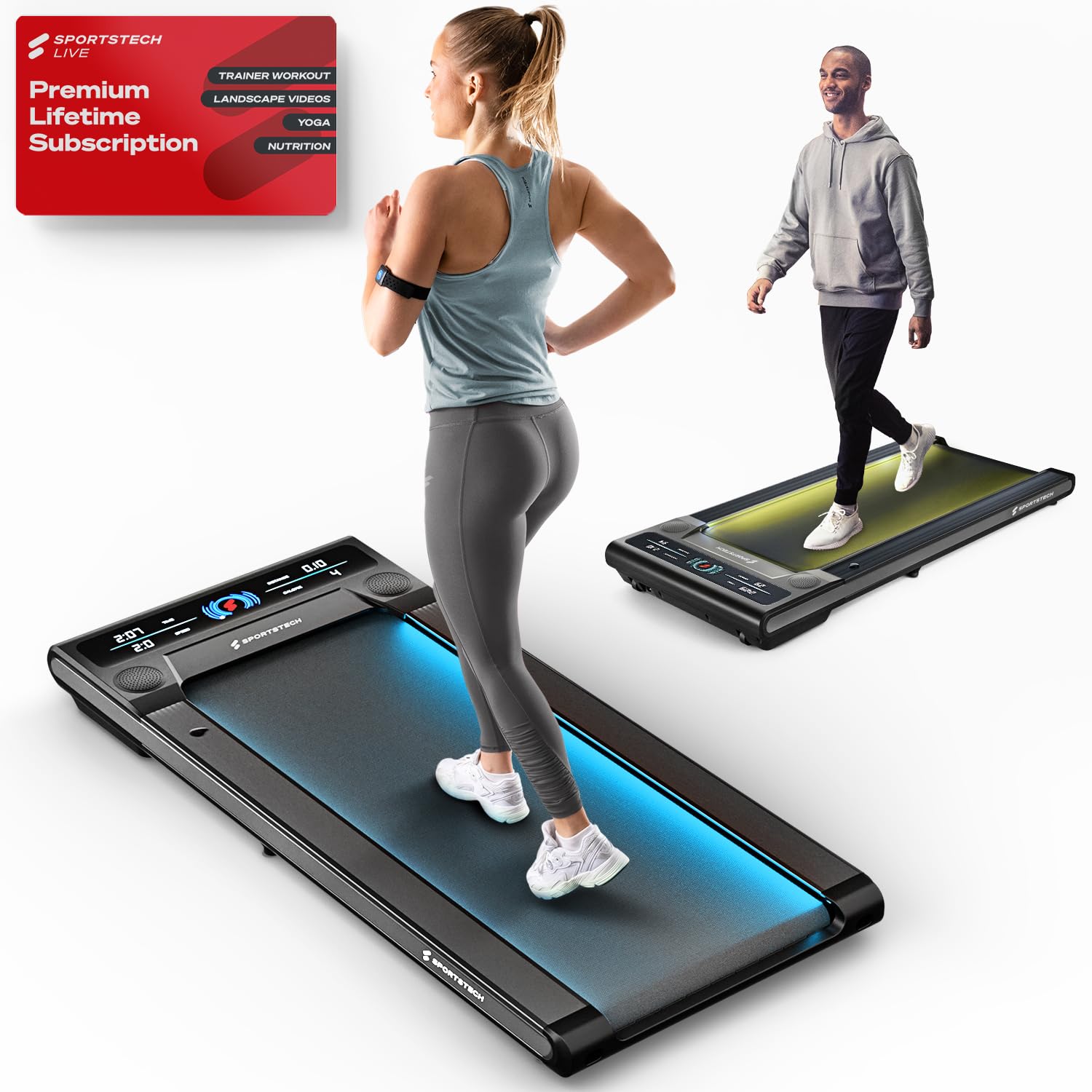
Image: The Sportstech Swalk Walking Pad Treadmill, showcasing its sleek, compact design suitable for home and office environments.
Isi ihe:
- Walking Belt: The primary surface for walking.
- Ikanam Display: Shows real-time workout data.
- moto: Powers the walking belt.
- Ike Port: Maka ijikọ eriri ọkụ.
- Ụgbọ njem: For easy movement and storage.
- Njikwa anya: For adjusting speed and controlling functions.
5. Nhazi
5.1 Nwepu
- Jiri nlezianya wepụ ihe igwe kwụ otu ebe na nkwakọ ngwaahịa ya.
- Wepụ ihe niile e ji ekpuchi ihe na ihe nkiri nchebe.
- Inspect the treadmill for any signs of damage.
5.2 Ntinye
- Place the treadmill on a firm, level surface.
- Ensure there is at least 0.6 meters (2 feet) of clear space behind the treadmill and 0.3 meters (1 foot) on each side.
- Avoid placing the treadmill on thick carpets, as this may interfere with ventilation.
5.3 Njikọ ike
- Connect the power cord to the treadmill's power port.
- Tinye eriri ọkụ n'ime oghere eletrik gbadoro ụkwụ.
- Ensure the power switch (if present) is in the OFF position before plugging in.
6. Ntuziaka ọrụ
6.1 Gbanyụọ/ gbanyụọ
- To power on, ensure the treadmill is plugged in and press the power button on the remote control. The LED display will illuminate.
- To power off, press and hold the power button on the remote control until the display turns off.
6.2 Iji njikwa anya
Njikwa remote na-enye gị ohere ịmalite, kwụsị, na ịgbanwe ọsọ nke treadmill.
- Bọtịnụ mmalite/Kwụsị: Press to begin or end a workout.
- Ọsọ +/- bọtịnụ: Use to increase or decrease the walking speed. The speed can be adjusted up to 6 km/h.
6.3 Ịghọta Ngosipụta LED
The high-resolution LED display monitors your activities in real-time, showing:
- Ogologo: Total distance traveled during your workout.
- Kalori: Kalori echere n'ọkụ.
- Ọsọ: Ọsọ ije ugbu a.
- Oge: Ogologo oge mgbatị ahụ gị.
6.4 Patented LED Function
The treadmill features a patented LED function with 7 different colors. These colors change according to your speed or pulse, providing visual feedback during your workout.
6.5 Sportstech Live App Connection
Enhance your fitness experience by connecting your Swalk treadmill to the Sportstech Live app via Bluetooth. The app allows you to:
- Access workouts with professional trainers.
- Participate in challenges with the fitness community.
- Connect to your TV via Bluetooth for a more immersive session.
7. Nlekọta
7.1 Nhicha
- Mgbe niile, wepụ ihe na-akpụ akpụ tupu ihicha ya.
- Wipe down the treadmill's surfaces with a damp akwa . Zere iji ihe nhicha ma ọ bụ ihe mgbaze.
- Regularly clean the area around the walking belt to prevent dust and debris buildup.
7.2 mmanu mmanu
Regular lubrication of the walking belt is crucial for smooth operation and longevity. Refer to the included lubricant instructions for proper application frequency and method.
- Typically, apply lubricant every 30-50 hours of use, or as indicated by the treadmill.
- Lift the edge of the walking belt and apply a thin line of silicone lubricant to the center of the deck.
- Run the treadmill at a low speed for a few minutes to distribute the lubricant evenly.
7.3 Ndozi eriri
If the walking belt starts to slip or drift to one side, it may need adjustment. Use the provided hex key to adjust the tension bolts at the rear of the treadmill. Make small, quarter-turn adjustments and test the belt after each adjustment until it runs smoothly and centrally.
7.4 Nchekwa
Thanks to its space-saving design and integrated wheels, the Swalk can be easily stored. Simply roll it under a sofa or bed after use.
8. Nchọpụta nsogbu
If you encounter issues with your Sportstech Swalk, refer to the following common problems and solutions:
| Nsogbu | Ihe nwere ike ime | Ngwọta |
|---|---|---|
| Treadmill anaghị arụ ọrụ. | Power cord not properly connected; power outlet issue; remote control battery low. | Check power cord connection; test outlet with another device; replace remote control batteries. |
| Walking belt slips or stops when stepped on. | Belt tension too loose; insufficient lubrication; oil on drive belt/spindle. | Adjust belt tension (see Section 7.3); apply lubricant (see Section 7.2); inspect for oil on internal drive components and clean thoroughly if present. |
| Walking belt drifts to one side. | Belt alignment issue. | Adjust belt alignment (see Section 7.3). |
| Mkpọtụ na-adịghị ahụkebe n'oge arụ ọrụ. | Lack of lubrication; loose components; foreign object. | Lubricate belt; check for loose screws; inspect for foreign objects under the belt. |
If the problem persists after attempting these solutions, please contact Sportstech customer support for further assistance.
9. Nkọwapụta
| Njirimara | Nkọwa |
|---|---|
| Ụdị | Egwuregwu teknụzụ |
| Aha Nlereanya | Swalk |
| Nọmba Nlereanya ihe | SP_WalkMate |
| Akụkụ ngwaahịa (D x W x H) | 127D x 56.5W x 11.5H centimita |
| Ibu Ibu | 23 kilogram |
| Ọsọ kacha | Kilomita isii kwa awa |
| Nkwanye ịdị arọ kacha | 120 kilogram |
| Ụdị ngosi | LCD |
| Metrics tụrụ | Anya |
| Atụmatụ pụrụ iche | App, Bluetooth, LCD display, Patented LED Function |
| Frame Ihe | Alloy Steel |
| Isi Iyi Ike | Battery Powered (for remote control, main unit is electric) |
10. Akwụkwọ ikike na nkwado
Sportstech products are manufactured to high-quality standards. For information regarding your product's warranty, please refer to the warranty card included in your package or visit the official Sportstech websaịtị.
If you require technical assistance, have questions about operation, or need to report a defect, please contact Sportstech customer support. Contact details can typically be found on the official Sportstech websaịtị ma ọ bụ na akwụkwọ ịzụrụ ihe gị.


