Okwu mmalite
The Pelican Marine Waterproof Floating Pouch is designed to protect your smartphone and valuables from water, dust, sand, and snow. Its IP68 certification ensures reliable water protection, while its floating design prevents loss in water. This manual provides essential information for proper setup, operation, and maintenance of your phone pouch.
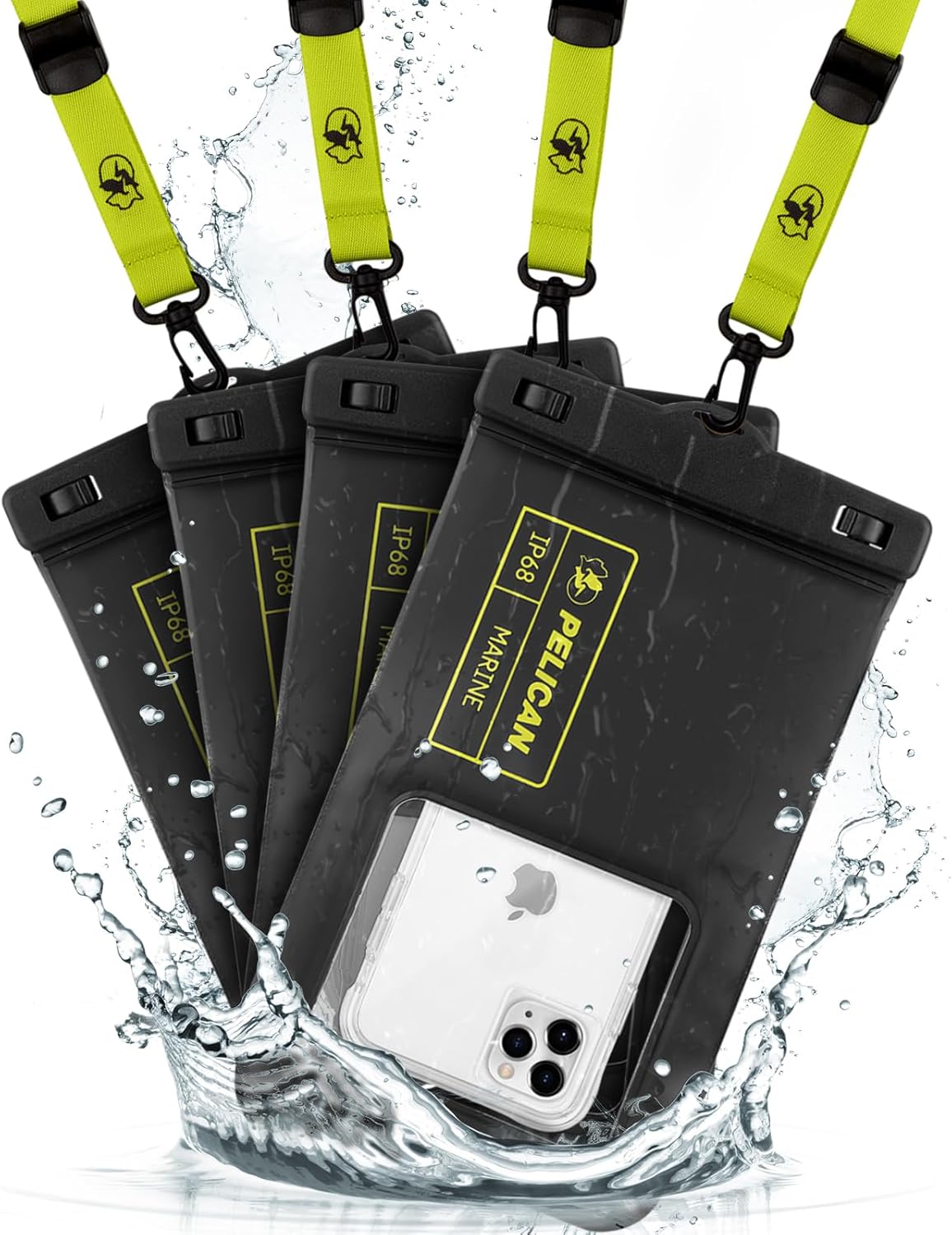
Image: Four Pelican Marine waterproof phone pouches, black with hi-vis yellow accents, floating in water. One pouch clearly displays a smartphone inside.
Ihe ngwugwu
- (4) Pelican Waterproof Phone Pouch Floating Case - Black (XL Size)
- (4) Detachable Keychain Lanyard - Hi-Vis Yellow
Setup and Initial Water Test
Before first use, and periodically thereafter, perform a water test to ensure the pouch is fully sealed and undamaged. This is crucial to prevent water damage to your device.
- Open the Pouch: Locate the secure lock mechanism at the top of the pouch. Slide the two clasps outwards to unlock and open the top seal.
- Insert Test Material: Place a dry piece of paper or tissue inside the pouch.
- Mechie ma chekwaa: Ensure the top edges are aligned, then press the clasps inwards until they click securely into the locked position. Verify both clasps are fully engaged.
- Mikpuo: Submerge the sealed pouch in water (e.g., a sink or shallow basin) for at least 10-15 seconds, ensuring it is fully underwater. You may need to weigh it down slightly if it floats.
- Lelee maka leaks: Remove the pouch, dry the exterior thoroughly with a towel, then open the clasps and inspect the paper/tissue inside for any signs of moisture.
If the paper is dry, your pouch is ready for use. If it is wet, do not use the pouch and contact customer support.

Image: A step-by-step visual guide demonstrating how to perform a dry test on the waterproof phone pouch using a piece of paper.
Ntuziaka ọrụ
1. Inserting Your Phone
- Perform the initial water test as described above.
- Open the secure lock mechanism by sliding the clasps outwards.
- Carefully insert your smartphone into the pouch. The XL size accommodates most smartphones up to 6.7 inches, even with a slim case.
- Squeeze out any excess air from the pouch before sealing to ensure optimal touchscreen responsiveness and to prevent unwanted buoyancy if you intend to submerge it.
- Align the top edges and firmly close the secure lock mechanism until both clasps click into place. Double-check the seal.
2. Using the Touchscreen and Camera
The transparent TPU material allows for direct and good contact with your phone's touchscreen and camera. You can operate your phone's functions, including taking photos and videos, while it is inside the pouch.
- For best touchscreen response, ensure minimal air is trapped inside the pouch.
- The clear window on the back allows for underwater photography and videography.
- The innovative side design provides easy access to your phone's side buttons.
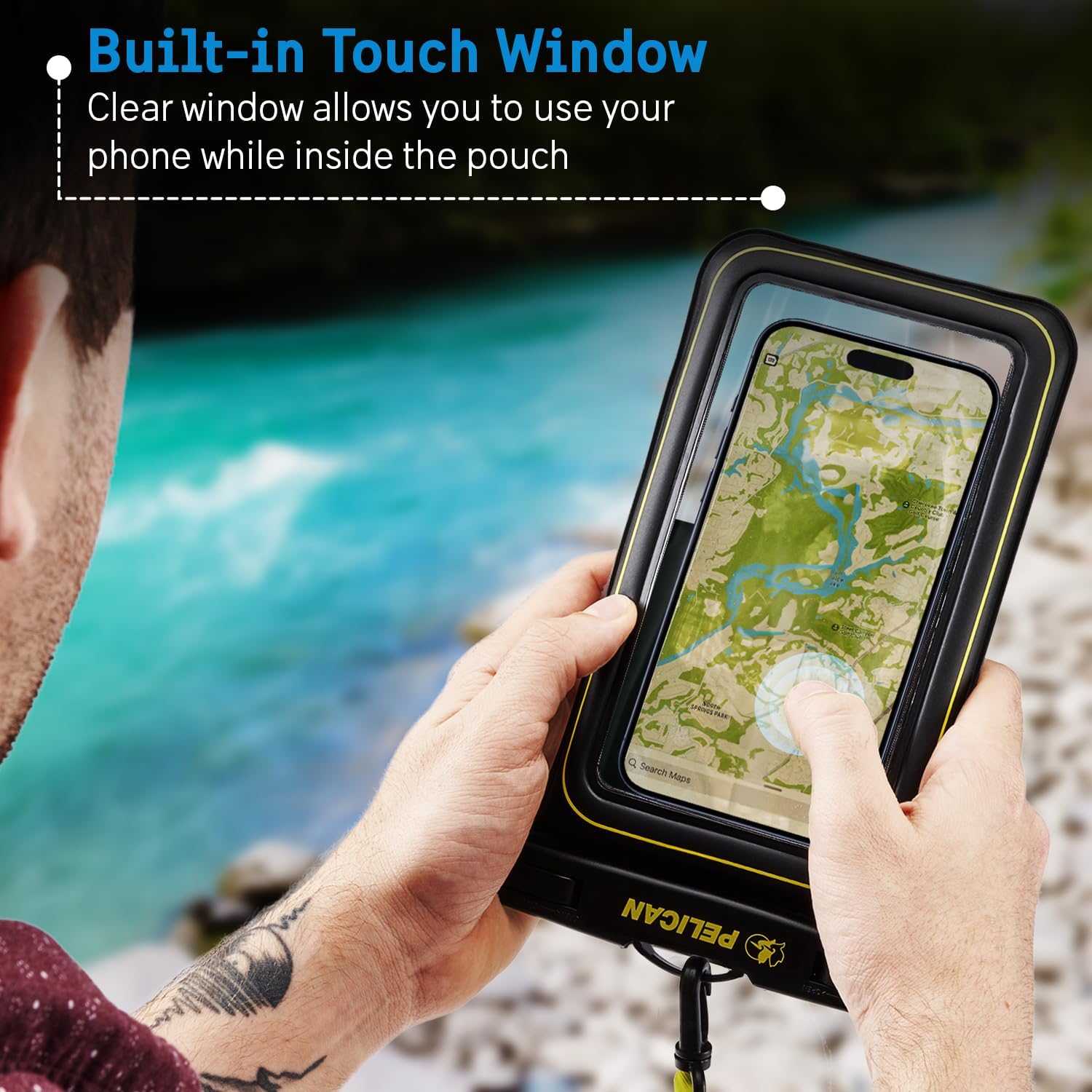
Image: A person holding the Pelican Marine waterproof phone pouch, demonstrating touchscreen functionality with a map displayed on the phone screen inside the pouch.

Image: A person using the Pelican Marine waterproof phone pouch to take a photo underwater, capturing marine life.
3. Using the Detachable Lanyard
The included detachable lanyard allows you to wear the pouch around your neck or wrist for easy access and security. The lanyard features a carabiner clip for versatile attachment options.
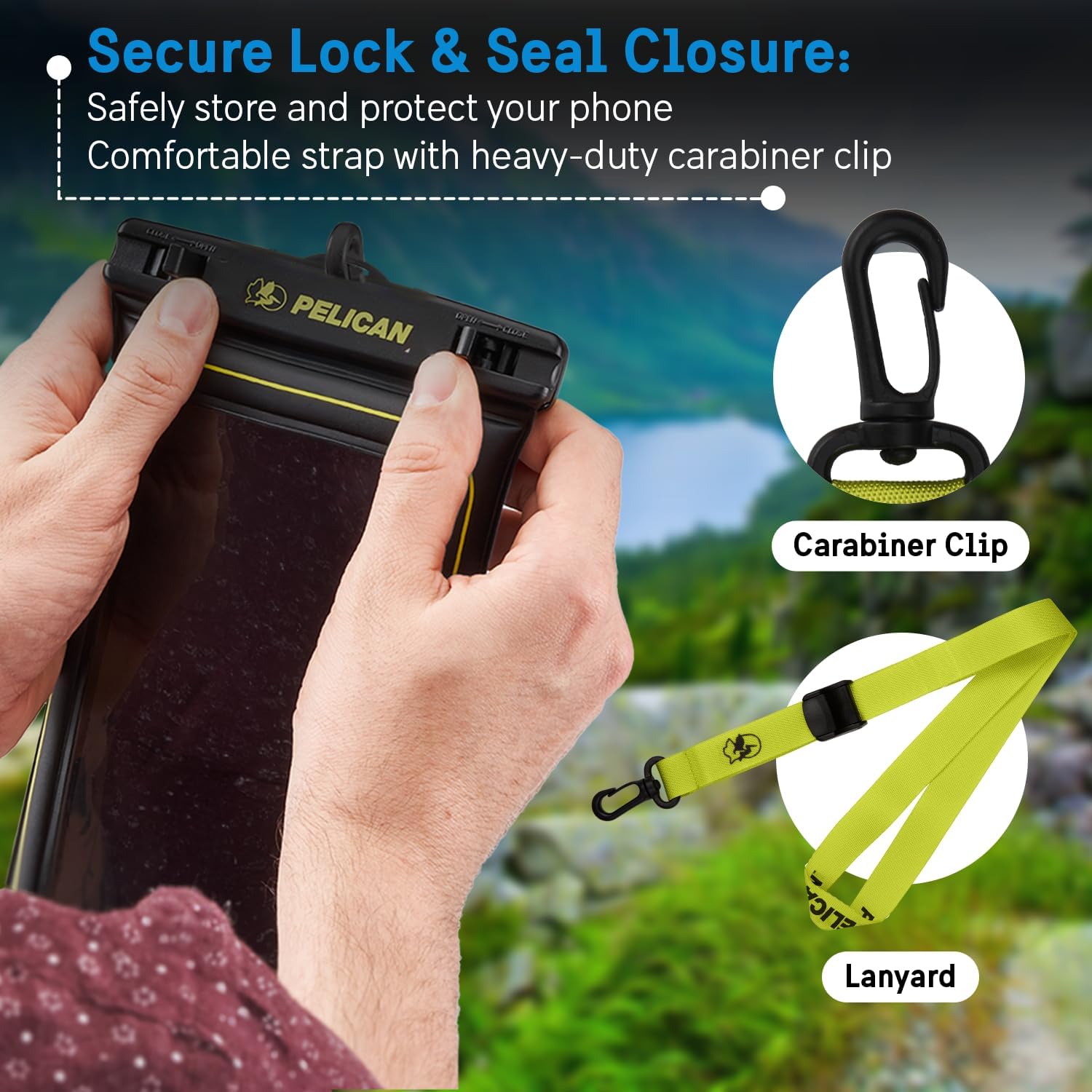
Image: Close-up of hands securing the waterproof phone pouch's lock mechanism. A separate carabiner clip and hi-vis yellow lanyard are displayed next to it.
Atụmatụ
- IP68 Certified Water Protection: Submersible up to 3.3 feet (1 meter) for up to 30 minutes.
- Nka na-ese n'elu mmiri: Manufactured with high-density foam and built-in air cushions for buoyancy, ensuring your phone floats if dropped in water.
- Sensitive Touchscreen: Clear window allows full touchscreen functionality while inside the pouch.
- Underwater Photography: Transparent material provides clear access for camera use.
- Usoro mkpọchi echedoro: Ensures a tight seal to keep your device dry.
- Lanyard enwere ike ihichapụ: For convenient and secure carrying.
- Ihe na-adịgide adịgide: Made from quality TPU material, scratch-resistant, and designed to withstand dust, sand, and snow.
- Nhazi zuru ụwa ọnụ: Compatible with most smartphones up to 6.7 inches.
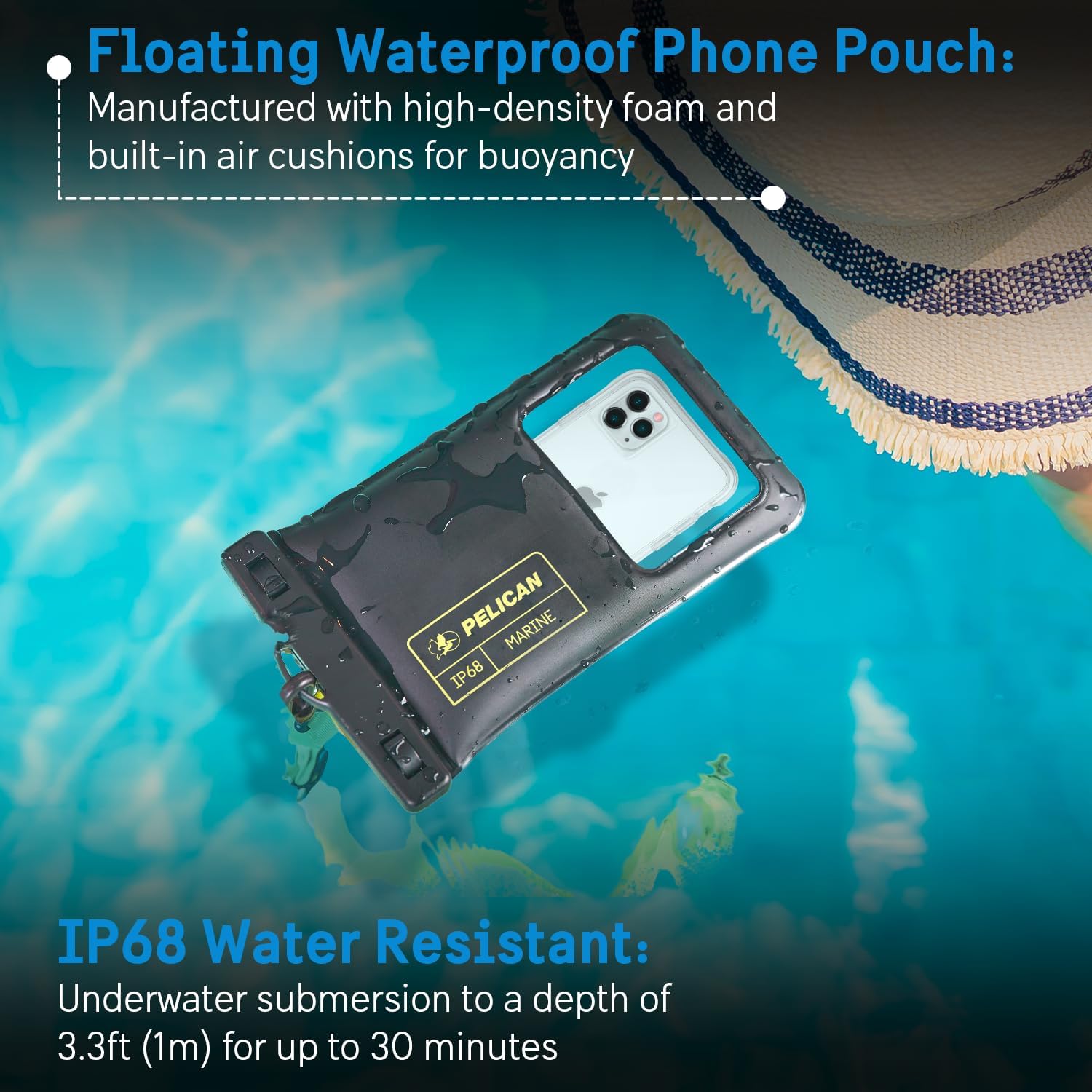
Image: The Pelican Marine waterproof phone pouch floating on the surface of a pool, illustrating its buoyancy and IP68 water resistance rating.
Nlekọta
- After each use, especially in saltwater, rinse the pouch with fresh water and allow it to air dry completely before storing.
- Avoid exposing the pouch to sharp objects or abrasive surfaces to prevent punctures or scratches.
- Store the pouch in a cool, dry place away from direct sunlight when not in use.
- Regularly inspect the seals and material for any signs of wear or damage.
Nchọpụta nsogbu
- Ihuenyo mmetụ anaghị anabata: Ensure all air is squeezed out of the pouch before sealing. Water can also affect touchscreen sensitivity; try operating the phone above water or using physical buttons if available.
- Water Inside Pouch: Immediately remove your device and allow it to dry completely. Perform a dry test with paper to identify any leaks. Do not use the pouch if it leaks.
- Fogging Inside Pouch: This can occur due to temperature differences. Ensure your device is completely dry before placing it in the pouch. You can also place a small desiccant packet inside (away from the phone screen) to absorb moisture.
Nkọwapụta
| Akụkụ ngwaahịa | 5.51 x 0.55 x 9.06 sentimita asatọ |
| Ibu Ibu | 2.72 ounces |
| Nọmba nlereanya | PP044688-04 |
| Ngosi nke enweghị mmiri | IP68 (3.3ft/1m for 30 mins) |
| Ihe onwunwe | Polyurethane Thermoplastic (TPU) |
| Agba | Black/Hi-Vis Yellow |
| Ụdị ekwentị dakọtara | Universal, fits most smartphones up to 6.7 inches |
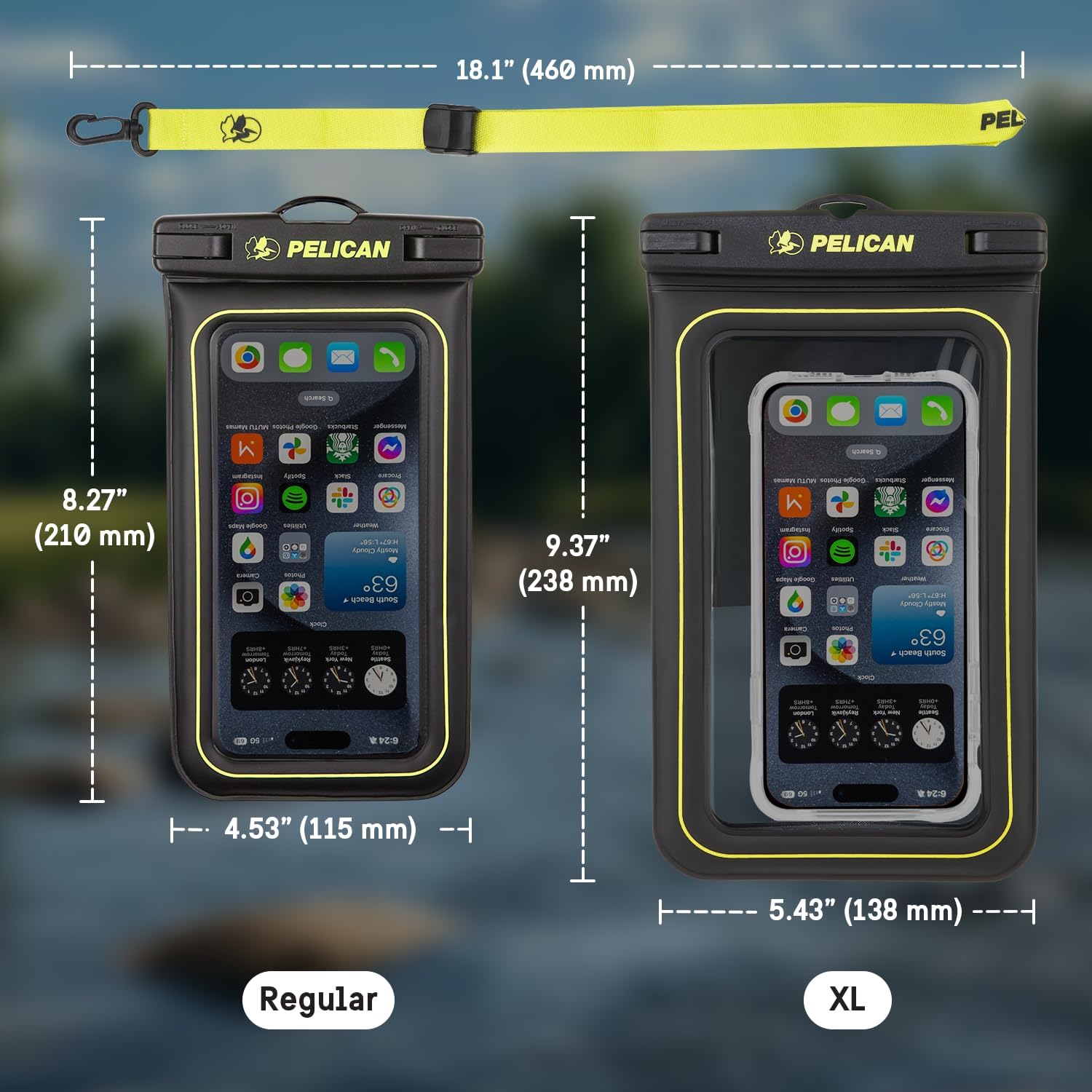
Image: A visual comparison of the Regular and XL size Pelican Marine waterproof phone pouches, detailing their respective dimensions.
Vidiyo ngwaahịa ngwaahịa
Pelican Marine Waterproof Floating Phone Pouch XL size
Vidiyo: Mkpebi dị mkpirikpiview of the Pelican Marine Waterproof Floating Phone Pouch in XL size, demonstrating its features and use.
Pelican Waterproof Collection
Video: A compilation showcasing various products from the Pelican Waterproof Collection, including the phone pouch, highlighting their protective qualities.
Akwụkwọ ikike na nkwado
This product comes with a One Year Warranty. For warranty claims or technical support, please refer to the manufacturer's contact information provided with your purchase or visit the official Pelican websaịtị.
Akwụkwọ ndị emetụtara - PP044688-04
 |
Ntuziaka nwụnye Thermostat ejikọrọ Pelican TC4 Azụmahịa Ntuziaka nwụnye maka Pelican TC4 Commercial Connected Thermostat na iru mmiri na CO2, na-ekpuchi nhazi, wiring, na nchọpụta nsogbu maka sistemụ HVAC azụmahịa. |
 |
Pelican TC Thermostats Zone Damper Control Installation Manual Install and configure Pelican TC Thermostats for precise HVAC zone damper control. This manual covers wiring, system types (VVT, VAV), wireless networking, and optimization for energy efficiency and comfort. |
 |
Pelican TA1 Okpomọkụ na ihe mmetụta mkpu: Ntuziaka ntinye & nkọwapụta Ntuziaka nrụnye zuru oke maka ngwa Pelican TA1 okpomọkụ na ihe mmetụta ihe mmetụta. Mụta maka atụmatụ ya, ngwaọrụ dakọtara, wiring, rịgoro, na nhazi ntinye maka HVAC na sistemu akpaaka ụlọ. |
 |
Pelican 2490 LED Flashlight User Manual, Specifications, and Warranty Comprehensive guide for the Pelican 2490 LED flashlight, covering safety precautions, battery installation, operation, product specifications, replacement parts, and the Pelican Limited Lifetime Guarantee. |
 |
Pelican 9460 Remote Area Lighting System User Manual User manual for the Pelican 9460 Remote Area Lighting System, detailing its features, operation, battery charging, maintenance, and warranty. Includes instructions for mast and light functions. |
 |
Akwụkwọ ntuziaka onye ọrụ Pelican 9490 RALS: Ọrụ, nchekwa, na nkọwapụta Akwụkwọ ntuziaka onye ọrụ zuru oke maka Pelican 9490 Remote Area Lighting System (RALS). Na-ekpuchi ọrụ mast, ụdị ọkụ, njikwa ngwungwu ike, nchekwa batrị, usoro ịchaji, nkọwapụta okpomọkụ, yana akwụkwọ ikike nwere obere afọ 1. |