1. Okwu mmalite
This manual provides essential information for the proper use and maintenance of your Reflex Active Series 23 Smart Watch. Please read it thoroughly before using your device to ensure optimal performance and longevity.
The Reflex Active Series 23 Smart Watch is designed to integrate seamlessly into your daily life, offering features such as communication, health monitoring, and activity tracking. It features a black strap and a black brushed alloy case.
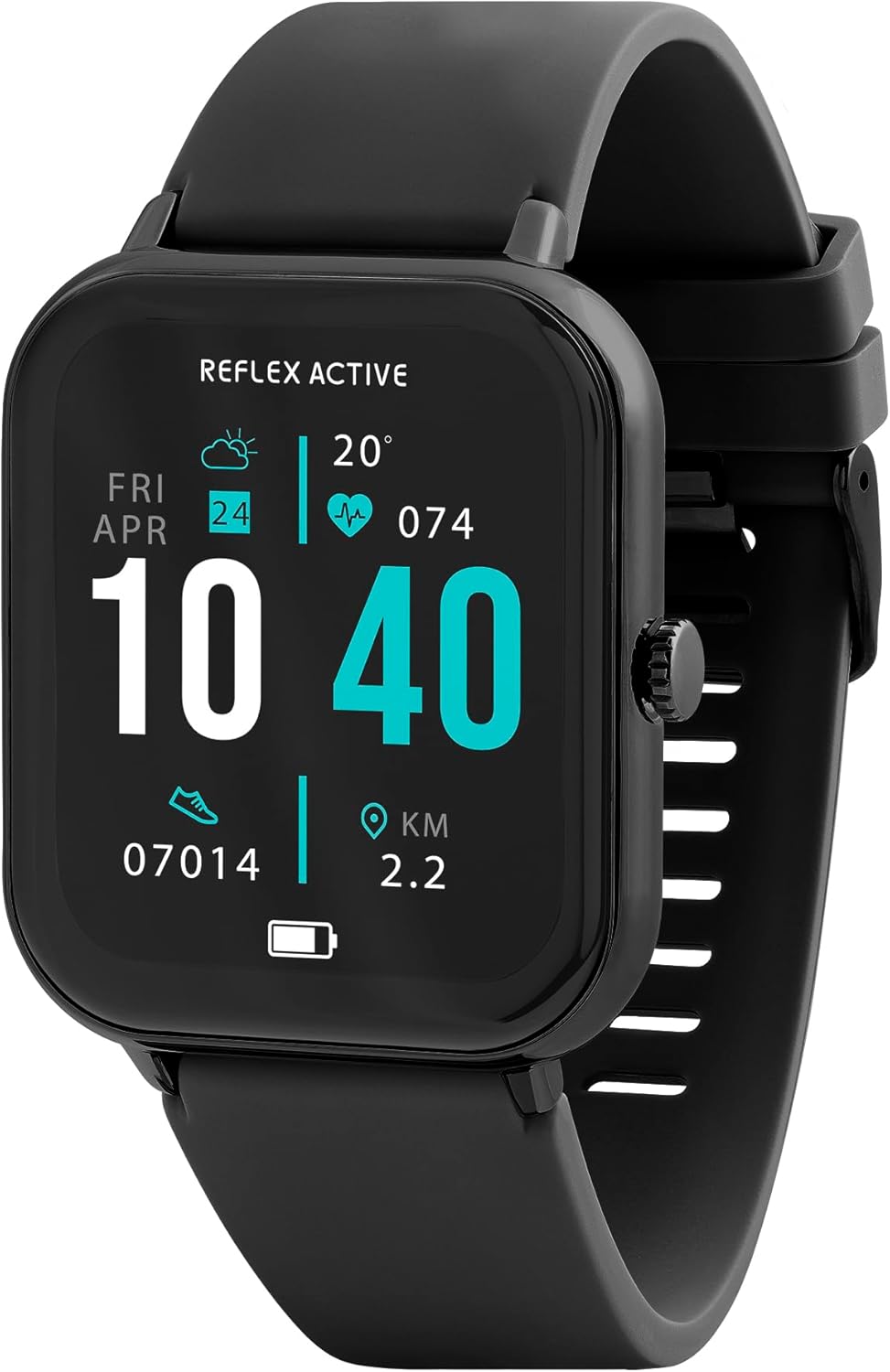
Image 1.1: Reflex Active Series 23 Smart Watch displaying key information.
2. Ozi nchekwa
- Nkwụghachi ahụike: This device is not a medical device. Data provided by the watch, including heart rate, blood oxygen, and activity tracking, is for reference only and should not be used for medical diagnosis or treatment. Consult a medical professional for any health concerns.
- Nchekwa batrị: Do not attempt to replace the battery yourself. Improper battery replacement can lead to overheating, fire, or explosion.
- Nguzogide mmiri: The device is IP68 water resistant. This means it is protected against immersion in water up to 1.5 meters for up to 30 minutes. It is suitable for everyday use and shallow-water activities but not for diving or high-pressure water activities. Avoid exposure to hot water, steam, or chemicals.
- Ihe egwu na-akụda: Debe ngwaọrụ ahụ na ihe ndị ọzọ dị na ya ka ụmụaka ghara iru ya aka.
- Nchekwa ịnya ụgbọ ala: Do not operate the watch or check notifications while driving or in situations that require full attention.
- Mgbakasị akpụkpọ: If you experience skin irritation, redness, or discomfort, discontinue use and consult a doctor. Ensure the watch is clean and dry before wearing.
3. Nhazi
3.1. Unboxing na mbido nyocha
Mgbe imepechara ngwugwu ahụ, chọpụta na akụrụngwa niile dị:
- Reflex Active Series 23 Smart Watch
- Igwe nchaji USB
- Instruction Guide (this document)
- 2-Year Guarantee Information

Image 3.1: Package contents of the Reflex Active Smart Watch.
3.2. Ịchaji smart Watch
Before first use, fully charge your smart watch. Connect the magnetic charging cable to the charging points on the back of the watch and plug the USB end into a compatible power adapter (not included) or a computer's USB port. The watch display will indicate charging status.
3.3. Ngwa nwụnye
To unlock the full functionality of your Reflex Active Series 23 Smart Watch, you need to install the free Reflex Active Red App on your smartphone. The app is compatible with both iOS and Android devices.
- Scan the QR code in the instruction guide or search for "Reflex Active Red App" in your device's app store.
- Budata ma wụnye ngwa ahụ.
- Follow the on-screen instructions to create an account and set up your profile.

Image 3.2: Reflex Active Red App download options.
3.4. Ijikọta elekere smart gị
After installing the app, follow these steps to pair your watch with your smartphone:
- Ensure your watch is charged and powered on.
- Kwado Bluetooth na ekwentị gị.
- Open the Reflex Active Red App.
- Navigate to the device pairing section within the app.
- Select your Reflex Active Series 23 from the list of available devices.
- Kwenye arịrịọ maka njikọta na ma elekere gị na ama ama gị.
4. Na-arụ ọrụ Smart Watch gị
4.1. Nsoro ụzọ
The Reflex Active Series 23 features a responsive touchscreen and a side button for navigation:
- Sịchaa elu/ala: Pịgharịa gaa na menu na ọkwa.
- Sụgharịa akaekpe/aka nri: Access quick-view widgets or different watch faces.
- Kpatụ: Họrọ otu ihe ma ọ bụ mepee ngwa.
- Bọtịnụ akụkụ: Press to return to the home screen or wake the display. Long press for power options.
4.2. Nkwukọrịta atụmatụ
Stay connected directly from your wrist.
- Ịkpọ na ịnata oku: Once paired, you can make and receive calls directly on your watch.
- Ọkwa ozi: Receive alerts for incoming messages from various apps.

Image 4.1: Receiving an incoming call on the smart watch.

Image 4.2: Smart watch displaying a wellness feature.
4.3. Health and Activity Tracking
The watch offers comprehensive tracking features:
- Nyochaa Ọnụọgụgụ Obi: Na-enyocha obi gị mgbe niile.
- Ntụgharị nzọụkwụ: Records your daily steps and distance.
- Nchicha ụra: Monitors your sleep patterns and quality.
- Nchọgharị kalori: A na-eme atụmatụ kalori ọkụ dabere na ọrụ ahụ.
- Ndepụta okirikiri: Helps monitor menstrual cycles (via app).
- Multi-Activity Tracking: Supports various sports modes.
- Ihe omume iku ume: Guided breathing sessions for relaxation.
- Mkpu hydration: Reminders to drink water.
- Ncheta ịnọdụ ala: Na-agwa gị ka ị gaa ebe ọzọ mgbe oge ụfọdụ nke enweghị mmega ahụ gasịrị.
- Njikọ GPS: Utilizes your phone's GPS for accurate route tracking during outdoor activities.

Foto 4.3: Ofeview of Reflex Active Smart Watch features.
4.4. Akụkụ ndị ọzọ
- Njikwa egwu: Jikwaa egwu egwu na ekwentị gị ozugbo site na elekere gị.
- Njikwa igwefoto: Jiri elekere gị dị ka ihe mkpuchi anya maka igwefoto ekwentị gị.
- Personalised Photo Dials: Customize your watch face with your own photos via the app.
- Watch Locator: Use the app to find your watch if it's misplaced nearby.
- Mmelite ihu igwe: Nweta ozi ihu igwe n'oge dị adị.
- Igwe ọkụ: A simple flashlight function on the watch display.
4.5. General Product Video
Vidiyo dị n'okpuru na-egosi ihe ngosi izugbe nke oke ibuview of Reflex Active smartwatch features, including calling, notifications, health tracking, and customization. While it may feature other series, the core functionalities are similar to your Series 23.
Vidiyo 4.1: Ozuruọnụview of Reflex Active Smart Watch features (Note: Features shown may vary slightly by model series).
5. Nlekọta
5.1. Cleaning Your Smart Watch
Iji nọgide na-enwe ọdịdị na ọrụ nke elekere gị:
- Jiri ákwà dị nro, nke na-enweghị ihe e ji ehicha ákwà hichaa ihuenyo na akpa ahụ.
- For the strap, use a damp cloth and mild soap if necessary, then rinse thoroughly and dry completely before wearing.
- Zere iji kemịkalụ siri ike ma ọ bụ ihe na-emebi emebi.
5.2. Mmiri Na-eguzogide Mmiri (IP68)
Your Reflex Active Series 23 Smart Watch is rated IP68 water resistant. This means it can withstand dust, dirt, and sand, and is resistant to submersion up to a maximum depth of 1.5m underwater for up to thirty minutes. It is suitable for everyday use, such as washing hands or light rain exposure. However, it is not recommended for swimming, showering, or prolonged water exposure, especially in hot water or with soap, as this can compromise the seals.
5.3. Nlekọta batrị
- Charge the watch regularly to prevent deep discharge.
- Zere ikpughe elekere ahụ n'ọnọdụ okpomọkụ dị oke njọ, nke nwere ike imebi ndụ batrị.
- Jiri naanị eriri nchaji enyere.
6. Nchọpụta nsogbu
If you encounter issues with your Reflex Active Series 23 Smart Watch, try the following solutions:
- Lelee anaghị agbanye: Gbaa mbọ hụ na chajịrị elekere ahụ nke ọma. Jikọọ ya na chaja opekata mpe nkeji iri atọ.
- Not pairing with smartphone:
- Gbaa mbọ hụ na agbanyere Bluetooth na ekwentị gị.
- Gbaa mbọ hụ na elekere ahụ dị n'ime oke ekwentị gị.
- Malitegharịa ekwentị gị ma elekere gị.
- Check if the Reflex Active Red App is updated to the latest version.
- If previously paired, try unpairing and re-pairing the device through your phone's Bluetooth settings and the app.
- Nsochi mmemme ezighi ezi:
- Hụ na elekere ahụ dị mma n'aka gị, ihe dị ka otu mkpịsị aka n'obosara karịa ọkpụkpụ aka gị.
- Calibrate your stride length in the Reflex Active Red App if steps or distance are consistently off.
- Ensure your personal information (height, weight, age) is accurate in the app.
- Amamọkwa anaghị apụta:
- Check notification settings within the Reflex Active Red App to ensure desired apps are enabled.
- Verify that your phone's notification settings allow the Reflex Active Red App to send notifications.
- Gbaa mbọ hụ na ejikọrọ elekere site na Bluetooth.
- Ihuenyo anaghị anabata: Try restarting the watch by long-pressing the side button until power options appear, then select restart. If unresponsive, allow the battery to fully drain and then recharge.
7. Nkọwapụta
| Nọmba nlereanya | RA23-2170 |
| Ụdị | Reflex nọ n'ọrụ |
| Ihe gbasara ikpe | Black Brushed Alloy |
| Ihe eriri eriri | Black silicone |
| Mmiri Nguzogide | IP68 |
| Ụdị batrị | 1 Lithium Polymer (gụnyere) |
| Akụkụ ngwugwu | 18.4 x 8.9 x 2.4 cm |
| Ibu Ibu | 38 g |
| Ndakọrịta | iOS & Android (via Reflex Active Red App) |
8. Akwụkwọ ikike na nkwado
Your Reflex Active Series 23 Smart Watch comes with a 2-afọ nkwa site na ụbọchị ịzụrụ, na-ekpuchi ntụpọ nrụpụta. Biko dowe ihe akaebe nke ịzụrụ ihe maka akwụkwọ ikike.
For further assistance, troubleshooting, or warranty inquiries, please contact the UK support team. Details can be found on the Reflex Active website or within the Reflex Active Red App.
Nkwado n'ịntanetị: Visit the official Reflex Active websaịtị maka FAQ na akụrụngwa nkwado.
Nkwado ngwa: The Reflex Active Red App often includes a support section or contact information.


