Okwu mmalite
Thank you for choosing the HOCO EQ3 True Wireless Earbuds. This manual provides detailed instructions on how to set up, operate, and maintain your earbuds to ensure optimal performance and longevity. Please read this manual carefully before using the product.
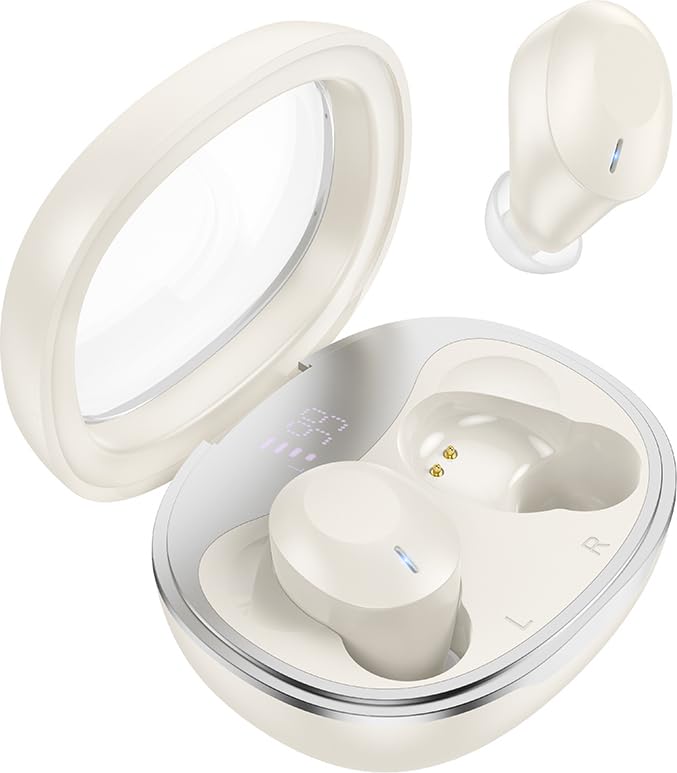
Image: HOCO EQ3 True Wireless Earbuds in their charging case, showcasing the transparent lid and compact design.
Ozi nchekwa
- Ewepụla ma ọ bụ gbanwee ngwaahịa a.
- Debe ntị ntị na ihe mkpuchi chaja n'ebe okpomọkụ dị oke njọ, iru mmiri dị elu, na mmiri mmiri dị.
- Zere ikpughe ogologo oge n'ogo dị elu iji gbochie mmebi ntị.
- Clean the earbuds regularly as instructed in the maintenance section.
- Tụfuo ngwaahịa ahụ nke ọma dịka iwu mpaghara siri dị.
Ihe ngwugwu
Chọpụta na ihe niile dị na ngwugwu gị:
- HOCO EQ3 True Wireless Earbuds (Left and Right)
- Nchaji case
- USB-C eriri USB
- Ear Cushions (XS/S/M/L sizes)
- Akwụkwọ ntuziaka (akwụkwọ a)
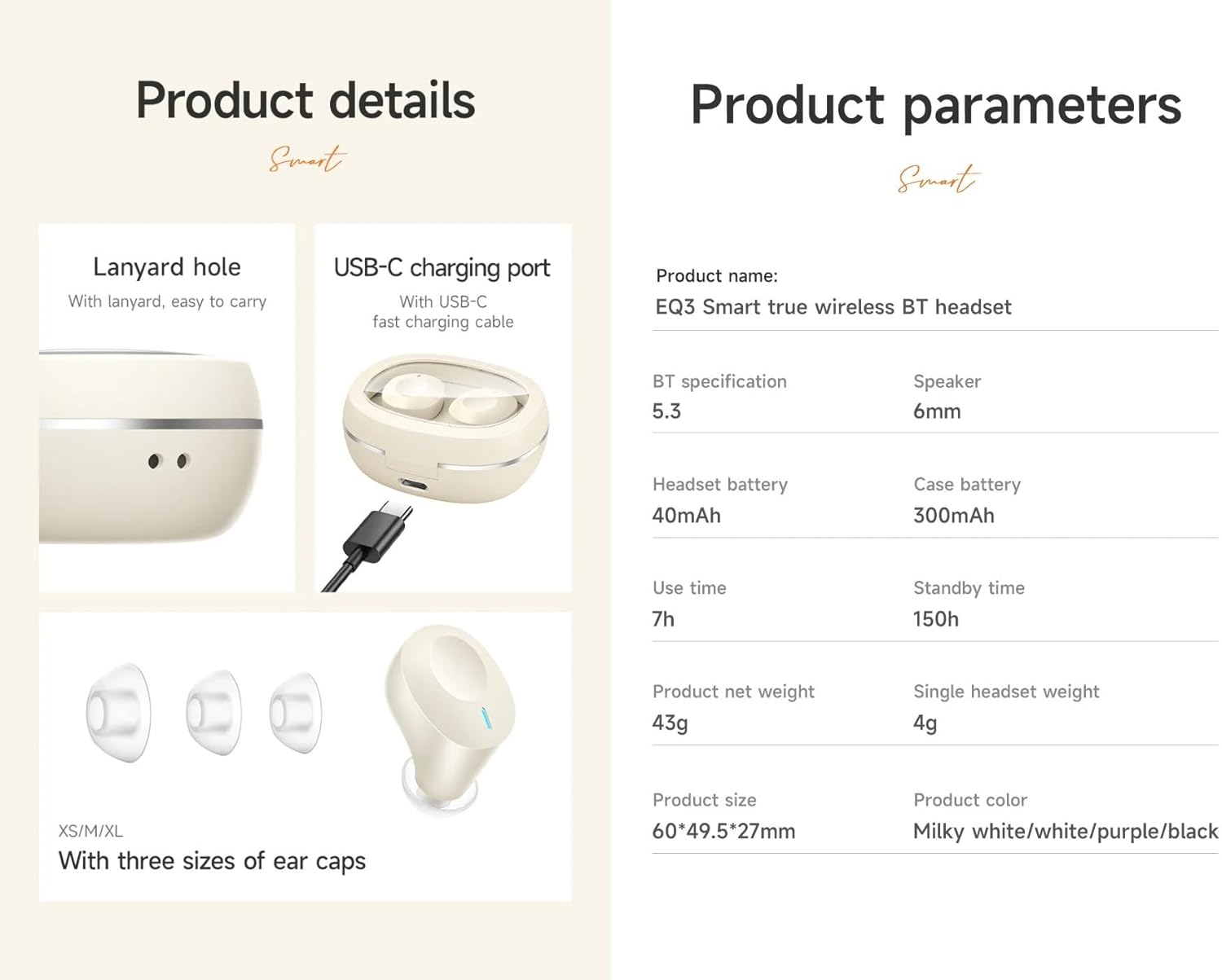
Image: Visual representation of the product details, including the USB-C charging port, lanyard hole, and various ear cap sizes.
Ngwaahịa gafereview
The HOCO EQ3 earbuds feature a transparent charging case with an intelligent digital power display. The earbuds are designed for a comfortable, semi-in-ear fit and offer high-fidelity sound.
Akụkụ ndị bụ isi:
- Bluetooth 5.3 for stable and quick connectivity.
- Transparent charging case with digital power display.
- Njikwa mmetụ aka maka ịrụ ọrụ dị mfe.
- Up to 7 hours of use time for earbuds, 28 hours total with charging case.
- Water-resistant design.
- Support for master-slave switching and voice assistant activation.

Image: Infographic highlighting key features such as 28 hours total listening time, Hi-Fi sound quality, Bluetooth 5.3, LED digital display, magnetic switch, lightweight design, TWS stereo, and touch control.
Melite
1. Ịchaji ihe ntị na akpa
- Tinye ntị ntị n'ime akpa nchaji. Gbaa mbọ hụ na ha nọ ọdụ nke ọma.
- Connect the USB-C charging cable to the charging port on the case and plug the other end into a USB power adapter (not included).
- The digital display on the case will show the charging status. A full charge is indicated when the display shows 100%.
- It is recommended to fully charge the earbuds and case before first use.
2. Ijikọ na ngwaọrụ gị
- Mepee akpa chaja. Ekwe ntị ndị a ga-abanye na ọnọdụ njikọta na akpaghị aka, ọkụ ngosi ha ga-enwukwa.
- Na ngwaọrụ gị (smartphone, mbadamba, wdg), gbanye Bluetooth.
- Chọọ maka "HOCO EQ3" in the list of available Bluetooth devices.
- Select "HOCO EQ3" to connect. Once connected, the earbud indicator lights will turn off, and you will hear a confirmation tone.
- The earbuds support master-slave switching, meaning either earbud can be used independently.

Image: Illustration showing the earbuds connecting to a smartphone automatically upon opening the charging case, emphasizing the magnetic absorption feature.
Ntuziaka ọrụ
Yi akwa ntị
Select the appropriate ear tip size (XS/S/M/L) for a comfortable and secure fit. Gently insert the earbuds into your ear canal and rotate them slightly until they feel snug and stable.
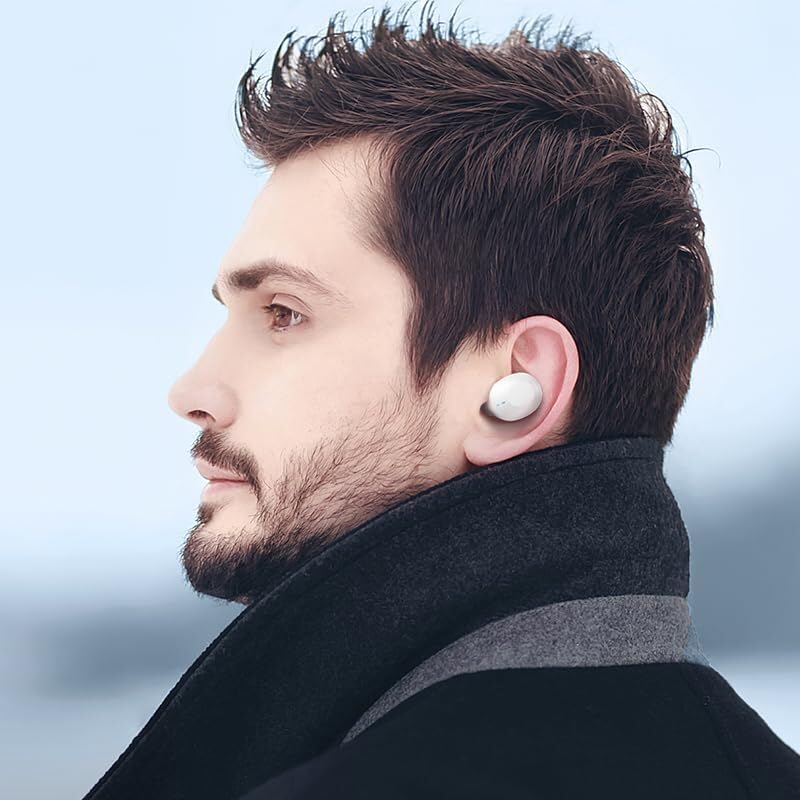
Image: A person wearing the HOCO EQ3 earbuds, demonstrating their discreet and comfortable fit.
Njikwa mmetụ
The HOCO EQ3 earbuds feature intuitive touch controls on each earbud. The functions are as follows:
| Omume | Ọrụ |
|---|---|
| Tap the touch area (L/R) | Kpọọ/kwụsịtụ egwu |
| Double tap the touch area (L/R) | Egwu na-esote |
| Triple tap the touch area (L/R) | Egwu gara aga |
| Long press the touch area for 2 seconds (L/R) | Mee ka Onye Enyemaka Olu Mee Ọrụ (Siri, Google Assistant, wdg.) |
| Tap the touch area (L/R) during a call | Zaa/Kwụsị oku |
| Long press the touch area for 2 seconds (L/R) during a call | Jụ oku |

Image: Detailed guide on touch controls for the HOCO EQ3 earbuds, illustrating single, double, triple tap, and long press functions.
Nlekọta
Nhicha
- Jiri ákwà dị nro, kpọrọ nkụ, nke na-enweghị lint hichaa ntị ntị na ihe mkpuchi chaja.
- For ear tips, remove them from the earbuds and wash with mild soap and water. Ensure they are completely dry before reattaching.
- Ejila ihe mkpocha abrasive, mmanya, ma ọ bụ ihe mgbaze kemịkal.
- Na-ehicha kọntaktị chaja dị na ntị na ihe mkpuchi ahụ mgbe niile iji hụ na chaja ya kwesịrị ekwesị.
Nchekwa
- Mgbe ejighị ya, na-echekwa earbuds mgbe niile na chaja ha iji chebe ha ma debe ha ebubo.
- Debe ngwaahịa a n'ebe dị jụụ ma kpọọ nkụ, ebe anwụ na-anaghị anwụ kpọmkwem na oke okpomọkụ dị oke njọ.
Nchọpụta nsogbu
| Nsogbu | Ngwọta enwere ike |
|---|---|
| Igwe ntị anaghị ejikọta ya na ngwaọrụ. | Ensure earbuds are charged. Turn off and on Bluetooth on your device. Forget "HOCO EQ3" from your device's Bluetooth list and re-pair. |
| Naanị otu earbud na-arụ ọrụ. | Place both earbuds back into the charging case, close the lid, wait a few seconds, then open the lid again. Ensure both earbuds are charged. |
| Igwe ntị anaghị akwụ ụgwọ. | Check the charging cable and adapter. Ensure the charging contacts on both earbuds and case are clean and free of debris. |
| Obere olu ma ọ bụ ogo ụda adịghị mma. | Adjust volume on your device. Ensure ear tips are properly sealed in your ear. Clean ear tips and earbud mesh. |
| Njikwa mmetụ anaghị aza. | Ensure your fingers are clean and dry. Try resetting the earbuds by placing them in the case and closing the lid. |
Nkọwapụta
| Njirimara | Nkọwa |
|---|---|
| Aha Nlereanya | EQ3 EARBUDS |
| Ụdị Bluetooth | 5.3 |
| Chip Bluetooth | JL AC6983D2 |
| Ike batrị earbud | 40mAh |
| Ịchaji Ike batrị Case | 300mAh |
| Single Earbud Use Time | awa 7 |
| ngụkọta oge egwuregwu (ya na ikpe) | awa 28 |
| Oge Njikere | awa 150 |
| Nchaji akpa | 60 x 49.5 x 27 mm |
| Total Weight (Earbuds + Case) | 43g |
| Ọkwa Nguzogide mmiri | Mmiri na-eguzogide |
| Ụdị njikwa | Njikwa aka |
| Ngwa gụnyere | Cable, Ear Cushions, Protective Case, Wireless Charging Case |

Image: Visual detailing the 28-hour long battery life with the charging case and the lightweight, comfortable design of the semi-in-ear earbuds.
Akwụkwọ ikike na nkwado
The HOCO EQ3 True Wireless Earbuds come with a standard manufacturer's warranty. For specific warranty terms and conditions, please refer to the warranty card included in your package or contact HOCO customer support.
For technical support, troubleshooting assistance, or warranty claims, please contact HOCO customer service through their official websaịtị ma ọ bụ ozi kọntaktị enyere na ịzụrụ gị.
Mara: An extended warranty for 1 year is available for purchase separately. Please check Amazon product page for details.


