1. Okwu mmalite
Thank you for choosing the Einhell Power X-Boostcharger 8A. This universal charger is designed to quickly and efficiently charge all batteries within the Einhell Power X-Change range. It features advanced 8A fast charging technology, intelligent charge management, a Boost mode for even faster charging, and a Refresh mode to reactivate deeply discharged batteries. The 7-level LED indicator provides clear status updates. Please read this manual thoroughly before initial operation to ensure safe and optimal use of your charger.

Figure 1: The Einhell Power X-Boostcharger 8A. This image shows the top view of the charger, highlighting its compact design and the integrated control panel with LED indicators.
2. Ntuziaka nchekwa
Always observe the following safety precautions when using the charger:
- Gụọ ntuziaka niile tupu i jiri chaja.
- Ekpughela chaja ka ọ bụrụ mmiri ozuzo ma ọ bụ ọnọdụ mmiri mmiri.
- Use only Einhell Power X-Change batteries with this charger. Using other batteries may result in injury or damage.
- Ejila chaja rụọ ọrụ ma ọ bụrụ na ọ natachara ihe dị nkọ, daa, ma ọ bụ mebie ya ọzọ.
- Gbaa mbọ hụ na ikuku ikuku zuru oke mgbe ị na-ebugharị. Ekpuchila chaja.
- Debe chaja na ebe okpomọkụ na ìhè anyanwụ kpọmkwem.
- Kpupu chaja n'oku ọkụ mgbe anaghị eji ya ma ọ bụ tupu ihicha.
- Enwere ike iji ngwa a ụmụaka sitere na afọ 8 na karịa yana ndị nwere ike anụ ahụ, mmetụta uche ma ọ bụ enweghị ahụmahụ na ihe ọmụma ma ọ bụrụ na enyerela ha nlekọta ma ọ bụ ntụziaka gbasara iji ngwa ahụ n'ụzọ dị nchebe ma ghọta ihe egwu dị na ya. metụtara.
3. Ngwaahịa gafereview
3.1 Akụkụ
The Einhell Power X-Boostcharger 8A consists of the main charging unit, a power cable, and the battery slot. The front panel includes the control buttons and LED indicators.
3.2 LED Status Indicator
The charger features a 7-level LED indicator system to display the charging status and battery condition:
- Igwe ọkụ ọkụ: Indicates power supply.
- Charging LEDs (multiple): Show the current charge level of the battery.
- Full Charge LED: Illuminates when the battery is fully charged.
- Ikanam mperi: Indicates a fault or abnormal condition.
- LED okpomọkụ: Warns of extreme battery temperatures.
- Refresh Mode LED: Indicates when Refresh mode is active.
- Boost Mode LED: Indicates when Boost mode is active.

Ọgụgụ 2: Zuru ezu view of the charger's control panel. This image shows the Boost function button and the various LED indicators that display the charging status and operational mode.
4. Nhazi
4.1 Njikọ mbụ
- Place the charger on a stable, flat, and non-flammable surface.
- Connect the power cable to the charger and then plug it into a suitable power outlet (18V). The Power LED will illuminate.
4.2 Mgbidi mgbidi (nhọrọ)
The charger housing includes integrated hanging eyelets for convenient wall mounting, helping to save space.
- Identify a suitable location on a wall, ensuring it is near a power outlet and allows for proper ventilation.
- Mark the positions for two screws using the hanging eyelets on the back of the charger as a template.
- Gwuo oghere ndị a na-atụ anya ya ma tinye ihe mgbochi mgbidi kwesịrị ekwesị ma ọ bụrụ na ọ dị mkpa.
- Insert screws, leaving a small gap between the screw head and the wall.
- Align the charger's eyelets with the screws and slide it down to secure it in place.

Figure 3: The underside of the charger, illustrating the integrated hanging eyelets designed for wall mounting. This feature allows for space-saving storage.
5. Ntuziaka ọrụ
5.1 Ịchaji batrị
- Hụ na e tinyere chaja ahụ n'ime ebe a na-enye ọkụ eletrik.
- Insert the Power X-Change battery into the charging slot. Ensure it clicks securely into place.
- The charging LEDs will begin to illuminate, indicating the charging process has started. The intelligent charge management system will continuously monitor the battery for optimal charging.
- Once fully charged, the Full Charge LED will illuminate, and the charging process will automatically stop.
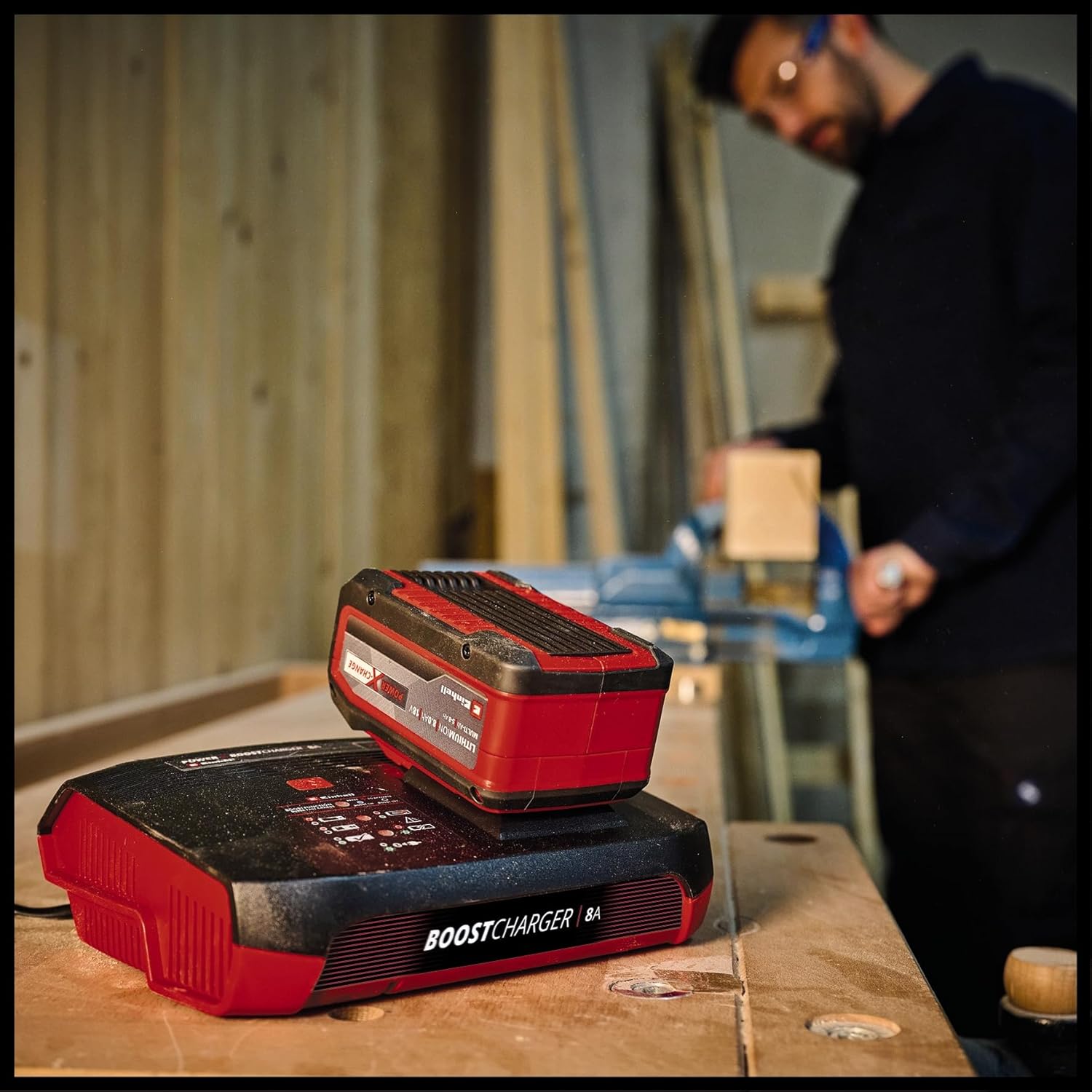
Figure 4: The charger with a Power X-Change battery inserted, positioned on a workbench. This demonstrates the charger in a typical operational environment.
5.2 Boost Mode Activation
For up to 62% faster charging, activate the Boost mode:
- Fanye batrị n'ime oghere ịchaji.
- Press the 'Boost' button located on the charger's control panel. The Boost Mode LED will illuminate.
- The charger will now operate in Boost mode, significantly reducing charging time. An 8 Ah battery can be fully charged in approximately 1 hour.
- If the Boost button is not pressed, the battery will charge in normal mode, which is gentler on the battery for long-term preservation.

Figure 5: The charger with a battery, shown in a workshop environment with a person working in the background. This illustrates the charger's integration into a professional or DIY setting.
5.3 Refresh Mode
The Refresh mode is designed to reactivate deeply discharged batteries:
- If a battery is deeply discharged, insert it into the charger. The Refresh Mode LED may illuminate automatically.
- The charger will attempt to reactivate the battery. Once reactivated, the battery will proceed with normal charging.
- Note: Not all deeply discharged batteries can be reactivated.
6. Nlekọta na nlekọta
To ensure the longevity and optimal performance of your charger:
- Wepụ chaja mgbe ọ bụla na oghere ọkụ tupu ihicha ya.
- Clean the charger's exterior with a soft, dry cloth. Do not use abrasive cleaners or solvents.
- Keep the charging slot free of dust and debris.
- Chekwaa chaja n'ebe kpọrọ nkụ, ikuku na-ekuku nke ọma, pụọ na ìhè anyanwụ kpọmkwem na oke okpomọkụ.
7. Nchọpụta nsogbu
| Nsogbu | Ihe nwere ike ime | Ngwọta |
|---|---|---|
| Charger not powering on (Power LED off) | No power supply; faulty outlet/cable. | Check power connection; try a different outlet; inspect power cable for damage. |
| Battery not charging (Charging LEDs not active) | Battery not inserted correctly; battery faulty; charger faulty. | Re-insert battery firmly; try a different battery; contact support if issue persists. |
| Error LED illuminated | Battery fault; charger fault; incorrect battery type. | Remove and re-insert battery; ensure it's an Einhell Power X-Change battery; if error persists, battery or charger may be faulty. |
| Temperature LED illuminated | Batrị dị oke ọkụ/oyi. | Move battery and charger to a room temperature environment and allow to cool/warm up before attempting to charge again. |
8. Nkọwapụta
| Nkọwapụta | Uru |
|---|---|
| Nọmba nlereanya | 4512155 |
| Ntinye Voltage | 18 Volts (compatible with Power X-Change system) |
| Mmepụta ugbu a | 8A |
| Akụkụ ngwaahịa | 8.7 x 7.17 x 2.68 sentimita asatọ |
| Ibu Ibu | 1.83 pound |
| Onye nrụpụta | Einhell |
9. Akwụkwọ ikike na nkwado
For warranty information, technical support, or service inquiries, please refer to the official Einhell websaịtị ma ọ bụ kpọtụrụ ngalaba ọrụ ndị ahịa ha. Debe ihe akaebe nke ịzụrụ ihe maka akwụkwọ ikike ọ bụla.


