1. Okwu mmalite
This manual provides comprehensive instructions for the safe and effective operation, maintenance, and troubleshooting of your Sofirn HS41 4000 Lumen Rechargeable LED Headlamp. Please read this manual thoroughly before using the product to ensure optimal performance and longevity.
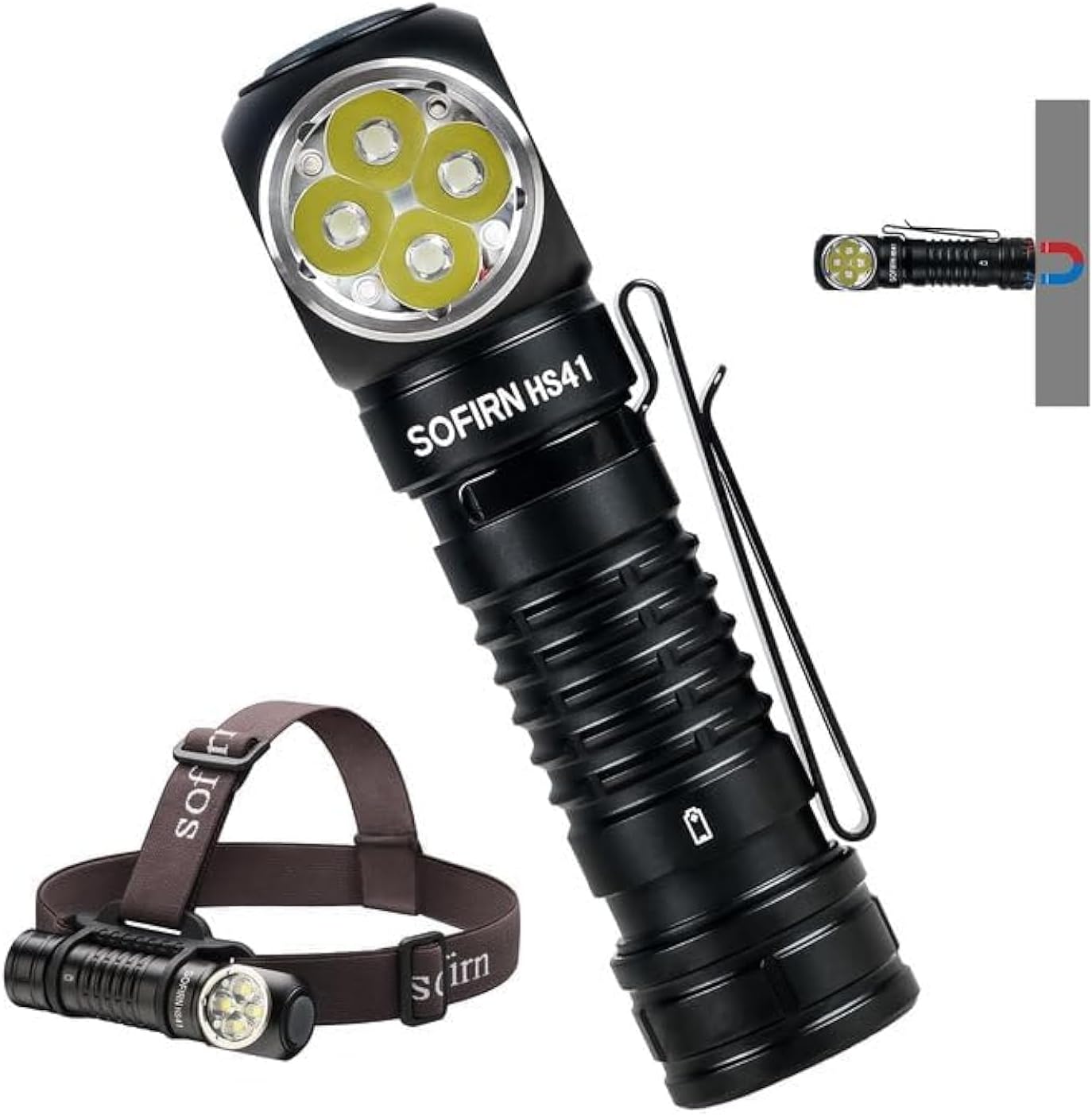
The Sofirn HS41 can be used as a headlamp with the included headband or as a versatile right-angle flashlight, featuring a magnetic base for hands-free operation.
2. Ngwaahịa gafereview
Atụmatụ igodo
- Nsonaazụ dị elu: Equipped with 4*SST20 LEDs, delivering up to 4000 lumens with a beam distance of 325 meters.
- Nchaji USB-C: Built-in Type-C port for convenient and fast charging.
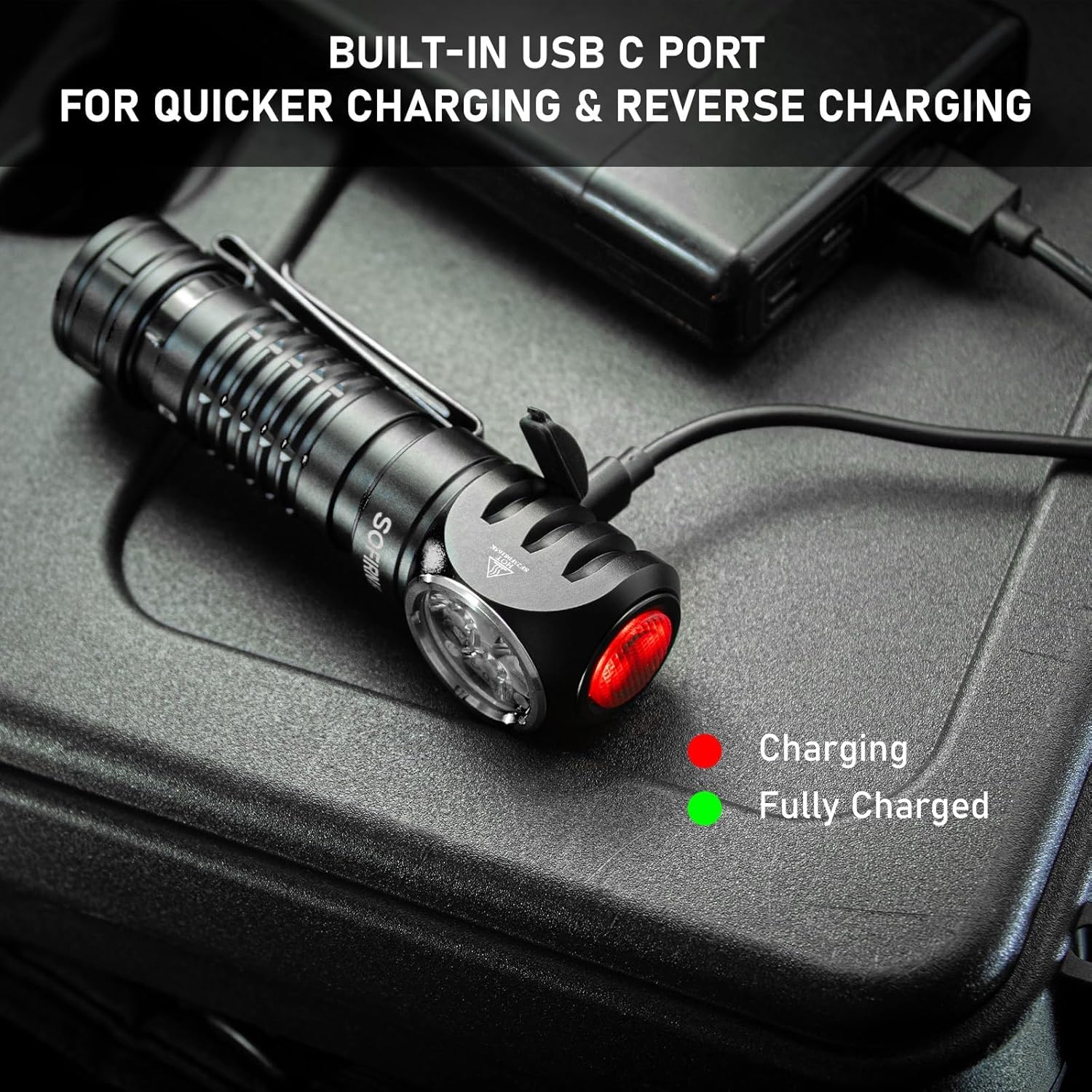
- Ogologo oge ịgbatị: Up to 29.5 days of usage in Moonlight mode on a single charge.
- Ụdị ọkụ ọtụtụ: 9 modes including Moonlight, Eco, Low, Medium, High, Turbo, Strobe, SOS, and Beacon.
- Nhazi na-adịgide adịgide: IPX8 waterproof rating and impact resistance up to 1 meter.
- Ojiji dị iche iche: 90-degree L-shape design allows use as a headlamp or right-angle flashlight with a powerful magnetic tailcap.
- Atụmatụ nchekwa: Advanced Temperature Regulation (ATR) and Low Voltage Nchedo.

This image highlights the main features of the HS41, such as its multiple lighting modes, extended battery life, convenient USB-C charging, and robust IP68 waterproof design.
Kedu ihe dị na Igbe ahụ
- Sofirn HS41 Headlamp
- 1x Rechargeable Lithium Polymer Battery
- 1x Sturdy Head Band
- 1x Ụdị-C eriri USB
- 1x Akwụkwọ ntuziaka onye ọrụ
3. Ntuziaka nchekwa
- Do not shine the light directly into eyes. The high lumen output can cause temporary vision impairment.
- Debe ebe ụmụaka na-apụghị iru.
- Use only the specified battery type. Incorrect battery usage can lead to damage or safety hazards.
- Akwụsịla isi isiamp, as this may void the warranty and cause damage.
- Zere ikpughe isiamp ruo oke okpomọkụ ma ọ bụ ìhè anyanwụ kpọmkwem ruo ogologo oge.
- Ensure the USB-C port cover is securely closed when not charging to maintain water resistance.
4. Nhazi
Ntinye batrị
- Mepee okpu ọdụ nke isiamp.
- Insert the included 18650 Lithium Polymer battery with the positive (+) end facing towards the head of the light.
- Kpochie okpu ọdụ ahụ azụ nke ọma iji hụ na kọntaktị kwesịrị ekwesị na mgbochi mmiri.
Ịchaji
The HS41 features a built-in USB-C charging port.
- Locate the USB-C charging port on the side of the headlamp and open its protective cover.
- Connect the provided Type-C charging cable to the headlamp and to a USB power source (e.g., wall adapter, power bank, computer).
- Ihe ngosi ọkụ na isiamp will show the charging status:
- Uhie: Ịchaji na-aga n'ihu.
- Akwụkwọ ndụ akwụkwọ ndụ: Ebubo zuru oke.
- Charging typically takes approximately 2.5 hours for a full charge.
- Ozugbo chajịchachara, kwụpụ eriri wee mechie mkpuchi ọdụ ụgbọ mmiri USB-C nke ọma ka ọ nọgide na-eguzogide mmiri.
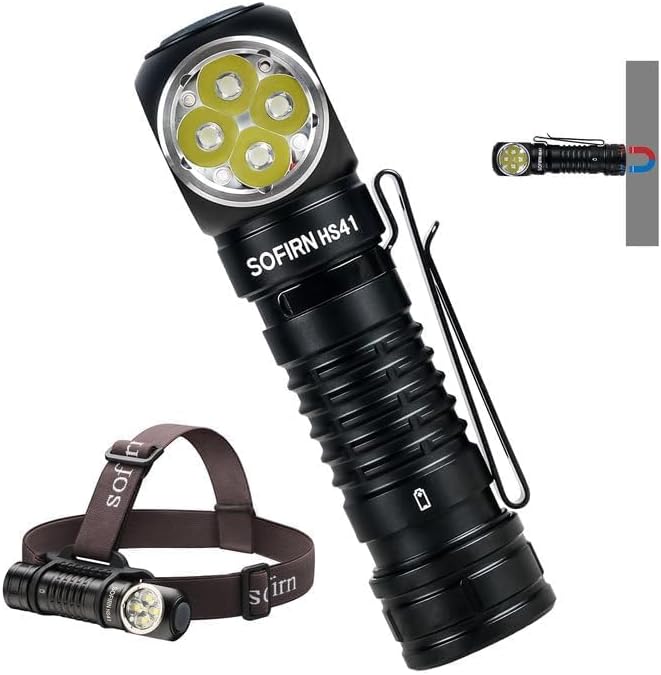
Isi okwuamp features a built-in USB-C port for convenient and fast charging. The indicator light changes color to show charging status.
5. Ntuziaka ọrụ
The HS41 is operated via a single side switch.
Isi ọrụ
- Gbanwuo/ Gbanyụọ: Single click the switch to turn the light on or off.
- Change Brightness (Ramping): When the light is on, press and hold the switch to cycle through brightness levels (Moonlight, Eco, Low, Medium, High, Turbo). Release the switch at your desired brightness.
- Ebe nchekwa ọnọdụ: Isi okwuamp will remember the last used brightness level (except for special modes like Strobe, SOS, Beacon).
Ụdị ịnweta ngwa ngwa
- Ìhè ọnwa: From OFF, press and hold the switch for 1 second to activate Moonlight mode.
- Ụdị dị elu: From OFF, double-click the switch to directly activate High mode.
- Ụdị strok: From OFF, triple-click the switch to activate Strobe mode.
Isi okwuamp's single button allows for quick access to frequently used modes: press and hold for Moonlight, double-click for High, and triple-click for Strobe.
Special Modes (Strobe, SOS, Beacon)
- From ON, triple-click the switch to enter Strobe mode.
- While in Strobe mode, double-click to cycle through SOS and Beacon modes.
- Single click to turn off or return to the previous brightness level.

The HS41 delivers a powerful 4000 lumens, providing extensive illumination for outdoor activities. The image shows the light beam and icons representing modes like Moonlight, Eco, Low, Medium, High, Turbo, Strobe, Beacon, and SOS.
Ọrụ mkpọchi
To prevent accidental activation, the HS41 features a lockout mode.
- Gbanyụọ mkpọchi: From OFF, perform four quick clicks of the switch. The LED will blink twice to confirm lockout mode is active.
- Gbanyụọ mkpọchi: Perform four quick clicks of the switch. The light will turn on to the last used mode.

Isi okwuamp features a lockout mode to prevent accidental activation. It is engaged by four quick clicks when the light is off, indicated by two blinks.
Ihe ngosi ike
The power indicator displays the battery level for 5 seconds every time the light is turned on.
- Akwụkwọ ndụ akwụkwọ ndụ: Remaining battery power is good (70% - 100%).
- Uhie: Remaining battery power is poor (30% - 69%).
- Uhie na-egbuke egbuke: Critical power (less than 30%). Recharge the battery as soon as possible.
The integrated power indicator provides real-time battery status: green (70-100%), red (30-69%), and flashing red (below 30%), prompting timely recharging.
Vol dị alatage Ịdọ aka ná ntị
Mgbe batrị voltage drops below 3V, the indicator will flash red, and the headlamp will vibrate twice with a 1-minute interval between each vibration. This signals that the battery needs to be recharged immediately.

Mgbe batrị voltage dara n'okpuru 3V, isiamp's indicator will flash red, and the device will vibrate twice with a one-minute interval, signaling a low voltage ọnọdụ.
6. Nlekọta
Nhicha
- Hichapụ isi isiamp jiri nwayọọ, damp akwa iji wepu unyi na irighiri ihe.
- Do not use abrasive cleaners or solvents, as they may damage the finish or internal components.
- Clean the threads of the tail cap and O-rings periodically. Apply a thin layer of silicone grease to the O-rings to maintain water resistance.
Nlekọta batrị
- Recharge the battery regularly, especially if the headlamp agaghị eji ya ruo ogologo oge.
- Chekwaa batrị n'ebe dị jụụ na nke kpọrọ nkụ.
- If storing for a long time, remove the battery from the headlamp to prevent parasitic drain.
Nchekwa
- Chekwaa isi isiamp n'ebe kpọrọ nkụ, pụọ na ìhè anyanwụ kpọmkwem na oke okpomọkụ.
- Gbaa mbọ hụ na isi okwuamp is in lockout mode or the battery is removed during storage to prevent accidental activation.
7. Nchọpụta nsogbu
| Nsogbu | Ihe nwere ike ime | Ngwọta |
|---|---|---|
| Ìhè anaghị agbanwuo | Batrị agwụla Battery incorrectly inserted Tail cap loose Isiamp in lockout mode | Fanye batrị Lelee polarity batrị Kpochie okpu ọdụ Deactivate lockout mode (4 clicks) |
| Ìhè na-egbuke egbuke ma ọ bụ na-acha uhie uhie | Batrị dị ala Poor contact between battery and terminals Dirty threads/contacts | Fanye batrị Ensure battery is fully inserted Clean threads and contacts with a cotton swab |
| Ịchaji anaghị arụ ọrụ | Charging cable faulty USB power source insufficient Charging port dirty | Gbalịa eriri USB-C dị iche Use a reliable USB power adapter Clean the USB-C port gently |
| Isiamp gets hot quickly | Operating in Turbo/High mode for extended periods ATR (Advanced Temperature Regulation) is active | This is normal. The ATR system will automatically reduce brightness to prevent overheating. Reduce brightness manually if desired. |
8. Nkọwapụta
| Njirimara | Nkọwapụta |
|---|---|
| Nlereanya | HS41 |
| Isi Iyi Ìhè | 4*SST20 LEDs |
| Icha ọkụ kacha | 4000 Lumen |
| Ogologo Ogologo | 325 mita |
| Isi Iyi Ike | 1x Rechargeable Lithium Polymer Battery (included) |
| Nchaji ọdụ ụgbọ mmiri | USB Ụdị-C |
| Ihe onwunwe | Aluminom Alloy |
| Mmiri Nguzogide | IPX8 (submersible up to 2 meters for 30 minutes) |
| Nguzogide mmetụta | 1 mita |
| Akụkụ | 1"D x 1"W x 1"H (approx. 30.1mm x 29mm x 115mm) |
| Ibu | 0.71 Pounds (approx. 11.4 ounces / 79g without battery) |
| Atụmatụ pụrụ iche | Adjustable Light Modes, Adjustable Strap, Magnetic Base, Low Voltage Warning, Advanced Temperature Regulation |
9. Akwụkwọ ikike na nkwado
For warranty information or technical support, please contact the seller, 77 Outdoor Shop, or the manufacturer, Sofirn, directly through their official channels. Please retain your proof of purchase for any warranty claims.


