1. Okwu mmalite
This manual provides detailed instructions for the safe and effective use of your Berrcom ET005 Forehead and Ear Thermometer and Berrcom JXB182 Digital Forehead Thermometer. Please read this manual thoroughly before using the devices and retain it for future reference.

Image 1.1: The Berrcom ET005 Forehead and Ear Thermometer (left) and the Berrcom JXB182 Digital Forehead Thermometer (right).
2. Ozi nchekwa
Always follow basic safety precautions when using medical devices. This includes:
- Do not use the thermometer for purposes other than measuring human body temperature.
- Debe ngwaọrụ ahụ ka ụmụaka na anụ ụlọ ghara iru.
- Do not drop the thermometer or expose it to strong impacts.
- Avoid direct sunlight, high temperatures, or corrosive environments.
- Consult a physician if you have concerns about temperature readings.
- Anwala ịkwasa ma ọ bụ rụkwaa ngwaọrụ n'onwe gị.
3. Ngwaahịa gafereview
3.1 Berrcom ET005 Forehead and Ear Thermometer
The ET005 is a versatile thermometer designed for both forehead and ear temperature measurements. It features a quick measurement time and an automatic shut-off function to conserve battery life.

Foto 3.1: N'ihu view of the Berrcom ET005 Forehead and Ear Thermometer.
3.2 Berrcom JXB182 Digital Forehead Thermometer
The JXB182 is a non-contact infrared thermometer providing rapid temperature readings. It includes a quiet vibration alert and memory storage for tracking temperature changes.
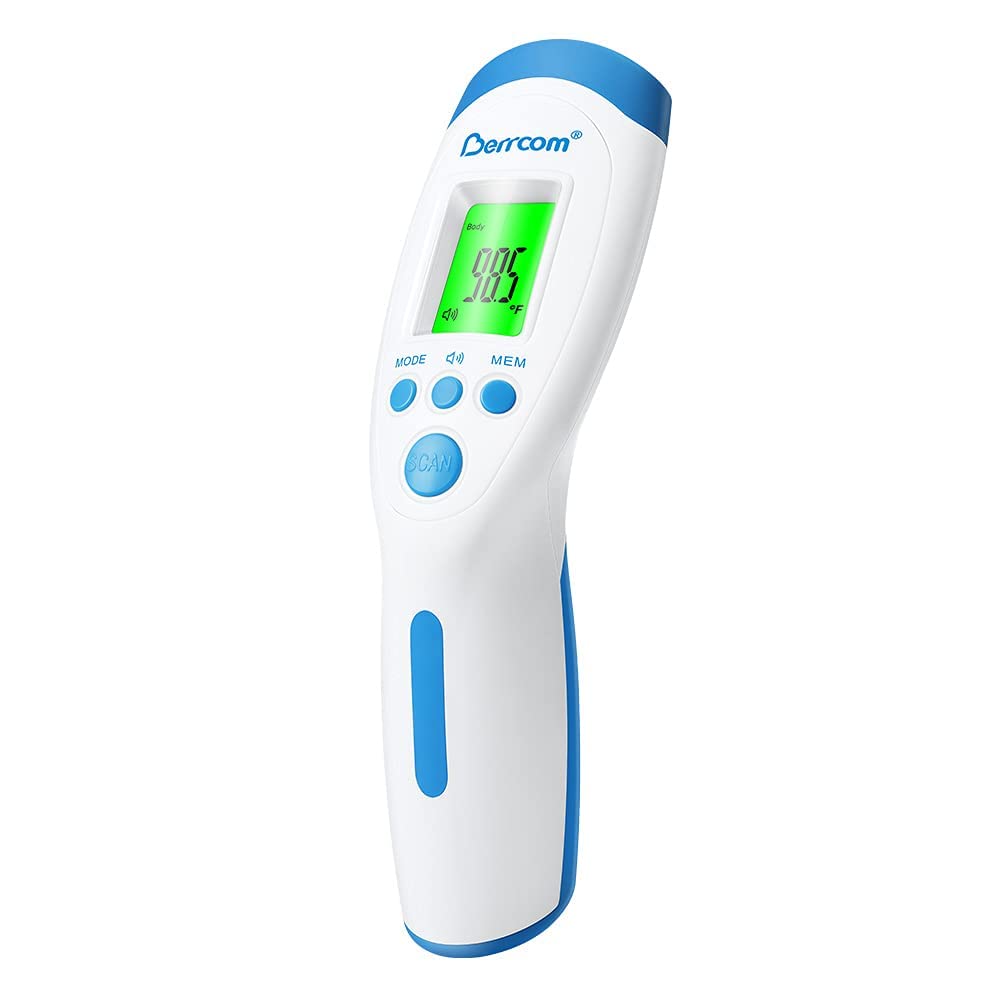
Foto 3.2: N'ihu view of the Berrcom JXB182 Digital Forehead Thermometer.
4. Nhazi
4.1 Ntinye batrị
Both thermometers require batteries for operation. Locate the battery compartment, typically on the handle or back of the device. Insert the specified battery type (e.g., AAA batteries) according to the polarity indicators (+/-). Close the battery compartment securely.
4.2 Ntọala mbụ
Upon first use or after battery replacement, you may need to set the temperature unit (Celsius ℃ or Fahrenheit ℉). Refer to the operating instructions for each model on how to switch between units.
5. Ntuziaka ọrụ
5.1 Berrcom ET005 Forehead and Ear Thermometer
The ET005 offers two measurement modes:
- N'egedege ihu mode: Ensure the protective cap is on. Position the thermometer 3-5 cm from the center of the forehead. Press the measurement button to take a reading.

Image 5.1: Using the Berrcom ET005 for forehead temperature measurement on a baby.
- Ụdị ntị: Remove the protective cap to expose the ear probe. Gently insert the probe into the ear canal. Press the measurement button.

Image 5.2: Using the Berrcom ET005 for ear temperature measurement on a baby.
The ET005 features a 1-second measurement and an automatic shut-off after 30 seconds of inactivity to save energy. Temperature units (℃/℉) are easily switchable.
5.2 Berrcom JXB182 Digital Forehead Thermometer
The JXB182 is a non-contact thermometer:
- Ntụ: Hold the thermometer 2-5 cm from the center of the forehead. Press the 'SCAN' button. The reading will appear in approximately 1 second.
- Ntinye ịma jijiji: The device provides a quiet vibration alert upon completion of measurement.
- Ọrụ ebe nchekwa: The thermometer can store up to 32 sets of temperature readings, allowing you to track historical changes. Use the 'MEM' button to access stored readings.
- Mgbanwe nke otu okpomọkụ: ℃ and ℉ are easily switchable via the 'MODE' button.
- Ihe ngosi ọkụ azụ: The display backlight changes color based on the temperature reading:
- Akwụkwọ ndụ akwụkwọ ndụ: Normal temperature (e.g., < 37.4 ℃)
- Edo edo: Slightly elevated temperature (e.g., 37.5 ℃ - 38.5 ℃)
- Uhie: High temperature/fever (e.g., > 38.6 ℃), often accompanied by an alarm.

Image 5.3: The JXB182 display showing different backlight colors for temperature ranges.
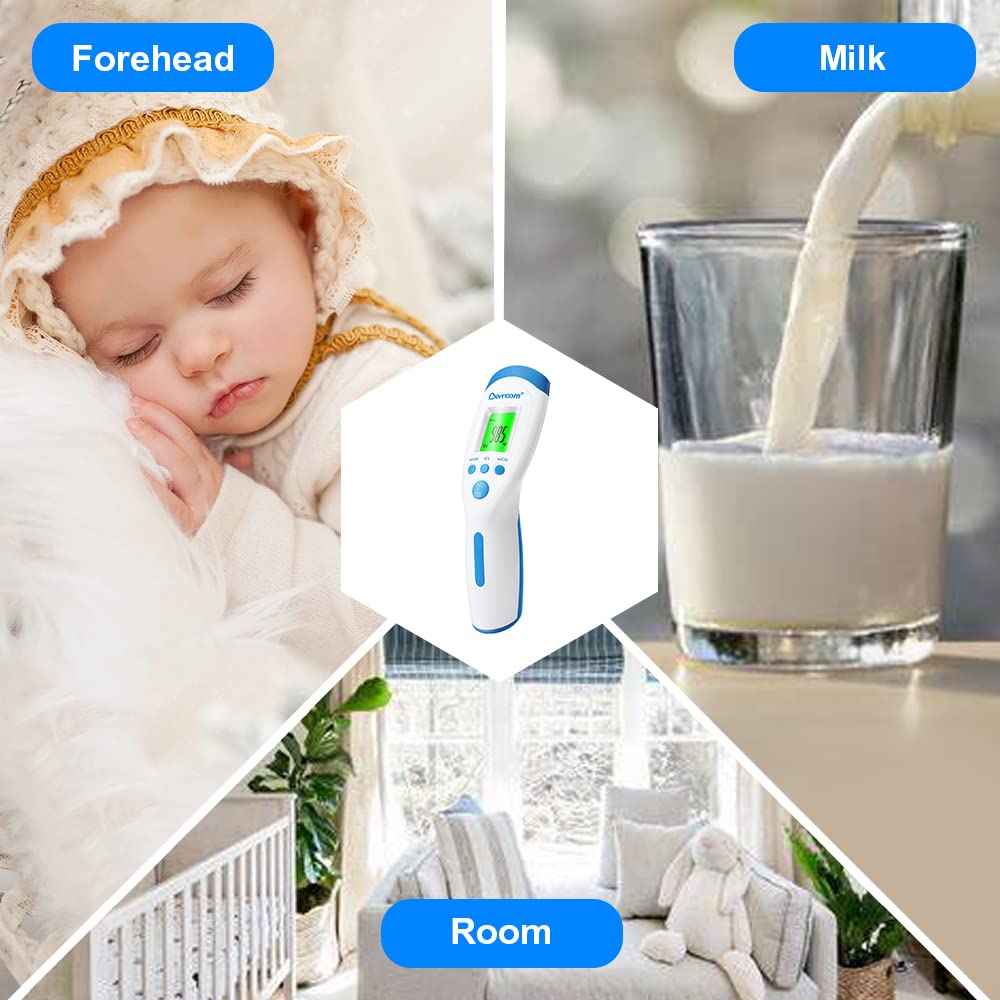
Image 5.4: Using the Berrcom JXB182 for non-contact forehead temperature measurement on a sleeping child.
The JXB182 can also be used to measure the temperature of objects (like milk) or rooms. Switch to the appropriate mode using the 'MODE' button.

Image 5.5: The Berrcom JXB182 can measure forehead, milk, and room temperatures.
6. Nlekọta
6.1 Nhicha
To clean your thermometer, wipe the device with a soft cloth slightly dampened with alcohol or a mild disinfectant. Do not immerse the thermometer in water or any other liquid. Ensure the probe is clean before each use, especially for the ear thermometer.
6.2 Nchekwa
Store the thermometer in a cool, dry place, away from direct sunlight and extreme temperatures. Keep it in its original packaging or a protective case when not in use to prevent damage.
7. Nchọpụta nsogbu
If your thermometer is not functioning correctly, consider the following:
- Enweghị ike: Lelee ma batrị ndị ahụ hà dị n'ọrụ nke ọma ma nwee ike ịchaji zuru oke. Dochie batrị ndị ahụ ma ọ bụrụ na ọ dị mkpa.
- Ọgụgụ na-ezighi ezi: Ensure the thermometer is used according to the instructions (correct distance for non-contact, proper ear insertion). Environmental factors can affect readings; ensure the room temperature is stable.
- Njehie Ngosipụta: If an error code appears, refer to the specific model's detailed manual (if provided separately) or contact customer support.
- Nzaghachi nwayọ: Ensure the sensor is clean and free from debris.
If problems persist, contact Berrcom customer support for assistance.
8. Nkọwapụta
8.1 Berrcom ET005 Forehead and Ear Thermometer
- Ụdị nha: Forehead, Ear
- Oge nledo: 1 sekọnd
- izi ezi: ±0.2℃ (35℃~42℃)
- Nkeji okpomọkụ: ℃ / ℉ Switchable
- Nchekwa onwe: 30 sekọnd
- Isi mmalite ike: Battery Powered (e.g., 2x AAA, not specified in input but common)
- Ihe dị n'èzí: Plastic
- Ụdị ngosi: Dijitalụ
- Nlekọta ngwaahịa: Hichapụ Ọcha
- Enwere ike ijikwa ya: Enwere ike ijikwa ya ọzọ
8.2 Berrcom JXB182 Digital Forehead Thermometer
- Ụkpụrụ nha: Non-Contact Forehead, Object, Room
- Oge nledo: 1 sekọnd
- izi ezi: ±0.2℃ (35℃~42℃)
- Nkeji okpomọkụ: ℃ / ℉ Switchable
- Ebe nchekwa: 32 sets of readings
- Atụmatụ pụrụ iche: Non-Contact, Vibration Alert, Color Backlight
- Isi mmalite ike: Battery Powered (e.g., 2x AAA, not specified in input but common)
- Ihe dị n'èzí: Plastic
- Ụdị ngosi: Dijitalụ
- Nlekọta ngwaahịa: Hichapụ Ọcha
- Enwere ike ijikwa ya: Enwere ike ijikwa ya ọzọ
9. Akwụkwọ ikike na nkwado
Berrcom products are designed for reliability and performance. For warranty information or technical support, please refer to the documentation included with your purchase or visit the official Berrcom websaịtị. Debe nnata nzụta gị ka ihe akaebe nke ịzụrụ.


