1. Okwu mmalite
Thank you for choosing the THOMSON WS602DUO Bluetooth Bookshelf Speakers. This system combines elegant design with acoustic performance and versatile connectivity options. Whether used wirelessly via Bluetooth or connected to a turntable, micro-chain system, or PC, these speakers are designed to integrate seamlessly into any interior while delivering high-quality stereo sound.
This manual provides essential information for the proper setup, operation, and maintenance of your speakers. Please read it thoroughly before use and retain it for future reference.

Image 1.1: The THOMSON WS602DUO speakers, remote control, and a smartphone demonstrating wireless connectivity.
Ọdịnaya ngwugwu:
- 2 x THOMSON WS602DUO Bookshelf Speakers
- 1 x Njikwa anya
- 1 x eriri anya
- 1 x eriri ọkụ
- Akwụkwọ ntuziaka onye ọrụ
2. Nhazi
2.1 Ndobe Ọkà Okwu
For optimal sound quality, place the two speakers on a stable, flat surface, such as a bookshelf or table, ensuring they are equidistant from your listening position. Avoid placing them in enclosed spaces that might obstruct sound projection.

Foto 2.1: Ọpụample placement of a single speaker next to a television.
2.2 Njikọ ike
- Connect the provided power cable to the main speaker's power input.
- Tinye eriri ọkụ n'ime oghere mgbidi ọkọlọtọ.
- Ensure the power switch on the main speaker is in the 'ON' position.
2.3 Njikọ Isi Oyi
The WS602DUO speakers offer multiple connectivity options:
- Bluetooth Bluetooth: For wireless audio streaming from compatible devices like smartphones, tablets, or laptops.
- RCA Inputs (x2): For connecting devices such as turntables, CD players, or micro-chain systems.
- Ntinye anya: For connecting digital audio sources like televisions or game consoles using the supplied optical cable.
Connecting via RCA:
- Identify the RCA input ports on the rear of the main speaker.
- Connect your audio source (e.g., turntable, micro-chain) to the RCA inputs using appropriate RCA cables (not always included).
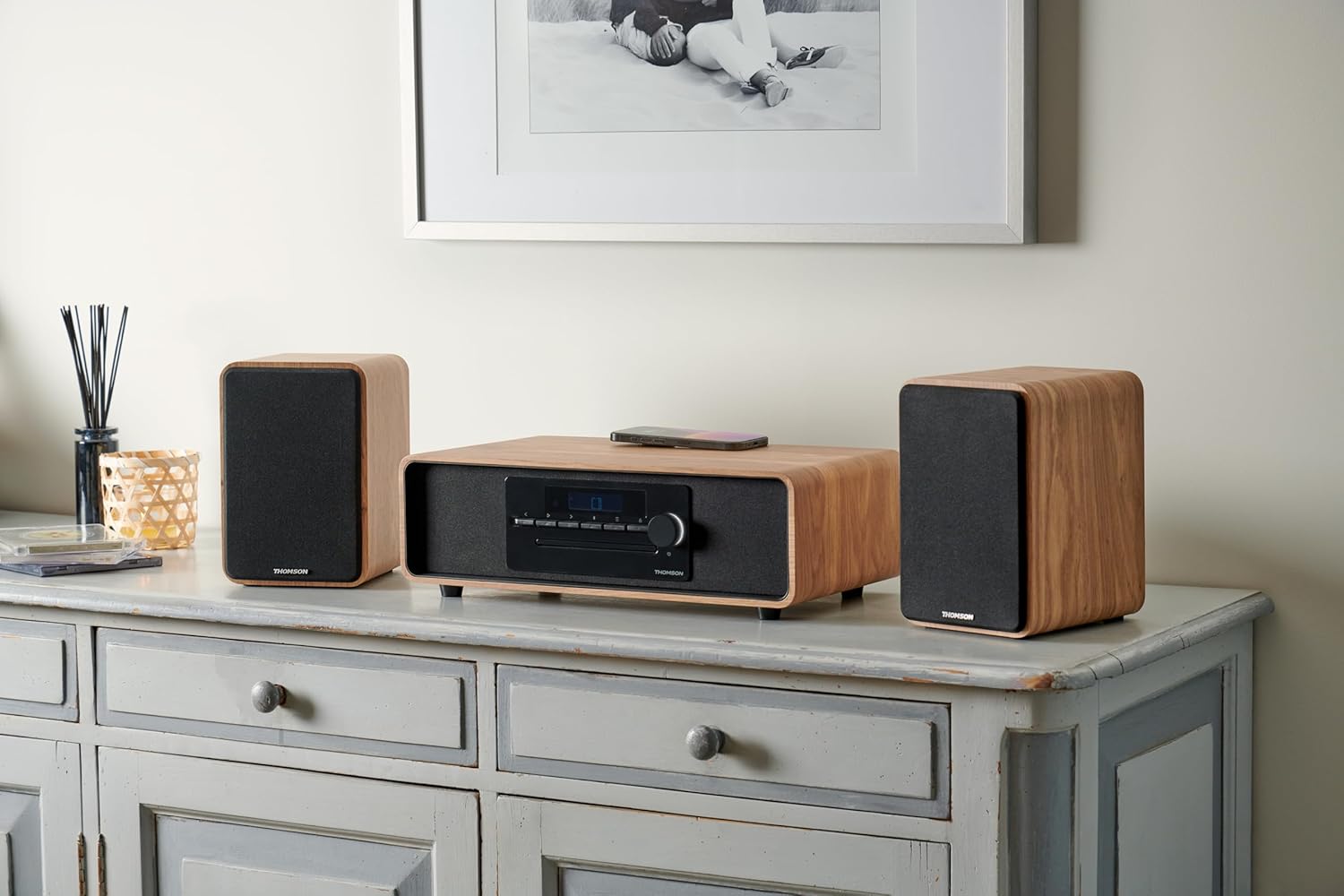
Image 2.2: Speakers connected to a micro-chain system via RCA.
Jikọọ site na Optical:
- Connect one end of the supplied optical cable to the optical output of your device (e.g., TV).
- Connect the other end to the optical input port on the rear of the main speaker.
Ijikọ site na Bluetooth:
- Gbaa mbọ hụ na agbanyere igwe okwu.
- Select Bluetooth as the input source on the speakers (refer to Section 3.2). The Bluetooth indicator will flash, indicating pairing mode.
- On your Bluetooth-enabled device, go to Bluetooth settings and search for available devices.
- Select "THOMSON WS602DUO" from the list.
- Once connected, the Bluetooth indicator on the speakers will glow steadily.

Image 2.3: Speakers ready for Bluetooth audio streaming with a smartphone.
3. Ntuziaka ọrụ
3.1 Gbanyụọ ma ọ bụ gbanyụọ
Use the power switch located on the rear of the main speaker to turn the system on or off. Alternatively, the remote control can be used to put the speakers into standby mode.
3.2 Ịhọrọ Isi Iyi Ntinye
Press the 'Source' button on the remote control or the control panel on the main speaker to cycle through the available input modes: Bluetooth, RCA 1, RCA 2, and Optical.
3.3 Njikwa olu
Adjust the volume using the '+' and '-' buttons on the remote control or the rotary knob on the main speaker. Ensure the volume on your connected audio source is also set to an appropriate level.
3.4 Ọrụ njikwa anya
The included remote control allows for convenient operation of your speakers:
- Ike: Turns the speakers on/off (standby).
- Isi mmalite: Cycles through input modes (Bluetooth, RCA, Optical).
- Mpịakọta +/-: Na-edozi olu ukwu.
- Mechie: Mebie ma ọ bụ mebie mmepụta ọdịyo.
- Play/Pause, Next/Previous Track: (Bluetooth mode only) Controls media playback on the connected Bluetooth device.
4. Nlekọta
4.1 Nhicha
To clean the speaker cabinets, use a soft, dry cloth. Do not use liquid cleaners, aerosols, or abrasive materials, as these may damage the finish. For the speaker grilles, a soft brush or vacuum cleaner with a brush attachment can be used to gently remove dust.
4.2 Nchekwa
When not in use for extended periods, store the speakers in a cool, dry place, away from direct sunlight and extreme temperatures. It is recommended to disconnect them from the power supply.
5. Nchọpụta nsogbu
If you encounter any issues with your THOMSON WS602DUO speakers, please refer to the following common problems and solutions:
- Enweghị ụda:
- Ensure the speakers are powered on and the volume is not muted or set too low.
- Verify that the correct input source (Bluetooth, RCA, Optical) is selected.
- Check all cable connections (power, RCA, optical) are secure.
- Ensure the volume on your audio source device is also turned up.
- Okwu njikọta Bluetooth:
- Make sure the speakers are in Bluetooth pairing mode (indicator flashing).
- Gbaa mbọ hụ na agbanyere Bluetooth ngwaọrụ gị yana n'ime oke (nke na-eru mita 10).
- Try unpairing and re-pairing the speakers from your device's Bluetooth settings.
- Malitegharịa ma ndị ọkà okwu na ngwaọrụ Bluetooth gị.
- Ụda agbagọ ma ọ bụ adịghị mma:
- Check if the audio source volume is too high, causing distortion. Reduce the source volume.
- Gbaa mbọ hụ na ejikọrọ eriri niile nke ọma ma ghara imebi.
- If using Bluetooth, move closer to the speakers to avoid interference.
- Test with a different audio source or cable to isolate the problem.
6. Nkọwapụta
| Njirimara | Nkọwapụta |
|---|---|
| Aha Nlereanya | WS602DUO |
| Ụdị | Thomson |
| Ụdị Ọkà Okwu | Akwa akwụkwọ |
| Teknụzụ Njikọta | Bluetooth |
| Teknụzụ nzikọrịta ozi ikuku | Bluetooth |
| Ike Mmepụta Ọkà Okwu Kachasị Elu | 100 Watt |
| Nzaghachi ugboro ugboro | 80 Hz |
| Ọnọdụ mmepụta ọdịyo | Stereo |
| Nhazi ọwa ụda gburugburu | 2.1 |
| Ngwa dakọtara | Home Cinema, Game Console, MP3 Player, Laptop, Smartphone, Tablet, Television |
| Atụmatụ pụrụ iche | Bluetooth, Remote Control |
| Ngwa gụnyere | Njikwa anya |
| Akụkụ ngwaahịa | 47D x 24.5W x 28H centimita |
| Ibu Ibu | 4 kilogram |
| Agba | Nature (Light Wood) |
| Ihe onwunwe | Osisi |
| Usoro njikwa | Emetụ aka (metụ) |
| Isi Iyi Ike | Igwe ọkụ eletrik |
| Ntinye Voltage | 230 volts |
| Ụdị nkwụnye | Ugwu okpokoro |
| Enweghị mmiri | Ụgha |
| Ọnụọgụ nke ihe | 2 |
7. Akwụkwọ ikike na nkwado
7.1 Ozi akwụkwọ ikike
The THOMSON WS602DUO speakers come with a limited warranty. Please refer to the warranty card included in your package or contact your retailer for specific terms and conditions regarding the warranty period and coverage.
7.2 Nkwado ndị ahịa
For technical assistance, troubleshooting beyond the scope of this manual, or warranty claims, please contact THOMSON customer support or your authorized dealer. Contact information can typically be found on the manufacturer's official websaịtị ma ọ bụ na nnata ịzụrụ ihe.


