1. Okwu mmalite
The GALAYOU G7 Indoor Home Security Camera provides comprehensive surveillance for your indoor spaces, offering advanced features to ensure the safety and peace of mind for your family, pets, and property. This manual will guide you through the setup, operation, and maintenance of your camera.
Akụkụ ndị bụ isi:
- Ultra 2K Resolution: Provides clear and vivid image quality with 6X digital zoom.
- Ọhụụ abalị dị elu: Enhanced night vision with effective distance up to 33 ft using 6pcs 940nm Infrared Lights.
- 24/7 Real-Time Motion Alert & Smart Siren: Instant detection and push alerts to your phone, with an optional smart siren.
- Audio Ụzọ Abụọ: Built-in microphone and speaker for remote communication.
- Secure Local & Cloud Storage: Supports up to 128GB micro SD card and encrypted AWS Cloud storage.
- Ngwakọta Smart Home: Compatible with Amazon Alexa and Google Home for voice control and live-feed viewing.
- 24/7 Continuous Recording: Available to all Galayou customers without extra fees.

Image: Visual representation of the Galayou G7 camera's key features including 2K resolution, night vision, two-way audio, 24/7 recording, smart siren, optional storage, push notifications, and compatibility with Alexa.
2. Kedu ihe dị na Igbe ahụ
Biko lelee ọdịnaya nke ngwugwu gị ka ị hụ na ihe niile dị:
- Camera body (Galayou G7 Indoor Camera)
- Ụdị Ụdị-C
- Ihe nkwụnye ọkụ
- Arịọnụ ngwa
- Ntuziaka nwụnye ngwa ngwa

Image: Two Galayou G7 indoor security cameras, white with black camera faces, standing on their bases. This image represents the product as it appears out of the box.
3. Ozi nchekwa
Iji hụ na ọrụ nchekwa na gbochie mmebi, biko debe ihe nchekwa nchekwa ndị a:
- Emebere ngwaọrụ a maka naanị ime ụlọ. Ekpughela ya na mmiri ma ọ bụ mmiri.
- Jiri naanị ihe nkwụnye ọkụ enyere.
- Debe igwefoto ahụ ka ọ ghara ịta ìhè anyanwụ kpọmkwem, ebe okpomọkụ na-esi apụta, na ebe magnet siri ike.
- Anwala ịkwasa ma ọ bụ rụkwaa igwefoto n'onwe gị. Kpọtụrụ nkwado ndị ahịa maka enyemaka.
- Ensure the camera is installed securely to prevent it from falling.
- Debe ebe ụmụaka na anụ ụlọ na-apụghị iru.
4. Ngwaahịa gafereview
Familiarize yourself with the components of your Galayou G7 camera:
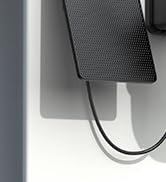
Image: A single Galayou G7 indoor camera, showing its compact design with a black camera lens and a white body and base.
Camera Components:
- Igwefoto oghere: Na-ewepụta vidiyo footage.
- Igwe ọkụ infrared: Provide illumination for night vision.
- Igwe okwu: Na-ejide ọdịyo maka nkwukọrịta ụzọ abụọ na nchọpụta ụda.
- Ọkà okwu: Outputs audio for two-way communication and siren.
- Oghere kaadị Micro SD: For local storage of video recordings (supports up to 128GB).
- Power Port (Type-C): Connects the camera to the power adapter.
- Ìhè ihe ngosi ọnọdụ: Indicates the camera's current status (e.g., connected, recording).
5. Ntuziaka Nhazi
Follow these steps for initial setup of your Galayou G7 camera:

Image: A three-step visual guide for quick installation. Step 1 shows downloading the Wansview Cloud App, Step 2 shows plugging in the camera, and Step 3 shows connecting to 2.4GHz WiFi via app instructions.
- Download the Wansview Cloud App:
Chọọ maka "Wansview Cloud" in the App Store (iOS) or Google Play Store (Android) and download the application. Create an account or log in if you already have one.
- Ike Na Igwefoto:
Connect the Type-C cable to the camera's power port and plug the power adapter into a wall outlet. The camera's status indicator light will turn on.
- Tinye igwefoto na ngwa:
Mepee Wansview Cloud App. Tap the "+" icon to add a new device. Follow the on-screen instructions to connect the camera to your 2.4GHz Wi-Fi na netwọk. (Note: 5GHz Wi-Fi is not supported).
- Ịkwanye (Nhọrọ):
The camera can be placed on a flat surface or mounted on a wall or ceiling using the included mounting accessories. Ensure the camera is positioned to cover your desired viewmpaghara.
Image: A Galayou G7 camera mounted on a wall, demonstrating a possible installation method.
6. Ntuziaka ọrụ
6.1 Ndụ View
Once connected, you can access the live video feed from your camera through the Wansview Cloud App. Simply select your camera from the device list to view ezigbo oge footage.

Image: A side-by-side comparison demonstrating the clarity difference between 1080P Full HD and 2K 3MP (2304x1296) resolution, highlighting the superior detail of 2K.
6.2 Audio ụzọ abụọ
The camera features a built-in microphone and speaker, allowing you to communicate remotely. Tap the microphone icon in the app to speak, and the speaker icon to listen.

Image: A split image showing a woman on her phone and a crying baby in a crib, illustrating the two-way audio feature for remote communication.
6.3 Nchọpụta na Ịdọ Aka Ná Ntị
The camera can detect motion and send real-time alerts to your smartphone. You can customize motion detection sensitivity and set up alert schedules within the app.

Image: A smartphone displaying a "Motion alarm" notification from the Wansview Cloud app, with a live view of a person in a room, demonstrating the instant detection alert feature.
The smart siren feature can be activated to deter intruders when motion is detected.

Image: A dog in a living room with a blue overlay indicating motion detection, showing how the camera identifies movement.
6.4 Ọhụụ abalị
The camera automatically switches to night vision mode in low-light conditions, providing clear black-and-white video up to 33 feet.

Image: A woman in bed viewing her phone, which displays a black-and-white night vision feed of a baby sleeping, illustrating the camera's low-light capabilities.
6.5 Ndekọ na Nchekwa
The Galayou G7 supports 24/7 continuous recording. You have two options for video storage:
- Nchekwa kaadị Micro SD: Insert a micro SD card (up to 128GB, not included) into the camera's slot for local storage.
- Nchekwa igwe ojii: Subscribe to the Wansview Cloud service for secure, encrypted cloud storage of your video clips. A 30-day free trial may be available.

Image: A visual representation of local storage (SD card) and cloud storage options, showing video clips flowing into a cloud icon and a camera with an SD card slot.

Image: A smartphone screen displaying a timeline of continuous video recording, with multiple video frames shown above, illustrating the 24/7 continuous recording feature.
6.6 Ngwakọta ụlọ Smart
The Galayou G7 camera is compatible with Amazon Alexa and Google Home. You can use voice commands to view the live feed on compatible smart displays.
- Maka Alexa: Enable the "Wansview Cloud" skill in the Alexa app and link your account. Then, say "Alexa, show me the [Camera Name]".
- Maka Ụlọ Google: Link your Wansview Cloud account in the Google Home app. Then, say "Hey Google, show me the [Camera Name]".

Image: A woman in a kitchen speaking to an Amazon Echo Show device, which displays the live feed from the Galayou camera, demonstrating Alexa integration.
6.7 Ịkekọrịta ngwaọrụ
You can share access to your camera with family members or trusted individuals through the Wansview Cloud App. They will need to download the app and create an account.

Image: A collage of people using their smartphones to view camera feeds, with an overlay showing the device sharing invitation process within the app.
7. Nlekọta
- Nhicha: Use a soft, dry cloth to clean the camera lens and body. Do not use liquid cleaners or aerosols.
- Mmelite femụwe: Regularly check the Wansview Cloud App for available firmware updates. Keeping your camera's firmware up-to-date ensures optimal performance and security.
- Njikwa nchekwa: If using an SD card, periodically review and delete old recordings to free up space. For cloud storage, manage your subscription and recorded events through the app.
8. Nchọpụta nsogbu
| Nsogbu | Ihe kpatara/ Ngwọta nwere ike ime |
|---|---|
| Camera offline / Cannot connect to Wi-Fi |
|
| Ogo vidiyo na-adịghị mma |
|
| Enweghị ọkwa ngagharị |
|
| Audio ụzọ abụọ anaghị arụ ọrụ |
|
9. Nkọwapụta
| Njirimara | Nkọwa |
|---|---|
| Aha Nlereanya | G7 |
| Ojiji ime ime/n'èzí | Ime ụlọ |
| Mkpebi ịse vidiyo | 1296p (2K) |
| Teknụzụ Njikọta | Wi-Fi (naanị 2.4GHz) |
| Oke ọhụụ abalị | 33 ụkwụ |
| Nhọrọ nchekwa | Kaadị Micro SD (ruo 128GB), Nchekwa Ígwé ojii |
| Audio Ụzọ Abụọ | Ee |
| Ụdị njikwa | Amazon Alexa, Google Assistant, ngwa |
| Isi Iyi Ike | Igwe ọkụ eletrik |
| Ụdị nkwụnye | Ceiling Mount, Wall-Mounted, Stand |
| Akụkụ ngwaahịa (L x W x H) | 18.19 x 14.69 x 12.8 sentimita asatọ |
| Ibu Ibu | 12.3 ounces |
10. Akwụkwọ ikike na nkwado
For information regarding product warranty, please refer to the warranty card included in your product packaging or the terms and conditions of your purchase. GALAYOU is committed to providing reliable products and excellent customer service.
If you encounter any issues or have questions about your Galayou G7 camera, please contact GALAYOU customer support through the Wansview Cloud App or visit the official GALAYOU websaịtị maka akụrụngwa nkwado.
Akụrụngwa dị n'ịntanetị:
- GALAYOU Amazon Store
- Refer to the "Quick installation guide" included in the package for more detailed steps.


