1. Okwu mmalite
Thank you for choosing the Memphis Audio MX600.6 Powersports Amplifia. Akwụkwọ ntuziaka a na-enye ozi dị mkpa maka nrụnye, ọrụ, na mmezi kwesịrị ekwesị nke ngwaọrụ gị amplifier. Please read this manual thoroughly before attempting installation or operation to ensure optimal performance and prevent damage.
Akpachara anya maka nchekwa
- Kwụpụ ihe na-adịghị mma nke batrị ụgbọala ahụ mgbe niile tupu ịmalite ọrụ eletriki ọ bụla.
- Ensure all wiring is properly routed and secured to prevent pinching or damage.
- Use appropriate gauge wiring for power and ground connections as specified in this manual.
- Zere ịkwanye ihe amplifier in locations exposed to excessive heat, moisture, or direct sunlight.
- Gakwuru ọkachamara nwụnye ya ma ọ bụrụ na ị maghị akụkụ ọ bụla nke usoro nrụnye ahụ.
2. Ngwaahịa gafereview
The Memphis Audio MX600.6 is a compact, 6-channel amplifier designed for powersports applications. It features a conformal coated board and an IP66 rating, making it resistant to water and elements. Top-mounted controls allow for easy adjustments.
Atụmatụ igodo
- Compact design for versatile mounting options.
- Conformal coated circuit board for enhanced durability.
- IP66 rated for water and element resistance.
- Top-mounted controls for convenient access.
- Sealed connectors for protection against environmental factors.
- High/low level input compatibility.
- 2/6 Input switch for flexible signal routing.
- Oke zuru oke ampnhazi nhazi.
Amplifier Components
Familiarize yourself with the various parts of your MX600.6 ampntughari:
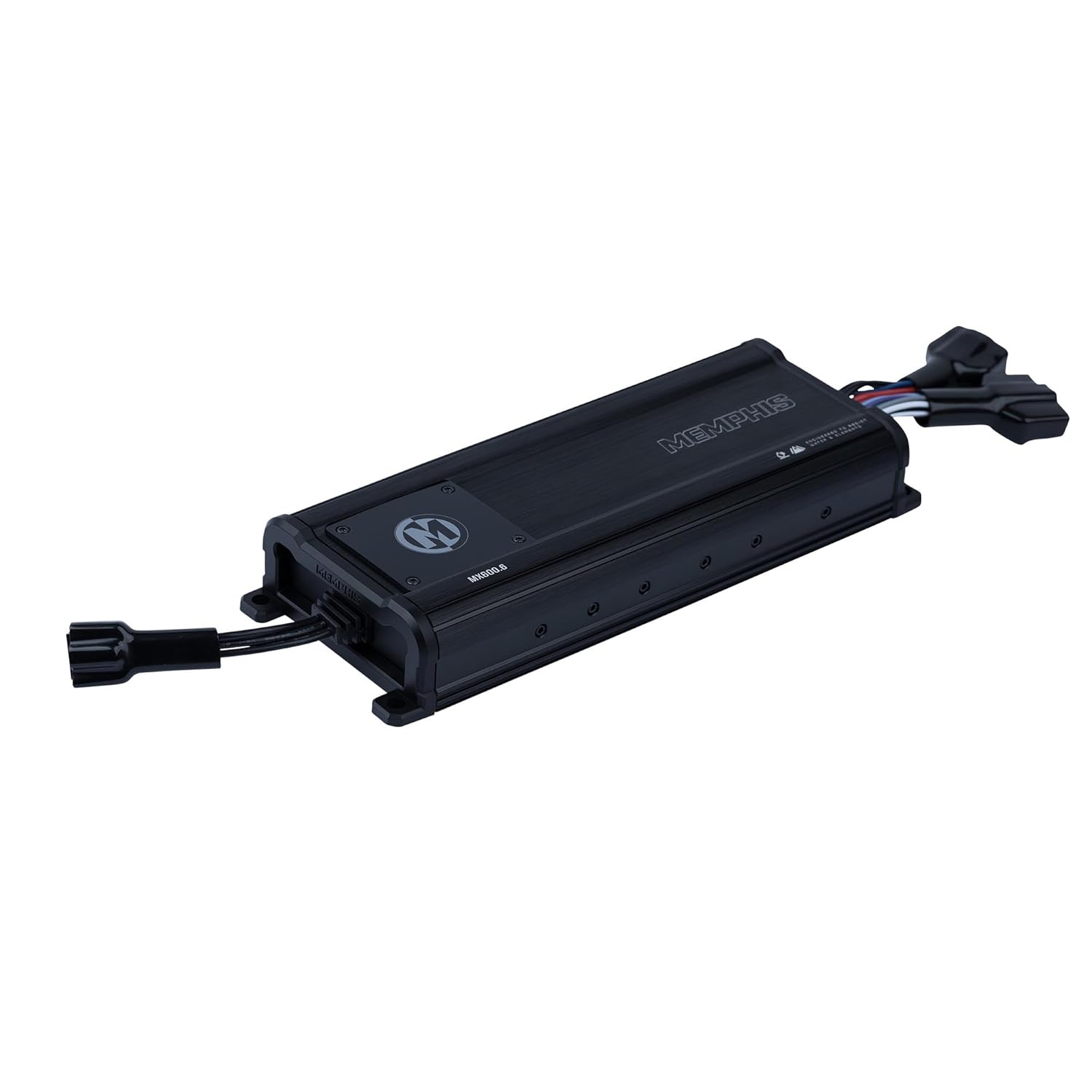
Ọgụgụ 2.1: N'elu-ala view of the Memphis Audio MX600.6 ampihe ngosi, ihe ngosiasing its compact design and integrated wiring harnesses.
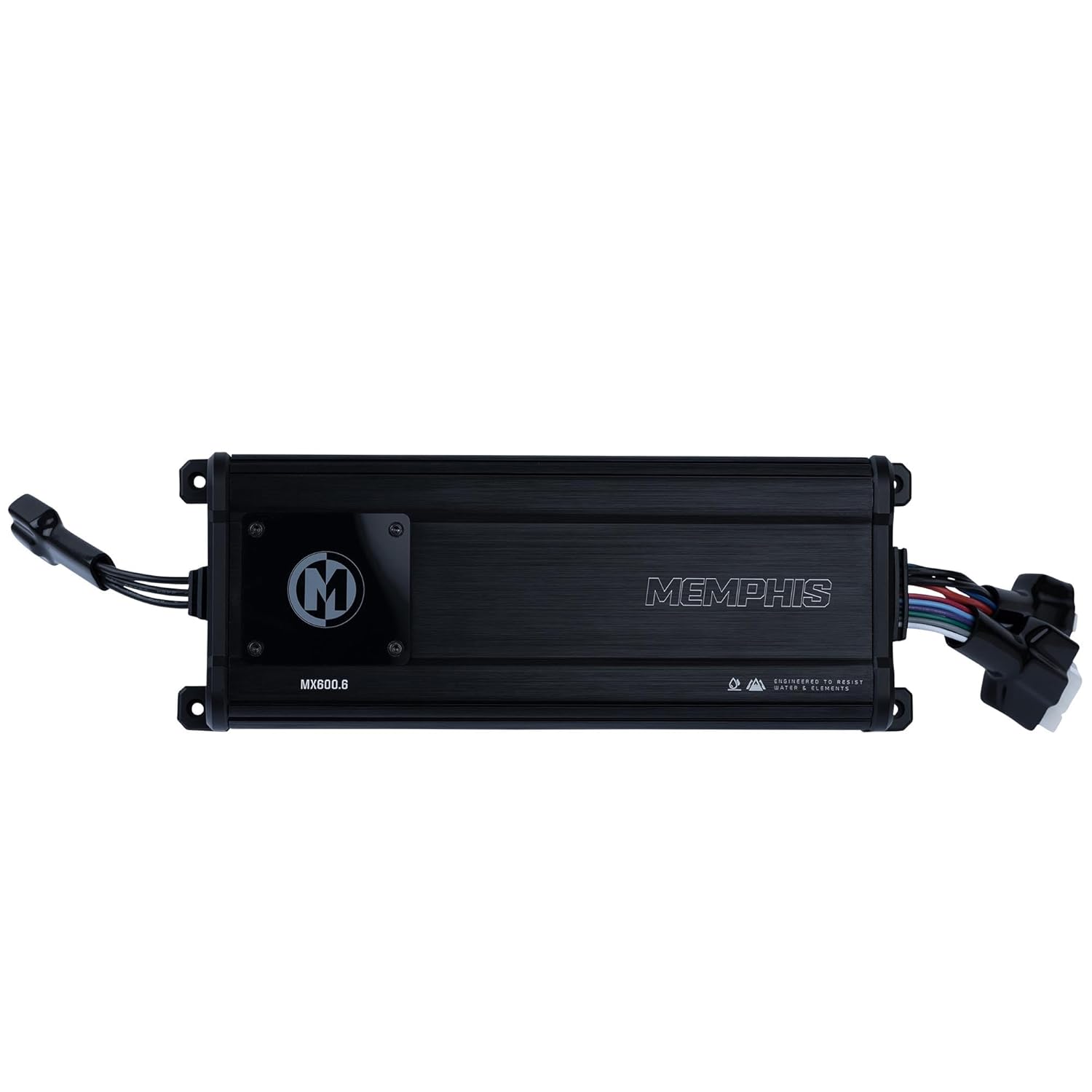
Foto 2.2: Top view of the MX600.6 amplifier, highlighting the protective cover over the control panel and the Memphis logo.
3. Nwụnye
Nrụnye kwesịrị ekwesị dị oke mkpa maka ịrụ ọrụ na ogologo ndụ nke gị amplifier. Ensure you have all necessary tools and materials before beginning.
Ebe Nkwanye
Choose a mounting location that:
- Provides adequate ventilation around the ampna -emegharị ihe.
- Is protected from direct exposure to extreme heat or physical damage.
- Allows for secure fastening of the ampna -emegharị ihe.
- Is accessible for wiring and adjustments.
Due to its IP66 rating, the MX600.6 can be mounted in more exposed environments typical of powersports vehicles, but protection from direct, high-pressure water jets is still recommended.
Njikọ waya
The MX600.6 uses sealed connectors for all inputs and outputs. Ensure these connections are secure and properly seated.
Power and Ground Wiring
- Power (B+): Connect the positive (+) terminal of the vehicle's battery to the amplifier's B+ input using an 8-gauge power wire. Install an appropriate fuse (not included) within 18 inches of the battery.
- Ala (GND): Jikọọ amplifier's GND input to a clean, unpainted metal surface on the vehicle chassis. Ensure a solid, low-resistance connection. Use an 8-gauge ground wire, keeping it as short as possible.
- Ime (REM): Jikọọ amplifier's REM input to the remote turn-on output of your head unit or a switched 12V source.
Ntinye nrịbama wiwi
The MX600.6 supports both high-level (speaker level) and low-level (RCA) inputs. Use the provided input harness.
- Ntinye ala dị alaJikọọ eriri RCA site na ihe eji arụ ọrụ nke isi gị tupu oge eruoamp mmepụta na amplifier's input harness.
- Ntinye ọkwa dị elu: If your head unit does not have RCA outputs, connect the speaker output wires directly to the high-level input wires on the amplifier's harness.
Wiring mmepụta okwu
Jikọọ ọkà okwu gị na amplifier's speaker output harness. Observe correct polarity (+ to + and - to -) for all speakers.
- Ọwa 1-4: Connect your front and rear speakers.
- Ọwa 5-6: Connect your subwoofer(s) or additional full-range speakers.
Minimum speaker impedance for Channels 1-4 is 2 Ohms. Minimum speaker impedance for Channels 5-6 is 2 Ohms.
4. Ọrụ na mmezi
The MX600.6 features top-mounted controls for easy adjustment of gain and crossover settings. These controls are typically located under a protective cover.

Ọgụgụ 4.1: Zuru ezu view of the MX600.6 control panel, showing input mode switch, frequency adjustments, and sensitivity (gain) knobs for each channel pair.
Input Mode Switch (2CH/4CH/6CH)
This switch determines how the input signal is routed to the amplifier's channels.
- 2CH: Uses only the CH1/2 inputs to drive all 6 channels.
- 4CH: Uses CH1/2 and CH3/4 inputs to drive all 6 channels.
- 6CH: Requires separate inputs for CH1/2, CH3/4, and CH5/6.
Gain (SENS) Adjustment
The gain control (labeled 'SENS') matches the amplifier's input sensitivity to the output level of your head unit. Start with the gain set to minimum (MIN) and slowly increase it until you hear distortion, then back off slightly. This is not a volume control.
Crossover Adjustments (FREQ, HPF, LPF, FULL)
The MX600.6 features adjustable crossovers for each channel pair (CH1/2, CH3/4, CH5/6) to optimize sound output for your speakers.
- zuru ezu: Full range output, no crossover applied.
- HPF (nyocha ngafe dị elu): Allows frequencies above the set point to pass through. Use for full-range speakers to prevent low frequencies that can cause distortion.
- LPF (nyocha ngafe dị ala): Allows frequencies below the set point to pass through. Use for subwoofers.
- FREQ (Frequency) Knob: Adjusts the cutoff frequency for the HPF or LPF, typically ranging from 50Hz to 200Hz.
Status Indicators (PWR, PRT)
- PWR (Ike): Illuminates when the ampA na-agbanye lifia ma na-arụ ọrụ nke ọma.
- PRT (Protection): Illuminates when the amplifier enters protection mode due to issues like overheating, low impedance, or short circuits. If this light comes on, turn off your audio system and investigate the cause.
5. Nlekọta
Regular maintenance helps ensure the longevity and performance of your MX600.6 ampna -emegharị ihe.
- Nhicha: Na-ehicha ya kwa oge ampmputa lifier nwere akwa dị nro, kpọrọ nkụ. Zere iji kemịkalụ siri ike ma ọ bụ ihe nchacha.
- Nyocha: Regularly check all wiring connections for tightness and signs of corrosion or damage. Ensure the mounting hardware remains secure.
- Igwe ikuku: Keep the area around the amplifier clear of obstructions to allow for proper airflow and heat dissipation.
6. Nchọpụta nsogbu
Ọ bụrụ na ị nwere nsogbu na ndụ gị amplifier, refer to the following common problems and solutions before contacting support.
| Nsogbu | Ihe nwere ike ime | Ngwọta |
|---|---|---|
| No Power (PWR light off) | Blown fuse, poor power/ground connection, no remote turn-on signal. | Check inline fuse, verify power and ground connections, check remote wire for 12V. |
| Protection Mode (PRT light on) | Overheating, speaker short circuit, impedance too low. | kwe amplifier to cool, check speaker wiring for shorts, verify speaker impedance. |
| Enweghị mpụta ụda | Enweghị mgbama ntinye, uru dị ala nke ukwuu, a gbanyụrụ waya okwu. | Check RCA/high-level input connections, adjust gain, verify speaker connections. |
| Ụda agbagọ | Gain set too high, improper crossover settings, damaged speakers. | Reduce gain, adjust crossover settings, inspect speakers for damage. |
7. Nkọwapụta
Technical specifications for the Memphis Audio MX600.6 ampntughari:
| Njirimara | Nkọwapụta |
|---|---|
| Nọmba nlereanya | MX600.6 |
| RMS Power @ 4Ω | 50W x 4 + 100W x 2 |
| RMS Power @ 2Ω | 75W x 4 + 150W x 2 |
| Bridged/Mono Power @ 4Ω | 150W x 2 + 300W x 1 |
| THD% | <1% |
| Ọnụọgụ mgbaàmà/Mkpọtụ | > 80dB |
| Nzaghachi ugboro ugboro | 10Hz - 20kHz |
| Oke ntinye | 300mV - 9.7V |
| Akụkụ (L x W x H) | 11.7 x 4.33 x 1.75 inches (Product) / 13.58 x 6.69 x 3.94 inches (Shipping) |
| Ibu | 5.36 pound |
| Voltage | 9.7 volts (DC) |
| Ogo IP | IP66 |
8. Akwụkwọ ikike na nkwado
Ozi akwụkwọ ikike
Memphis Audio products are designed and manufactured to the highest quality standards. For specific warranty terms and conditions, please refer to the warranty card included with your product or visit the official Memphis Audio websaịtị. Debe nnata nzụta gị dị ka ihe akaebe nke ịzụrụ maka nkwupụta ikike.
Nkwado ndị ahịa
If you have any questions, require technical assistance, or need to report a problem with your MX600.6 amplifier, please contact Memphis Audio customer support through their official website or authorized dealer. Provide your product model number and a detailed description of the issue for efficient service.
Maka ozi ndị ọzọ, gaa na Memphis Audio Store on Amazon.


