Okwu mmalite
The SilverStone Technology Permafrost PF240W-ARGB V2 is a 240mm all-in-one liquid cooler designed for efficient CPU cooling with integrated addressable RGB lighting. This manual provides essential information for the proper installation, operation, and maintenance of your liquid cooler.

Image: SilverStone Permafrost PF240W-ARGB V2 240mm White Liquid Cooler with illuminated fans and pump.
Ihe ngwugwu
Chọpụta na akụrụngwa niile dị na ngwugwu gị:
- Permafrost PF240W-ARGB V2 Liquid Cooler (240mm radiator with two 120mm ARGB fans attached)
- Mounting Kit for Intel and AMD sockets
- Griase na-akpọ Thermal
- Onye njikwa RGB nwere ike ikwu okwu

Image: All included accessories, including the mounting kit, thermal grease, and ARGB controller.
Nkọwapụta
| Njirimara | Nkọwa |
|---|---|
| Ụdị | Nkume Silver |
| Nọmba nlereanya | SST-PF240W-ARGB-V2 |
| Usoro jụrụ oyi | Mmiri |
| Nha Radiator | 240mm |
| Nha Fans | 120mm |
| Ọsọ ntụgharị kacha | 2200 RPM |
| Ọkwa mkpọtụ | 7.4 decibel |
| Ihe onwunwe | Copper, Rubber |
| Ike njikọ .dị | 4-Pin |
| Ngwa dakọtara | Desktọpụ |
Ndakọrịta
The Permafrost PF240W-ARGB V2 is compatible with a wide range of CPU sockets:
- Intel: LGA115x/1200/1700/1851/2011/2066
- AMD: AM2/AM3/AM4/AM5/FM1/FM2 sockets
Ntọala na nwụnye
Follow these steps for proper installation of your liquid cooler. Refer to your motherboard manual for specific header locations.
1. Ịkwadebe Motherboard
Depending on your CPU socket (Intel or AMD), select the appropriate mounting hardware from the kit. For Intel sockets, install the backplate behind the motherboard and secure the standoffs. For AMD sockets, utilize the existing retention brackets on the motherboard.
2. Installing the Water Block
- Apply a small amount of the provided thermal grease to the center of your CPU's Integrated Heat Spreader (IHS).
- Attach the correct retention bracket to the water block.
- Carefully place the water block onto the CPU, aligning the mounting holes with the standoffs (Intel) or retention clips (AMD).
- Secure the water block using the thumb screws or spring screws provided, tightening them in a diagonal pattern until snug. Do not overtighten.

Image: Close-up of the water block with its mounting bracket, ready for installation.
3. Ịkwanye Radiator na Fans
- Determine the optimal mounting location for the 240mm radiator within your PC case (e.g., top, front, or rear).
- Secure the radiator to the case using the appropriate screws. Ensure proper airflow direction for the fans (intake or exhaust).
- The fans come with rubber pads to reduce vibration and noise.
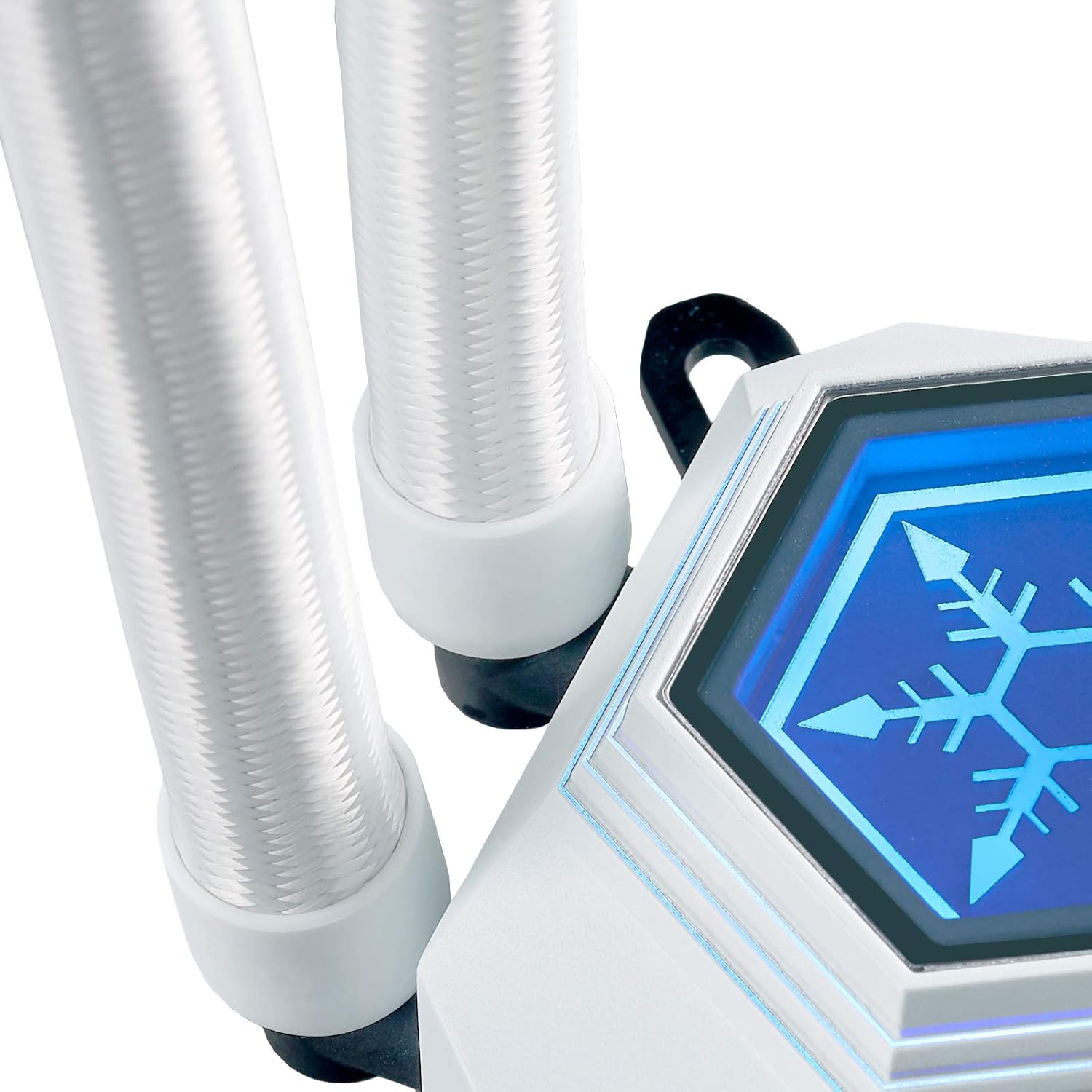
Image: The 240mm radiator component of the liquid cooler.
4. Njikọ eriri
- Connect the 4-pin PWM cables from the fans to the motherboard's CPU_FAN or a dedicated fan header. Use the included 3-to-1 PWM splitter if connecting multiple fans to a single header.
- Connect the 3-pin Addressable RGB (ARGB) cables from the fans and water block to the included ARGB controller or directly to a compatible 5V ARGB header on your motherboard.
- If using the included ARGB controller, connect its SATA power connector to your power supply.

Image: A 3-to-1 PWM splitter cable for connecting multiple fans to a single motherboard header.
Ọrụ
Njikwa ọkụ ARGB
The Permafrost PF240W-ARGB V2 features integrated addressable RGB lighting on both the water block and fans. You can control the lighting in two ways:
- Mmekọrịta Motherboard: If your motherboard has a compatible 5V ARGB header, connect the cooler's ARGB cables directly to it. You can then control the lighting effects using your motherboard's RGB software (e.g., ASUS Aura Sync, MSI Mystic Light Sync, Gigabyte RGB Fusion, ASRock Polychrome Sync).
- Ihe njikwa ARGB gụnyere: If your motherboard lacks a 5V ARGB header, use the included ARGB controller. This controller offers 10 lighting modes and allows you to adjust brightness and color changing speeds via its buttons. Ensure the controller is powered via a SATA connector from your power supply.

Image: The included addressable RGB controller with buttons for mode, speed, and brightness adjustments.
Njikwa Fans
The 120mm PWM fans can be controlled via your motherboard's fan control software or BIOS settings. This allows you to adjust fan speeds based on CPU temperature, optimizing for either quiet operation or maximum cooling performance.
Nlekọta
Mmezi mgbe niile na-enyere aka hụ na arụmọrụ kachasị mma na ogologo oge nke ihe mkpuchi mmiri mmiri gị:
- Nhicha uzuzu: Periodically clean the radiator fins and fan blades to prevent dust buildup, which can impede airflow and cooling efficiency. Use compressed air or a soft brush.
- Lelee njikọ: Ensure all power and signal cables (PWM, ARGB) are securely connected to the motherboard and power supply.
- Nyochaa Tubing: Occasionally check the liquid tubing for any signs of kinks, leaks, or damage.
Nchọpụta nsogbu
If you encounter issues with your liquid cooler, consider the following common solutions:
- No Power/Fans Not Spinning: Verify that the 4-pin PWM cables are correctly connected to the motherboard and that the pump's power cable (if separate) is connected to a SATA power connector.
- No RGB Lighting: Check that the 3-pin ARGB cables are properly connected to either the motherboard's 5V ARGB header or the included ARGB controller. Ensure the ARGB controller is receiving SATA power.
- Okpomọkụ CPU dị elu: Confirm that the water block is securely mounted to the CPU and that thermal paste was applied correctly. Ensure fans are spinning and oriented for proper airflow. Check BIOS settings for fan speed curves.
- Mkpọtụ na-adịghị ahụkebe: Inspect fans for any obstructions. Ensure the pump is running smoothly.
Akwụkwọ ikike na nkwado
For detailed warranty information and technical support, please refer to the official SilverStone Technology website or the comprehensive manual provided by the manufacturer.
You can find the official product manual Ebe a.