1. Okwu mmalite
Daalụ maka ịzụrụasing the ZEBRONICS Juke BAR 9102 PRO 240W Dolby Soundbar. This manual provides essential information for the proper setup, operation, and maintenance of your soundbar system. Please read this manual thoroughly before use to ensure optimal performance and safety.
2. Ntuziaka nchekwa
- Isi mmalite ike: Jiri naanị ihe nkwụnye ike akọwapụtara. Hụ na vol ahụ dị.tage is compatible with your local power supply.
- Igwe ikuku: Ekpuchila oghere ikuku ọ bụla. Debe oghere zuru oke gburugburu ngwaọrụ ahụ maka ikuku ikuku kwesịrị ekwesị.
- Mmiri na mmiri: Do not expose the soundbar or subwoofer to water, rain, or moisture. Avoid placing objects filled with liquids, such as vases, on or near the unit.
- Isi mmalite ọkụ: Debe ihe dị n'ime ya ka ọ ghara ịdị n'ebe okpomọkụ dị dịka radiator, ihe ndekọ okpomọkụ, stovu, ma ọ bụ ngwa ndị ọzọ na-emepụta okpomọkụ dị.
- Nhicha: Gbanyụọ ike ọkụ eletrik tupu ị sachaa ya. Jiri ákwà dị nro ma kpọọ nkụ. Ejila ihe nhicha mmiri ma ọ bụ ihe nhicha aerosol.
- Ije ozi: Anwala ịnye ngwaahịa a n'onwe gị. Tụtụ aka n'aka ndị ọrụ ruru eru.
- Nkwanye: Place the soundbar on a stable, flat surface or mount it securely on a wall as instructed.
3. Ihe ngwugwu
Nyochaa na etinyere ihe niile edepụtara n'okpuru na ngwugwu gị:
- Soundbar - 1 Unit
- Subwoofer - 1 nkeji
- Njikwa Ime Obodo - 1 Nkeji
- QR Code User Manual - 1 Unit (Digital access)
- Wall Mount Bracket and Fasteners
4. Ngwaahịa gafereview
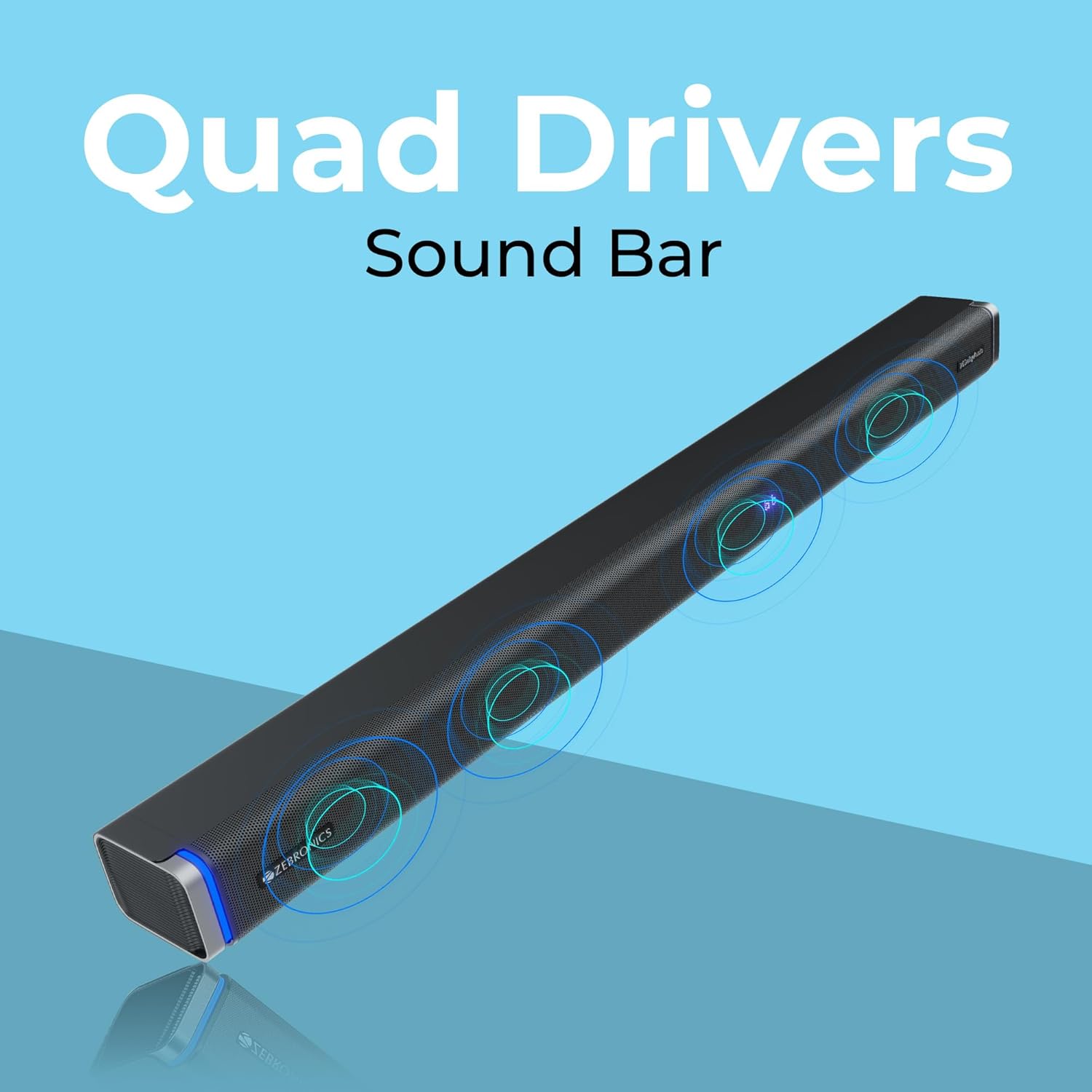
The ZEBRONICS Juke BAR 9102 PRO is a 240W output Dolby soundbar system designed to enhance your audio experience. It features a soundbar with quad drivers and a powerful 6.5-inch wired subwoofer.



5. Nhazi
5.1 Ntinye mbu
- Place the soundbar centrally below your television.
- Position the subwoofer on the floor near the soundbar for optimal bass response.
5.2 Njikọ ike
- Connect the power cable to the soundbar's power input.
- Connect the power cable to the subwoofer's power input.
- Plug both power cables into a suitable wall outlet.
5.3 Njikọ Subwoofer
The subwoofer connects to the soundbar via a wired connection. Ensure the subwoofer cable is securely connected to both units.
6. Ntuziaka ọrụ
6.1 Gbanyụọ ma ọ bụ gbanyụọ
Press the power button on the soundbar or the remote control to turn the unit on or off. The LED display will indicate the power status.
6.2 Njikwa olu
Use the volume up (+) and volume down (-) buttons on the soundbar or remote control to adjust the audio level.
6.3 Nhọrọ ọnọdụ
Press the 'Mode' button on the soundbar or remote control to cycle through available input modes (Bluetooth, HDMI ARC, Optical, AUX, USB). The LED display will show the current mode (e.g., 'BT' for Bluetooth, 'ARC' for HDMI ARC).
Ụdị nhazi nhata (EQ) 6.4
The soundbar features 3D EQ alternatives. Use the EQ button on the remote to switch between modes. The LED display will show 'E1', 'E2', 'E3' for different sound profiles, and '3D' for the virtual 5.1 effect. Common EQ modes include:
- E1: Ụdị egwu
- E2: Ụdị ihe nkiri
- E3: News/Voice mode
- 3D: Virtual Surround Sound mode
6.5 RGB ọkụ ọkụ
The soundbar includes RGB LED lights. These can be controlled and changed using the remote control to suit your preference.
7. Njikọta Nhọrọ
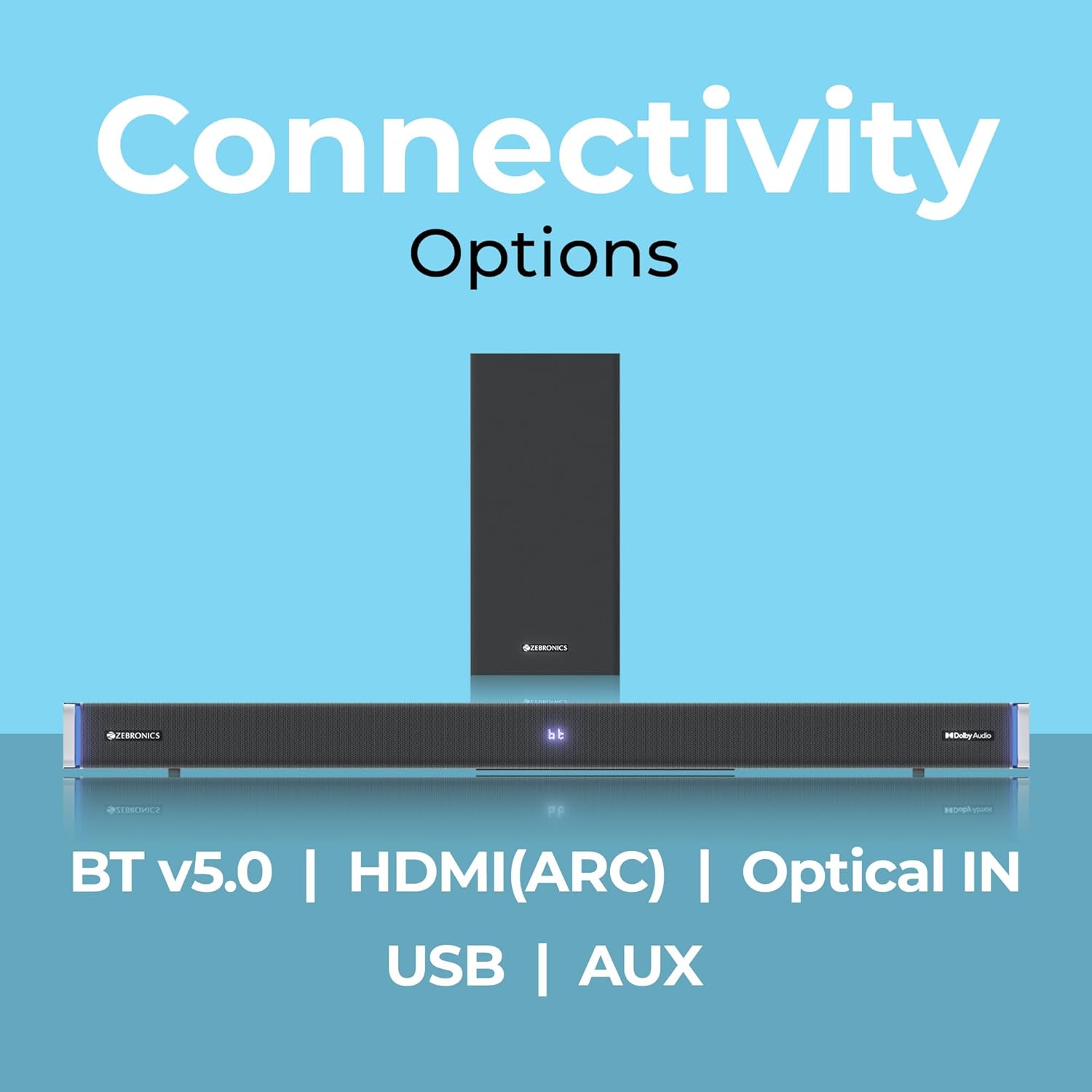
The ZEBRONICS Juke BAR 9102 PRO offers multiple connectivity options for versatile use.
7.1 Bluetooth v5.0
- Press the 'Mode' button until 'BT' appears on the LED display.
- On your mobile device or computer, search for Bluetooth devices and select 'ZEB-JUKE BAR 9102 PRO'.
- Once paired, audio will stream wirelessly to the soundbar.
7.2 HDMI (ARC)
- Connect an HDMI cable (ARC compatible) from the HDMI ARC port on your television to the HDMI ARC port on the soundbar.
- Select 'ARC' mode on the soundbar.
- Ensure your TV's audio output is set to HDMI ARC.
7.3 Optical IN
- Connect an optical cable from your audio source (e.g., TV, DVD player) to the 'Optical IN' port on the soundbar.
- Select 'OPT' mode on the soundbar.
7.4 3.5mm AUX USB
- Connect a 3.5mm AUX cable from your audio source to the 'AUX' port on the soundbar.
- Select 'AUX' mode on the soundbar.
7.5 USB playback
- Insert a USB pen drive (up to 32GB, supporting MP3 audio format) into the USB port on the soundbar.
- Select 'USB' mode on the soundbar. The soundbar will automatically begin playing compatible audio files.
8. Mgbidi Mgbidi
The soundbar can be wall-mounted to save space. A wall mount bracket and fasteners are included in the package.
- Determine the desired mounting location on the wall, ensuring it is structurally sound and can support the weight of the soundbar.
- Mark the positions for drilling holes using the wall mount bracket as a template.
- Gwuo oghere ndị a na-atụ anya ya ma tinye ihe mgbochi mgbidi kwesịrị ekwesị ma ọ bụrụ na ọ dị mkpa.
- Secure the wall mount bracket to the wall using the provided fasteners.
- Carefully attach the soundbar to the mounted bracket. Ensure it is securely fastened before releasing.
Mara: Professional installation is recommended for wall mounting to prevent damage or injury.
9. Nlekọta
9.1 Nhicha
Wipe the surfaces of the soundbar and subwoofer with a soft, dry, lint-free cloth. Do not use abrasive cleaners, waxes, or solvents as they may damage the finish.
9.2 Nchekwa
Ọ bụrụ na ị na-echekwa ihe dị n'ime ya ruo ogologo oge, wepụ ya na ọkụ eletrik ma debe ya n'ebe dị jụụ ma kpọọ nkụ, ebe anwụ na-acha kpọmkwem na oke okpomọkụ dị oke njọ.
10. Nchọpụta nsogbu
| Nsogbu | Ihe nwere ike ime | Ngwọta |
|---|---|---|
| Enweghị ike | Ejikọghị eriri ọkụ; Ọkụ ọkụ anaghị arụ ọrụ | Ensure power cables are securely connected and the outlet is functional. |
| Enweghị ụda | Incorrect input mode; Volume too low; Cables not connected properly | Họrọ ụdị ntinye ziri ezi. Mee ka olu dịkwuo elu. Lelee eriri ọdịyo niile maka njikọ echekwara. |
| Nsogbu njikọta Bluetooth | Ụda ụda adịghị n'ụdị njikọta; Ngwaọrụ dị oke anya; Ntuchi | Ensure soundbar is in 'BT' mode. Move device closer. Restart both devices. |
| Njikwa anya anaghị arụ ọrụ | Batrị agwụla; Ihe mgbochi dị n'etiti remote na soundbar | Dochie batrị njikwa dị anya. Wepụ ihe mgbochi ọ bụla. |
| Ụda agbagọ | Volume too high; Poor audio source quality; Incorrect EQ setting | Reduce volume. Try a different audio source. Adjust EQ settings. |
11. Nkọwapụta
| Njirimara | Nkọwa |
|---|---|
| Aha Nlereanya | ZEB-JUKE Ogwe 9102 PRO |
| Ike mmepụta | 240 watts (RMS) |
| Dayameta nke subwoofer | 6.5 sentimita asatọ |
| Nha ọkwọ ụgbọ ala ọdịyo | 5.5 cm (Quad Drivers) |
| Njikọta | Bluetooth v5.0, HDMI (ARC), Optical IN, 3.5mm AUX, USB |
| Nhazi ụda gburugburu | Virtual 5.1 |
| Nzaghachi ugboro ugboro | 20 Hz - 20 kHz |
| Signgbaàmà-na-Noise ruru | 65 dB |
| Mgbochi | 15 ohms |
| Usoro njikwa | Njikwa anya |
| Akụkụ ngwaahịa (Ogwe ụda) | Approx. 98.5W x 17.3D x 40.2H Centimeters |
| Ibu Ibu | 5.8 n'arọ |
| Isi Iyi Ike | Igwe ọkụ eletrik |
| Atụmatụ pụrụ iche | Dolby Audio, LED Display, RGB LED Lights, Wall Mountable |
12. Akwụkwọ ikike na nkwado
12.1 Ozi akwụkwọ ikike
This ZEBRONICS product comes with a 1-afọ akwụkwọ ikike from the date of purchase. The warranty covers manufacturing defects under normal use. Please retain your purchase receipt for warranty claims.
12.2 Nkwado ndị ahịa
For technical assistance, troubleshooting, or warranty inquiries, please contact ZEBRONICS customer support. Refer to the official ZEBRONICS website or the QR Code User Manual for contact details.


