1. Okwu mmalite
This manual provides essential instructions for the setup, operation, and maintenance of your Richmat Wireless Remote Control, Model HJH55. Please read this manual thoroughly before use to ensure proper functionality and to avoid potential issues. This remote is designed as a replacement for compatible adjustable bed bases.
2. Ngwaahịa gafereview
The Richmat Model HJH55 is a wireless remote control designed for use with adjustable bed bases. It serves as a direct replacement for existing HJH55 remotes, including both black and white versions. Ensure your current remote or bed control box specifies 'HJH55' for compatibility before attempting to pair.
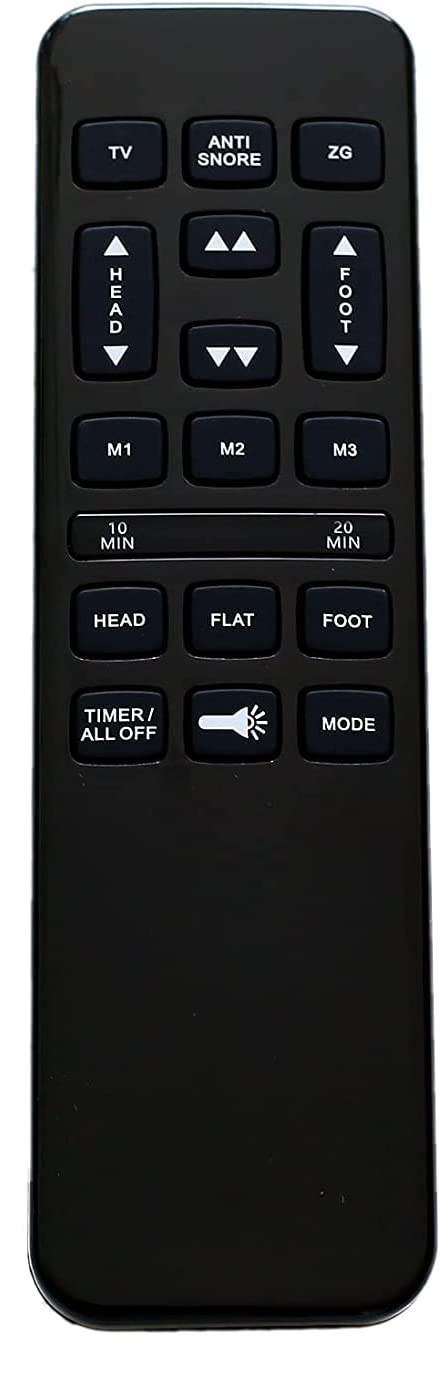
Foto 2.1: N'ihu view of the Richmat HJH55 wireless remote control. This image displays the general appearance of the remote, which is black with various control buttons for adjustable bed functions.
3. Setup and Pairing Instructions
3.1 Ntinye batrị
The remote requires two (2) AAA batteries (not included). To install batteries:
- Mepee mkpuchi mkpuchi batrị n'azụ nke ime ime.
- Fanye batrị AAA abụọ, na-eme ka polarity ziri ezi (+/-) dị ka egosiri n'ime ụlọ.
- Mechie mkpuchi nke batrị batrị nke ọma.
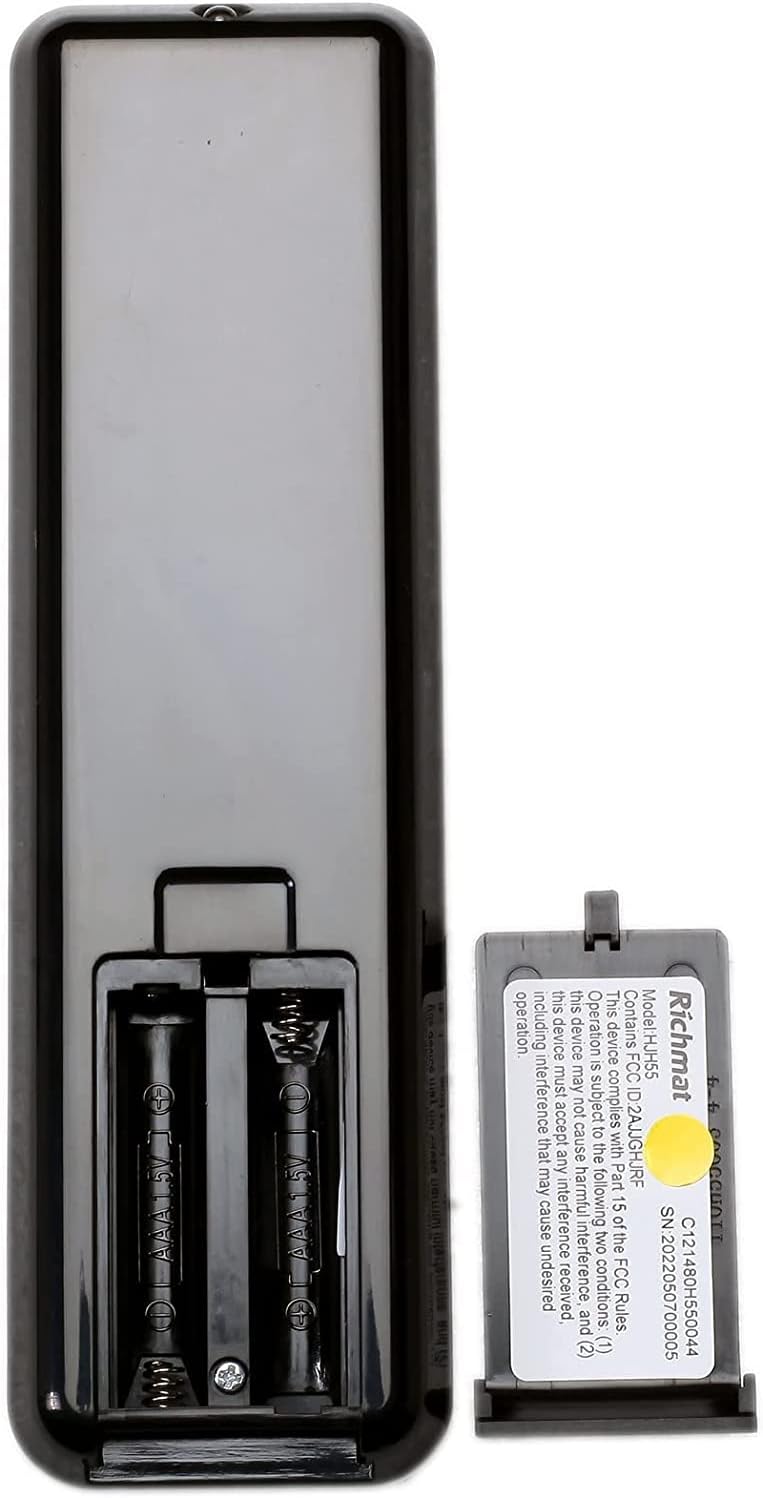
Foto nke atọ: Azụ view of the Richmat HJH55 remote control with the battery compartment open. This image shows the two slots for AAA batteries and the polarity markings.
3.2 Pairing the Remote with Your Adjustable Bed
The remote does not come pre-paired and must be synced with your adjustable bed base. Follow these steps carefully:
- Na Remote: Press and hold the "Head Up" button and the "Foot Up" button simultaneously for approximately 10 seconds.
- On the Control Box: Locate the control box underneath your bed. Press the button on the side of the control box that is typically labeled "Learn" or "Reset Coding." Do not press and hold this button; a single, brief press is sufficient.
- nkwenye: Listen for an audible beep from the control box. This beep indicates that the remote has successfully synced with the bed base.
If the remote does not pair, ensure batteries are correctly installed and repeat the steps. If issues persist, refer to the Troubleshooting section.
4. Ntuziaka ọrụ
Once paired, your Richmat HJH55 remote control allows you to adjust your bed to various positions. The specific functions of each button will correspond to the features of your adjustable bed base. Common functions include:
- Isi Elu/Ala: Adjusts the head section of the bed.
- Ụkwụ Elu/Ala: Adjusts the foot section of the bed.
- Ewepụghị: Returns the bed to a flat position.
- Ntọala ebe nchekwa: Some remotes may have buttons to save and recall preferred positions.
Refer to your adjustable bed base's original manual for detailed descriptions of all available functions and button layouts.
5. Nlekọta
5.1 nnọchi batrị
If the remote's performance degrades or it stops responding, replace the two AAA batteries. Follow the battery installation steps in Section 3.1.
5.2 Nhicha
To clean the remote, use a soft, dry cloth. Do not use liquid cleaners or abrasive materials, as these can damage the remote's surface or internal components.
6. Nchọpụta nsogbu
- Remote anaghị aza:
- Lelee ma arụnyere batrị nke ọma ma nwee ụgwọ zuru oke. Dochie ma ọ dị mkpa.
- Ensure the remote is within range of the bed's control box.
- Gbalịa ọzọ usoro njikọta dịka akọwara na Nkebi nke 3.2.
- Remote paired but functions incorrectly:
- Verify that the remote model (HJH55) matches your original remote or bed control box specifications. Incompatible remotes may pair but not function correctly.
- Try re-pairing the remote.
- Ntinye aka:
- This device complies with Part 15 of the FCC Rules. Operation is subject to the following two conditions: (1) this device may not cause harmful interference, and (2) this device must accept any interference received, including interference that may cause undesired operation. If interference occurs, try moving the bed or remote to a different location.
If you continue to experience issues, contact the seller or manufacturer for further assistance.
7. Nkọwapụta
| Nọmba nlereanya | HJ55 |
| Onye nrụpụta | Richmat |
| Isi Iyi Ike | Batrị 2 x AAA (anaghị etinye ya) |
| FCC ID | 2AJJGHJRF |
| Nọmba usoro n'usoro | 2022050700005 |
| Ngwa dakọtara | Akwa ndị nwere ike idozi |
8. Akwụkwọ ikike na nkwado
Specific warranty information for this Richmat HJH55 remote control is not provided in this manual. For details regarding warranty coverage, returns, or technical support, please contact the original seller or the manufacturer directly. Ensure you have your purchase details and the product model number (HJH55) available when contacting support.


