Ngwaahịa gafereview
JLab JBuds Protect Reusable Earplugs offer comfortable in-ear hearing protection with two distinct noise reduction levels. Designed for versatility, these earplugs come with multiple tip sets to ensure a secure and comfortable fit for various ear sizes. A compact carrying case with a keychain loop is included for convenient portability.

Melite
1. Selecting Ear Tip Size
The JBuds Protect come with five different ear tip options to ensure a comfortable and effective seal. Experiment with the provided tip sets (including Cloud Foam tips) to find the size that best fits your ear canal.

2. Inserting the Earplugs
Gently insert the earplug into your ear canal. Ensure a snug fit to maximize noise reduction. The earplugs should feel comfortable and secure.

Ntuziaka ọrụ
The JBuds Protect feature a rotating sound tube that allows you to switch between two noise reduction levels.
1. Fun Mode (Minimum Noise Reduction)
To activate Fun Mode, twist the bottom of the earplugs to the open setting. This mode provides a noise reduction of 11 dB, allowing you to enjoy your environment while still protecting your hearing. It is suitable for activities such as sporting events, concerts, and motorcycling.

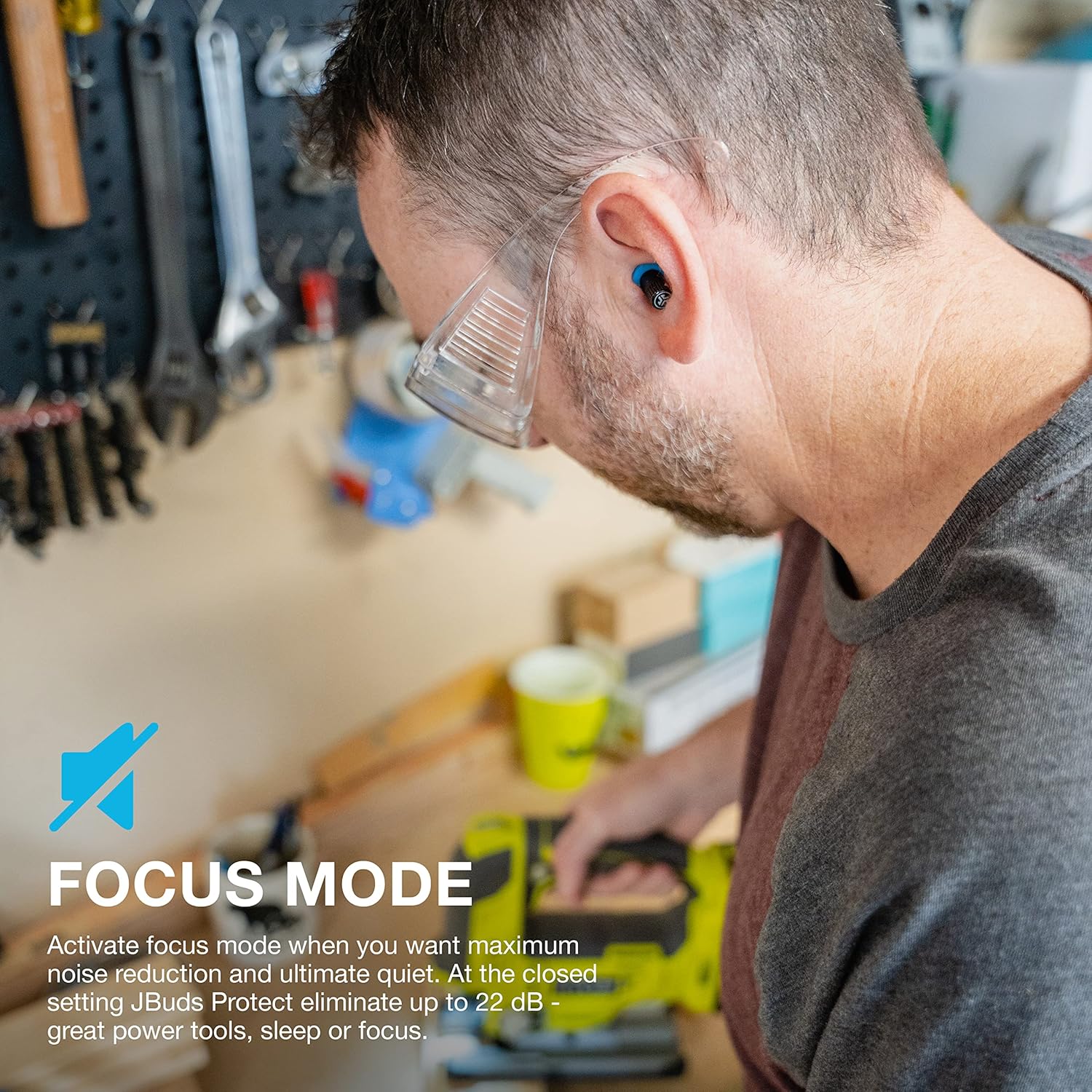
2. Focus Mode (Maximum Noise Reduction)
To activate Focus Mode, twist the bottom of the earplugs to the closed setting. This mode eliminates up to 22 dB of noise, providing maximum noise reduction for ultimate quiet. It is ideal for situations requiring deep concentration, such as using power tools, sleeping, or studying.

Nlekọta
1. Nhicha
Regularly clean your JBuds Protect earplugs with a soft, damp cloth. Ensure they are completely dry before storing them. Do not use harsh chemicals or abrasive materials.
2. Nchekwa
Store the earplugs in the provided carrying case when not in use. The magnetic design of the case helps keep the earplugs secure and prevents loss. The keychain loop allows for convenient attachment to keys or bags.
Nchọpụta nsogbu
If you experience insufficient noise reduction, ensure the earplugs are inserted correctly and that you have selected the appropriate ear tip size for a snug seal. Verify that the rotating sound tube is set to the desired mode (Fun or Focus). If issues persist, consult the JLab support websaịtị maka enyemaka ọzọ.
Nkọwapụta
| Njirimara | Nkọwa |
|---|---|
| Nọmba nlereanya | PEJPROTECTRBLK82 |
| Ọkwa Mbelata mkpọtụ | 11 dB (Fun Mode), 22 dB (Focus Mode) |
| Nhọrọ ndụmọdụ ntị | 5 sets (Gel, Triple Flange, Cloud Foam) |
| Ihe onwunwe | Silikoni |
| Agba | Nwa |
| Akpa na-ebu | Included, with Keychain Loop |
| Akụkụ ngwugwu | 5.2 x 2.48 x 1.22 sentimita asatọ |
| Ibu Ibu | 1.45 ounces |
| Onye nrụpụta | JLab |
| Ụbọchị mbụ dị | Mee 19, 2023 |
Akwụkwọ ikike na nkwado
JLab offers a lifetime warranty on JBuds Protect hearing protection earplugs. For warranty claims or product support, please visit the official JLab support websaịtị ma ọ bụ kpọtụrụ ndị ahịa ha ọrụ.


