Okwu mmalite
The bopmen Star10 Wireless Bluetooth Karaoke Microphone is a versatile 4-in-1 device designed for singing, acting as a portable handheld microphone, speaker, and featuring an integrated disco light. It offers high-resolution audio quality and extensive compatibility, making it suitable for various entertainment settings including car travel, home parties, and general use for adults and children.

Image: The Star10 Wireless Bluetooth Karaoke Microphone in Rose Gold, showcasing its sleek design and integrated disco ball.
Ozi nchekwa
- Ewepụla ngwaọrụ ahụ na oke okpomọkụ ma ọ bụ iru mmiri.
- Zere idobe ma ọ bụ idobe ngwaọrụ ahụ na mmetụta siri ike.
- Keep out of reach of small children to prevent choking hazards from small parts.
- Use only the provided USB C-A cable for charging.
- Anwala ịkwasa ma ọ bụ gbanwee ngwaọrụ ahụ.
- Jiri ákwà dị nro ma kpọọ nkụ hichaa ngwaọrụ ahụ. Zere iji kemịkalụ siri ike ma ọ bụ ihe nhicha na-eme ka ihe dị nro hichaa ya.
Ihe ngwugwu
Biko lelee igbe maka ihe ndị a:
- 1 x Karaoke microphone (Star10)
- 1 x USB C-A charging cable
- 1 x ntuziaka onye ọrụ
Ngwaahịa gafereview
Familiarize yourself with the main controls and ports of your Star10 microphone.

Image: Detailed diagram illustrating the main control panel and bottom ports of the Star10 microphone, including Microphone Volume, On/Off/Play/Pause, Reverb On/Off, Volume Up/Down, Next/Previous Song, Tone Mode, Disco Light Control, USB Port, 3.5mm Earphone Jack, and TF Card slot.
Isi njikwa:
- Microphone Volume / Accompaniment Mode On/Off: Adjusts microphone volume or toggles accompaniment.
- On/Off, Play/Pause: Powers the device on/off and controls music playback.
- Reverb On/Off / Bluetooth & TF Card Mode: Toggles reverb effect and switches between input modes.
- Elu elu/ala: Adjusts overall speaker volume.
- Abụ gara aga/Ọzọ: Na-agagharị n'ime egwu.
- Ụdị ụda: Cycles through different voice effects.
- Disco Light Control / Twins Pairing: Controls the disco light and initiates Twins Mode pairing.
Bottom Ports:
- Ìhè ihe ngosi: Shows device status (e.g., charging, connected).
- 3.5 mm Earphone Jack / Re-Set button inside: For private listening or resetting the device.
- Ọdụ ụgbọ mmiri USB: Maka ịchaji igwe okwu.
- Oghere TF Kaadị: For playing music directly from a micro TF card (up to 32GB, not included).
Melite
Ịchaji igwe okwu:
- Connect the provided USB C-A cable to the USB port on the bottom of the microphone.
- Connect the other end of the cable to a compatible USB power adapter (not included) or a computer USB port.
- The indicator light will show charging status. A full charge provides up to 10 hours of use (minimum 5 hours).
Gbanyụọ/ Gbanyụọ:
- Pịa ma jide Gbanyụọ/gbanyụọ/Gwuo/kwụsịtụ button for a few seconds to power on the microphone. You will hear an audible prompt.
- To power off, press and hold the same button until you hear the power-off prompt.
Ntuziaka ọrụ
Njikọ Bluetooth:
The Star10 microphone uses Bluetooth 5.2 for seamless connection to your devices.
- Power on the microphone. It will automatically enter Bluetooth pairing mode.
- On your smartphone, tablet, or other Bluetooth-enabled device, open the Bluetooth settings.
- Chọọ maka "STAR 10" in the list of available devices and select it to pair.
- Once connected, you will hear a confirmation prompt. You can now play music from your device through the microphone's speaker and sing along.

Image: The Star10 microphone demonstrating its wide compatibility, connecting wirelessly to smartphones, tablets, and laptops via Bluetooth.
Ụdị kaadị TF:
Play music directly from a micro TF card.
- Insert a micro TF card (up to 32GB, not included) with your music files into the TF Card slot on the bottom of the microphone.
- The microphone will automatically switch to TF Card mode. If not, press the Reverb On/Off / Bluetooth & TF Card Mode button to cycle modes.
- Jiri ihe Nke gara aga / Na-esote Abụ buttons to navigate tracks and Gwuo/kwụsịtụ for playback control.
Disco Light Control:
Enhance your karaoke experience with the built-in disco light.
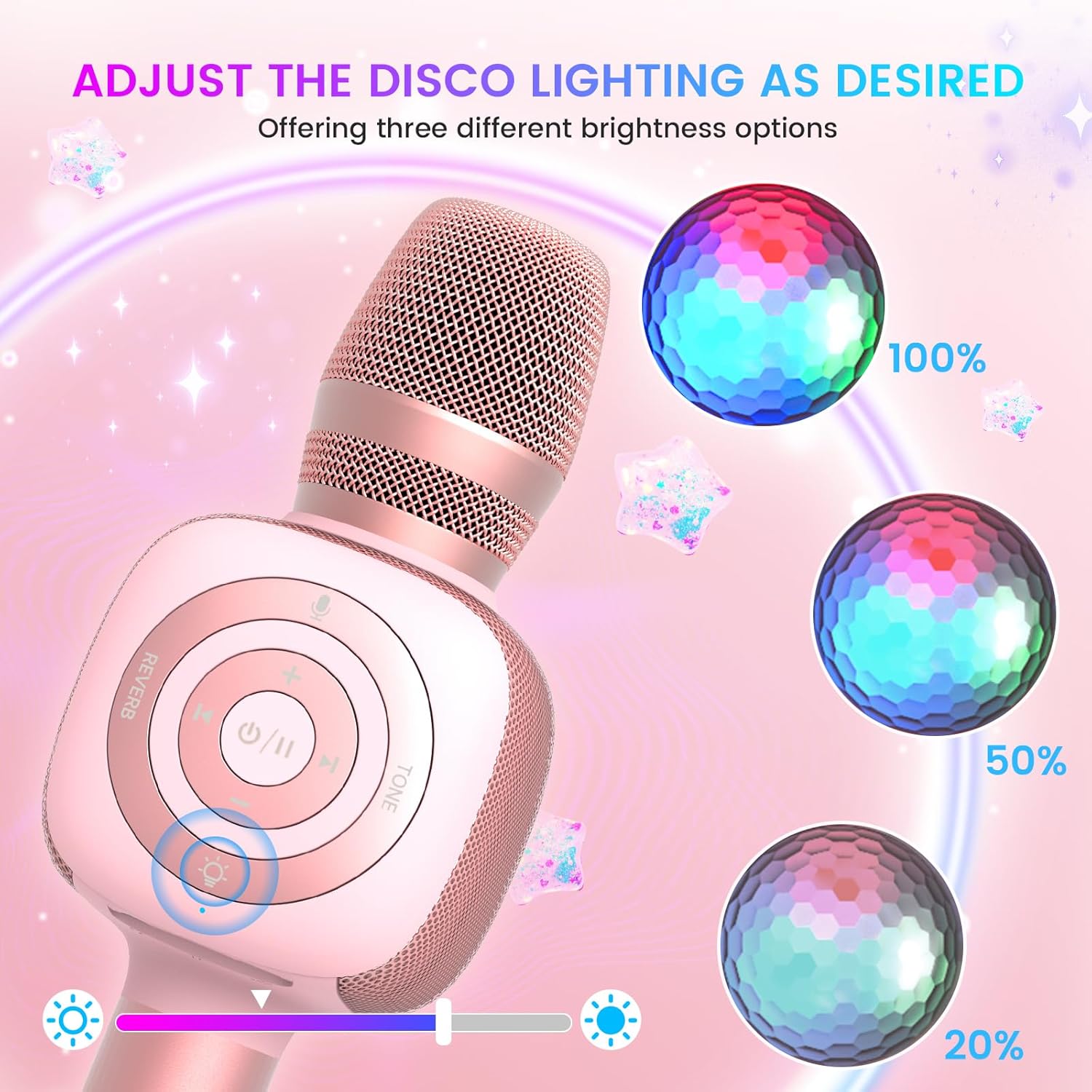
Image: The Star10 microphone's disco light feature, illustrating three adjustable brightness levels (100%, 50%, 20%) to suit different ambiance needs.
- Pịa Disco Light Control button (light bulb icon) to cycle through three RGB color modes and brightness levels.
- Press again to turn the disco light off.
Tone Modes (Magic Mode):
Experiment with different voice effects for added fun.

Image: The Star10 microphone's "Magic Mode" feature, depicting icons for Male Voice, Female Voice, Cartoon Voice, and Monster Sound effects.
- Pịa Ụdị ụda button to cycle through various voice effects such as Male Voice, Female Voice, Cartoon Voice, and Monster Sound.
- Continue pressing to return to the original tone.
Twins Mode (Duet Mode):
Pair two Star10 microphones for a duet experience.

Image: Two individuals enjoying a duet, each holding a Star10 microphone, illustrating the "Twins Mode" functionality for shared singing experiences.
- Ensure both Star10 microphones are powered on.
- On one microphone, press and hold the Disco Light Control button for 2 seconds until a prompt tone "LINK CONNECTED" is heard. This microphone is now in Twins Mode pairing.
- On your cellphone/device, perform Bluetooth pairing selection and choose either of the two microphones. Both microphones will now be connected and output audio.
- To exit Twins Mode, press and hold the Disco Light Control button on the paired microphone for 2 seconds.
Nlekọta
- Nhicha: Wipe the microphone with a soft, dry cloth. Do not use liquid cleaners or aerosols.
- Nchekwa: Debe igwe okwu ahụ n'ebe dị jụụ ma kpọọ nkụ, ebe anwụ na-anaghị apụta kpọmkwem na oke okpomọkụ.
- Nlekọta batrị: For optimal battery life, charge the microphone regularly, even if not in frequent use. Avoid fully discharging the battery for extended periods.
Nchọpụta nsogbu
| Nsogbu | Ihe nwere ike ime | Ngwọta |
|---|---|---|
| Microphone does not power on. | Batrị dị ala; bọtịnụ ike anaghị ejide ogologo oge. | Charge the microphone fully; Press and hold the power button for 3-5 seconds. |
| Enweghị ike ijikọ site na Bluetooth. | Microphone not in pairing mode; Device Bluetooth off; Interference. | Ensure microphone is on and in pairing mode; Enable Bluetooth on your device; Move closer to the microphone; Restart both devices. |
| Enweghị ụda sitere na ọkà okwu. | Volume too low; Device volume too low; Incorrect mode. | Increase microphone volume; Increase device volume; Ensure correct mode (Bluetooth/TF Card). |
| Voice effects not working. | Pịa bọtịnụ na-ezighi ezi. | Press the 'Tone Mode' button repeatedly to cycle through effects. |
| Disco light not working. | Light turned off. | Press the 'Disco Light Control' button to turn on/cycle modes. |
Nkọwapụta
- Ụdị: STAR 10
- Akara: ndị uwe ojii
- Ihe kpatara Ụdị igwe okwu: Ejidere
- Teknụzụ Njikọta: Bluetooth 5.2
- Isi mmalite ike: Batrị nwere ike (batrị Lithium Ion atọ dị na ya)
- Ndụ batrị: Up to 10 hours (minimum 5 hours)
- Akụkụ ngwaahịa: 18.7 x 16.54 x 12.2 sentimita asatọ
- Ibu ihe: 1.19 pound (gram 540)
- Algbaàmà-na-Noise ruru: 52 dB
- Nzaghachi ugboro ugboro: 10 kHz
- Ngwa dakọtara: Personal Computer, Smartphone, Karaoke Machine
- Njirimara Pụrụ Iche: Mute Function, Disco Light, Voice Changer, Twins Mode
- Agba: Rose Gold
- Eji akwadoro: Ime/n'èzí
Akwụkwọ ikike na nkwado
Your bopmen Star10 Karaoke Microphone comes with a standard manufacturer's warranty. For detailed warranty information, please refer to the warranty card included in your package or visit the official bopmen websaịtị.
If you encounter any issues or have questions regarding your product, please do not hesitate to contact our professional customer service team. We are committed to providing support and assistance within 24 hours to ensure your satisfaction.
Ozi mkpọtụrụ: Please refer to the contact details provided in your product packaging or on the official bopmen support page for the most up-to-date information.


