Okwu mmalite
This manual provides detailed instructions for setting up, operating, maintaining, and troubleshooting your TECURS MK206 Wireless Gaming Mechanical Keyboard. Please read this manual thoroughly to ensure proper use and to maximize your keyboard's features.
Ngwaahịa gafereview
The TECURS MK206 is an 80% TKL (Tenkeyless) mechanical keyboard designed for gaming and daily use, offering versatile connectivity options and customizable RGB lighting.
Akụkụ ndị bụ isi:
- Triple Connection Modes: USB-C Wired, 2.4G Wireless, Bluetooth (up to 3 devices).
- 87-Key Compact Layout.
- Red Mechanical Switches for quiet and fast actuation.
- 18 Colorful RGB Backlit Effects with adjustable speed and brightness.
- Programmable Software (Windows only) for lighting and key customization.
- Ergonomic Design with adjustable tilt angles.
- Durable Rechargeable Battery.
- N-Key Rollover.
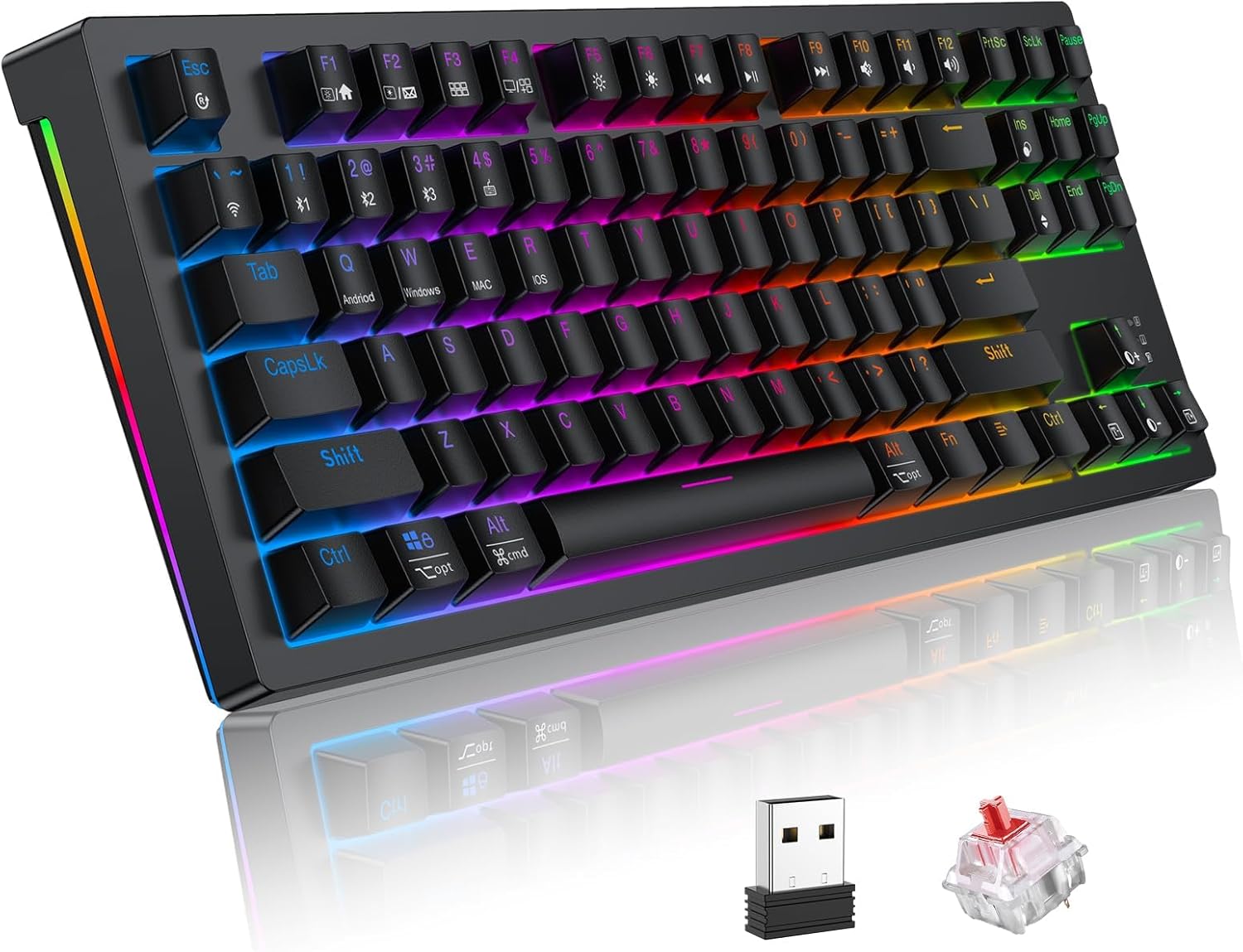
Image: TECURS MK206 Wireless Gaming Mechanical Keyboard, showcasing its compact design, included USB dongle, and a sample red mechanical switch.
Melite
Ọdịnaya ngwugwu:
- TECURS MK206 Mechanical Keyboard
- USB-C USB
- 2.4G ikuku ikuku
- Onye na-adọkpụ igodo
- Akwụkwọ ntuziaka (akwụkwọ a)
Ijikọ ahụigodo gị:
The keyboard supports three connection modes: Wired, 2.4G Wireless, and Bluetooth.
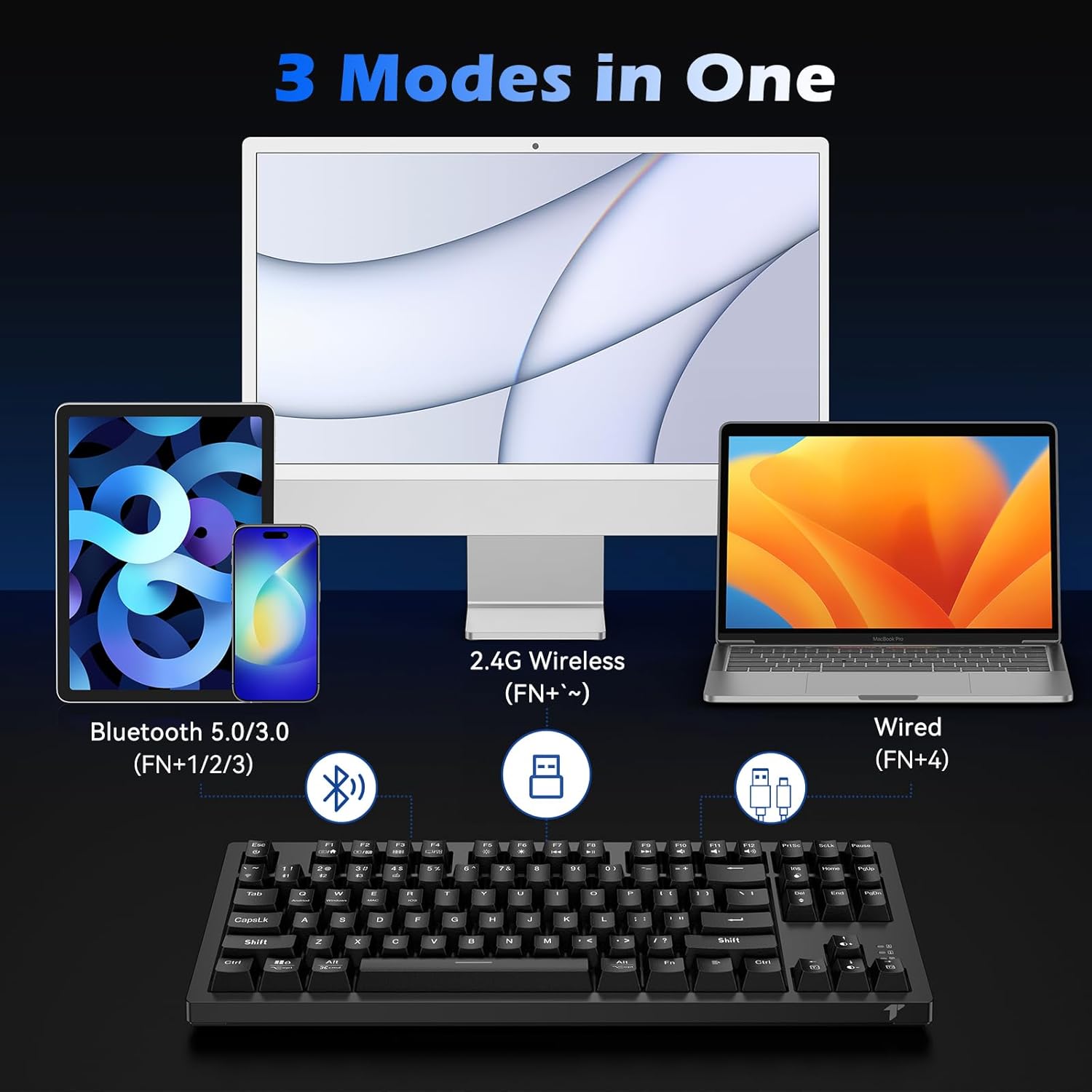
Image: Diagram illustrating the three connection modes: Bluetooth 5.0/3.0, 2.4G Wireless, and USB-C Wired.
1. Wired Mode (Fn+4):
Jikọọ eriri USB-C enyere site na ahụigodo gaa na ọdụ USB dị na kọmputa gị. Ahụigodo ahụ ga-agbanwe na-akpaghị aka gaa na ọnọdụ wired wee malite chajị.
2. 2.4G Wireless Mode (Fn+~):
Insert the 2.4G wireless receiver into a USB port on your computer. Turn on the keyboard. Press Fn + ~ (tilde key) to activate 2.4G wireless mode. The keyboard should connect automatically.
3. Bluetooth Mode (Fn+1, Fn+2, or Fn+3):
Igodo ahụ nwere ike ịchekwa ihe ruru ngwaọrụ Bluetooth atọ.
- Gbanwuo ahụigodo.
- Pịa ma jide Fn + 1 (ma ọ bụ 2, ma ọ bụ 3) for 3-5 seconds until the indicator light flashes rapidly, indicating pairing mode.
- On your device (PC, Mac, Tablet, Smartphone), search for Bluetooth devices and select "TECURS Keyboard" (or similar name).
- Ozugbo ejikọtara ya, ọkụ ihe ngosi ahụ ga-akwụsị ịgbawa.
- Ka ịgbanwee n'etiti ngwaọrụ Bluetooth ejikọtara, pịa pịa Fn + 1, Fn + 2, ma ọ bụ Fn + 3.
Ntuziaka ọrụ
Njikwa ọkụ azụ RGB:
The keyboard features 18 colorful RGB backlight effects.
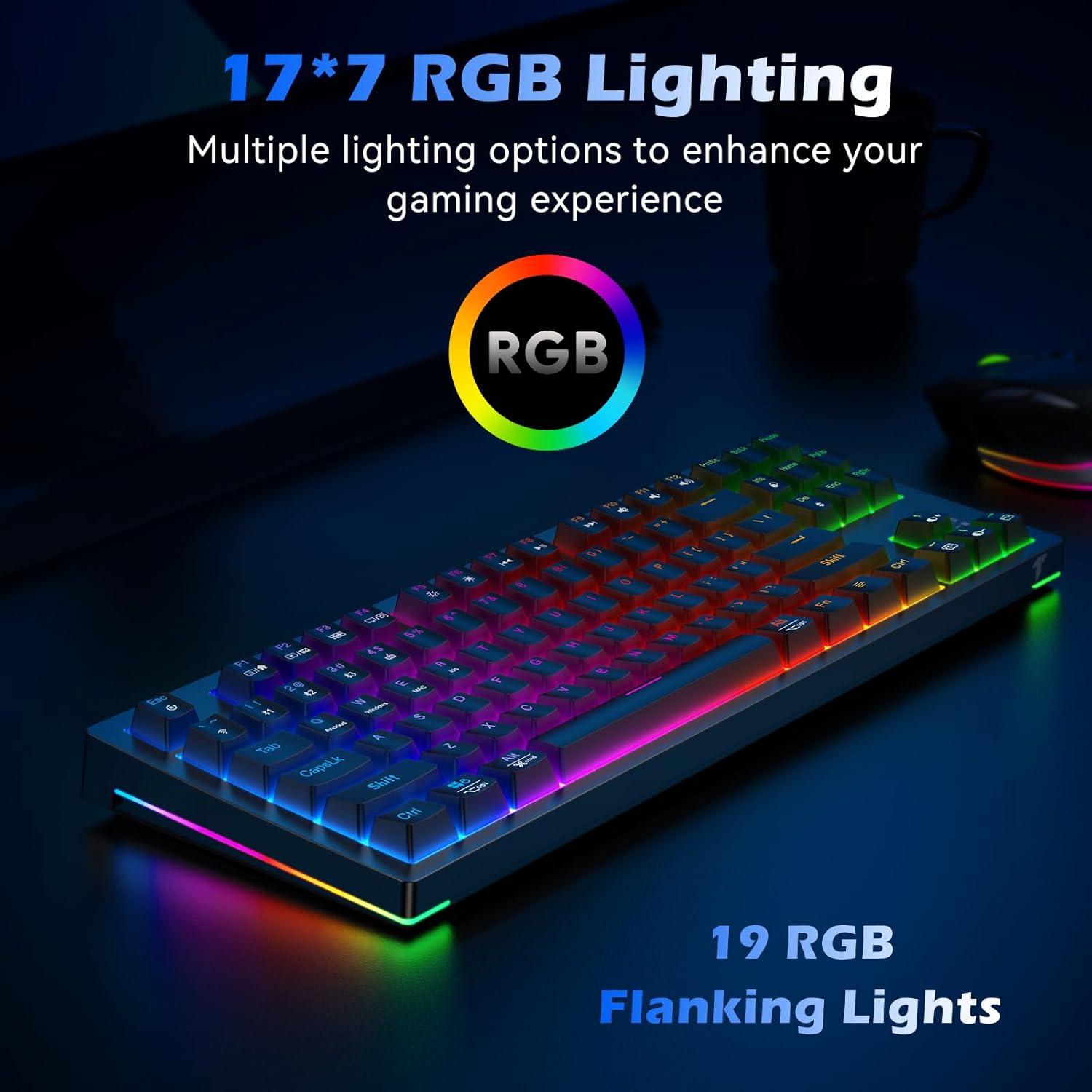
Image: The TECURS MK206 keyboard illuminated with vibrant RGB backlighting, highlighting the 19 RGB flanking lights.
- Fn + Ins: Cycle through backlight modes.
- Fn + Del: Change backlight colors (for certain modes).
- Fn + PgUp: Mụbaa nchapụta azụ azụ.
- Fn + PgDn: Decrease backlight brightness (can turn off).
- Fn + Ụka aka ekpe: Belata ọsọ ọkụ azụ.
- Fn + Ụka aka nri: Mụbaa ọsọ ọkụ azụ.
Multimedia na igodo ọrụ:
Jiri ihe Fn key in combination with the F-keys for multimedia and system functions.

Image: Close-up of the keyboard's F-keys, illustrating their dual functions when combined with the Fn key, including media controls and lighting adjustments.
| Ngwakọta igodo | Ọrụ |
|---|---|
| Fn + F1 | Kọmputa m |
| Fn + F2 | ọchụchọ |
| Fn + F3 | Ihe mgbako |
| Fn + F4 | Ihe ọkpụkpọ mgbasa ozi |
| Fn + F5 | Egwu gara aga |
| Fn + F6 | Track na-esote |
| Fn + F7 | Gwuo/kwụsịtụ |
| Fn + F8 | Kwụsị |
| Fn + F9 | Ogbi |
| Fn + F10 | Mpịakọta ọnụ |
| Fn + F11 | Elu elu |
| Fn + F12 | Mkpọchi ahụigodo |
| Fn + Mmeri | Mkpọchi/Mepee igodo Windows |
Programmable Software (Windows Only):
For advanced customization of lighting effects and key functions, download the dedicated software from the official TECURS websaịtị.
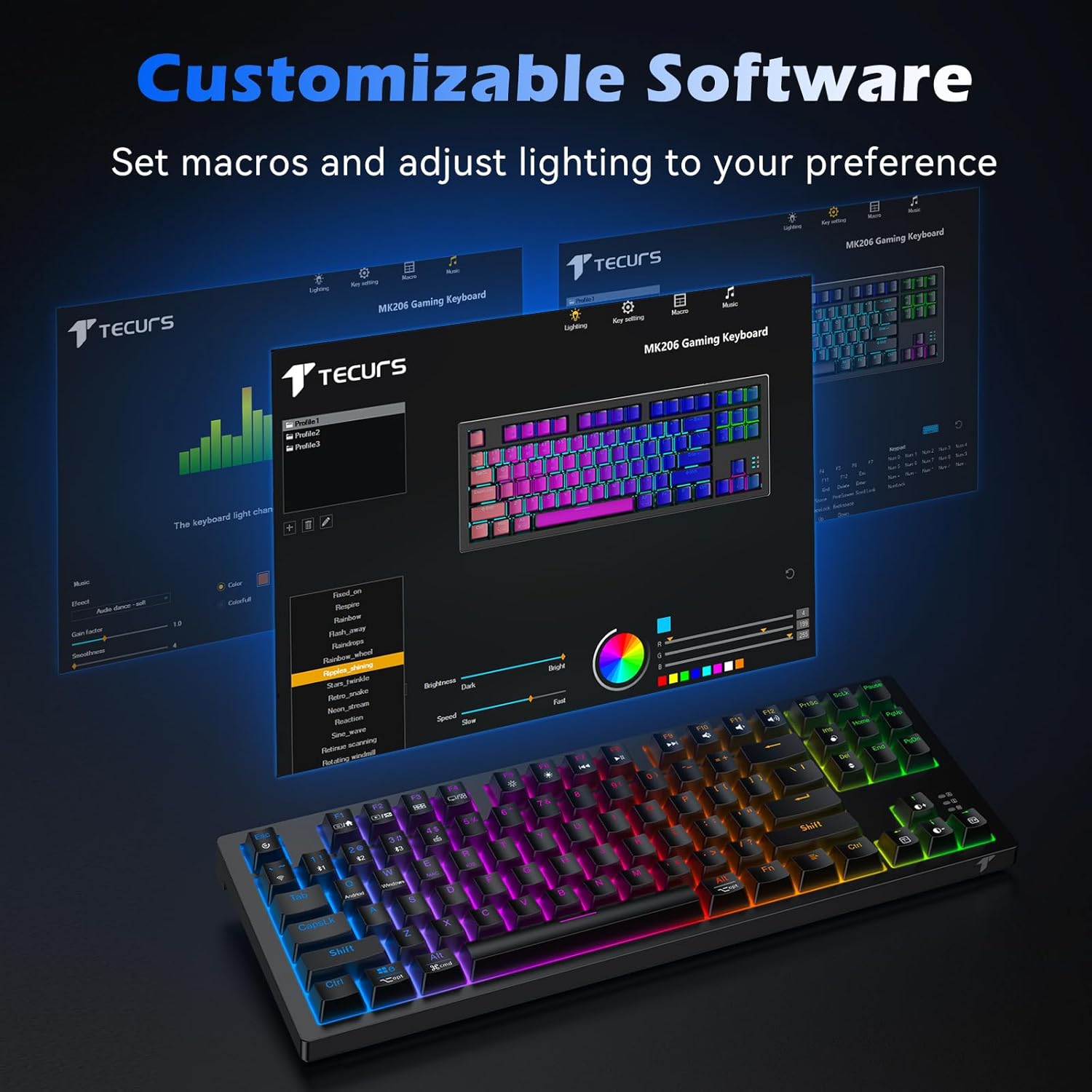
Image: Screenshot of the TECURS MK206 Gaming Keyboard's customizable software interface, showing options for macro settings and lighting adjustments.
Note: The programmable software is not compatible with Mac systems.
Nlekọta
Nhicha:
To clean your keyboard, disconnect it from all power sources. Use a soft, dry cloth to wipe down the keycaps and chassis. For deeper cleaning, you can use a keycap puller (included) to remove keycaps and clean underneath with a small brush or compressed air.

Image: Hands using a keycap puller and a small brush to clean the TECURS MK206 keyboard, demonstrating how to maintain the mechanical switches.
Nlekọta batrị:
The keyboard has a built-in rechargeable lithium battery.
- Charge the keyboard using the provided USB-C cable.
- To conserve battery life, turn off the RGB lighting (Fn + PgDn repeatedly) or switch off the keyboard when not in use.
- Zere ikpughe ahụigodo na oke okpomọkụ.
Nchọpụta nsogbu
Okwu na azịza ndị nkịtị:
- Ahụigodo anaghị aza:
1. Ensure the keyboard is charged. Connect it via USB-C cable to check if it works in wired mode.
2. For wireless modes, ensure the correct mode is selected (Fn + ~ for 2.4G, Fn + 1/2/3 for Bluetooth).
3. For 2.4G, ensure the USB receiver is properly inserted.
4. For Bluetooth, ensure your device's Bluetooth is on and the keyboard is paired. Try re-pairing if necessary.
5. Try restarting your computer.
- RGB lighting not working or stuck:
1. Ensure the backlight is not turned off (Fn + PgDn).
2. Try cycling through different lighting modes (Fn + Ins).
3. If using the programmable software, ensure settings are correctly applied.
- Igodo anaghị edebanye aha ma ọ bụ pịnye ugboro abụọ:
1. Clean under the affected keycaps (refer to Maintenance section).
2. Ensure the keyboard firmware is up to date (check TECURS official websaịtị).
3. If the issue persists, it may indicate a hardware problem.
- Programmable software not detecting keyboard:
1. Ensure the keyboard is connected via USB-C wired mode when using the software.
2. Verify you have downloaded the correct software version from the TECURS official websaịtị.
3. The software is only compatible with Windows systems.
Video: An official product video from Tecurs Mall demonstrating the TECURS Gaming Keyboard's Bluetooth Mechanical features for PC/XBOX/PS4. This video highlights the keyboard's multi-device compatibility and mechanical key action.
Nkọwapụta
| Njirimara | Nkọwa |
|---|---|
| Nọmba nlereanya | MK206 |
| Akụkụ | 14.4 x 5.3 x 1.4 sentimita asatọ |
| Ibu Ibu | 1.7 pound |
| Njikọta | Bluetooth / 2.4G Ikuku / Wired (USB-C) |
| Ọnụọgụ igodo | 87 |
| Ngbanwe Ụdị | Mgbanwe igwe na-acha uhie uhie |
| Ịkụ azụ azụ | RGB (18 effects) |
| Batrị | 1 Lithium Ion battery required (built-in rechargeable) |
| Ngwa dakọtara | Laptop, PC, Xbox, Tablet, Smartphone |
| Sistemu eji arụ ọrụ | Windows XP/Vista/7/8/10/11, Mac OS, Linux OS, Android |
Akwụkwọ ikike na nkwado
For warranty information and technical support, please visit the official TECURS websaịtị ma ọ bụ kpọtụrụ ndị ahịa ha ọrụ. Debe akwụkwọ nnata ịzụrụ maka akwụkwọ ikike.
Official TECURS Store: TECURS Amazon Store


