1. Okwu mmalite
Thank you for choosing the Zgrmbo 16-inch Digital Wall Clock. This manual provides detailed instructions for setting up, operating, and maintaining your new clock. Please read this manual thoroughly before use to ensure proper function and longevity of the product.

Image 1.1: Zgrmbo 16-inch Digital Wall Clock with its various display features.
2. Ihe ngwugwu
Biko lelee ngwungwu maka ihe ndị a:
- Zgrmbo 16-inch Digital Wall Clock (Model DS-6626)
- Njikwa anya
- USB Power USB
- Wall Adapter (USB to AC)
- CR2032 Battery (for memory function)
- Mounting Pegs/Screws
- Arịọnụ Template
- Akwụkwọ ntuziaka onye ọrụ
3. Akụrụngwa Ngwaahịa
- Nnukwu ihe ngosi LED: 16.2-inch screen with 4.25-inch jumbo digits for clear visibility from a distance.
- Ngosipụta ọtụtụ ọrụ: Shows time, date, indoor temperature, and day of the week.
- Njikwa anya: Conveniently adjust settings, brightness, alarms, and timers.
- Icha ọkụ nwere ike ịgbanwe: 10-level manual brightness adjustment and an auto-brightness mode that adapts to ambient light.
- Elekere nkwụsị na ihe ngụ oge: Integrated functions for various timing needs.
- Ọrụ ebe nchekwa: Built-in CR2032 battery preserves time and settings during power outages (display turns off during battery backup).
- Nkwalite mgbanwe: Designed for wall mounting with multiple cable routing options.
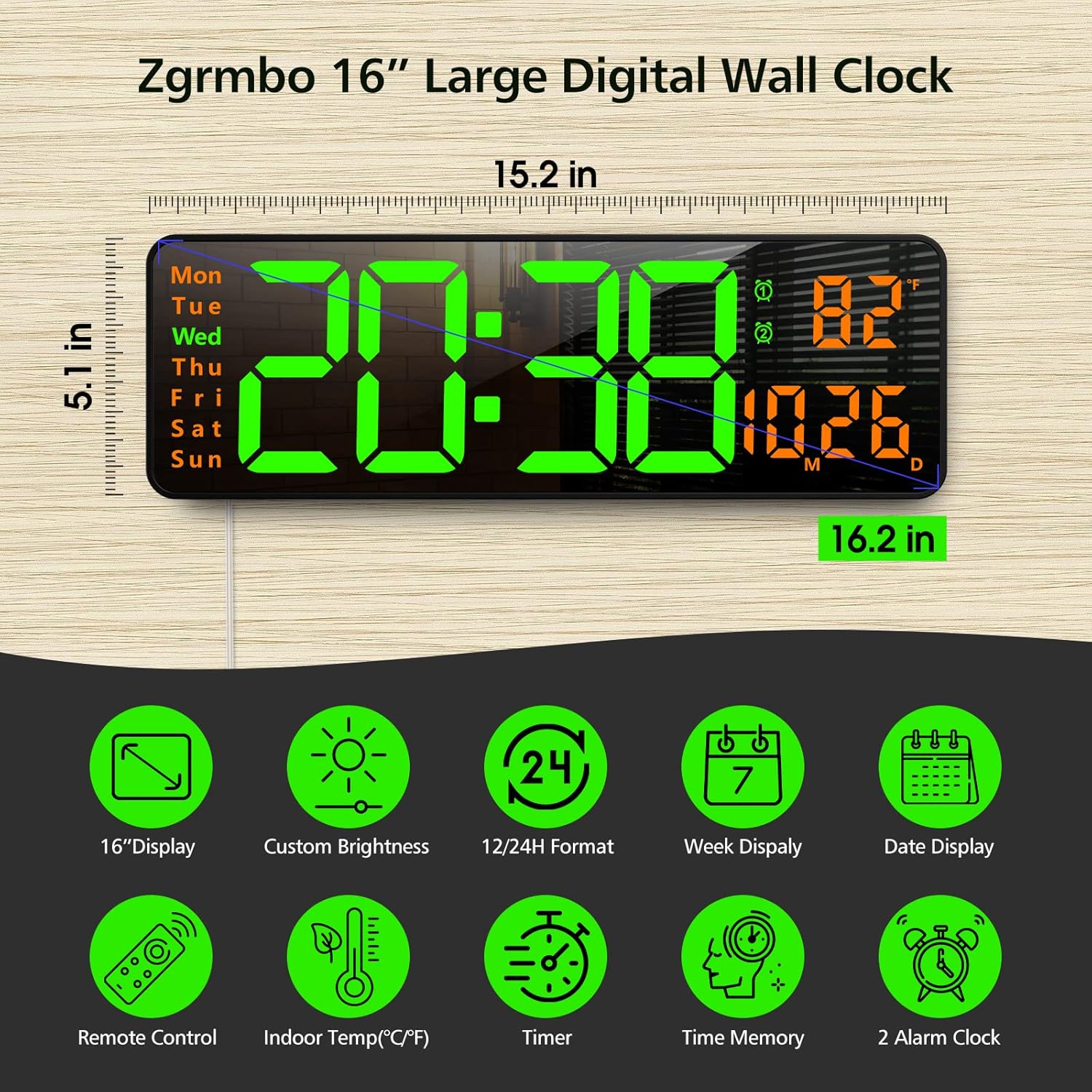
Foto 3.1: Ofeview of the clock's dimensions and primary features.
4. Nhazi
4.1. Njikọ ike
- Insert the CR2032 battery into the battery compartment on the back of the clock. This battery maintains settings during power interruptions.
- Connect the USB power cable to the clock and then to the provided wall adapter.
- Plug the wall adapter into a standard electrical outlet. The clock display will illuminate.
4.2. Mgbidi Mgbidi
The clock can be easily mounted on a wall using the provided template and hardware.
- Select a desired location on the wall.
- Use the mounting template to mark the positions for the mounting pegs/screws.
- Install the mounting pegs/screws into the marked positions.
- Align the keyhole slots on the back of the clock with the installed pegs/screws and slide the clock into place.
- Route the power cable through one of the designated cutouts on the back of the clock to ensure it lies flush against the wall. Excess cable can be wrapped around the designated area on the back of the clock.
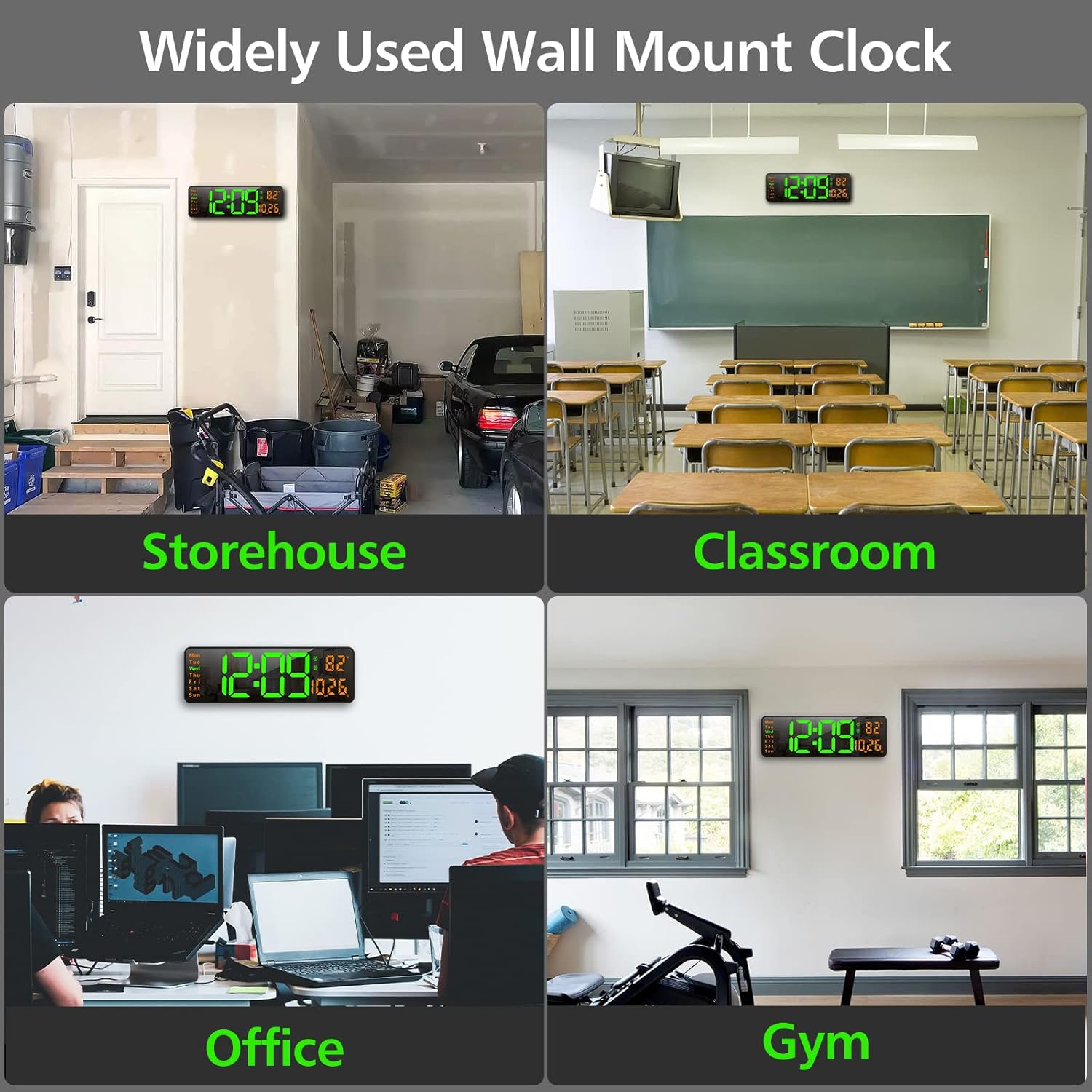
Foto 4.1: Ọpụamples of the clock mounted in different environments.
5. Ntuziaka ọrụ
The clock can be operated using the remote control or the buttons on the back of the unit.
5.1. Remote Control Overview
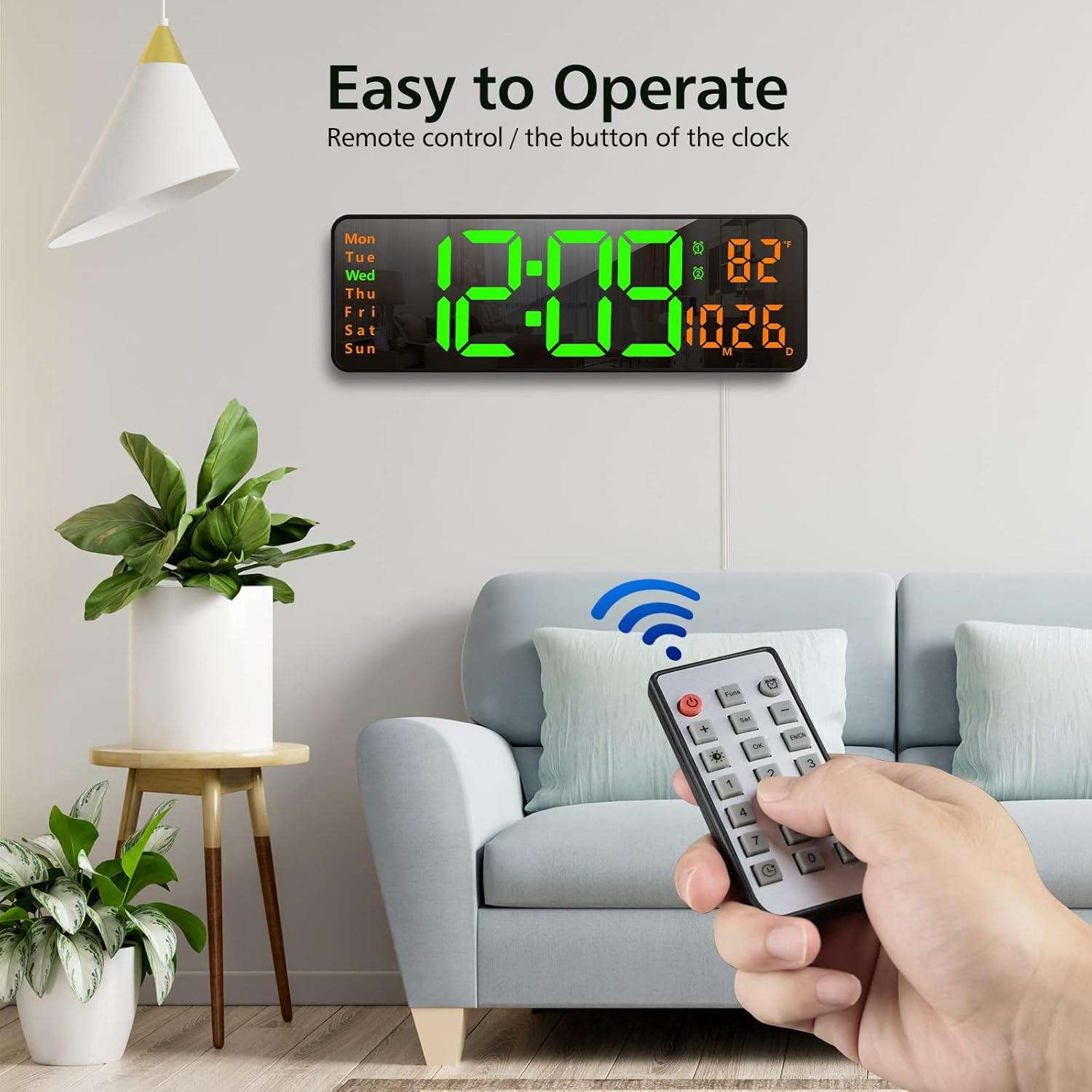
Image 5.1: Using the remote control to operate the clock.
- Bọtịnụ ike: Gbanyụọ/ gbanyụọ ngosi.
- Funs Button: Cycles through various functions (e.g., time, date, temperature display modes).
- Bọtịnụ mkpu: Accesses alarm settings.
- Tọọ bọtịnụ: Enters setting mode for time, date, etc.
- +/- bọtịnụ: Adjust values up or down during setting.
- Brightness Button (Lightbulb icon): Cycles through brightness levels or activates auto-brightness.
- OK bọtịnụ: Na-akwado nhọrọ.
- Igodo ọnụọgụ (0-9): For direct input of time/date values.
- Timer Buttons (Clock icons): Activates and controls the timer/stopwatch functions.
5.2. Ịtọ oge na ụbọchị
- Press the 'Set' button on the remote control. The time display will start flashing.
- Use the '+/-' buttons to adjust the hour. Press 'Set' again to confirm and move to minutes.
- Adjust minutes using '+/-' buttons. Press 'Set' to confirm.
- Continue this process to set the year, month, and day.
- After setting the date, you may be prompted to select 12-hour or 24-hour format. Use '+/-' and 'Set' to choose.
- The clock will automatically exit setting mode after a few seconds of inactivity or by pressing 'OK'.
5.3. Na-edozi ihie
The clock offers 10 levels of brightness and an automatic adjustment mode.
- Press the 'Brightness' button (lightbulb icon) on the remote control once to cycle through manual brightness levels (L-01 to L-10).
- Press the 'Brightness' button twice quickly to activate the auto-brightness mode (L-AU). The clock will then adjust its brightness based on ambient light conditions.

Image 5.2: Visual representation of the 10-level brightness adjustment and auto-brightness feature.
5.4. Isetịpụ Mkpu
The clock supports up to two alarms.
- Press the 'Alarm' button (clock icon) on the remote control. The alarm time will flash.
- Use the '+/-' buttons to set the desired alarm hour. Press 'Set' to confirm.
- Use the '+/-' buttons to set the desired alarm minutes. Press 'Set' to confirm.
- Repeat for the second alarm if needed.
- To activate/deactivate an alarm, press the 'Alarm' button repeatedly until the alarm indicator (1 or 2) appears/disappears next to the temperature display.
5.5. Using the Timer/Stopwatch
The clock features both a countdown timer and a stopwatch function.
- Ngụda oge: Press the 'Timer' button (clock with arrow down icon) on the remote. Use the number buttons to input the desired countdown time (e.g., 10 for 10 minutes). Press 'OK' to start. Press 'OK' again to pause/resume. Long press 'Timer' to reset.
- Oge elekere: Press the 'Timer' button (clock with arrow up icon) on the remote. Press 'OK' to start. Press 'OK' again to pause/resume. Long press 'Timer' to reset.

Image 5.3: The digital timer function in use.
6. Nlekọta
- Nhicha: Use a soft, dry cloth to clean the display and body of the clock. Avoid abrasive cleaners or solvents.
- Ngbanwe batrị: The CR2032 battery for the memory function should be replaced periodically (e.g., every 1-2 years) to ensure settings are retained during power outages.
- Nchekwa: If storing the clock for an extended period, unplug it from power and remove the CR2032 battery. Store in a cool, dry place.
7. Nchọpụta nsogbu
| Nsogbu | Ihe nwere ike ime | Ngwọta |
|---|---|---|
| Agbanyụrụ ihe ngosi elekere. | No power, power outage, or remote control power button pressed. | Ensure power cable is securely plugged in. Check power outlet. Press the power button on the remote. |
| Settings are lost after power outage. | CR2032 memory battery is dead or not installed. | Install or replace the CR2032 battery. |
| Njikwa anya anaghị arụ ọrụ. | Remote battery is dead or plastic tab not removed. | Remove the plastic tab from the remote battery compartment. Replace the remote control battery. |
| Ọgụgụ okpomọkụ ezighi ezi. | Sensor interference or unit not calibrated. | Ensure the clock is not near heat sources or direct sunlight. The temperature sensor is for indoor ambient temperature. |
8. Nkọwapụta
- Akara: Zgrmbo
- Ụdị: DS-6626
- Ụdị ngosi: Igwe ọkụ dijitalụ
- Ngosipụta nha: 16.2 sentimita asatọ (diagonal)
- Ogologo ọnụọgụgụ: 4.25 inches (time digits)
- Akụkụ ngwaahịa: 15.2"W x 5.1"H
- Isi mmalite ike: Igwe ọkụ eletrik (USB)
- Batrị ndabere: 1x CR2032 (for memory function)
- Ihe: Plastic, LED
- Ụdị nkwụnye: Ugwu mgbidi
- Atụmatụ pụrụ iche: Adjustable Brightness, Alarm, Large Display, Timer, Stopwatch, Date, Week, Temperature.
9. Akwụkwọ ikike na nkwado
Zgrmbo offers an Akwụkwọ ikike nke ọnwa 18 for this product, along with a 45-ụbọchị nloghachi amụma. For any questions, technical support, or warranty claims, please contact Zgrmbo customer service through your purchase platform or visit the official Zgrmbo store page.
Anyị na-agba mbọ inye ngwaahịa dị elu na ọrụ ndị ahịa dị mma. Afọ ojuju gị bụ ihe kacha anyị mkpa.


