1. Okwu mmalite
This manual provides detailed instructions for the installation, operation, and maintenance of your ATEM POWER 40A DC to DC Battery Charger. This charger is designed to efficiently charge various battery types, including AGM, Gel, Calcium, Lead Acid, and LiFePO4, in 4WDs, RVs, campers, and trailers. Please read this manual thoroughly before use to ensure proper function and safety.

Image 1.1: The ATEM POWER 40A DC to DC Battery Charger with its included Anderson style plugs.
2. Ozi nchekwa
Observe the following safety precautions to prevent injury or damage to the charger and connected equipment:
- Ensure all connections are secure and correctly polarized before operation.
- Ewepụla chaja na mmiri ozuzo, mmiri mmiri, ma ọ bụ oke okpomọkụ.
- Install the charger in a well-ventilated area to prevent overheating.
- Kwupu ike mgbe niile tupu ime usoro nrụzi ma ọ bụ nrụnye ọ bụla.
- This device is intended for 12V DC systems only. Do not connect to 24V or higher systems.
- Consult a qualified electrician for complex installations or if you are unsure about any wiring procedures.
3. Akụrụngwa Ngwaahịa
The ATEM POWER 40A DC to DC Battery Charger incorporates several advanced features for optimal battery management:
- Ikike Nkwụghachi azụ: Allows charging of the start battery from the auxiliary battery.
- Ndakọrịta Batrị zuru oke: Supports AGM, Gel, Calcium, Lead Acid, and LiFePO4 battery types.
- Ntinye MPPT anyanwụ: Integrated Maximum Power Point Tracking (MPPT) controller for efficient solar charging.
- Intelligent 3-Stage Ịchaji: Optimizes charging for efficiency and extends battery lifespan.
- LiON Mode: Automatically activates sleeping LiFePO4 batteries.
- Nchedo zuru oke: Includes reverse polarity, overvoltage, over-temperature, charge timeout, and lithium battery BMS safeguards.
- DC Charging Priority: Prioritizes vehicle battery input over solar input when both are available and meet startup conditions.
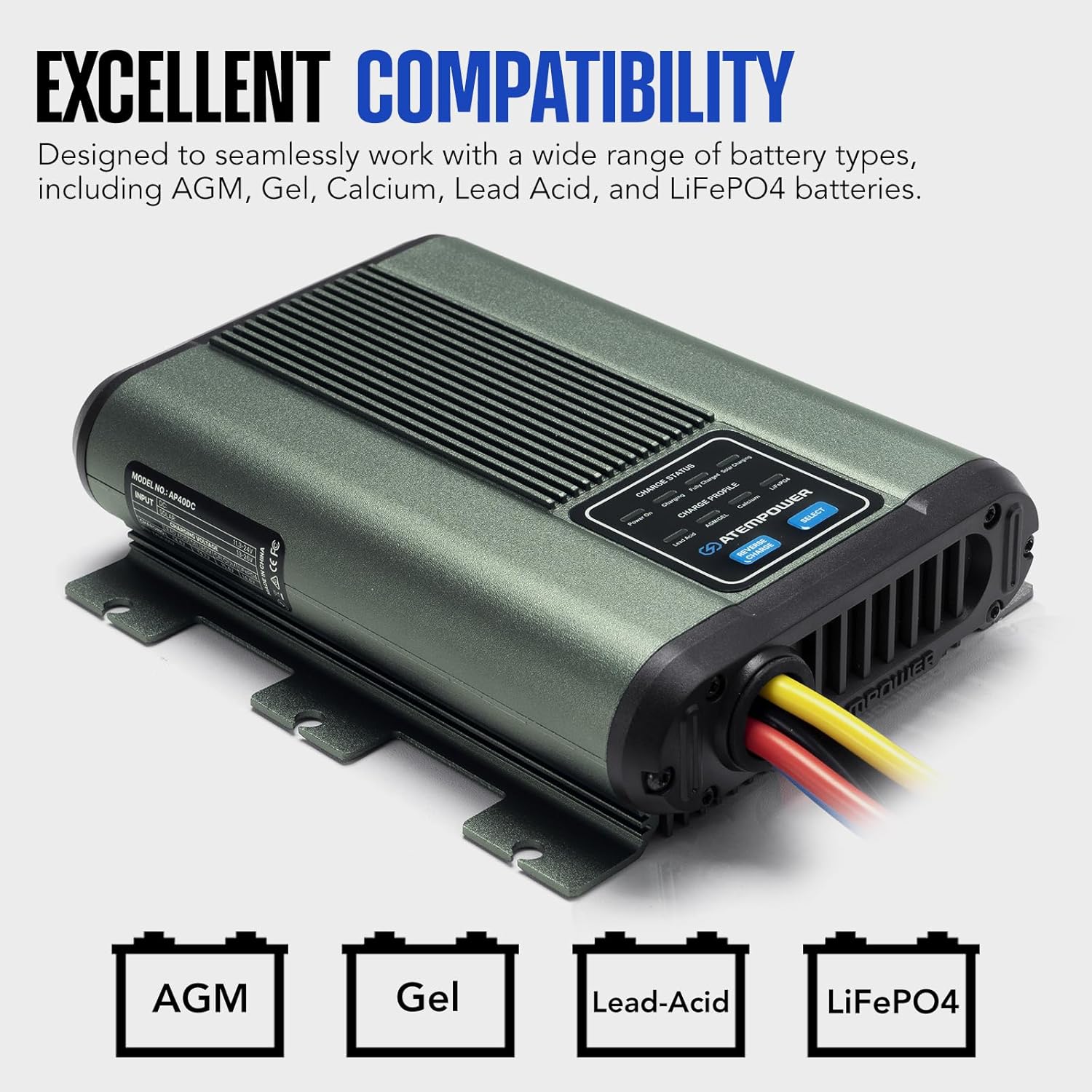
Image 3.1: The charger is compatible with multiple battery chemistries.

Image 3.2: The charger includes multiple protection features for safe operation.
4. Ihe ngwugwu
Chọpụta na ihe niile dị na ngwugwu:
- 1 x ATEM POWER 40A DC to DC Charger with Anderson Style Plugs
- 3 x Anderson Style Plugs (additional for custom wiring)
- 1 x Akwụkwọ ntuziaka onye ọrụ

Image 4.1: The complete package contents.
5. Ntọala na nwụnye
5.1. Njikọ gafereview
The charger is equipped with Anderson style plugs for convenient wiring. Refer to the diagram below for connection details:

Image 5.1: Anderson style plug connections and their functions.
- Acha anụnụ anụnụ: Solar Input (+)
- Nwa: Ground (GND) for Solar Input
- Edo edo: Output (+) to Auxiliary Battery
- Nwa: Ground (GND) for Output
- Uhie: DC Input (+) from Start Battery
- Nwa: Ground (GND) for DC Input
- ACC Ignition Line: Connect to an ignition-switched power source (optional, for smart alternator compatibility).
5.2. eserese Wiring
Follow the wiring diagram for a typical installation in a vehicle with both a start battery and an auxiliary (house) battery, including an optional solar panel connection.

Image 5.2: Comprehensive wiring diagram for installation.
Ihe ndị dị mkpa:
- Ensure appropriate fuses/breakers are installed on all positive lines as indicated in the diagram.
- The ACC ignition wire is recommended for vehicles with smart alternators to ensure proper charging initiation.
- Maintain proper cable gauge for the current draw to prevent voltage dobe na ikpo oke ọkụ.
6. Ntuziaka ọrụ
6.1. Battery Type Selection
Pịa "HỌRỌ" button on the charger to cycle through and choose the appropriate battery type for your auxiliary battery (AGM, Gel, Calcium, Lead Acid, or LiFePO4). The selected battery type will be indicated by an illuminated LED.
6.2. Reverse Charging Function
To activate reverse charging and revive a flat start battery from your auxiliary battery, press the "REVERSE CHARGE" button. This feature ensures your starter battery remains charged for off-road use.
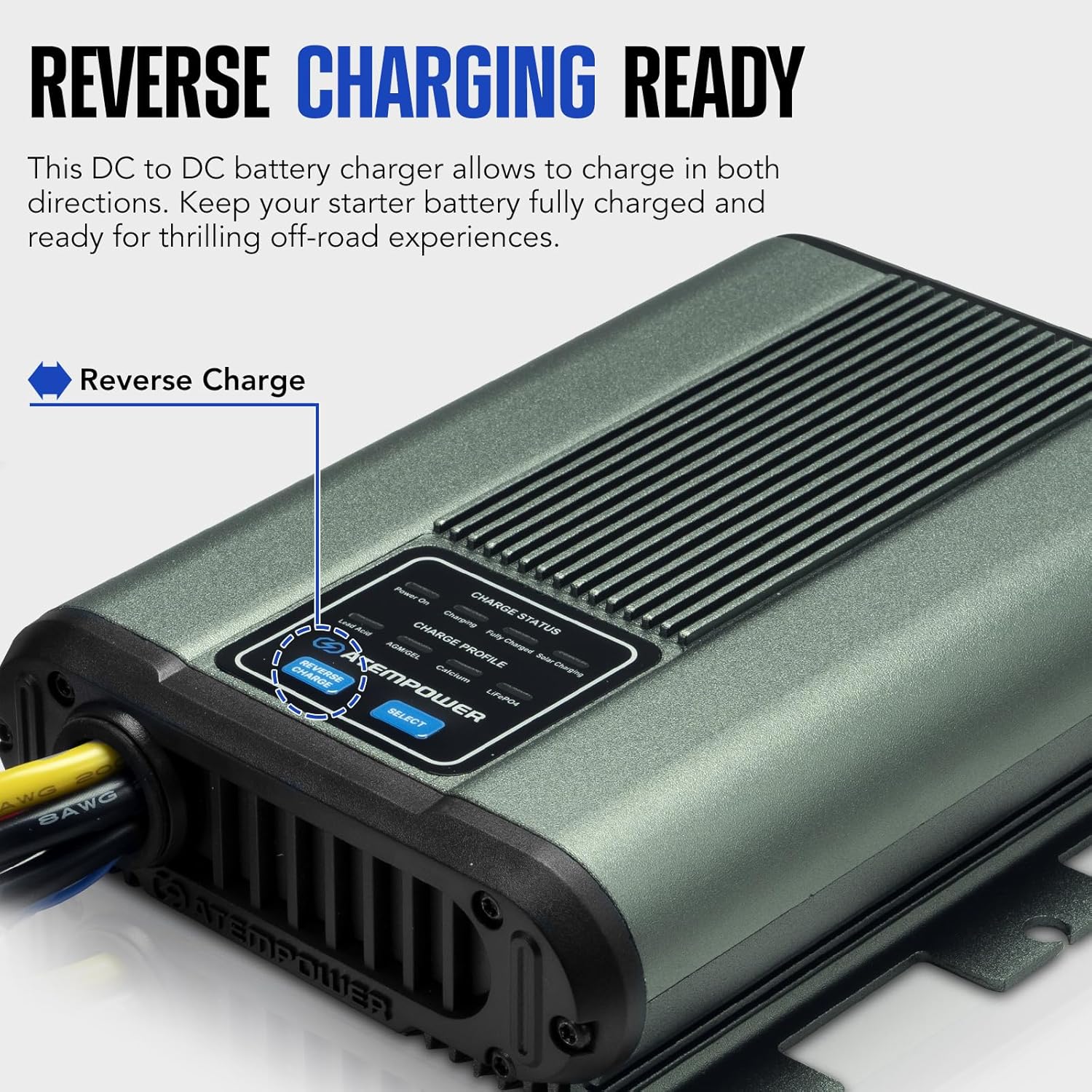
Image 6.1: Location of the Reverse Charge button.
6.3. DC Charging Priority
The charger is configured with DC charging priority. When both the vehicle's start battery (DC input) and solar panels are connected and meet the startup conditions, the charger will prioritize the vehicle battery input. If solar charging is already active, the system will continuously monitor the DC input and automatically switch to DC power if conditions are met.
- Startup Conditions:
- Ntinye DC: 13-24V
- Solar Input: 13-26V
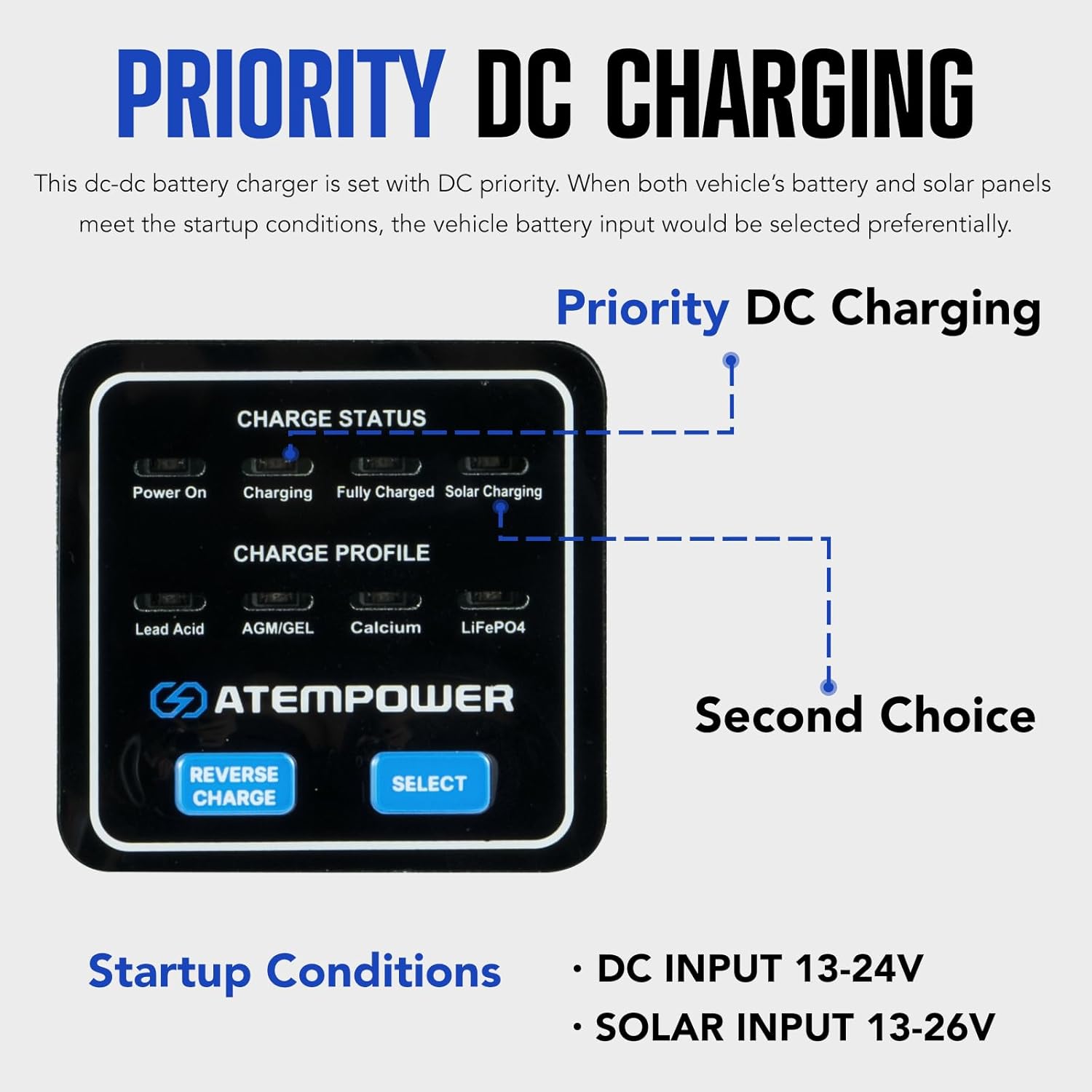
Image 6.2: DC Charging Priority logic.
6.4. LiON Mode for LiFePO4 Batteries
For LiFePO4 batteries, the intelligent LiON mode automatically activates a sleeping battery, ensuring prolonged and reliable use without manual intervention.

Image 6.3: The charger's LiON mode activating a LiFePO4 battery.
7. Nlekọta
Regular maintenance ensures the longevity and optimal performance of your charger:
- Lelee wiwi na njikọ niile maka ihe ịrịba ama nke eyi, corrosion, ma ọ bụ ntọhapụ.
- Keep the charger clean and free from dust and debris. Use a dry cloth for cleaning.
- Ensure adequate ventilation around the unit to prevent heat buildup.
- Check the condition of fuses/breakers regularly and replace if necessary with the correct rating.
8. Nchọpụta nsogbu
If you encounter issues with your charger, refer to the following common troubleshooting steps:
- Charger Not Activating:
- Verify that both DC input (from start battery) and/or solar input meet the minimum voltage requirements (DC: 13-24V, Solar: 13-26V).
- Check all connections for proper seating and polarity.
- Inspect fuses/breakers for continuity.
- Ensure the ACC ignition wire (if used) is receiving power when the vehicle is running.
- Nchaji dị obere:
- Confirm the correct battery type is selected on the charger.
- Lelee maka oke voltage drop in wiring due to undersized cables or long runs.
- Ensure solar panels are clean and receiving adequate sunlight if solar charging is active.
- Verify the alternator is functioning correctly and providing sufficient voltage.
- ekpo oke ọkụ:
- Ensure the charger is installed in a location with sufficient airflow.
- Remove any obstructions around the cooling fins.
- Reduce load if possible, or ensure the charger is not operating beyond its rated capacity.
If the issue persists after performing these checks, contact ATEM POWER customer support.
9. Nkọwapụta
| Njirimara | Nkọwapụta |
|---|---|
| Nlereanya | 40A DC to DC Battery Charger |
| Akụkụ ngwaahịa | 5.59"D x 7.48"W x 1.97"H (14.2cm D x 19cm W x 5cm H) |
| Ibu Ibu | 3.19 pound (1.45 n'arọ) |
| Mmepụta Voltage | 12 Volts (DC) (Note: Input voltage range is 13-24V for DC, 13-26V for Solar) |
| Ndakọrịta batrị | AGM, Gel, Calcium, Lead Acid, LiFePO4 |
| Onye nrụpụta | ATEM IKE |
| Agba | Agba ntụ |

Foto 9.1: Akụkụ ngwaahịa.
10. Akwụkwọ ikike na nkwado
The ATEM POWER 40A DC to DC Battery Charger comes with a 1-afọ akwụkwọ ikike site n'ụbọchị azụrụ ya, na-ekpuchi ntụpọ dị na ihe na ọrụ aka.
For technical support, warranty claims, or further assistance, please contact ATEM POWER customer service through their official website or the retailer where the product was purchased. Please have your purchase receipt and product model information ready.


