Okwu mmalite
The 1Mii B06T2 is a versatile 2-in-1 Bluetooth audio adapter designed to function as both a transmitter (TX) and a receiver (RX). This device allows you to add Bluetooth capabilities to non-Bluetooth audio sources or output devices, enabling wireless audio streaming with ease. It supports advanced Bluetooth 5.3 technology and various audio codecs including aptX Low Latency, aptX HD, and aptX Adaptive for high-quality, synchronized audio.

Figure 1: 1Mii B06T2 Bluetooth Transmitter Receiver
Atụmatụ igodo
- 2-In-1 Transmitter & Receiver: Seamlessly switch between TX (transmit) and RX (receive) modes to suit your audio needs.
- Teknụzụ Bluetooth 5.3 dị elu: Ensures a stable, efficient, and wide-range wireless connection for an optimal audio experience.
- Support for aptX Low Latency, HD, & Adaptive: Minimizes audio delay for synchronized video playback and supports high-definition audio quality. Note: Your connected Bluetooth device must also support these codecs for full functionality.
- Ikike njikọ abụọ: In TX mode, connect two wireless headphones simultaneously to share audio with another person.
- Ndụ batrị agbatịkwuru: Provides over 15 hours of use in transmitter mode and over 14 hours in receiver mode on a single charge.
- Nhazi kọmpat na nke enwere ike ibugharị: Ideal for use with TVs, PCs, gym equipment, airplane entertainment systems, home stereos, and car audio systems.
Kedu ihe dị na Igbe ahụ?
Chọpụta na ihe niile dị na ngwugwu:
- 1Mii B06T2 2-in-1 Bluetooth Transceiver
- USB Type-C Nchaji USB
- 3.5mm Audio USB

Figure 2: Package Contents including the 1Mii B06T2, USB Type-C charging cable, and 3.5mm audio cable.
Nhazi ngwaọrụ
Familiarize yourself with the buttons and indicators on your 1Mii B06T2 device:
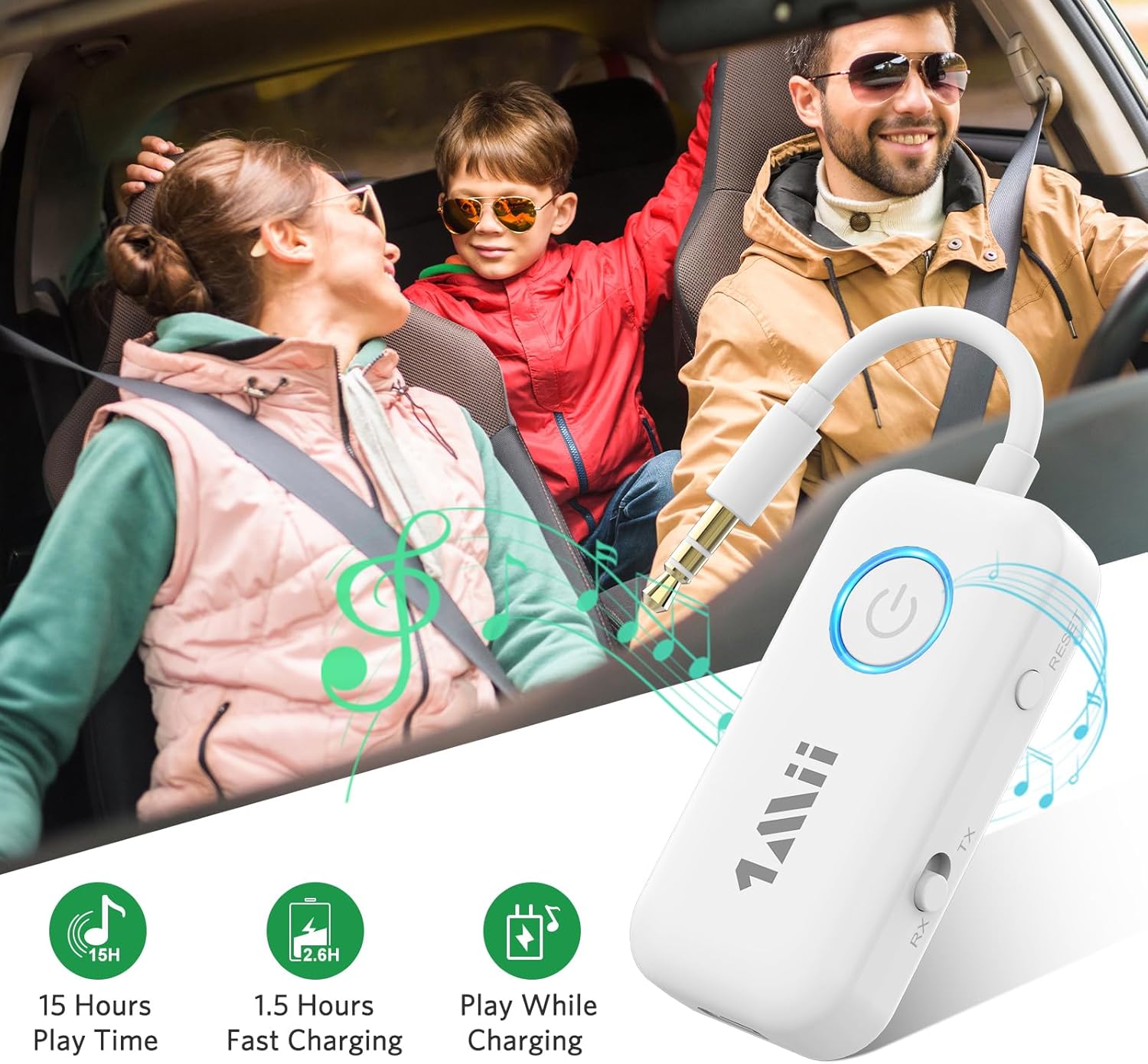
Figure 3: Device layout showing Power Button, LED Indicator, Reset Button, TX/RX Mode Switch, and Type-C Power Input.
- Bọtịnụ ike: Used to turn the device on/off and for Bluetooth pairing.
- Ihe ngosi LED: Displays device status (e.g., pairing mode, connected, charging).
- Bọtịnụ Tọgharia: Tọgharịa ngwaọrụ ahụ na ntọala ụlọ ọrụ.
- TX/RX Mode Switch: Na-atụgharị n'etiti ụdị nnyefe (TX) na nnata (RX).
- Ntinye ike Ụdị-C: For charging the device. Can also be used for audio transmission in TX mode.
Melite
1. Ịchaji ngwaọrụ
Before first use, fully charge the 1Mii B06T2. Connect the provided USB Type-C charging cable to the device's Type-C port and the other end to a USB power source (e.g., computer USB port, USB wall adapter). The LED indicator will show charging status and turn off when fully charged. A full charge typically takes approximately 1.5 hours.
2. Ịgbanye / gbanyụọ
- Iji gbanye: Press and hold the Power Button for approximately 3 seconds until the LED indicator lights up.
- Iji gbanyụọ: Press and hold the Power Button for approximately 3 seconds until the LED indicator turns off.
Ntuziaka ọrụ
Ụdị nnyefe (TX).
In TX mode, the 1Mii B06T2 transmits audio from a non-Bluetooth device (like a TV, PC, gym equipment, or airplane entertainment system) to your Bluetooth headphones or earbuds.
- Banye na ọnọdụ TX: Ensure the TX/RX mode switch on the side of the device is set to "TX".
- Jikọọ na isi iyi ọdịyo: Plug the 3.5mm audio jack of the 1Mii B06T2 into the 3.5mm audio output port of your non-Bluetooth device (e.g., TV headphone jack, PC audio out).
- Tinye Ụdị Mmakọ: Power on the 1Mii B06T2. The LED indicator will flash rapidly, indicating it is in pairing mode.
- Prepare Bluetooth Headphones: Put your Bluetooth headphones or earbuds into their pairing mode. Refer to your headphone's manual for specific instructions.
- Jikọọ ngwaọrụ: Place the 1Mii B06T2 close to your headphones. They should automatically connect. Once connected, the LED indicator on the B06T2 will stop flashing and remain solid.
- Dual Link (Optional): To connect a second pair of Bluetooth headphones, put the second pair into pairing mode, then double-click the Bluetooth button on the 1Mii B06T2. The LED will flash again, and once connected, it will become solid.
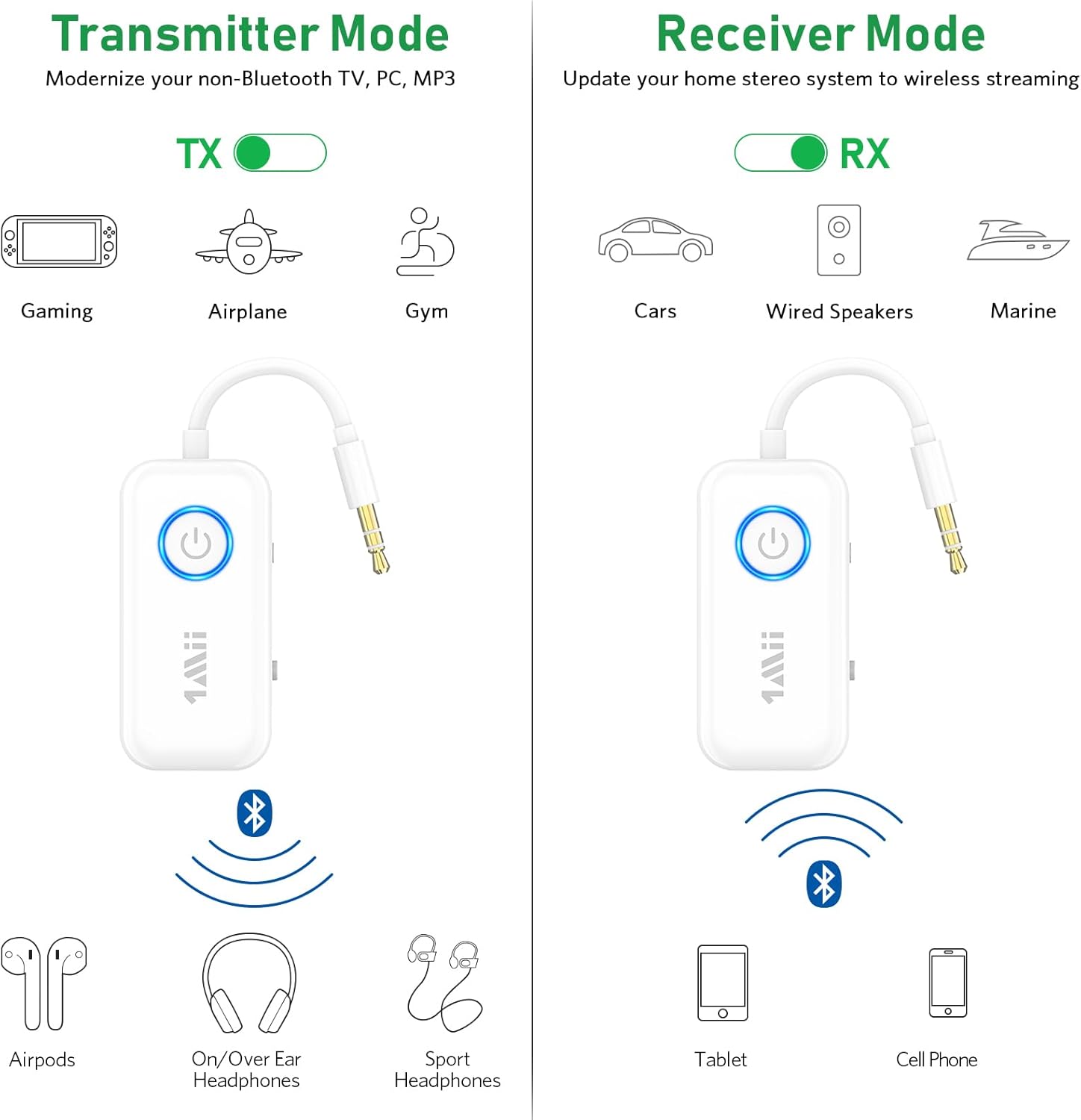
Figure 4: Illustration of Transmitter (TX) and Receiver (RX) modes.

Figure 5: Using the 1Mii B06T2 in Transmitter mode with an airplane's in-flight entertainment system.
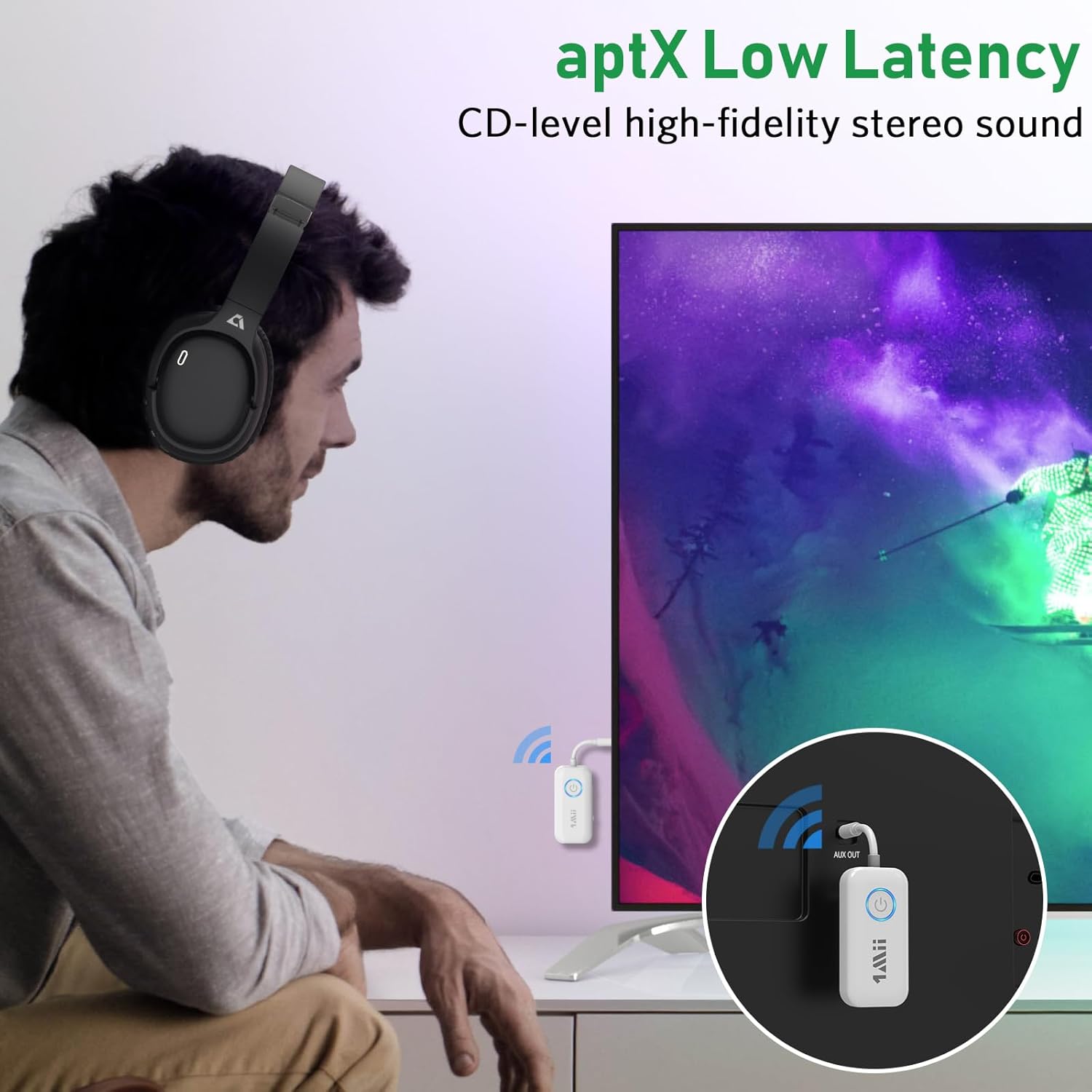
Figure 6: Demonstrating aptX Low Latency for synchronized audio when watching TV.
Ụdị nnata (RX).
In RX mode, the 1Mii B06T2 receives audio from your Bluetooth-enabled device (like a smartphone or tablet) and outputs it to a non-Bluetooth audio system (like wired speakers or a car stereo).
- Banye na ọnọdụ RX: Ensure the TX/RX mode switch on the side of the device is set to "RX".
- Connect to Audio Output Device: Plug the 3.5mm audio jack of the 1Mii B06T2 into the 3.5mm AUX input port of your wired speaker, car stereo, or home stereo system.
- Tinye Ụdị Mmakọ: Power on the 1Mii B06T2. The LED indicator will flash rapidly, indicating it is in pairing mode.
- Kwado Bluetooth na ngwaọrụ gị: Na ama gị, mbadamba ma ọ bụ ngwaọrụ Bluetooth ọzọ, gaa na ntọala Bluetooth wee gbanye Bluetooth.
- Select and Pair: In the list of available Bluetooth devices, find and select "B06T2" (or similar name). Once connected, the LED indicator on the B06T2 will stop flashing and remain solid.
- Start Streaming: You can now play audio from your device, and it will stream wirelessly to your connected audio system.

Figure 7: The 1Mii B06T2 functioning in Receiver mode, connected to a wired speaker.
Nlekọta
- Nhicha: Jiri akwa dị nro dị nro hichaa ngwaọrụ ahụ. Ejila ihe nhicha mmiri ma ọ bụ ikuku ikuku.
- Nchekwa: Chekwaa ngwaọrụ ahụ n'ebe dị jụụ, kpọrọ nkụ na-adịghị na ìhè anyanwụ kpọmkwem na oke okpomọkụ.
- Nlekọta batrị: Iji mee ka batrị dị ogologo, zere ịgbapụ ngwa ahụ mgbe niile. Chajie ya mgbe niile, ọbụlagodi na ọ naghị eji ya ruo ogologo oge.
- Zere mmiri mmiri: Ewepụla ngwaọrụ ahụ na mmiri ma ọ bụ oke mmiri.
Nchọpụta nsogbu
| Nsogbu | Ihe kpatara/ Ngwọta nwere ike ime |
|---|---|
| Ngwaọrụ anaghị agbanwu ọkụ. | Battery is low or depleted. Charge the device fully. |
| Cannot pair with Bluetooth headphones/device. |
|
| Enweghị ụda ma ọ bụ ụda olu adịghị mma. |
|
| Audio delay (lip-sync issues). | Ensure both the 1Mii B06T2 and your Bluetooth headphones/speaker support aptX Low Latency (aptX LL) and that aptX LL is active. Some devices may default to other codecs if aptX LL is not supported by both ends. |
| Dual link not working. | Ensure the first device is connected, then put the second device into pairing mode and double-click the Bluetooth button on the 1Mii B06T2 to initiate pairing for the second device. |
Nkọwapụta
| Njirimara | Nkọwa |
|---|---|
| Ụdị | 1 Mii |
| Nọmba nlereanya | B06T2 |
| Teknụzụ Njikọta | Bluetooth |
| Ikuku Standard | Bluetooth 5.3 |
| Codec ọdịyo akwadoro | aptX Low Latency, aptX HD, aptX Adaptive |
| Ngwaọrụ Akụrụngwa | Bluetooth, USB |
| Ntinye ọdịyo dakọtara | 3.5mm AUX, USB |
| Ọnọdụ mmepụta ọdịyo | Stereo |
| Isi Iyi Ike | Battery Powered (Lithium Polymer) |
| Akụkụ ngwaahịa | 6 x 3 x 1.4 cm |
| Ibu Ibu | 22 grams |
Akwụkwọ ikike na nkwado
For warranty information and technical support, please refer to the official 1Mii website or contact 1Mii customer service directly. Details are typically provided with your product packaging or on the manufacturer's official support pages.
Onye nrụpụta: 1 Mii
Onye na-ere ahịa: 1MiiDirect-CA (on Amazon.ca)
Maka enyemaka ọzọ, ị nwere ike ịga na 1Mii Store on Amazon.


