Okwu mmalite
This manual provides comprehensive instructions for the Timex TW5M26600 Digital Watch. Please read this manual carefully to understand the functions and proper operation of your watch. This watch is designed for durability and reliability, featuring a robust resin case and a digital display.
Ngwaahịa gafereview

Foto 1: N'ihu View
This image displays the front of the Timex TW5M26600 Digital Watch. It features a black resin case, a digital display with time, date, and mode indicators, and yellow accents around the display and on the pushers. The strap has a camouflage pattern.
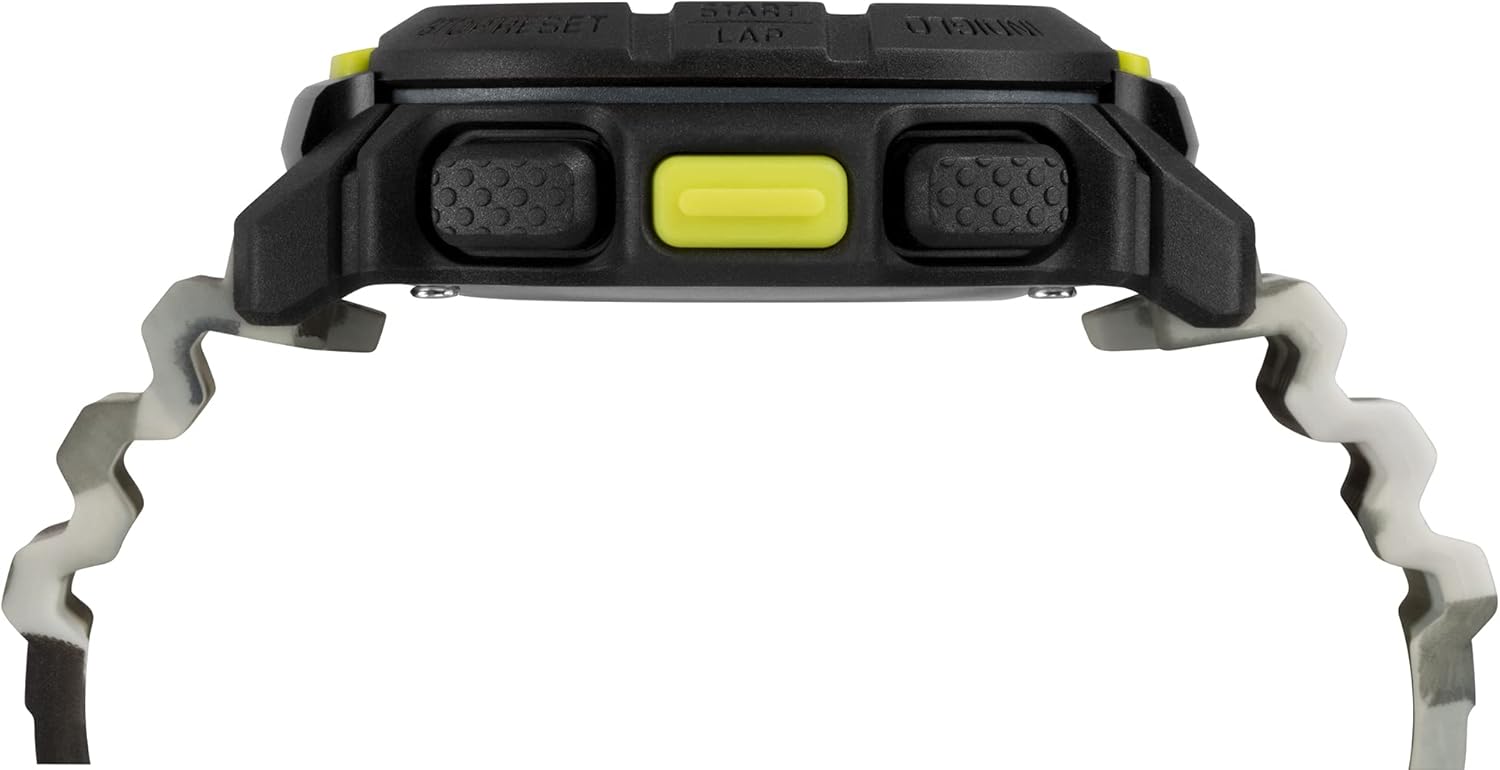
Foto 2: Akụkụ View
Foto a na-egosi pro n'akụkụfile of the Timex TW5M26600 Digital Watch, highlighting the textured pushers on the side of the black resin case. The thickness of the watch case is visible, along with the connection points for the camouflage strap.

Ọgụgụ 3: eriri View
This image presents a view of the Timex TW5M26600 Digital Watch's camouflage silicone strap, showing the buckle and the strap keeper. The Timex logo is visible on the buckle, emphasizing the brand's presence.
Melite
Ntọala Mbụ na Nhazi Oge
- Activate the Watch: If the display is off, press any button to activate the watch.
- Enter Set Mode: Pịa ma jide Tọọ/Cheta button (usually top-left) until the display flashes, indicating you are in set mode.
- Dezie oge: Jiri ihe START/LAP button (top-right) to increase the value and the Kwụsị/Tọgharịa button (bottom-right) to decrease.
- Navigate Fields: Pịa MODE button (bottom-left) to move between hours, minutes, seconds, 12/24-hour format, year, month, and day.
- Chekwa ntọala: Ozugbo edoziri ntọala niile, pịa bọtịnụ Tọọ/Cheta button again to exit set mode and save your changes.
Indiglo Night-Light
To activate the Indiglo night-light, press the INDIGLO button (usually top-right or a dedicated button). The display will illuminate for a few seconds, allowing visibility in low-light conditions.
Ntuziaka ọrụ
Navigating Modes
Pịa MODE button (bottom-left) repeatedly to cycle through the different functions of the watch. The available modes typically include:
- Time Mode (CHR): Displays current time, day, and date.
- Chronograph (TMR): Ọrụ elekere nkwụsị maka ịtụ oge agafeela.
- Timer (ALM): Ngụ oge.
- Alarm (REP): Tọọ mkpu kwa ụbọchị.
Iji Chronograph
- Enter Chronograph Mode: Pịa MODE until "CHR" or "STOPWATCH" appears.
- Malite/Kwụsị: Pịa START/LAP to begin timing. Press again to pause.
- Lap/Split: While timing, press IKWU (often the same as START/LAP or a dedicated button) to record lap times without stopping the main timer.
- Tọgharia: Pịa Kwụsị/Tọgharịa iji hichaa chronograph ahụ ka ọ bụrụ efu.
Ịtọlite na Iji Mkpu
- Tinye ọnọdụ mkpu: Pịa MODE until "ALM" or "ALARM" appears.
- Tọọ oge mkpu: Pịa ma jide Tọọ/Cheta to enter alarm setting mode. Use START/LAP na Kwụsị/Tọgharịa to adjust hours and minutes. Use MODE ka ịgbanwee n'etiti awa na nkeji.
- Tinye/ gbanyụọ mkpu: In Alarm Mode, press START/LAP to toggle the alarm ON/OFF. An alarm icon will appear when active.
- Soo: When the alarm sounds, press any button (except Kwụsị/Tọgharịa) to activate snooze. The alarm will sound again after a few minutes.
- Kwụsị mkpu: Pịa Kwụsị/Tọgharịa when the alarm sounds to turn it off completely.
Nlekọta
Na-ehicha elekere gị
To maintain the appearance of your watch, wipe it regularly with a soft, damp ákwà. Zere iji kemịkalụ siri ike ma ọ bụ ihe ndị na-emebi ihe, n'ihi na ihe ndị a nwere ike imebi ihe mkpuchi resin na eriri.
Mmiri Nguzogide
The Timex TW5M26600 is water-resistant up to 20 ATM (200 meters). This means it is suitable for professional marine activity and serious surface water sports, but not for diving. Apịkwala bọtịnụ ọ bụla mgbe elekere ahụ jupụtara na mmiri. Ensure the crown (if applicable) is fully pushed in before exposing the watch to water.
Ngbanwe batrị
The watch is powered by a long-life battery. When the display becomes dim or functions become erratic, it may be time for a battery replacement. It is recommended to have the battery replaced by a qualified watch technician to ensure proper sealing and maintain water resistance.
Nchọpụta nsogbu
| Nsogbu | Ihe nwere ike ime | Ngwọta |
|---|---|---|
| Ngosipụta bụ oghere ma ọ bụ nchara nchara. | Batrị dị ala. | Dochie batrị. |
| Bọtịnụ anaghị anabata ya. | Elekere ahụ nwere ike ịnọ n'ọnọdụ akpọchiri akpọchi ma ọ bụ nsogbu dị n'ime. | Try a soft reset (refer to manual if available, or remove/reinsert battery if comfortable). If issue persists, contact support. |
| Oge ezighi ezi. | Edobeghị oge nke ọma ma ọ bụ mgbanwe mberede. | Re-set the time following the "Initial Setup and Time Setting" instructions. |
| Mmiri dị n'ime elekere ahụ. | Water resistance compromised (e.g., buttons pressed underwater, seal failure). | Buru elekere ahụ gaa n'aka ọkachamara ruru eru ka e lee ya anya ma rụzie ya iji gbochie mmebi ọzọ. |
Nkọwapụta
- Akara: Timex
- Nọmba nlereanya: TW5M26600
- Ihe gbasara ikpe: Resin
- Dayameta ikpe: 47mm (as per product description)
- Ihe eriri: Silicone (camouflage pattern)
- Ụdị ngosi: Dijitalụ
- Nguzogide mmiri: 20 ATM (200m)
- Atụmatụ: Indiglo Night-Light, Chronograph, Timer, Alarm
- Akụkụ ngwaahịa: 10.5 x 10.5 x 8 cm; 60 grams (from shipping dimensions)
Akwụkwọ ikike na nkwado
For warranty information and customer support, please refer to the warranty card included with your purchase or visit the official Timex website. Timex provides support for product inquiries, service, and repairs.
For extended protection plans, please refer to options available at the point of purchase, such as those offered by Salama for 1 or 2 years.


