1. Okwu mmalite
The Jebao ELW Smart Wave Maker Circulation Pump is designed to create natural water movement within your aquarium, promoting a healthier environment for aquatic life. This pump features advanced SINE wave technology for ultra-quiet operation and high stability. It offers flexible control options, including a manual LCD display controller and Wi-Fi connectivity for control via a smartphone app (iOS and Android compatible).
The ELW series pumps are suitable for both marine and freshwater aquariums, featuring no exposed copper elements. The magnetic base allows for easy and secure positioning, and the pump head offers a 3D rotation angle to direct water flow precisely where needed.
2. Ntuziaka nchekwa dị mkpa
ỊDỌ AKA NA NTỊ: Iji zere mmerụ ahụ, a ga-agbaso iwu nchekwa dị mkpa, gụnyere ihe ndị a:
- Read and follow all instructions carefully before using this appliance. Failure to do so may result in damage or injury.
- IHE EGWU – To avoid possible electric shock, special care should be taken since water is used in the use of aquarium equipment. For each of the following situations, do not attempt repairs yourself; return the appliance to an authorized service facility for service or discard the appliance.
- Ọ bụrụ na ngwa ahụ daa na mmiri, EMELA reach for it. First, unplug it and then retrieve it. If electrical components get wet, unplug the appliance immediately.
- Ejila ngwa ọ bụla rụọ ọrụ ma ọ bụrụ na ọ nwere eriri ma ọ bụ plọg mebiri emebi, ma ọ bụ ọ bụrụ na ọ naghị arụ ọrụ ma ọ bụ tufuo ma ọ bụ mebie n'ụzọ ọ bụla.
- To avoid the possibility of the appliance plug or receptacle getting wet, position the aquarium stand and tank to one side of a wall-mounted receptacle to prevent water from dripping onto the receptacle or plug. A “drip loop” should be arranged by the user for each cord connecting an aquarium appliance to a receptacle. The “drip loop” is that part of the cord below the level of the receptacle, or the connector if an extension cord is used, to prevent water from traveling along the cord and coming into contact with the receptacle. If the plug or receptacle does get wet, EMELA unplug the cord. Disconnect the fuse or circuit breaker that supplies power to the appliance. Then, unplug and examine for the presence of water in the receptacle.
- Nleba anya dị mkpa mgbe ụmụaka na-eji ngwa ọ bụla ma ọ bụ nso.
- Iji zere mmerụ ahụ, emetụla akụkụ ndị na-agagharị agagharị ma ọ bụ akụkụ ndị na-ekpo ọkụ dịka ihe na-ekpo ọkụ, ihe na-egosipụta, na ihe na-eme ka ọ dị ọkụ.amp bulbs, na na.
- Wepụ ngwa ngwa mgbe ọ bụla n'oghere mpụta mgbe ọ naghị eji ya, tupu itinye ya ma ọ bụ wepụ akụkụ ahụ, na tupu ihicha ya. Ekwela ka eriri eriri dọpụ plọg na mpụta. Jide plọg ahụ wee dọpụ ka ọ kwụsị.
- Ejila ngwa ahụ maka ndị ọzọ na-abụghị ebumnuche ebumnuche. Ojiji nke mgbakwunye anaghị akwado ma ọ bụ rere nke onye nrụpụta ngwa nwere ike bute ọnọdụ adịghị mma.
- Awụnyela ma ọ bụ chekwaa ngwa ahụ ebe a ga-ekpughere ya na ihu igwe ma ọ bụ na okpomọkụ dị n'okpuru oyi.
- Ensure the appliance is securely installed before operating it.
- Gụọ ma debe ọkwa niile dị mkpa na ngwa ahụ.
- Ọ bụrụ na eriri ndọtị dị mkpa, ekwesịrị iji eriri nwere akara kwesịrị ekwesị. Ụdọ a tụrụ maka obere amperes ma ọ bụ watts karịa ngwa ngwa nwere ike ịfe oke. Ekwesịrị iji nlezianya dozie eriri ahụ ka ọ ghara ịkagbu ma ọ bụ dọkpụrụ ya.
- Ngwa a nwere plọọkụ polarized (otu agụba sara mbara karịa nke ọzọ). Dị ka ihe nchekwa, plọg a ga-adaba n'ime oghere polarized naanị otu ụzọ. Ọ bụrụ na plọg ahụ adabaghị nke ọma na ntinye, tụgharịa plọg ahụ. Ọ bụrụ na ọ ka adabaghị, kpọtụrụ onye ọrụ ọkụ eletrik tozuru oke. Ejila eriri ndọtị mee ihe ọ gwụla ma enwere ike itinye plọg nke ọma. Anwala imeri atụmatụ nchekwa a.
3. Ihe ngwugwu
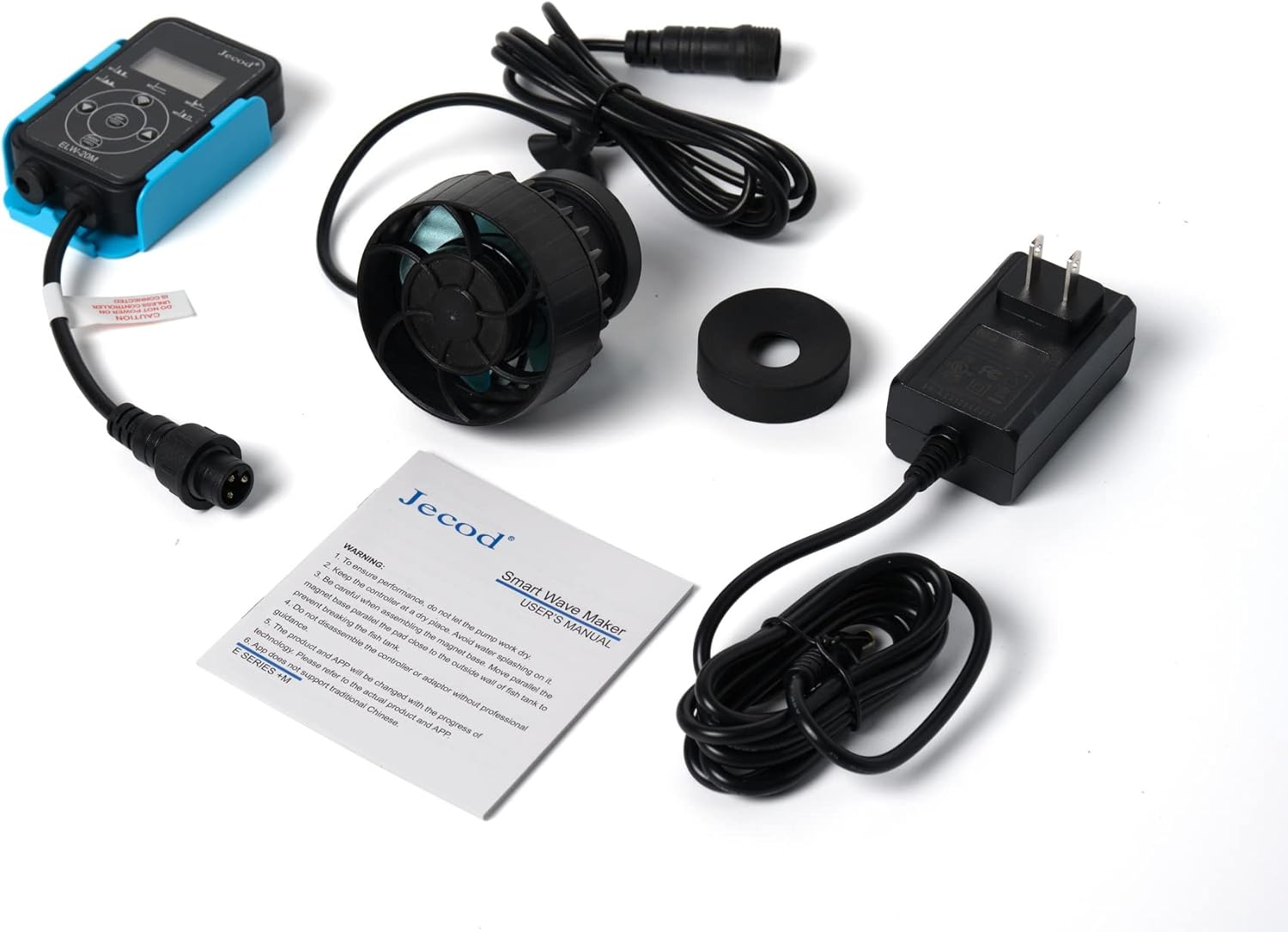
Carefully unpack all components and ensure everything listed below is present and undamaged. If any items are missing or damaged, please contact your retailer.
- Jebao ELW Smart Wave Maker Pump
- Controller with LCD Display
- Ada Ada AC
- Ebe Igwe Ọdụdọ
- Akwụkwọ ntuziaka onye ọrụ
4. Ntọala na nwụnye
- Kwadebe akwarium: Ensure your aquarium glass is clean and free of algae or debris where you intend to mount the pump.
- Ugwu Pump:
- Place the pump unit inside the aquarium, ensuring it is fully submerged.
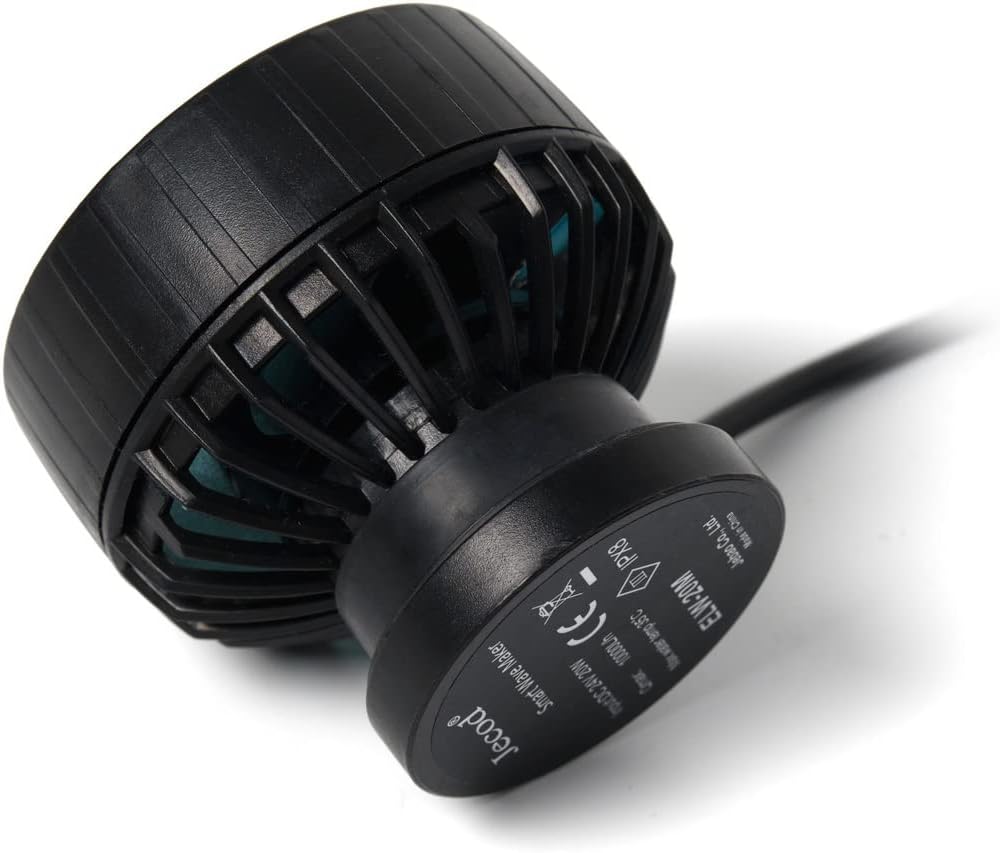
- Align the external magnetic base on the outside of the aquarium glass, directly opposite the pump unit. The strong magnets will hold the pump securely in place.

Foto 4.1: Akụkụ view of the ELW pump, illustrating the magnetic base attachment point. - Adjust Pump Direction: The pump head can be rotated in 3D to adjust the output water direction. Position it to create optimal flow patterns in your tank, avoiding direct blasts onto corals or substrate.
- Jikọọ njikwa: Connect the pump's cable to the designated port on the controller.
- Njikọ Ike: Plug the AC power adapter into the controller, then plug the adapter into a suitable electrical outlet. Ensure a drip loop is formed with the power cord to prevent water from reaching the outlet.
- Ntọala Wi-Fi (Nhọrọ): For Wi-Fi control, download the Jebao App from your smartphone's app store (available for iOS and Android). Follow the in-app instructions to connect your pump to your 2.4GHz Wi-Fi network.
5. Ntuziaka ọrụ
The Jebao ELW pump can be operated using its manual LCD controller or through the Jebao smartphone application.
5.1 Manual Controller Operation
The LCD display controller allows for direct adjustment of pump settings. Refer to the specific button functions on your controller for detailed operation. Typically, you can adjust flow intensity and select various wave modes (if available) directly from the controller.
5.2 Wi-Fi App Control
Once connected to your Wi-Fi network via the Jebao App, you can access advanced control features:
- Nhọrọ ụdị: Choose from various wave patterns and flow modes to simulate natural ocean currents.
- Ndozi usoro: Precisely control the pump's output intensity.
- Ịhazi oge: Set daily or weekly schedules for different flow patterns and intensities.
- Ụdị nri: Temporarily pause the pump for feeding, allowing food to settle before circulation resumes.
For detailed instructions on using the app, please refer to the in-app guide or the official Jebao websaịtị.
6. Nlekọta
Regular maintenance ensures optimal performance and extends the lifespan of your Jebao ELW pump.
- Kwụpụ ike: Always unplug the pump from the power outlet before performing any maintenance or cleaning.
- Remove from Aquarium: Carefully detach the pump from the magnetic base and remove it from the aquarium.
- Disassemble the Pump Head: Gently twist or unclip the front cover of the pump to access the impeller.
- Impeller dị ọcha na ụlọ: Remove the impeller and clean it thoroughly, along with the impeller housing, using a soft brush and clean water. Remove any algae, detritus, or mineral deposits. A solution of vinegar and water can help dissolve stubborn mineral buildup.
- Nyochaa akụrụngwa: Check the impeller for any signs of wear or damage. Ensure the ceramic shaft (if applicable) is intact. Inspect the power cord for any fraying or damage.
- Gbakọtaghachi: Carefully reassemble the pump, ensuring all parts fit correctly.
- Tinyegharịa: Mount the pump back in the aquarium and reconnect the power.
Perform this cleaning routine at least once a month, or more frequently if you notice reduced flow or increased noise from the pump.
7. Nchọpụta nsogbu
| Nsogbu | Ihe nwere ike ime | Ngwọta |
|---|---|---|
| Pump does not start or operate. | No power; loose connection; impeller jammed. | Check power outlet and connections. Ensure controller is properly connected. Unplug, disassemble, and clean the impeller. |
| Mbelata mmiri eruba. | Impeller or pump intake blocked by debris/algae; mineral buildup. | Perform thorough cleaning of the impeller and pump housing as described in the Maintenance section. |
| Pump is noisy or vibrating excessively. | Debris in impeller; improper mounting; worn impeller. | Clean the impeller. Ensure the pump is securely mounted to the aquarium glass. Inspect the impeller for damage and replace if necessary. |
| Enweghị ike ijikọ na Wi-Fi. | Incorrect Wi-Fi password; connecting to 5GHz network; router issues. | Ensure you are connecting to a 2.4GHz Wi-Fi network. Double-check the Wi-Fi password. Restart your router and try again. Refer to the app's troubleshooting guide. |
| Magnetic base does not hold securely. | Glass too thick for magnet strength; magnet damaged. | Ensure the aquarium glass thickness is within the recommended range for the pump's magnetic base. Inspect magnets for damage. |
8. Nkọwapụta
Technical specifications for the Jebao ELW-20M Smart Wave Maker Circulation Pump:
| Njirimara | Nkọwa |
|---|---|
| Nlereanya | ELW-20M |
| Ọnụego nfe kacha | 2641 GPH (galọn kwa elekere) |
| Nha tankị akwadoro | 60-100 galọn |
| Isi Iyi Ike | AC (via included adapter) |
| Voltage | DC 24V |
| Oriri ike | 20W |
| Ugboro ugboro | 60Hz |
| Ihe onwunwe | Plastic, igwe anaghị agba nchara |
| Agba | Nwa |
| Dimensions (Pump, no magnet) | 2-3/4" diameter x 1-3/4" |
| Ibu Ibu | 1.5 pound |
| Njikwa | Wi-Fi (iOS + Android) + Manual LCD Controller |
9. Akwụkwọ ikike na nkwado
For warranty information, technical support, or service inquiries, please contact your original retailer or the manufacturer directly. Keep your purchase receipt as proof of purchase.
For the latest product information, firmware updates, and app support, please visit the official Jebao websaịtị ma ọ bụ kpọtụrụ ngalaba ọrụ ndị ahịa ha.


