1. Okwu mmalite
This manual provides detailed instructions for the safe and efficient use of your Havit H2590BT PRO Wireless Bluetooth Headphones. Please read this guide thoroughly before operating the device to ensure optimal performance and longevity. Keep this manual for future reference.

Foto 1.1: N'ihu view of the Havit H2590BT PRO Wireless Bluetooth Headphones, showcasing the sleek black design and over-ear cups.
2. Ngwaahịa gafereview
The Havit H2590BT PRO headphones are designed for wireless audio playback, offering comfort and convenience. Familiarize yourself with the components and controls:
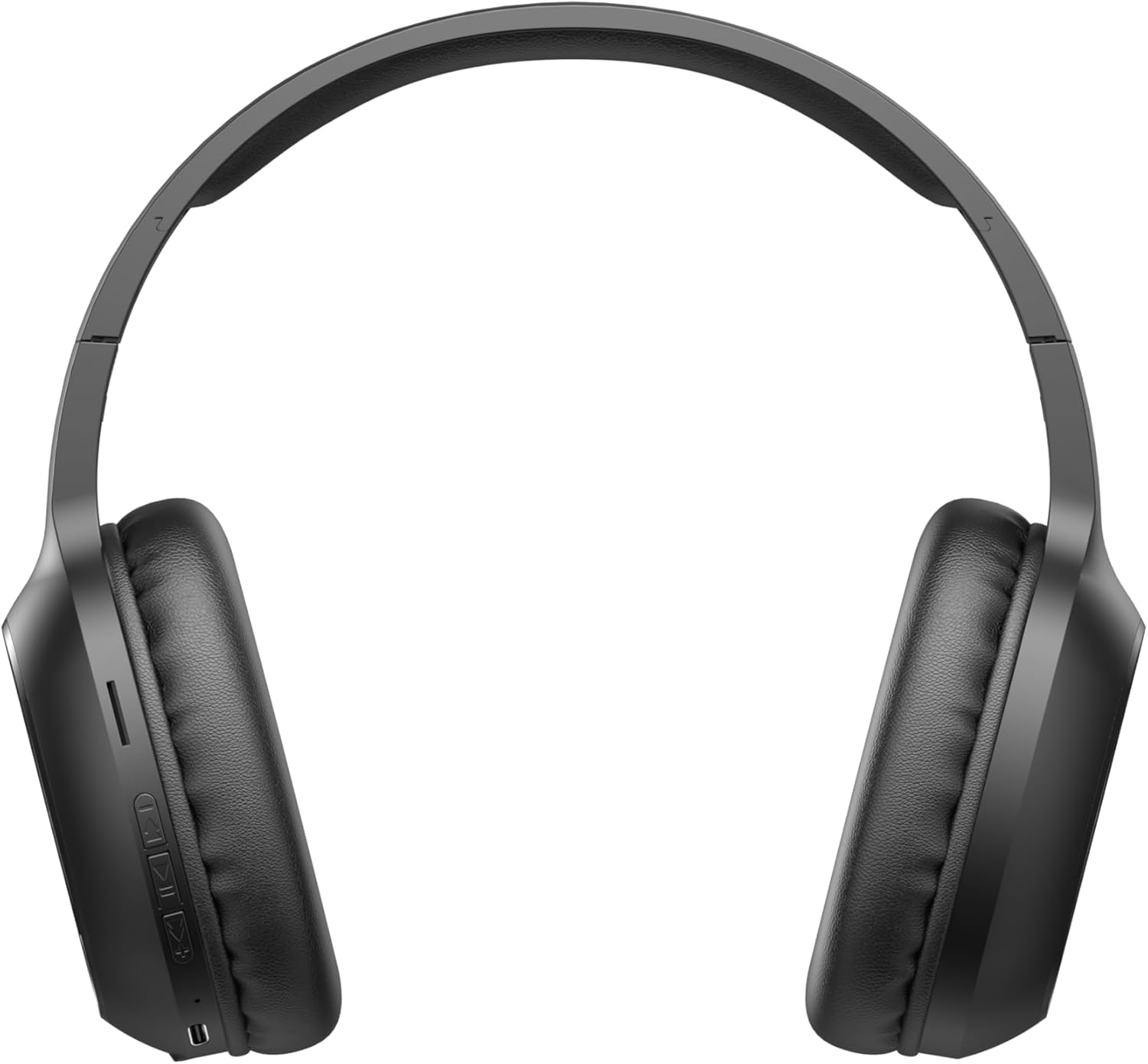
Image 2.1: Close-up of the left earcup showing the control buttons and charging port.
2.1. Njikwa na egosi
- Bọtịnụ Ike/Ọtụtụ Ọrụ: Used to power on/off, play/pause music, answer/end calls, and activate pairing mode.
- Bọtịnụ Elu Olu (+): Increases audio volume. Long press for next track.
- Bọtịnụ ala ala (-): Decreases audio volume. Long press for previous track.
- Ihe ngosi LED: Displays power status, charging status, and Bluetooth pairing status.
- Igwe okwu: Maka oku na-enweghị aka.
- Nchaji ọdụ ụgbọ mmiri: Maka ijikọ eriri nchaji.
3. Nhazi
3.1. Ịchaji ekweisi
Before first use, fully charge the headphones. The headphones include a Lithium-polymer battery.
- Connect the charging cable to the charging port on the headphones.
- Jikọọ nsọtụ nke ọzọ nke eriri chaja na isi iyi ike USB (dịka ọmụmaatụ, ọdụ USB kọmputa, ihe nkwụnye mgbidi USB).
- Ihe ngosi LED ga-egosi ọnọdụ chajị (dịka ọmụmaatụ, ọbara ọbara maka chajị, acha anụnụ anụnụ/gbanyụọ maka chajị zuru oke).
- Ozugbo chajịrị chaja zuru oke, kwụpụ eriri nchaji.
3.2. Njikọ Bluetooth
Iji jikọọ ekweisi gị na ngwaọrụ Bluetooth na-arụ ọrụ:
- Gbaa mbọ hụ na agbanyụrụ ekweisi.
- Press and hold the Power/Multi-function Button until the LED indicator flashes rapidly (e.g., blue and red alternately), indicating pairing mode.
- Na ngwaọrụ gị (smartphone, tabletị, kọmpụta), mee ka Bluetooth nwee ike wee chọọ ngwaọrụ dị.
- Select "Havit H2590BT PRO" from the list of found devices.
- Once paired, the LED indicator will typically show a slow blue flash or turn off, and you will hear an audible confirmation.
- Ọ bụrụ na a kpaliri maka paswọọdụ, tinye "0000".
4. Ntuziaka ọrụ
4.1. Gbanyụọ / gbanyụọ
- Ike Na: Press and hold the Power/Multi-function Button for approximately 3 seconds until the LED indicator lights up and you hear a power-on prompt.
- Gbanyụọ: Press and hold the Power/Multi-function Button for approximately 3-5 seconds until the LED indicator turns off and you hear a power-off prompt.
4.2. Nghaghachi egwu
- Gwuo/kwụsịtụ: Press the Power/Multi-function Button once.
- Olu elu: Pịa bọtịnụ olu elu (+).
- Olu ala: Pịa bọtịnụ ụda ala (-).
- Track na-esote: Pịa bọtịnụ olu elu (+) ogologo.
- Gara aga Track: Ogologo oge pịa bọtịnụ ụda ala (-).
4.3. Njikwa oku
- Oku azaa: Press the Power/Multi-function Button once when an incoming call rings.
- Oku ngwụcha: Press the Power/Multi-function Button once during a call.
- Jụ oku: Press and hold the Power/Multi-function Button for approximately 2 seconds when an incoming call rings.
- Nọmba Ikpeazụ emegharịgharịrị: Double-press the Power/Multi-function Button.
5. Nlekọta
Nlekọta kwesịrị ekwesị na-eme ka ekweisi gị dị ogologo oge:
- Nhicha: Jiri akwa dị nro dị nro hichaa ekweisi. Ejila ihe nchacha abrasive ma ọ bụ ihe mgbaze.
- Nchekwa: Chekwaa ekweisi n'ebe dị jụụ, kpọrọ nkụ na-adịghị na ìhè anyanwụ kpọmkwem na oke okpomọkụ.
- Zenarị mmiri: Igwe ekweisi ndị a anaghị egbochi mmiri. Zere ikpughe na mmiri ma ọ bụ oke mmiri.
- Ịchaji: Chajie ekweisi mgbe niile, ọbụlagodi na anaghị eji ya, iji hụ na batrị dị mma.
6. Nchọpụta nsogbu
Ọ bụrụ na ịnwee nsogbu na ekweisi gị, rụtụ aka na azịza ndị a na-ahụkarị:
| Nsogbu | Ihe nwere ike ime | Ngwọta |
|---|---|---|
| Enweghị ike ịgbanye | Batrị dị ala | Chajie ekweisi nke ọma. |
| Enweghị ike ijikọ na ngwaọrụ | Headphones not in pairing mode; Bluetooth off on device; device too far | Ensure headphones are in pairing mode (flashing LED). Turn on Bluetooth on your device. Move device closer to headphones (within 10 meters). |
| Enweghị ụda | Volume too low; headphones not connected; incorrect audio output selected | Increase volume on headphones and device. Re-pair headphones. Check device's audio output settings. |
| Ogo oku na-adịghị mma | Mgbaàmà adịghị ike; emechiela igwe okwu | Gaa ebe nwere akara ngosi ka mma. Hụ na ekpuchighị igwe okwu. |
| Okwu nchaji | USB ma ọ bụ isi iyi ike adịghị mma | Try a different charging cable and USB power source. |
7. Nkọwapụta
- Aha nlereanya: H2590BT PRO
- Nọmba nlereanya: 6939119045722
- Akara: Havit
- Agba: Nwa
- Ụdị batrị: 1 Lithium-polymer (included)
- Akụkụ ngwaahịa (L x W x H): 15 x 19.5 x 6.8 cm
- Ibu ihe: 1000 Grams (1 n'arọ) (Note: This weight is as provided in product data and may include packaging or be a data entry error.)
- Ngwa gụnyere: 1 package (typically headphones and charging cable)
8. Akwụkwọ ikike na nkwado
8.1. Akwụkwọ ikike Ozi
The Havit H2590BT PRO Wireless Bluetooth Headphones come with a 2-afọ emeputa akwụkwọ ikike. Akwụkwọ ikike a na-ekpuchi ntụpọ dị na ngwa na arụ ọrụ n'okpuru ojiji nkịtị. Biko dowe ihe akaebe nke ịzụrụ ihe maka akwụkwọ ikike.
8.2. Nkwado ndị ahịa
For further assistance, technical support, or warranty inquiries, please contact Havit customer service through their official website or the retailer where the product was purchased. Refer to the product packaging or Havit's official channels for specific contact details.