Okwu mmalite
Thank you for choosing the ttec AirBeat UltraSlim True Wireless TWS Bluetooth Headphones. These headphones are designed to provide a superior audio experience with deep bass and an advanced microphone, all within an ultra-slim and stylish design. This manual will guide you through the setup, operation, and maintenance of your new headphones.
Ozi nchekwa
- Ewepụla ekweisi ma ọ bụ akpa chaja na oke okpomọkụ, iru mmiri ma ọ bụ mmiri mmiri.
- Zere idobe ma ọ bụ idobe ngwaọrụ ahụ na mmetụta siri ike.
- Do not attempt to disassemble or modify the headphones or charging case. This will void the warranty.
- Debe ebe ụmụaka na-apụghị iru.
- Jiri naanị eriri nchaji enyere ma ọ bụ ihe dabara adabara.
- Ige ntị ogologo oge n'olu dị elu nwere ike ibute mmebi ntị. Gbanwee olu ka ọ dị n'ogo dị ala.
Ihe ngwugwu
Biko lelee na ihe niile dị na ngwugwu gị:
- ttec AirBeat UltraSlim True Wireless TWS Bluetooth Headphones (Left and Right earbuds)
- Ultra-slim Charging Case
- Igwe nchaji USB
- Akwụkwọ ntuziaka (akwụkwọ a)
Ngwaahịa gafereview
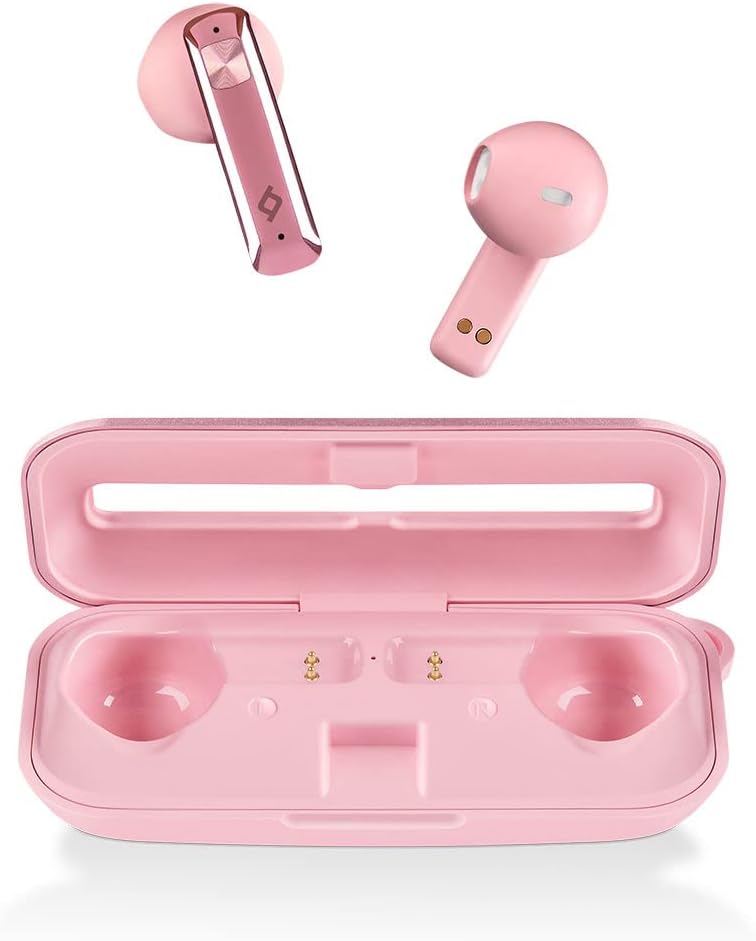
Foto: The ttec AirBeat UltraSlim True Wireless Headphones in pink, shown with both earbuds removed from their ultra-slim charging case. The earbuds are positioned above the open charging case, which has designated slots for each earbud and charging contacts.
The ttec AirBeat UltraSlim headphones consist of two ultra-light earbuds (2.8g each) and a compact charging case. The earbuds feature touch sensors for control and are designed for all-day comfort. The charging case provides extended battery life and serves as a protective storage unit.
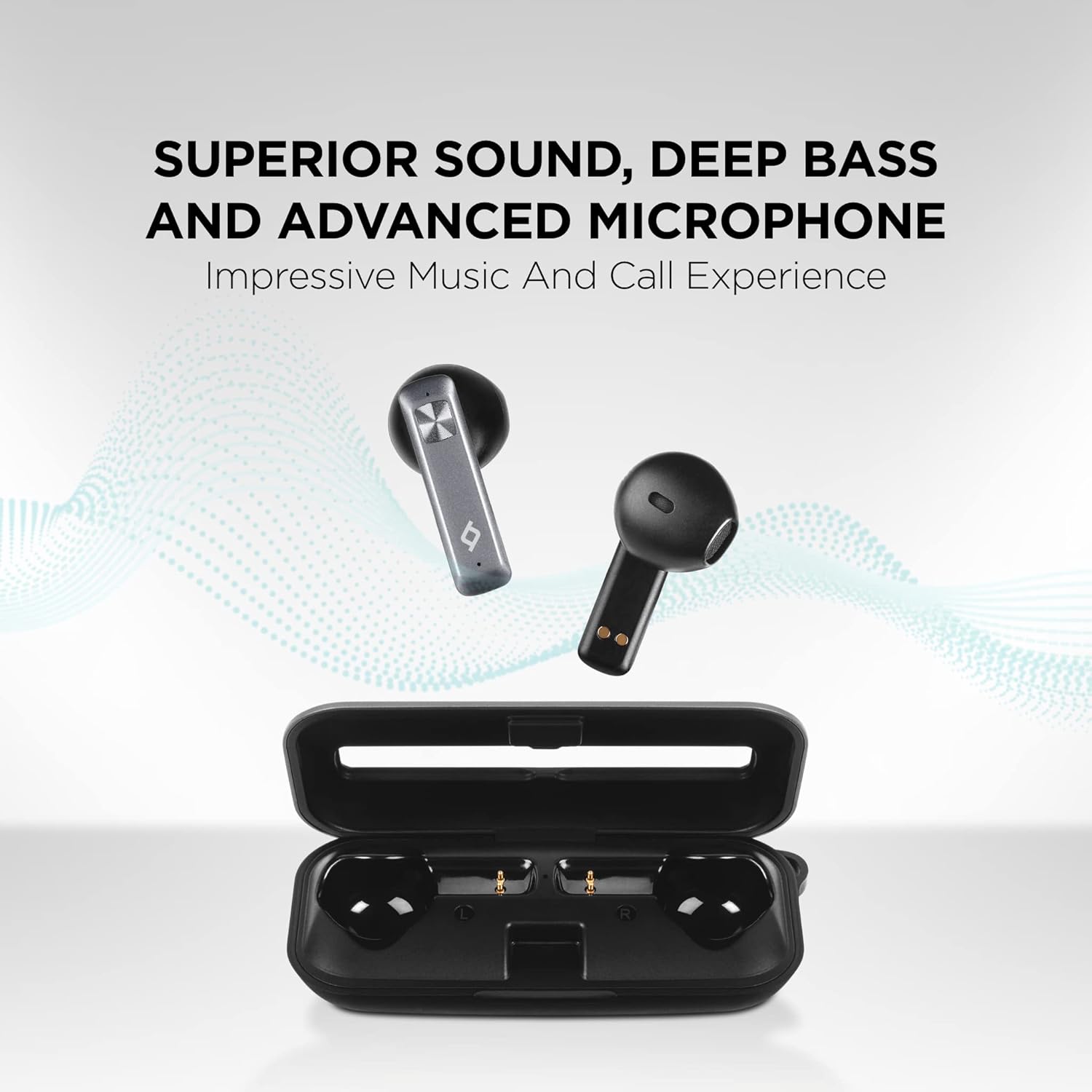
Foto: A visual representation of the ttec AirBeat UltraSlim headphones in black, emphasizing their superior sound, deep bass, and advanced microphone capabilities. The image shows the earbuds above their open charging case, with a graphic background suggesting sound waves.
Melite
1. Nchaji mbụ
Before first use, fully charge the headphones and the charging case. Place both earbuds into the charging case. Connect the USB charging cable to the charging port on the case and plug the other end into a USB power source (e.g., computer, wall adapter). The charging indicators on the case will show the charging status. A full charge provides up to 5 hours of listening time for the earbuds and up to 30 hours total with the charging case.
Charge&Go Feature: A 15-minute charge can provide 1 hour of use.
2. Ijikọ na ngwaọrụ gị
- Gbaa mbọ hụ na ebubo ekweisi.
- Open the charging case. The earbuds will automatically power on and enter pairing mode (indicated by flashing lights on the earbuds).
- Na ekwentị gị ma ọ bụ ngwaọrụ Bluetooth nyere gị aka, gaa na ntọala Bluetooth.
- Chọọ maka available devices and select "ttec AirBeat UltraSlim" from the list.
- Once connected, the earbud lights will stop flashing, and you will hear a confirmation sound.
- InstaConnect Technology: After the initial pairing, the headphones will automatically connect to your device when removed from the case.
MonoSmart Technology: Both headphones can be used individually. Simply take one earbud out of the case, and it will connect in mono mode.
Ntuziaka ọrụ
The ttec AirBeat UltraSlim headphones feature intuitive touch controls on each earbud.
Gbanyụọ/ Gbanyụọ
- Ike Na: Open the charging case, or long-press the touch sensor on both earbuds for 3 seconds if they are outside the case and off.
- Gbanyụọ: Place the earbuds back into the charging case and close the lid. Alternatively, long-press the touch sensor on both earbuds for 5 seconds.
Njikwa egwu
- Gwuo/kwụsịtụ: Otu mgbata na ntị ntị.
- Track na-esote: Kpatụ ntị ntị aka nri ugboro abụọ.
- Gara aga Track: Kpatụ ntị ntị aka ekpe ugboro abụọ.
- Olu elu: Kpatụ ntị ntị aka nri ugboro atọ.
- Olu ala: Pịa bọtịnụ ntị aka ekpe ugboro atọ.
Njikwa oku
- Azịza/Kwụsị Oku: Otu pịa ma ọ bụ ekwe ntị n'oge oku mbata ma ọ bụ oku nọ n'ọrụ.
- Jụ oku: Long-press the touch sensor on either earbud for 2 seconds during an incoming call.
Onye enyemaka olu
- Mee ka onye enyemaka olu rụọ ọrụ: Long-press the touch sensor on either earbud for 2 seconds (when not on a call). Compatible with voice assistants in accordance with European Union Standards (CE).
Nlekọta
- Nhicha: Jiri akwa dị nro, kpọrọ nkụ, akwa enweghị lint iji hichaa ntị ntị na akpa chaja. Ejila kemịkalụ siri ike ma ọ bụ ihe abrasive.
- Nguzogide mmiri: The headphones feature a 4-degree sweat and water-resistant design. This means they are protected against splashing water from any direction. Do not submerge them in water or expose them to heavy rain.
- Nchekwa: When not in use, always store the earbuds in their charging case to protect them and keep them charged. Store in a cool, dry place.
Nchọpụta nsogbu
| Nsogbu | Ngwọta |
|---|---|
| Igwe ekweisi anaghị agba ọkụ. | Gbaa mbọ hụ na ekweisi na chaja chajịla nke ọma. |
| Enweghị ike ijikọ na ngwaọrụ. |
|
| Naanị otu ntị ntị na-arụ ọrụ. |
|
| Ụda adịghị mma ma ọ bụ enweghị ike ịkwụsị. |
|
Nkọwapụta
| Njirimara | Nkọwa |
|---|---|
| Aha Nlereanya | ttec AirBeat UltraSlim True Wireless TWS Bluetooth Headset White |
| Nọmba Nlereanya ihe | 2KM136 |
| Teknụzụ Njikọta | Ikuku (Bluetooth 5.0) |
| Etinye ntị ekweisi | Na Ntị |
| Ụdị ekweisi | Kulak İçinde |
| Earbud arọ | 2.8 g (ultra-light) |
| Ndụ batrị (Earbuds) | Ruo awa 5 (ụgwọ otu) |
| Mkpokọta ndụ batrị (ya na ikpe) | Ruo awa iri abụọ |
| Nchaji ngwa ngwa | 15 min charge for 1 hour use (Charge&Go) |
| Mmiri Nguzogide | 4-degree sweat and water resistant |
| Ihe onwunwe | Plastic |
| Agba | Pink |
| Akụkụ ngwugwu | 17.8 x 10.3 x 3.1 cm |
| Ibu ngwugwu | 50 g |
Akwụkwọ ikike na nkwado
For warranty information and technical support, please refer to the warranty card included with your product or visit the official ttec website. Please note that items such as headphones that have contact with the human body are generally non-returnable for health and hygiene reasons if the packaging has been opened or the product has been used. Returns may be accepted if the packaging is intact, unopened, and the product is unused.


