Okwu mmalite
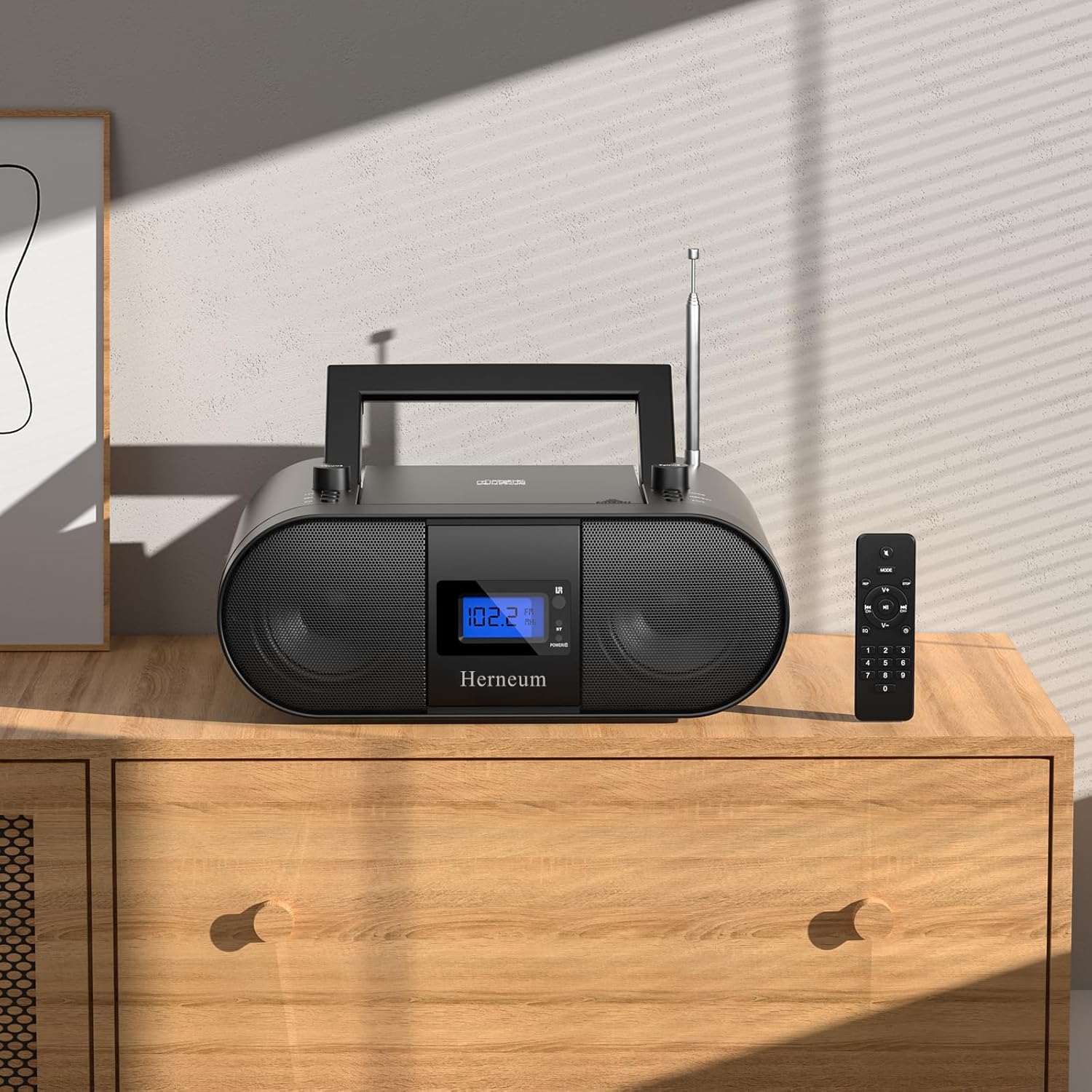
This manual provides essential instructions for the safe and efficient operation of your Herneum FC Portable CD Player Boombox. Please read this manual thoroughly before using the device and retain it for future reference.
Njirimara ngwaahịa
- Portable CD Player: Top-loading CD player with play/pause, skip, and repeat functions.
- Igwe Redio: Built-in FM radio with telescopic antenna for enhanced reception.
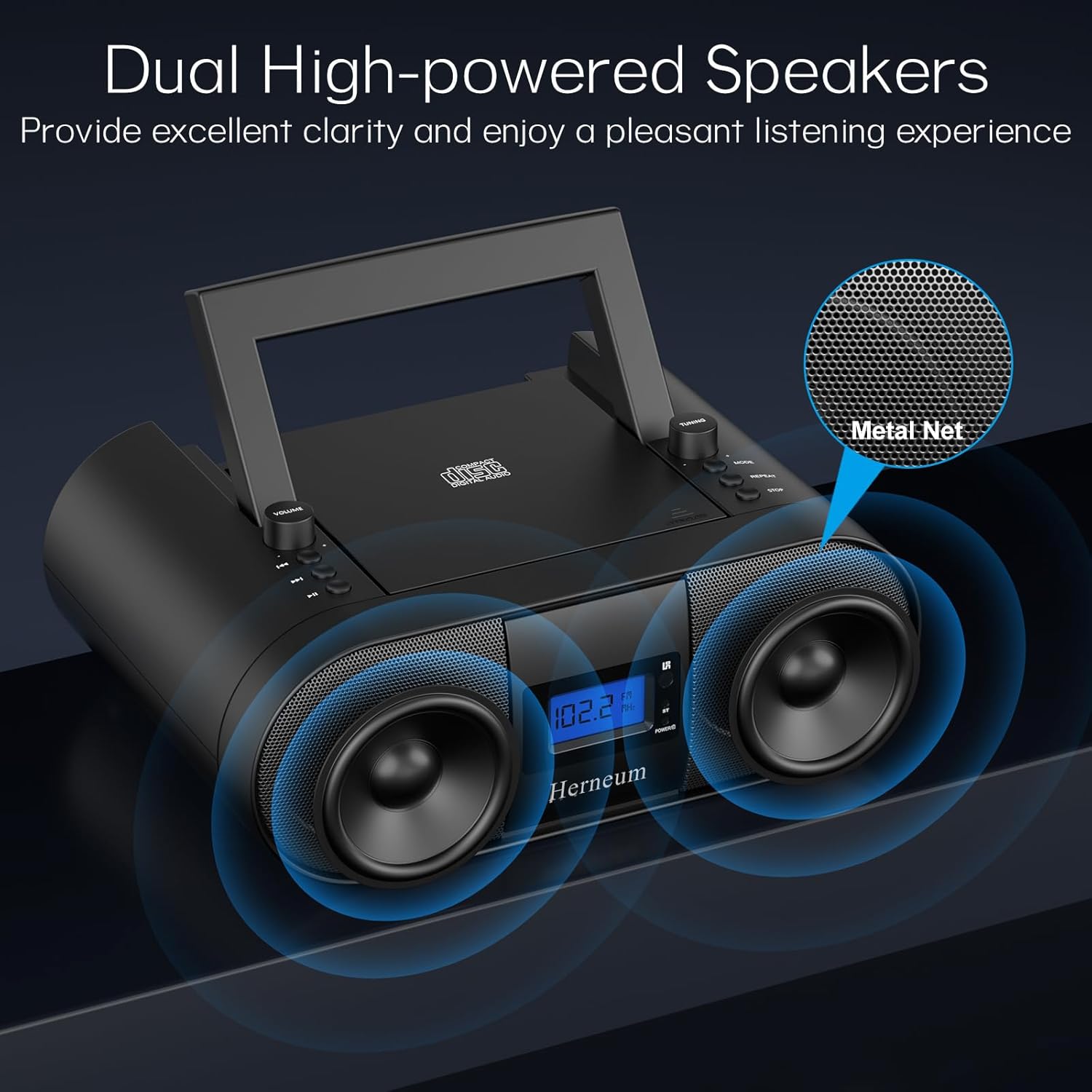
- Dual Stereo Sound System: High-performance speakers for clear audio.
- Batrị enwere ike ịchaji: Integrated 2000mAh battery providing 4-5 hours of playback.
- Njikọ Bluetooth: Ngwugwu ọdịyo ikuku site na ngwaọrụ dakọtara.
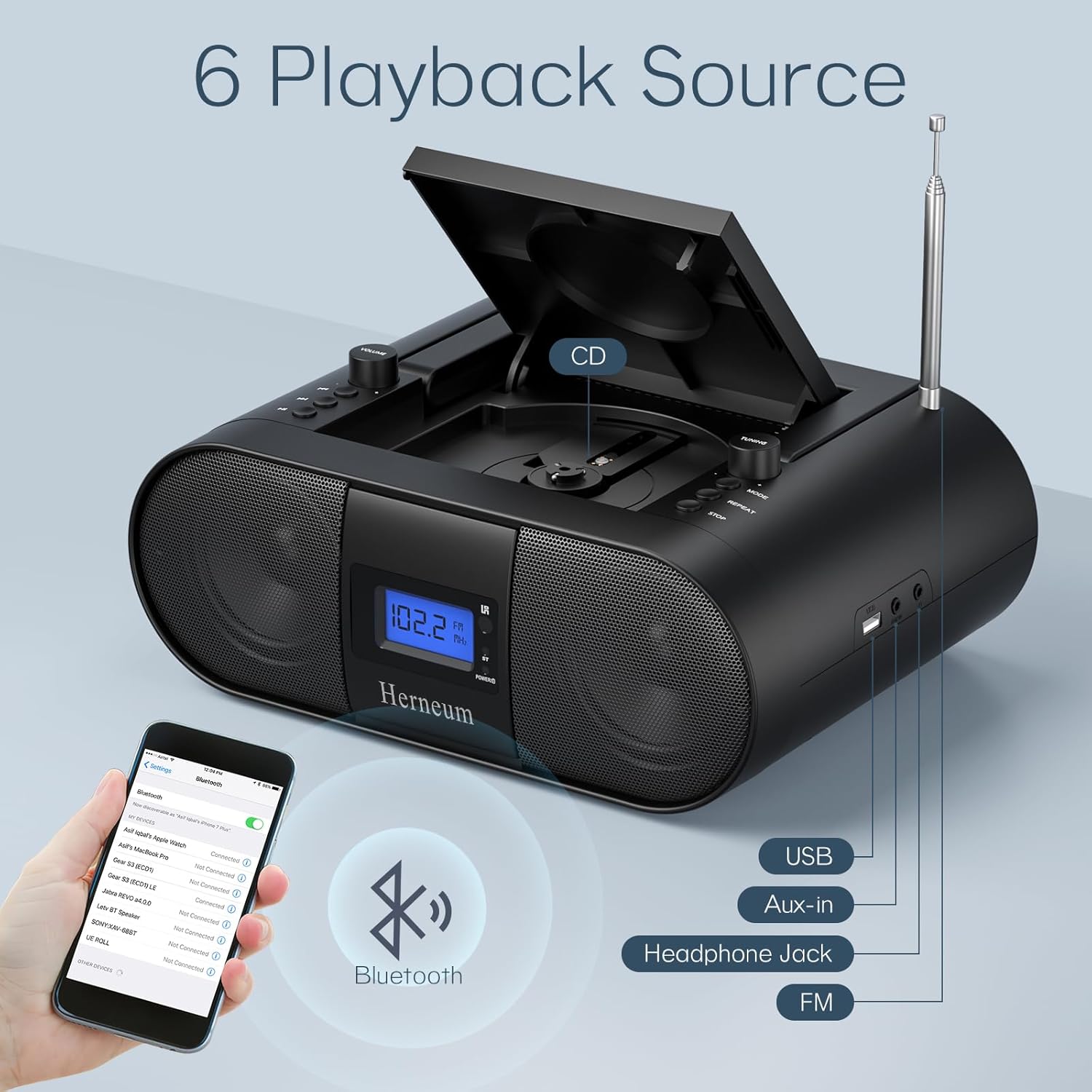
- Ntinye otutu: Supports USB and AUX-in for versatile audio sources.
- Mmepụta ekweisi: Maka ige ntị nkeonwe.
- Njikwa anya: Convenient operation from a distance, including sleep timer function.
Ihe ngwugwu
Gbaa mbọ hụ na ihe niile dị mgbe ị na-ewepụ igbe:
- Herneum FC Portable CD Player Boombox
- Njikwa anya
- Akwụkwọ ntuziaka onye ọrụ
- Igwe ọkụ ọkụ
Ozi nchekwa
- Ewepụla ngwaọrụ ahụ na mmiri ozuzo ma ọ bụ mmiri.
- Zere idobe ngwaọrụ n'akụkụ ebe okpomọkụ ma ọ bụ na ìhè anyanwụ.
- Emeghela ngwaọrụ casing; refer servicing to qualified personnel.
- Debe ebe ụmụaka na-apụghị iru.
- Jiri naanị ihe nkwụnye ọkụ enyere.
Melite
1. Ịkwanye ngwaọrụ
The Herneum FC can be powered by its internal rechargeable battery or by connecting it to an AC power outlet.
- Ike AC: Connect the provided power cable to the "Power socket" (19) on the back of the unit and then to a wall outlet.
- Batrị enwere ike ịchaji: The unit has a built-in 2000mAh rechargeable battery. It charges automatically when connected to AC power. A full charge provides approximately 4-5 hours of playback.
2. Ndozi antenna
For optimal FM radio reception, extend the telescopic antenna fully and adjust its position.

Ntuziaka ọrụ
1. Njikwa General
The device features various controls on its top panel and a remote control for convenient operation.

- Mgbanwe ọkụ (18): Dị n'azụ unit.
- Volume +/- (1): Na-emezi ọkwa mmepụta ọdịyo.
- Ụdị (7): Switches between CD, FM, Bluetooth, USB, and AUX modes.
- Ngosipụta (14): Shows current mode, track number, and FM frequency.
2. CD playback
- Open the CD compartment (10) by gently lifting the lid.
- Debe CD ka akụkụ akara ahụ chee ihu elu.
- Mechie ngalaba CD.
- Pịa Ụdị button (7) to select CD mode.
- Pịa Gwuo/kwụsịtụ (4) ibido playback.
- Jiri Egwu gara aga (2) na Track na-esote (3) to navigate tracks.
- Pịa Tinyegharịa (8) for single track or all track repeat.
- Pịa Kwụsị (9) to end playback.
3. Ọrụ redio FM
- Gbatịa antenna telescopic.
- Pịa Ụdị button (7) to select FM radio mode.
- Jiri Ntugharị +/- (6) to manually tune to a station.
- For automatic scanning, press and hold Ntugharị +/- (6).
4. Njikọ Bluetooth
- Pịa Ụdị button (7) to select Bluetooth mode. The display will show "BT" and flash, indicating it's ready for pairing.
- On your mobile device, enable Bluetooth and search for "Herneum FC" (or similar device name).
- Select the device to pair. Once connected, the "BT" indicator will stop flashing.
- You can now stream audio from your device to the boombox.
5. USB playback
- Insert a USB drive containing MP3/WMA files into the USB PORT (11).
- Pịa Ụdị button (7) to select USB mode.
- Playback will start automatically. Use track navigation buttons to select songs.
6. Njikọ AUX
- Connect an external audio device (e.g., smartphone, MP3 player) to the AUX-in jack (12) using a 3.5mm audio cable.
- Pịa Ụdị button (7) to select AUX mode.
- Jikwaa ọkpụkpọ egwu na olu site na ngwaọrụ mpụga gị.
7. Ojiji Ekweisi
Plug headphones into the Headphone jack (13) for private listening. The speakers will automatically mute.
8. Remote Control
The included remote control allows for convenient operation of all functions from a distance. Insert 2 x AAA batteries (not included) into the remote.
- Mechie/Kpuchie: Temporarily silences or restores audio.
- Gaa egwu: Navigates to the next or previous track.
- Change Radio: Adjusts FM frequency.
- Oke njikwa: Na-abawanye ma ọ bụ na-ebelata olu.
- Stop Playing: Halts current playback.
- Ụdị EQ: Na-agbanwe ntọala nha nhata ụda.
- Oge ụra: Set preferred running time (15, 30, 45, 60, or 90 minutes).

Nlekọta
- Nhicha: Jiri akwa dị nro dị nro hichaa mpụta nke unit ahụ. Ejila ihe nchacha abrasive ma ọ bụ ihe mgbaze.
- Nlekọta CD: Jiri ákwà dị nro nke na-enweghị ihe e ji ehicha CD hichaa CD ruru unyi, na-ehicha ya site n'etiti gaa n'ihu.
- Nchekwa: When not in use for extended periods, store the boombox in a cool, dry place.
Nchọpụta nsogbu
| Nsogbu | Ihe nwere ike ime | Ngwọta |
|---|---|---|
| Enweghị ike | Power cable not connected; battery drained; power switch off. | Check power cable connection; charge battery; ensure power switch (18) is ON. |
| CD anaghị akpọ egwu/awụlikwa elu | CD dirty or scratched; CD inserted incorrectly; CD compartment not closed. | Clean or replace CD; ensure CD is label-side up; close compartment firmly. |
| Nnabata FM adịghị mma | Antenna not extended/adjusted; weak signal. | Extend and adjust antenna; try moving the unit to a different location. |
| Bluetooth anaghị ejikọta | Device not in pairing mode; Bluetooth disabled on external device. | Ensure boombox is in Bluetooth mode; enable Bluetooth on your device and search again. |
| Njikwa anya anaghị arụ ọrụ | Batteries drained or inserted incorrectly; obstruction between remote and unit. | Replace remote batteries; ensure correct polarity; remove obstructions. |
Nkọwapụta
- Ụdị: FC
- Akara: Herneum
- Akụkụ ngwaahịa: 12.6 x 8.66 x 5.9 sentimita asatọ
- Ibu ihe: 4.36 pound
- Teknụzụ Njikọta: Bluetooth, CD, USB, AUX-in, FM Radio
- Agba: Nwa
- Ụdị ọkà okwu: Ọkà Okwu Dual
- Batrị: Batrị 2000mAh nwere ike ịchaji n'ime ya
- Playback Time (Battery): 4-5 awa
Akwụkwọ ikike na nkwado
The Herneum FC Portable CD Player Boombox comes with an 18-month warranty. For warranty claims, technical support, or any inquiries, please contact Herneum customer service.
Visit the official Herneum store for more information: Herneum Store


