1. Okwu mmalite
Welcome to the user manual for your new Cecotec Cremmaet Macchia Super Automatic Coffee Machine. This manual provides essential information for the safe and efficient operation, maintenance, and troubleshooting of your appliance. Please read all instructions carefully before using the machine for the first time and keep this manual for future reference.
2. Ntuziaka nchekwa
To ensure safe operation, always adhere to the following safety guidelines:
- Nchekwa Eletriki: Gbaa mbọ hụ na voltage gosiri na ngwa ahụ dabara na mains mpaghara gị voltage before connecting. Do not immerse the appliance, power cord, or plug in water or any other liquid. Do not operate the machine with a damaged cord or plug.
- Heat and Hot Surfaces: The coffee machine generates hot water and steam. Avoid contact with hot surfaces and steam to prevent burns. Always use handles and knobs.
- Ụmụaka na ndị na-adịghị ike: Enwere ike iji ngwa a ụmụaka ndị gbara afọ 8 na karịa yana ndị nwere ike anụ ahụ, mmetụta uche ma ọ bụ nke uche ma ọ bụ enweghị ahụmahụ na ihe ọmụma ma ọ bụrụ na enyerela ha nlekọta ma ọ bụ ntụziaka gbasara iji ngwa ahụ n'ụzọ dị nchebe ma ghọta ihe egwu dị na ya. . Ụmụaka agaghị eji ngwa eji egwu egwu egwu. Ụmụaka agaghị eme nhicha na nlekọta onye ọrụ na-enweghị nlekọta.
- Nkwanye: Place the machine on a stable, level, heat-resistant surface, away from water sources and direct sunlight. Ensure adequate ventilation around the appliance.
- Nhicha: Always unplug the machine before cleaning. Do not use abrasive cleaning agents or scourers.
3. Ngwaahịa gafereview
Familiarize yourself with the main components of your Cecotec Cremmaet Macchia coffee machine.

Foto 3.1: N'ihu view of the Cecotec Cremmaet Macchia coffee machine, showcasing its compact design and elegant white and rose gold finish.

Foto 3.2: Close-up of the intuitive touch control panel located on the top of the machine, featuring various function icons.
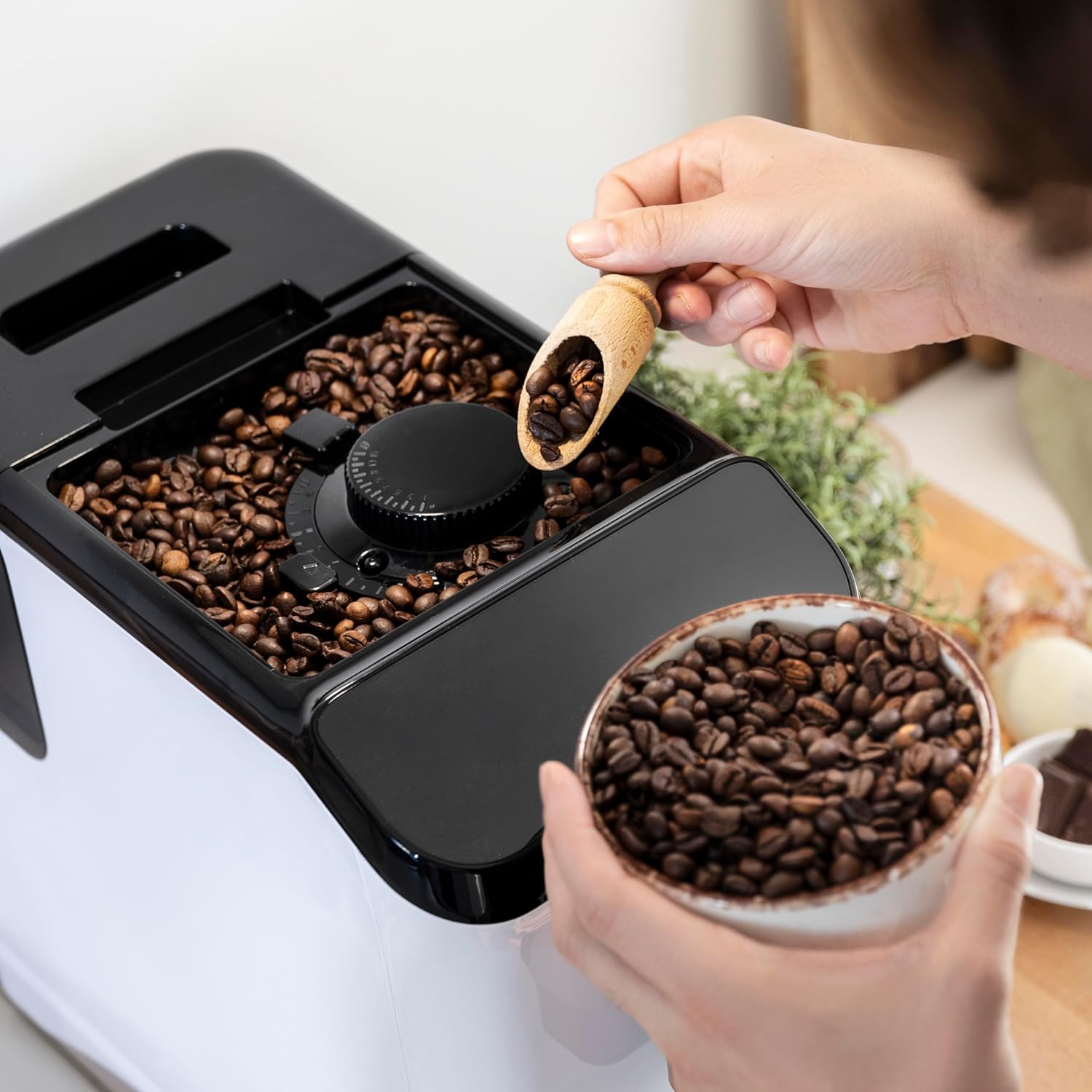
Foto 3.3: The integrated coffee bean hopper with a conical grinder, allowing for fresh grinding of beans for each cup.
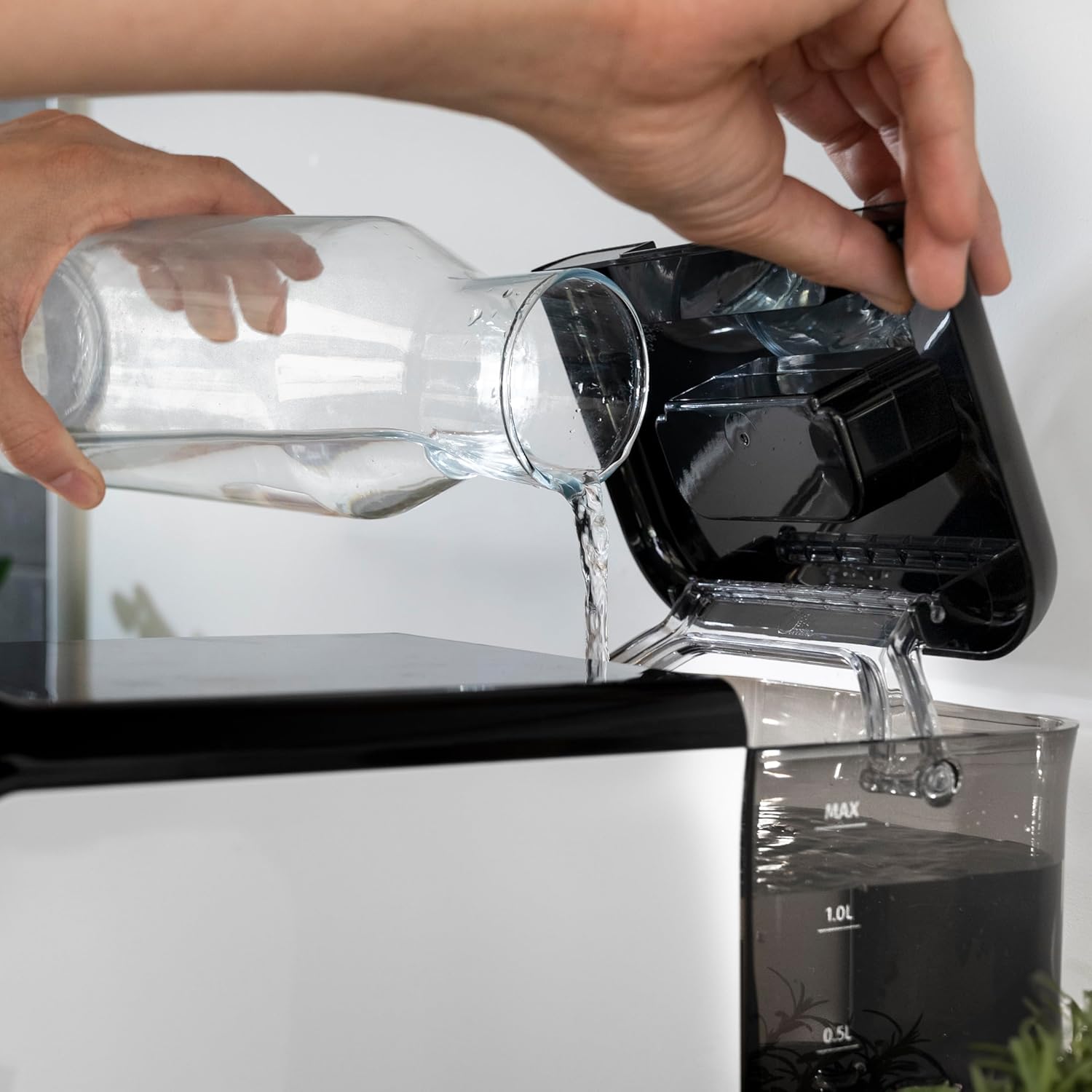
Foto 3.4: The removable 1.5-liter water tank, easily accessible for refilling and cleaning.
4. Nhazi
Follow these steps to set up your coffee machine for the first time:
- Iwepu: Jiri nlezianya wepụ igwe ahụ n'ime ihe mkpuchi ya. Wepụ ihe mkpuchi niile na ihe mkpuchi.
- Nhicha izizi: Before first use, wash the water tank, drip tray, and coffee grounds container with warm water and a mild detergent. Rinse thoroughly and dry.
- Jupụta tank mmiri: Fill the removable water tank with fresh, cold drinking water up to the MAX level. Ensure the tank is properly seated in the machine.
Foto 4.1: Pouring fresh water into the machine's water tank.
- Tinye agwa kọfị: Open the lid of the bean hopper and fill it with fresh whole coffee beans. The hopper has a capacity of 200g.
Foto 4.2: Adding whole coffee beans to the integrated grinder compartment.
- Tinye: Jikọọ eriri ọkụ na ebe eletrik kwesịrị ekwesị.
- First Use/Priming: The machine may perform an initial rinse cycle when first turned on or after a period of inactivity. Follow any on-screen prompts or indicator lights.
5. Ntuziaka ọrụ
Your Cecotec coffee machine is designed for ease of use with its Plug & Play system.
5.1. Agbanye / Gbanyụọ
- Press the power button on the control panel to turn the machine on. The machine will heat up and perform a brief rinse cycle.
Foto 5.1: Activating the machine by pressing the power button on the touch control panel.
- Press the power button again to turn the machine off. It will perform a final rinse cycle before shutting down.
5.2. Na-edozi Ntọala Grind
The integrated conical grinder offers 5 levels of grinding. Adjust the grind setting by rotating the dial inside the bean hopper. It is recommended to adjust the grinder only while it is operating to prevent damage.
5.3. Ime kọfị
The machine can prepare espresso and American coffee.
- Tinye otu iko n'okpuru kọfị kọfị.
- Select your desired coffee type (e.g., Espresso, Americano) from the control panel.
- Igwe ahụ ga-egweri agwa ahụ, mee ya, ma nye ya kọfị gị ozugbo.

Foto 5.2: Selecting a coffee option on the control panel as the machine prepares the beverage.
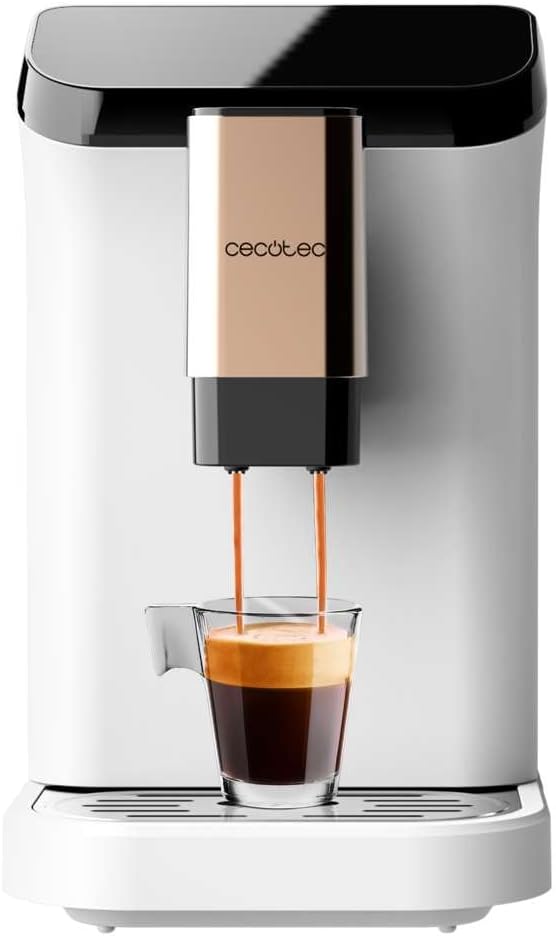
Foto 5.3: The machine actively dispensing freshly brewed coffee into a cup, highlighting the rich crema.
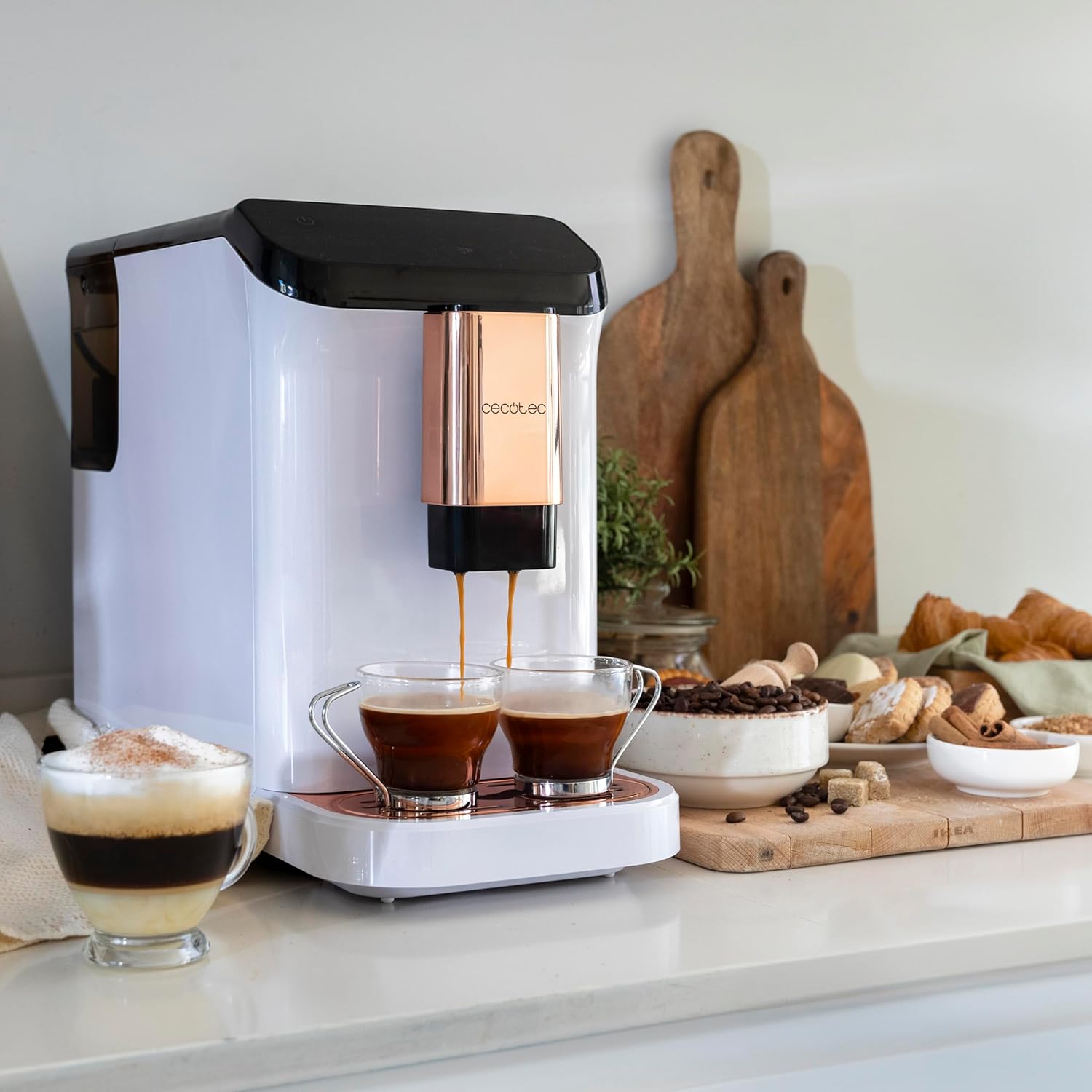
Foto 5.4: The machine's capability to brew and dispense two cups of coffee at once, ideal for sharing.
5.4. Customizing Coffee
You can easily customize and memorize the amount and intensity of your coffee to suit your taste preferences. Refer to the specific icons on the control panel for these adjustments.
6. Nlekọta na nhicha
Regular cleaning and maintenance will ensure the longevity and optimal performance of your coffee machine.
- Nhicha akpaaka: The machine features an automatic cleaning function to keep it clear at all times. This typically occurs upon startup and shutdown.
- Emptying Grounds Container: The machine will indicate when the coffee grounds container needs to be emptied. Remove and clean it regularly.
- Tray Drip na-ehicha: The drip tray collects excess water and coffee spills. Empty and clean it frequently to prevent overflow and maintain hygiene.
- Akụkụ enwere ike iwepụ: Periodically remove and clean the water tank and other removable components as per the initial cleaning instructions.
- Ebelata: Over time, mineral deposits can build up inside the machine. The machine will indicate when descaling is required. Use a suitable descaling solution designed for coffee machines and follow the instructions provided with the descaler.
7. Nchọpụta nsogbu
Ọ bụrụ na ị hụ nsogbu na igwe kọfị gị, lee nsogbu na ngwọta ndị a na-ahụkarị:
| Nsogbu | Ihe nwere ike ime | Ngwọta |
|---|---|---|
| Igwe anaghị agbanwuo | A naghị etinye ya; ike gitage | Lelee njikọ ike; lelee ihe mgbawa sekit. |
| Ọnweghị kọfị ekesara | Water tank empty; bean hopper empty; machine needs descaling. | Fill water tank; fill bean hopper; perform descaling cycle. |
| Kọfị esichaghịkwa ike | Egweri ntọala oke keadighi rarii; ezughị oke kọfị dose. | Adjust grind to a finer setting; increase coffee intensity setting. |
| Mmiri na-agbapụta site na igwe | Mmiri tank adịghị ọdụ nke ọma; tray ntapu juru. | Ensure water tank is correctly inserted; empty and clean drip tray. |
| Error indicator light on | Specific issue indicated by light (e.g., grounds full, water empty). | Refer to the machine's indicator light guide for specific meaning and action. |
Ọ bụrụ na nsogbu ahụ anọgide mgbe ị nwalechara ngwọta ndị a, biko kpọtụrụ ndị ọrụ Cecotec.
8. Nkọwapụta
Technical details for the Cecotec Cremmaet Macchia Super Automatic Coffee Machine:
- Akara: Cecotec
- Nọmba nlereanya: 01718
- Agba: White Rose
- Akụkụ ngwaahịa: 19 x 40 x 32 cm
- Ibu ihe: 7.9 n'arọ
- Atụmatụ pụrụ iche: Tankị mbughari
- Ụdị Onye na-eme kọfị: Igwe Espresso
- Ụdị nzacha: Enwere ike ijikwa ya ọzọ
- Mgbapụta Nrụgide: 19 mmanya
- Sistemu kpo oku: Ihe mgbochi okpomọkụ
- Coffee Tank Capacity: 200 g (integrated grinder)
- Ike tank mmiri: 1.5 lita
9. Akwụkwọ ikike na nkwado
Your Cecotec Cremmaet Macchia Super Automatic Coffee Machine comes with a manufacturer's warranty. For detailed information regarding warranty terms and conditions, please refer to the warranty card included with your product or visit the official Cecotec websaịtị. Maka nkwado teknụzụ, akụkụ ma ọ bụ ọrụ, biko kpọtụrụ ọrụ ndị ahịa Cecotec site na ọwa gọọmentị ha.


