1. Ntuziaka nchekwa dị mkpa
Biko gụọ ntuziaka niile nke ọma tupu i jiri ngwa ahụ. Debe akwụkwọ ntuziaka a maka ntụnye aka n'ọdịnihu.
- Gbaa mbọ hụ na voltage gosiri na ngwa ngwa kwekọrọ na mains mpaghara gị voltage tupu ejikọta.
- Ejila ngwa, eriri ọkụ, ma ọ bụ nkwụnye na mmiri ma ọ bụ mmiri mmiri ọ bụla ọzọ.
- Always unplug the coffee maker from the power outlet before cleaning and when not in use. Allow it to cool down before adding or removing parts.
- Ejila ngwa ọ bụla nwere eriri ma ọ bụ plọg mebiri emebi rụọ ọrụ, ma ọ bụ mgbe ngwa ahụ dara ma ọ bụ mebie n'ụzọ ọ bụla.
- Ngwa a bụ maka naanị ụlọ. Ejila n'èzí.
- Ekwela ka eriri ahụ kwụgidere na nsọtụ tebụl ma ọ bụ counter, ma ọ bụ metụ ebe dị ọkụ aka.
- Place the coffee maker on a firm, flat surface, away from hot gas or electric burners and heated ovens.
- Emetụla ebe dị ọkụ aka. Jiri aka ma ọ bụ mkpọ.
- Nleba anya dị mkpa mgbe ụmụaka na-eji ngwa ọ bụla ma ọ bụ nso.
- Ejila ngwa ahụ maka ndị ọzọ karịa ebumnuche ya.
2. Ngwaahịa gafereview
The Cecotec Coffee 66 Drop & Thermo Time is a drip coffee maker designed for ease of use and consistent coffee brewing. It features a programmable timer, intensity control, and a thermal carafe to keep your coffee warm.

Foto 2.1: N'ihu view of the Cecotec Coffee 66 Drop & Thermo Time Drip Coffee Maker. This image shows the main body, control panel with LCD display, and the thermal carafe in its position.
Ngwa:
- tank mmiri: Located at the back, with a clear water level indicator.
- Ihe mkpuchi: Covers the water tank and coffee filter basket.
- Nkata nzacha: Holds the reusable mesh filter or paper filter.
- Nzacha Mesh A Na-emegharị emegharị: For holding coffee grounds.
- Kafetị Okpomọkụ: Stainless steel carafe with a capacity of up to 10 cups, designed to keep coffee hot.
- Ogwe njikwa: Features an LCD display and buttons for various functions.
- Ngaji atụ: For accurate coffee ground measurement.
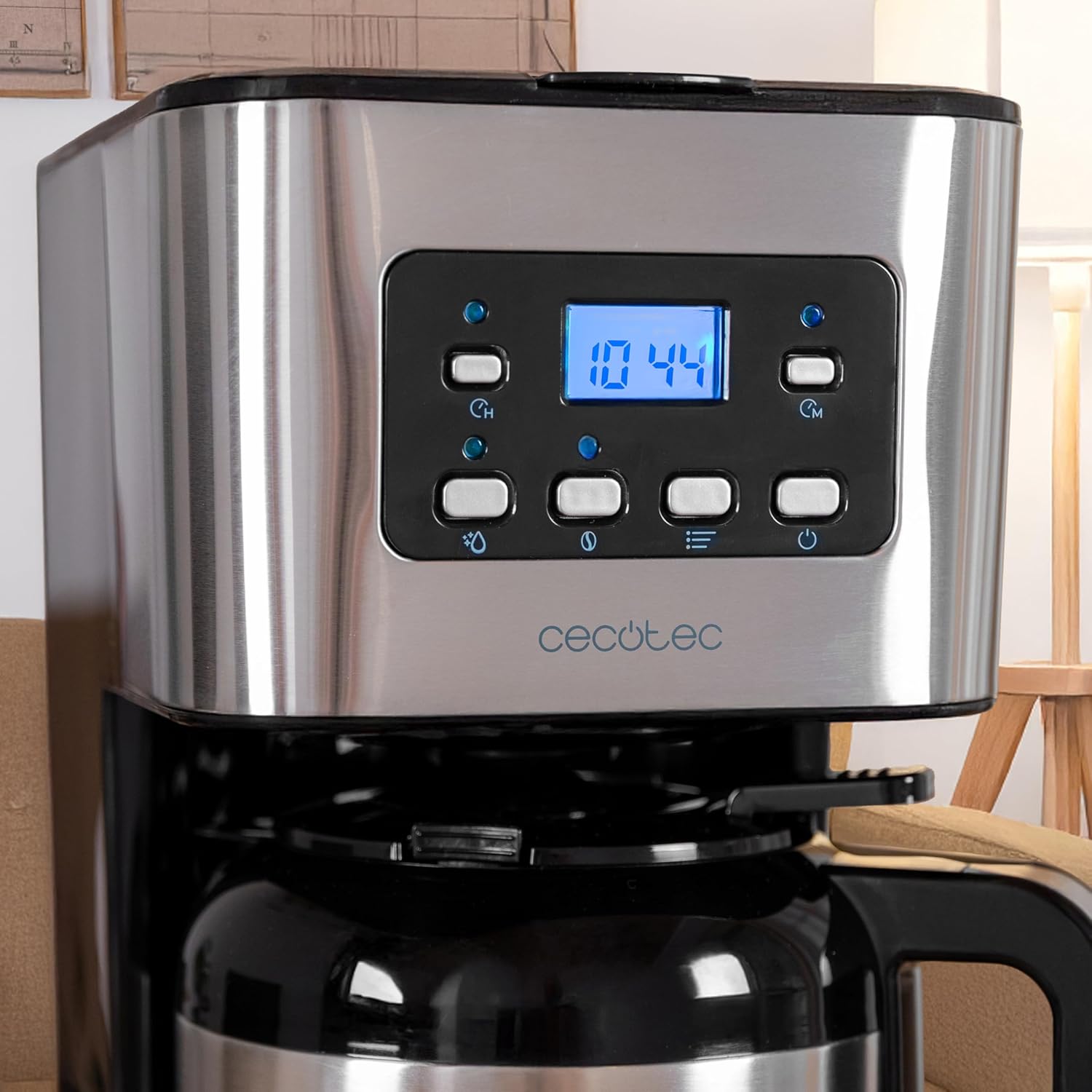
Foto 2.2: Agara nso view of the control panel. The LCD display shows the time, and various buttons for power, intensity, timer, and programming are visible.
3. Ntọala na ojiji mbụ
3.1 Mwepu na mkpochapụ mbụ
- Jiri nlezianya wepụ ihe niile e ji ekpuchi ihe na akara nkwalite.
- Wash the thermal carafe, lid, and reusable mesh filter in warm, soapy water. Rinse thoroughly and dry.
- Jiri mgbasa ozi hichaa mpụta nke onye na-eme kọfịamp akwa .
- Before first use, run a brewing cycle with only water (no coffee grounds) to clean the internal components. Fill the water tank to the MAX level, place the empty filter basket and carafe, and start a cycle. Discard the water.
3.2 Ịtọ elekere
- Plug the coffee maker into a power outlet. The LCD display will show '12:00' or flash.
- Press the 'TIME' button. The hour digits will flash.
- Use the 'MIN' and 'PROG' buttons to adjust the hour.
- Press 'TIME' again. The minute digits will flash.
- Use the 'MIN' and 'PROG' buttons to adjust the minutes.
- Press 'TIME' a third time or wait a few seconds for the setting to be saved.
4. Ntuziaka ọrụ
4.1 Ịkụ kọfị
- Mepee mkpuchi nke onye na-eme kọfị.
- Fill the water tank with fresh, cold water up to the desired level, indicated by the water level gauge. Do not exceed the 'MAX' line.
- Place the reusable mesh filter into the filter basket. If using a paper filter, place it inside the mesh filter.
- Add the desired amount of ground coffee into the filter. A general guideline is one level measuring spoon (approximately 7g) per cup. Adjust to your taste.
- Mechie mkpuchi ahụ nke ọma.
- Ensure the thermal carafe is correctly placed on the warming plate.
- Press the 'ON/OFF' button to start brewing. The indicator light will illuminate.
- The brewing process will begin. Once complete, the coffee maker will automatically turn off.
- Carefully remove the carafe and pour your coffee.

Foto 4.1: A person pouring freshly brewed coffee from the thermal carafe into a mug. The carafe's handle and spout are visible.
4.2 Using the Intensity Function (Aroma)
To adjust the coffee strength:
- After adding water and coffee grounds, but before pressing 'ON/OFF', press the 'INTENSITY' (aroma) button.
- The display will indicate the selected intensity level.
- Press 'ON/OFF' to start brewing with the chosen intensity.
4.3 Programming the Delay Brew Timer
You can set the coffee maker to start brewing at a specific time:
- Prepare the coffee maker with water and coffee grounds as described in section 4.1.
- Press the 'PROG' button. The display will show 'PROG' and the hour digits will flash.
- Use the 'MIN' and 'PROG' buttons to set the desired hour for brewing to start.
- Press 'PROG' again. The minute digits will flash.
- Use the 'MIN' and 'PROG' buttons to set the desired minutes.
- Press 'PROG' a third time or wait a few seconds. The 'PROG' indicator will light up, confirming the timer is set.
- Onye na-eme kọfị ga-amalite ịsa mmanya na-akpaghị aka n'oge akwadoro.
5. Nlekọta na nhicha
Nhicha mgbe niile na-eme ka arụmọrụ dị mma ma gbasaa ogologo ndụ nke onye na-eme kọfị gị.
5.1 Nhicha kwa ụbọchị
- Kwupu ngwa ngwa mgbe niile ma hapụ ya ka ọ dị jụụ kpamkpam tupu ihicha ya.
- Remove the thermal carafe, lid, and reusable mesh filter. Wash them in warm, soapy water. Rinse thoroughly and dry.
- Discard used coffee grounds.
- Jiri nro dị nro hichaa elu mpụta nke onye na-eme kọfị, damp akwa . Ejila ihe mkpocha abrasive ma ọ bụ ihe nchacha.
- The thermal carafe is ọ bụghị nchekwa efere efere.
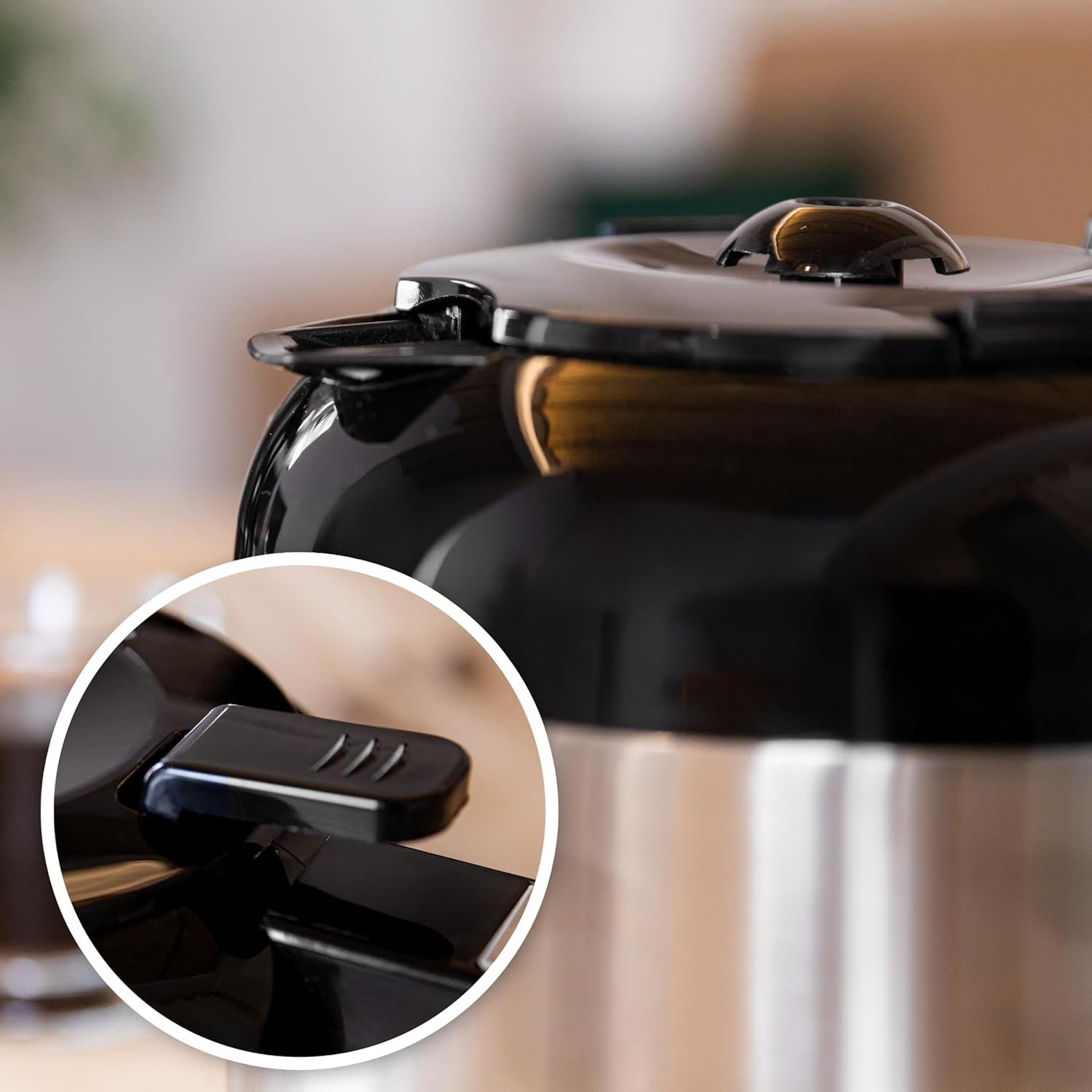
Foto 5.1: Close-up of the thermal carafe lid, highlighting the drip-stop mechanism. This part should be cleaned regularly to prevent blockages.
5.2 calhapụ ịda
Mineral deposits (limescale) can build up in your coffee maker over time, affecting its performance. Descale your coffee maker every 2-3 months, or more frequently if you have hard water.
- Fill the water tank with a solution of white vinegar and water (1 part vinegar to 2 parts water).
- Place the empty thermal carafe on the warming plate.
- Malite usoro ịme mmanya na-enweghị ebe a na-eme kọfị.
- After about half the solution has brewed through, turn off the coffee maker and let it sit for 15-20 minutes to allow the solution to work.
- Tụgharịa onye na-eme kọfị azụ ka ọ rụchaa okirikiri ime ihe.
- Discard the vinegar solution from the carafe.
- Run 2-3 cycles with fresh, clean water to rinse out any remaining vinegar taste or odor.
6. Nchọpụta nsogbu
Ọ bụrụ na ị hụ nsogbu na igwe kọfị gị, lee tebụl a:
| Nsogbu | Ihe nwere ike ime | Ngwọta |
|---|---|---|
| Kọfị anaghị apụta. | No power; water tank empty; carafe not in place; timer set. | Check power connection; fill water tank; ensure carafe is correctly positioned; check timer settings. |
| Kọfị esichaghịkwa ike. | Not enough coffee grounds; coarse grind; intensity setting too low. | Add more coffee grounds; use a finer grind; select a higher intensity setting. |
| Kọfị na-ejupụta na nzacha. | Too many coffee grounds; filter clogged; carafe not in place. | Reduce coffee grounds; clean filter thoroughly; ensure carafe is fully inserted. |
| Unusual noise during brewing. | Mwube nke limescale. | Perform a descaling cycle (see Section 5.2). |
7. Nkọwapụta
| Njirimara | Nkọwa |
|---|---|
| Ụdị | Cecotec |
| Aha Nlereanya | Coffee 66 Drop & Thermo Time |
| Nọmba Nlereanya ihe | 00274 |
| Ụdị | Igwe kọfị na-atapu |
| Ike | 1.2 Litres (up to 10 cups) |
| Ihe eji eme Carafe | Stainless Steel (Thermal) |
| Ike | 950 W |
| Atụmatụ pụrụ iche | Removable Tank, Thermal Carafe, Water Filter, Programmable Timer (24 hours), Intensity Function, Drip-free feature, Overheating protection |
| Akụkụ ngwaahịa | 25D x 17W x 32.5H centimita |
| Ibu Ibu | 2 n'arọ 100 g |
| Ngwa gụnyere | Filter coffee maker, instruction manual, Measuring spoon |
8. Akwụkwọ ikike na nkwado
This Cecotec appliance is covered by a manufacturer's warranty. Please refer to the warranty card included with your product for specific terms and conditions, including the warranty period and coverage details.
Maka nkwado teknụzụ, akụkụ ma ọ bụ akwụkwọ ikike, biko kpọtụrụ ọrụ ndị ahịa Cecotec site na gọọmentị ha website or the contact information provided in your product packaging. Ensure you have your model number (00274) and proof of purchase available when contacting support.


