Okwu mmalite
Welcome to the user manual for your boAt Airdopes 408 Wireless Earbuds. This guide provides essential information to help you set up, operate, maintain, and troubleshoot your earbuds, ensuring an optimal audio experience. Please read these instructions carefully before using the product.
Kedu ihe dị na Igbe ahụ
- boAt Airdopes 408 ekwe ntị
- Nchaji case
- Igwe nchaji USB
- Atụmatụ Ntị Mgbakwunye (nha dị iche iche)
- Akwụkwọ ntuziaka onye ọrụ
- Akwụkwọ ikike kaadị
Ngwaahịa gafereview
The boAt Airdopes 408 are true wireless stereo (TWS) earbuds designed for a seamless audio experience. They feature a lightweight, in-ear design with advanced touch controls and an integrated microphone for calls and voice assistant activation.

Image: The boAt Airdopes 408 wireless earbuds shown with their charging case.
Melite
1. Ịchaji ihe ntị na akpa
Before first use, fully charge the earbuds and the charging case. Connect the USB charging cable to the charging case and a power source. The indicator lights on the case will show the charging status.

Image: This image illustrates the 20 hours of total playback time and the ASAP Charge technology, providing 40 minutes of playback from a 5-minute charge.
2. Ijikọ na ngwaọrụ
- Mepee igbe nchaji. Igwe ntị ga-abanye na ọnọdụ njikọta na-akpaghị aka.
- Na ngwaọrụ gị (smartphone, mbadamba, wdg), gbanye Bluetooth.
- Chọọ maka available Bluetooth devices and select "Airdopes 408".
- Ozugbo ejikọrọ, ị ga-anụ ngwa ngwa ọdịyo, ọkụ egosi na ntị ga-agbanwe.
The earbuds feature Bluetooth V5.0 for instant and stable wireless connectivity.
Ntuziaka ọrụ
Njikwa mmetụ
The Airdopes 408 features advanced capacitive touch controls for easy management of your audio and calls:
- Gwuo/kwụsịtụ: Otu mgbata na ntị ntị.
- Track na-esote: Pịa bọtịnụ ntị aka nri ugboro abụọ.
- Gara aga Track: Kpatụ ntị ugboro abụọ n'akụkụ aka ekpe.
- Azịza/Kwụsị Oku: Naanị otu ọpịpị na ntị ntị n'oge oku mbata.
- Jụ oku: Pịa ma jide otu ntị ntị maka sekọnd 2 n'oge oku mbata.
- Mee ka onye enyemaka olu rụọ ọrụ: Pịa ugboro atọ na ntị ntị.
Ogo ọdịyo
Equipped with premium 10mm audio drivers, the Airdopes 408 delivers an immersive sound experience.
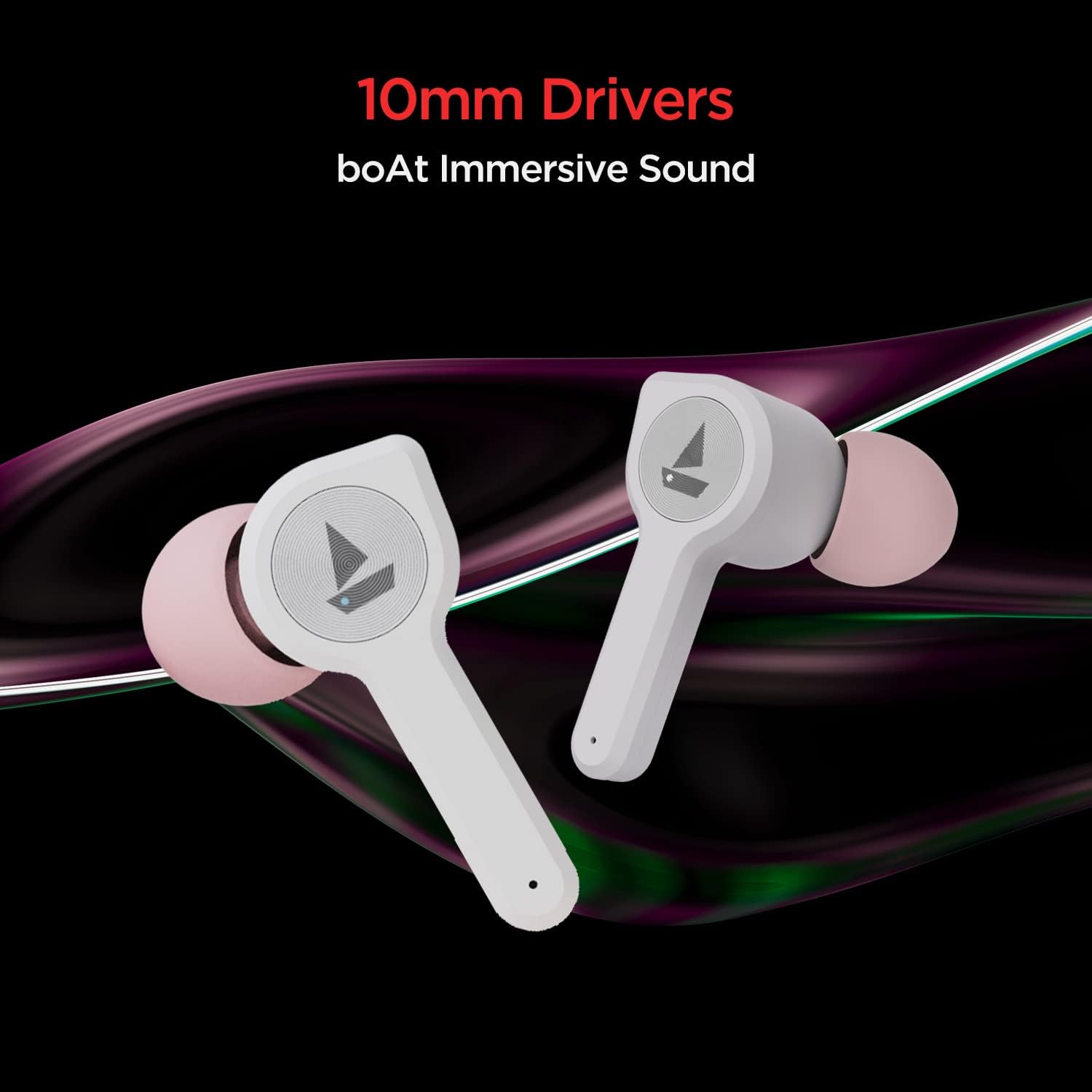
Image: The boAt Airdopes 408 earbuds highlighting the 10mm drivers for immersive sound.
Nlekọta
Nhicha
Regularly clean your earbuds and charging case with a soft, dry cloth. Avoid using harsh chemicals or abrasive materials.
Mmiri na Ọsụsọ Nguzogide
The Airdopes 408 earbuds are IPX4 rated, making them resistant to splashes of water and sweat. This makes them suitable for workouts and outdoor activities. However, they are not designed for submersion in water.

Image: The boAt Airdopes 408 earbuds demonstrating IPX4 water and sweat resistance.
Nchọpụta nsogbu
- Igwe ntị anaghị ejikọta: Ensure both earbuds are charged. Place them back in the case, close it, then open it again to re-enter pairing mode. Check your device's Bluetooth settings and try reconnecting.
- Naanị otu earbud na-arụ ọrụ: Try resetting the earbuds. Place both earbuds in the charging case, then remove them. If the issue persists, try re-pairing them with your device.
- Olu dị ala: Adjust the volume on both your connected device and through the earbud controls. Ensure ear tips are properly sealed in your ear canal.
- Nsogbu ịchaji: Hụ na eriri chaja ahụ jikọtara nke ọma na akpa ahụ na isi iyi ike ahụ. Hichaa kọntaktị chaja dị na ntị na n'ime akpa ahụ.
Nkọwapụta
| Aha Nlereanya | Ụgbọ elu 408 |
| Teknụzụ Njikọta | Bluetooth V5.0 |
| Ntinye ntị | Na Ntị |
| Usoro njikwa | Metụ aka |
| Ogo IP | IPX4 (Mmiri na Ọsụsọ Na-eguzogide) |
| Playback Time (per charge) | Ruo awa iri abụọ |
| Oge Mkpọghachi (na ikpe) | Ruo awa iri abụọ |
| Ụgwọ ASAP | 5 mins charge = 40 mins playback |
| Nha ọkwọ ụgbọ ala | 10mm |
| Ihe onwunwe | Plastic |
| Ibu Ibu | 45 grams |
| Akụkụ ngwaahịa | 7 x 6 x 3 cm |
Akwụkwọ ikike na nkwado
Your boAt Airdopes 408 comes with a akwụkwọ ikike otu afọ from the date of purchase. For warranty claims, technical support, or any product-related inquiries, please refer to the contact information provided on your warranty card or visit the official boAt support websaịtị.
Biko dowe ihe akaebe nke ịzụrụ ihe maka nkwado akwụkwọ ikike.


