1. Ngwaahịa gafereview
The Boytond Bluetooth Headset V5.3, Model YYK-520, is a single-ear wireless earbud designed for clear communication and extended use. Featuring Bluetooth 5.3 technology for stable connections, CVC8.0 noise cancellation for calls, and a 500mAh charging case providing up to 100 hours of total usage time. Its ergonomic design ensures comfort for either ear, and intuitive controls simplify operation.
2. Kedu ihe dị na Igbe ahụ
- 1x Single Ear Bluetooth Headset
- 1 x Akpa nchaji
- 1x eriri chaja (USB-C)
- 1x Akwụkwọ ntuziaka onye ọrụ
- S/M/L Ear Tips (one set pre-installed, two additional sets)

Image: The Boytond Bluetooth Headset YYK-520, its charging case, and included accessories.
3. Nhazi
3.1 Ịchaji ekweisi na akpa ahụ
Before first use, fully charge the headset and charging case. The headset charges automatically when placed inside the case. The charging case features an LED digital display to show its remaining power.
- Ịchaji ekweisi: Place the headset into the charging case. Ensure the charging contacts align. The headset will begin charging.
- Ịchaji ikpe ahụ: Connect the provided USB-C charging cable to the charging port on the case and to a compatible USB power source. The LED display will indicate charging progress. A full charge takes approximately 1.5 hours.
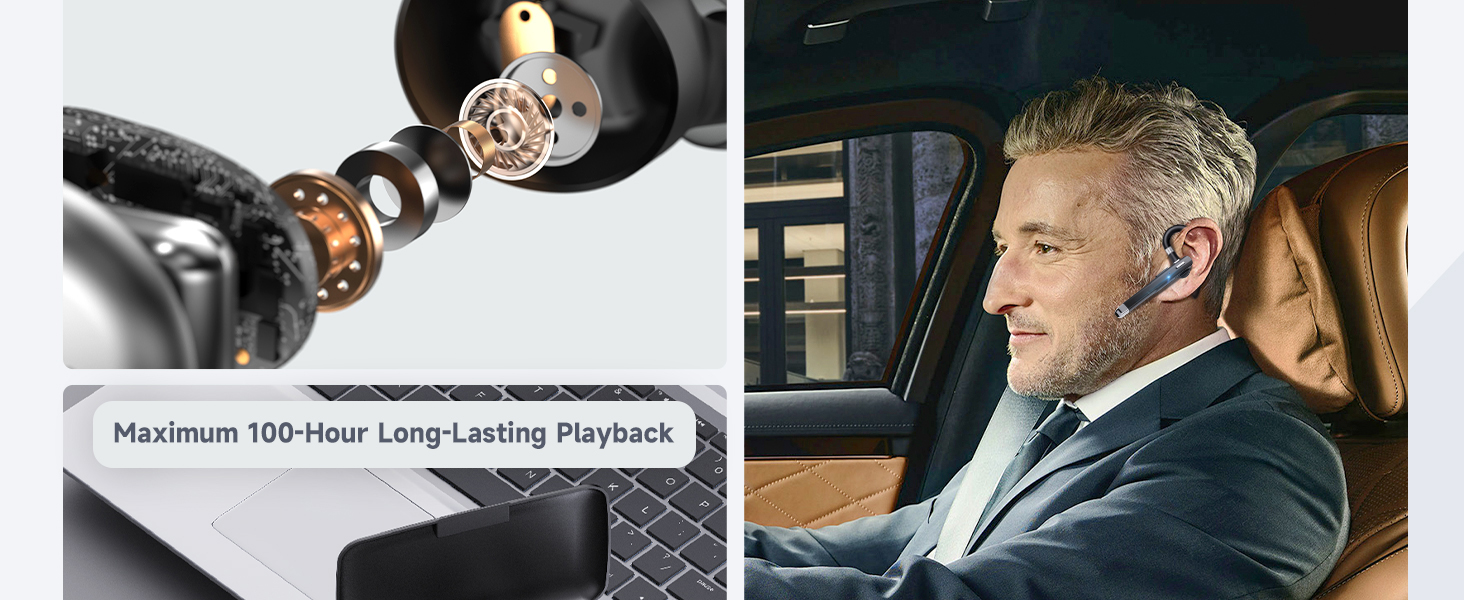
Image: Visual representation of charging the headset within its case and charging the case itself using a USB-C cable.
3.2 Njikọ Bluetooth
The headset uses Bluetooth 5.3 for quick and stable connections.
- Ike Na: The headset automatically powers on when removed from the charging case. Alternatively, press and hold the Multi-Function Button (MFB) for 3 seconds until the LED indicator flashes blue and red, indicating pairing mode.
- Mee ka Bluetooth rụọ ọrụ: Na ngwaọrụ gị (smartphone, mbadamba, laptọọpụ), gbanye Bluetooth.
- Họrọ Ngwaọrụ: In your device's Bluetooth settings, search for "YYK-520" and select it to pair.
- nkwenye: Once successfully paired, the headset's LED indicator will flash blue slowly, and you will hear a voice prompt "Connected."
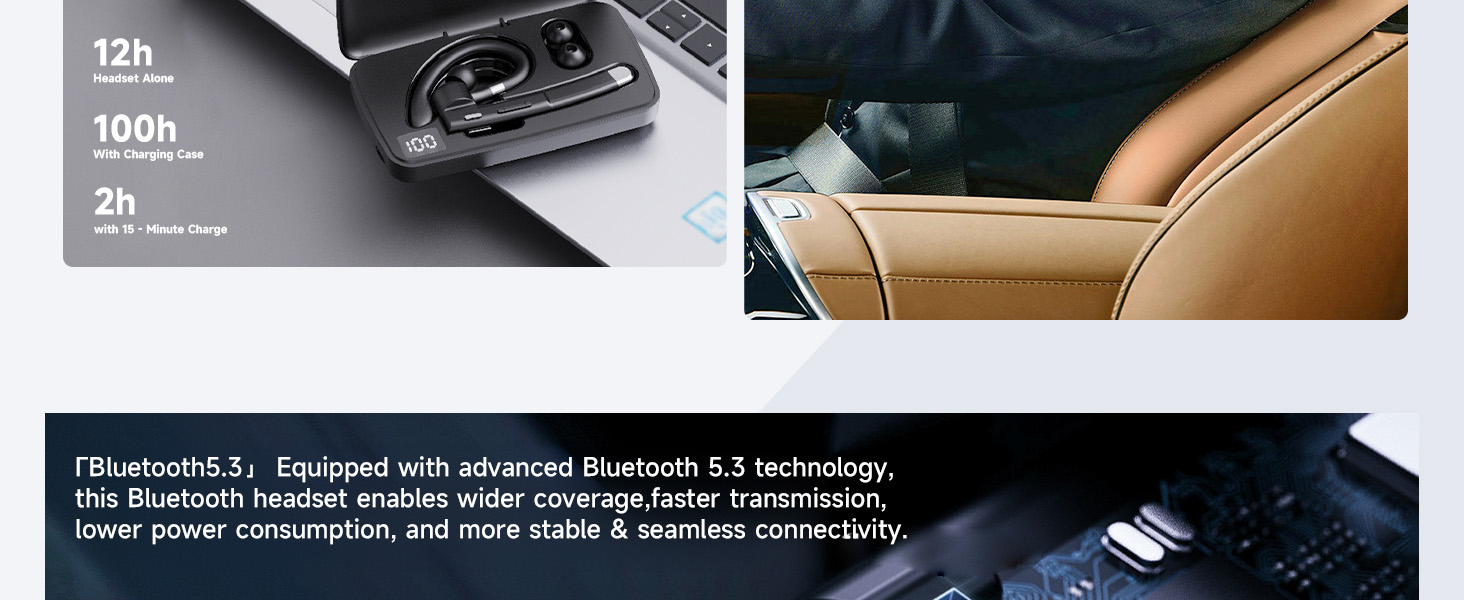
Image: A visual of the Bluetooth 5.3 technology chip, highlighting stable and fast connectivity.
4. Ntuziaka ọrụ
4.1 Yi ekweisi
The YYK-520 headset is designed for ergonomic comfort and can be worn on either ear.
- Gbanwee nko ntị: The ear hook can rotate 270° to fit comfortably over your ear.
- Adjust Microphone: The microphone boom swivels 180°, allowing you to position it optimally for voice capture, regardless of which ear you wear the headset on.
- Họrọ Ntị Ntị: Choose from the provided S/M/L ear tips for the best fit and comfort.
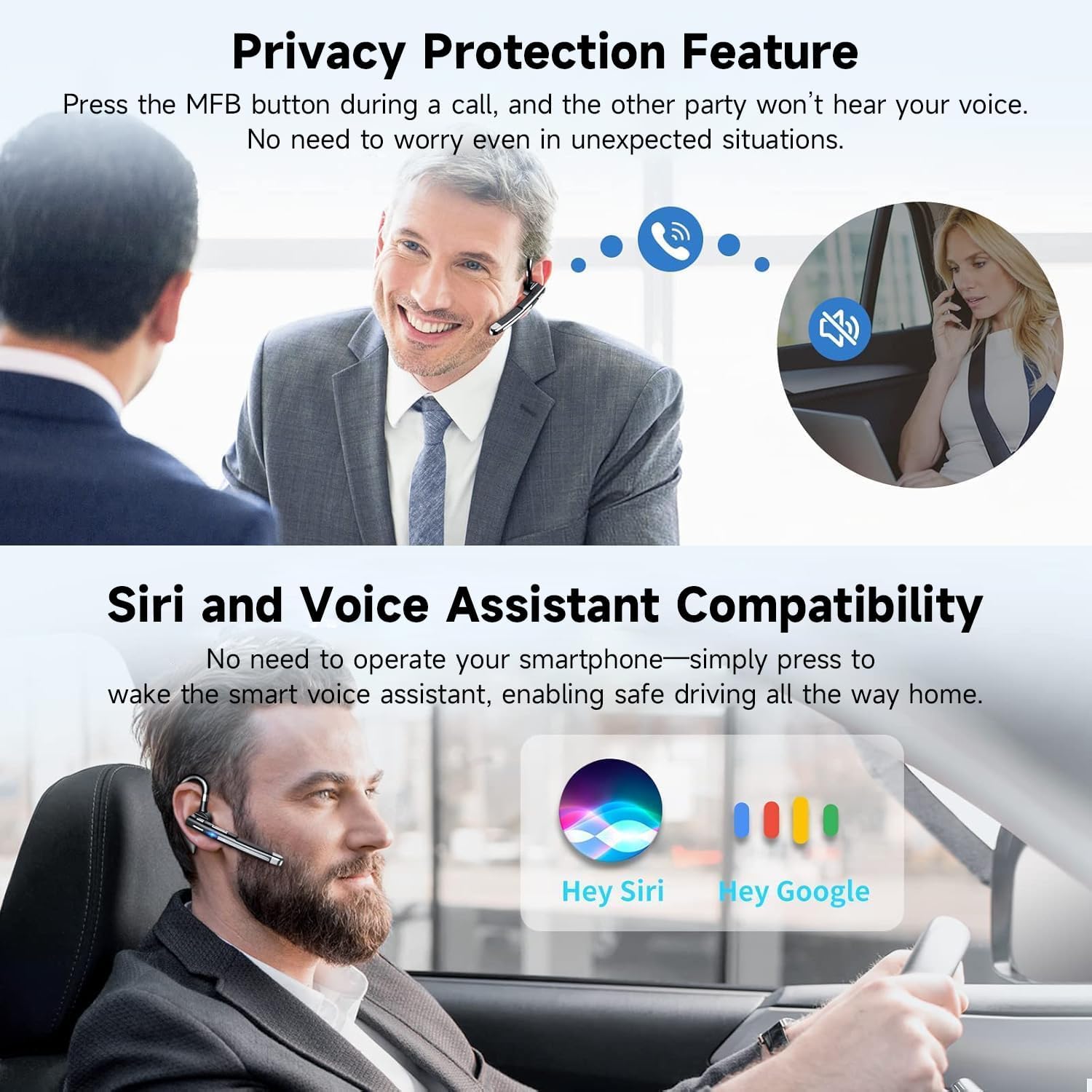
Image: The headset demonstrating its 270° rotating ear hook and 180° swiveling microphone for universal fit.
4.2 bọtịnụ Ọrụ
The headset features intuitive one-button controls for various functions:
- MFB (bọtịnụ ọtụtụ ọrụ):
- Gbanyụọ/ Gbanyụọ: Pịa ma jide maka 3 sekọnd.
- Azịza/Kwụsị Oku: Otu pịa.
- Jụ oku: Pịa ma jide maka 2 sekọnd.
- Nọmba Ikpeazụ emegharịgharịrị: Pịa ugboro abụọ.
- Kpọọ/Kwụsị Egwu: Otu pịa.
- Mee ka onye enyemaka olu rụọ ọrụ (Siri/onye enyemaka Google): Pịa ma jide maka 2 sekọnd.
- Bọtịnụ Elu Olu (+):
- Dịkwuo Mpịakọta: Otu pịa.
- Track na-esote: Pịa ma jide maka 1 sekọnd.
- Bọtịnụ ala ala (-):
- Belata Mpịakọta: Otu pịa.
- Gara aga Track: Pịa ma jide maka 1 sekọnd.
- Mechie ọrụ: During a call, press the MFB key to mute/unmute your microphone.
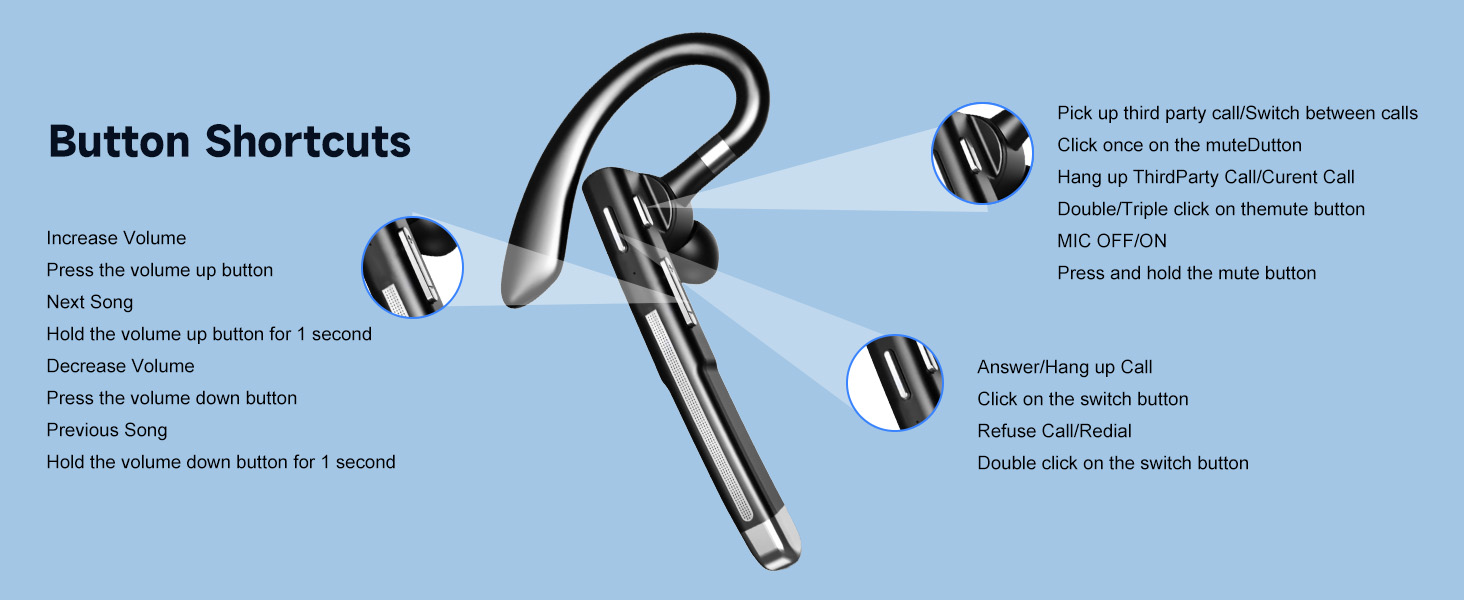
Image: A diagram illustrating the various button functions and their corresponding actions on the headset.
4.3 Njikọ ngwaọrụ abụọ
The headset supports simultaneous connection to two Bluetooth-enabled devices.
- Pair the headset with the first device as described in Section 3.2.
- Gbanyụọ Bluetooth na ngwaọrụ mbụ.
- Put the headset back into pairing mode (LED flashes red/blue).
- Jikọọ ekweisi na ngwaọrụ nke abụọ.
- Re-enable Bluetooth on the first device. The headset should automatically connect to both devices.
- To switch between devices, pause audio/end call on the active device, then initiate audio/call on the other device.
5. Nlekọta
- Nhicha: Use a soft, dry cloth to clean the headset and charging case. Do not use harsh chemicals or abrasive materials.
- Nchekwa: When not in use, store the headset in its charging case to protect it and keep it charged. Store in a cool, dry place away from direct sunlight and extreme temperatures.
- Zenarị mmiri: While designed for daily use, avoid submerging the headset in water.
6. Nchọpụta nsogbu
| Okwu | Ngwọta enwere ike |
|---|---|
| Headset won't power on. | Ensure the headset is charged. Place it in the charging case or connect directly to a power source. |
| Enweghị ike ijikọ na ngwaọrụ. |
|
| Enweghị ụda ma ọ bụ obere olu. |
|
| Intermittent connection/disconnection when not in use. | This can sometimes occur with Bluetooth devices. Ensure the headset is within range of your device. If not actively using, consider powering off the headset or placing it in its charging case. |
| Igwe okwu anaghị arụ ọrụ. |
|
7. Nkọwapụta
| Njirimara | Nkọwa |
|---|---|
| Aha Nlereanya | YYK-520 |
| Ụdị | Boytond |
| Teknụzụ Njikọta | Bluetooth 5.3 |
| Teknụzụ nzikọrịta ozi ikuku | Bluetooth |
| Njikwa mkpọtụ | Active Noise Cancellation (CVC8.0) |
| Battery Life (Headset) | Ruo awa 11 |
| Ịchaji batrị akpa | 500 mAh (up to 100 hours total usage time with case) |
| Oge Nchaji | Awa 1.5 |
| Oke Bluetooth | 10 mita |
| Ibu Ibu | 12 grams (0.423 ounces) |
| Ihe onwunwe | Plastic |
| Ngwa dakọtara | Laptọọpụ, Desktọpụ, Mbadamba ụrọ, ekwentị, Smart Ọkà Okwu, Television, Ekwentị |
| Ụdị njikwa | Button, Touch, Siri Voice Assistant |
| Ntinye ntị | Na Ntị |
8. Akwụkwọ ikike na nkwado
Boytond is committed to providing excellent customer service and product satisfaction.
- 24-Hour Online Customer Service: For any inquiries regarding product delivery, satisfaction, usage issues, or other suggestions, please contact the Boytond After-sales Service Team directly.
- 365-Day Positive Service: If you encounter missing parts, product malfunction, damage, or other problems, Boytond guarantees a 100% satisfactory solution within 365 days, at no cost to you. Products with quality defects will be replaced or fully refunded.
Image: Information regarding Boytond's 24-hour online customer service and 365-day positive service.
9. Videos ngwaahịa
Vidiyo: Efereview of the Boytond Bluetooth Headset, demonstrating its features and functionality.


