Okwu mmalite
This manual provides detailed instructions for the proper use and maintenance of your AIWA HST-250BT Bluetooth Over-Ear Headphones. Please read this manual thoroughly before using the product to ensure optimal performance and longevity.
Kedu ihe dị na Igbe ahụ
Mgbe i bupuchara, biko hụ na ihe niile dị:
- AIWA HST-250BT Bluetooth Over-Ear Headphones
- Braided nylon micro USB charging cable
- Aux cable 3.5mm stereo to 3.5mm stereo (1 meter length, high quality with metal plugs)
- Deluxe carrying case
- Akwụkwọ ntuziaka (akwụkwọ a)
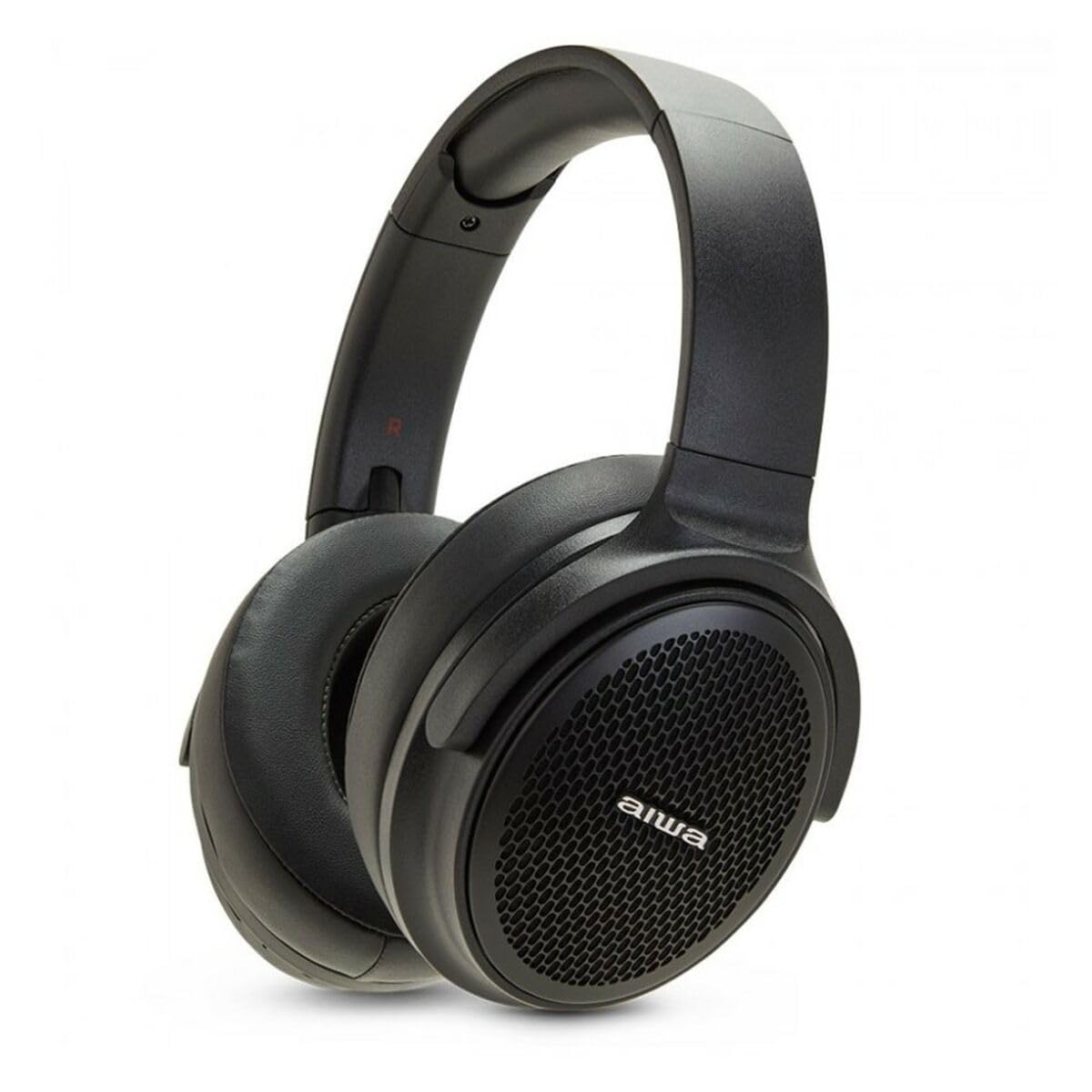
Image: The AIWA HST-250BT headphones shown with the braided micro USB charging cable, 3.5mm aux cable, and deluxe carrying case.
Njirimara ngwaahịa
- Njikọ Bluetooth 5.0: For stable and efficient wireless connection.
- HyperBass Technology: Enhanced bass for a rich audio experience.
- Wired and Wireless Operation: Use via Bluetooth or the included 3.5mm audio cable.
- Oghere Micro SD: Play music directly from a Micro SD card.
- Njikwa agbakwunyere: Touch controls for music playback and call management.
- Igwe okwu arụnyere n'ime ya: Maka oku na-enweghị aka.
- Batrị enwere ike ịchaji: Long-lasting battery with ultra-low power consumption.
- Nhazi mgbochi mmiri: Na-echebe megide mmiri ozuzo na ọsụsọ.
- Nhazi dị mma: Over-ear earpiece shape for extended wear.
Melite
1. Ịchaji ekweisi
Before first use, fully charge your AIWA HST-250BT headphones. Use the provided micro USB charging cable.
- Connect the micro USB end of the cable to the charging port on the headphones.
- Connect the USB-A end of the cable to a USB power adapter (not included) or a computer's USB port.
- The LED indicator will illuminate to show charging status. It typically takes approximately 2 hours for a full charge.
- Once fully charged, the LED indicator will change or turn off (refer to the specific LED behavior in your product's quick start guide if available).
2. Njikọ Bluetooth
Pair your headphones with your smart device for wireless audio.
- Gbaa mbọ hụ na agbanyụrụ ekweisi ma gbanyụọ ya.
- Press and hold the power button on the headphones until the LED indicator flashes rapidly (usually blue and red), indicating pairing mode.
- Na ngwaọrụ smart gị (ama, mbadamba, kọmputa), gaa na ntọala Bluetooth.
- Turn on Bluetooth and search for available devices.
- Select "AIWA HST-250BT" from the list of found devices.
- Once paired, the LED indicator on the headphones will typically show a slow blue flash or solid blue light.
- Ọ bụrụ na a kpaliri maka paswọọdụ, tinye "0000".
Rịba ama: Ekweisi ndị a ga-anwa ijikọghachi na ngwaọrụ ikpeazụ ejikọtara ozugbo mgbe agbanyere ya.
Ntuziaka ọrụ
Gbanyụọ/ Gbanyụọ
- Ike Na: Pịa ma jide bọtịnụ ike maka ihe dịka 3 sekọnd.
- Gbanyụọ: Pịa ma jide bọtịnụ ike maka ihe dịka 5 sekọnd.
Music Playback (Bluetooth Mode)
- Gwuo/kwụsịtụ: Pịa bọtịnụ Multi-function ozugbo.
- Track na-esote: Press and hold the Volume Up button.
- Gara aga Track: Pịa ma jide bọtịnụ ụda ala.
- Olu elu: Pịa obere bọtịnụ Mpịakọta Elu.
- Olu ala: Pịa obere bọtịnụ Mbelata Olu.
Njikwa Oku
- Azịza/Kwụsị Oku: Pịa bọtịnụ Multi-function ozugbo.
- Jụ oku: Pịa ma jide bọtịnụ ọtụtụ ọrụ maka sekọnd iri na abụọ.
- Nọmba Ikpeazụ emegharịgharịrị: Pịa bọtịnụ Multi-function ugboro abụọ.
Iji Micro SD kaadị
The headphones support direct playback from a Micro SD card.
- Insert a Micro SD card (with supported audio files) into the designated slot on the headphones.
- The headphones will automatically switch to Micro SD playback mode or you may need to press a mode button (refer to specific button layout if available).
- Use the music playback controls (Play/Pause, Next/Previous Track, Volume) as described above.
Wired Connection (AUX Mode)
For a wired connection, use the included 3.5mm audio cable.
- Connect one end of the 3.5mm audio cable to the AUX input port on the headphones.
- Connect the other end to the 3.5mm audio output jack of your audio source (e.g., smartphone, MP3 player).
- In AUX mode, controls on the headphones (like volume, play/pause) may not function, and you will need to control playback from your audio source.
Nlekọta
- Nhicha: Jiri ákwà dị nro ma kpọọ nkụ hichaa ekweisi gị. Ejila ihe nhicha ma ọ bụ ihe mgbaze.
- Nchekwa: Store the headphones in the provided deluxe carrying case when not in use to protect them from dust and damage.
- Nlekọta batrị: Iji mee ka batrị dị ogologo, zere iwepụ ekweisi gị kpamkpam mgbe niile. Chaji ha mgbe niile, ọbụlagodi na ejibeghị ha ruo ogologo oge.
- Nguzogide mmiri: While waterproof, avoid submerging the headphones in water. Dry them thoroughly if they get wet.
Nchọpụta nsogbu
| Nsogbu | Ihe nwere ike ime | Ngwọta |
|---|---|---|
| Igwe ekweisi anaghị agba ọkụ. | Batrị dị ala. | Jiri eriri USB chajịa ekweisi nke ọma. |
| Enweghị ike ijikọ na ngwaọrụ. | Igwe ekweisi adịghị na ọnọdụ njikọta; Gbanyụọ Bluetooth na ngwaọrụ; ngwaọrụ tere aka. | Ensure headphones are in pairing mode (flashing LED). Turn on Bluetooth on your device. Move device closer to headphones (within 10 meters). Forget previous pairings on your device and try again. |
| Enweghị ụda ma ọ bụ obere olu. | Volume too low on headphones or device; incorrect audio source; headphones not connected. | Increase volume on both headphones and connected device. Ensure headphones are properly paired or the AUX cable is fully inserted. Check if the correct audio output is selected on your device. |
| Micro SD card not playing. | Etinyeghị kaadị nke ọma; akwadoghị file usoro; kaadị mebiri emebi. | Tinyeghachi kaadị Micro SD ọzọ. Hụ na ọ na-ege ntị na ọdịyo ahụ. files dị n'ụdị akwadoro (dịka ọmụmaatụ, MP3). Gbalịa kaadị Micro SD dị iche. |
Nkọwapụta
| Njirimara | Nkọwa |
|---|---|
| Aha Nlereanya | HST-250BT |
| Teknụzụ Njikọta | Wireless (Bluetooth), Wired (3.5mm AUX) |
| Teknụzụ nzikọrịta ozi ikuku | Bluetooth 5.0 |
| Ụdị ntị | N'elu Ntị |
| Ụdị ọkwọ ụgbọ ala ọdịyo | Ọkwọ ụgbọala dị ike |
| Usoro njikwa | Metụ aka |
| Atụmatụ pụrụ iche | HyperBASS, 10M Range, Call use, Rechargeable, Ultra low power consumption, Micro SD Slot, Waterproof |
| Oge Nchaji | Ihe dị ka awa 2 |
| Ngwa dakọtara | Ngwa smart |
| Ibu Ibu | 100 grams (3.53 ounces) |
| Akụkụ ngwaahịa | 19.69 x 19.69 x 11.02 sentimita asatọ |
| Ihe onwunwe | Naịlọn |
| Onye nrụpụta | AIWA |
Ozi nchekwa
Please observe the following safety guidelines for safe operation and to prevent damage to your device:
- Ekwela ka ekweisi gị nọrọ n'ọnọdụ okpomọkụ dị oke elu, anwụ kpọmkwem, ma ọ bụ oke iru mmiri.
- Zere ige ntị n'ogo dị elu ruo ogologo oge iji gbochie mmebi ntị.
- Agbalịla ịgbasa ma ọ bụ gbanwee ekweisi. Nke a ga-eme ka akwụkwọ ikike ahụ ghara ịdị irè ma nwee ike imebi ya.
- Debe ekweisi n'ebe ụmụaka na anụ ụlọ nọ.
- Jiri naanị eriri nchaji enyere ma ọ bụ ihe dabara adabara.
- Tụfuo ngwaahịa ahụ n'ụzọ kwesịrị ekwesị dịka iwu obodo si dị. Etinyela ihe mkpofu n'ụlọ.
Akwụkwọ ikike na nkwado
AIWA products are designed and manufactured to the highest quality standards. For warranty information and technical support, please refer to the warranty card included with your purchase or visit the official AIWA websaịtị.
For further assistance, you may contact AIWA customer support through their official channels.
Note: Specific warranty terms may vary by region. Please retain your proof of purchase for warranty claims.


