Ngwaahịa gafereview
The RAZEAK Portable 60% Mechanical Keyboard (Model: X44-BKWT-RS) is a compact, 61-key mini mechanical keyboard designed for PC and Mac users, including gamers. It features switchable colorful backlighting and Red switches for a responsive typing experience.
- Nhazi kọmpat 60%: Space-saving 61-key design with full functionality via key combinations.
- N-Key Rollover: Independent mechanical Red switches ensure long-lasting and stable operation with anti-ghosting for all 61 keys.
- Dual Colour Translucent Keycaps: Injection-moulded keycaps provide durability and enhanced light transmission for visibility in low-light conditions.
- Colorful Backlighting: Multi-colored LED backlighting with 19 distinct modes to customize your experience.
- Humanistic Design: Features flat and 2-angle height adjustment for ergonomic comfort and a detachable USB-C cable for universal compatibility and portability.

Image: The RAZEAK Portable 60% Mechanical Keyboard, showcasing its compact design and colorful backlighting.
Ntuziaka nhazi
Follow these steps to set up your RAZEAK Portable 60% Mechanical Keyboard:
- Mepee ahụigodo: Carefully remove the keyboard and the included USB-C cable from its packaging.
- Jikọọ eriri USB-C: Insert the smaller USB-C end of the cable into the USB-C port located on the back of the keyboard.
- Jikọọ na Kọmputa: Plug the standard USB-A end of the cable into an available USB port on your Windows PC or Mac.
- Nwụnye ọkwọ ụgbọ ala (Na-akpaghị aka): A na-etinye kibọọdụ ahụ na plug-and-play. Sistemụ arụmọrụ gị kwesịrị ịchọpụta ma wụnye draịva dị mkpa na akpaghị aka. A naghị achọkarị itinye draịva aka.
- Gbanwee Ogologo: Flip out the two adjustable feet on the underside of the keyboard to set your preferred typing angle.

Image: The RAZEAK keyboard connected to a computer via its USB-C cable, ready for use.

Foto: nso nso view of the detachable USB-C port on the RAZEAK keyboard, highlighting its connectivity.
Ntuziaka ọrụ
The RAZEAK 60% keyboard utilizes a compact layout, requiring the use of the Function (Fn) key for accessing secondary functions and multimedia controls.
Ọrụ na Nchikota Ndị Dị Mkpa
Many keys have dual functions, accessible by pressing the Fn key in combination with another key. Refer to the diagram below for common combinations.

Image: Diagram illustrating the compound function key switches and combinations on the RAZEAK keyboard.
- Fn + F1-F12: Access various multimedia and system functions (e.g., volume control, media playback, brightness).
- Shift + Sub-Function: Some keys have a third function accessible with Shift. For example, Shift + ! for '!' symbol.
- Igodo Fn + akụ: To unlock or cancel arrow keys, press Fn + the desired arrow key. This allows the standard WASD keys to function as arrow keys when needed.
Njikwa Ọkụ Azụ
The keyboard features multi-colored LED backlighting with 19 different modes. Use the following combinations to control the lighting:
- Fn + \ |: Cycle through the 19 different backlighting modes.
- Fn + [{ or ]}: Gbanwee ọkụ azụ azụ.
- Fn + ;: or '": Adjust backlight speed/direction (depending on mode).

Image: Multiple RAZEAK keyboards displaying different colorful backlighting effects.
N-Key Rollover and Switches
The keyboard supports N-Key Rollover, meaning all 61 keys can be pressed simultaneously and registered correctly without ghosting. It is equipped with durable Red mechanical switches, known for their linear feel and quiet operation.
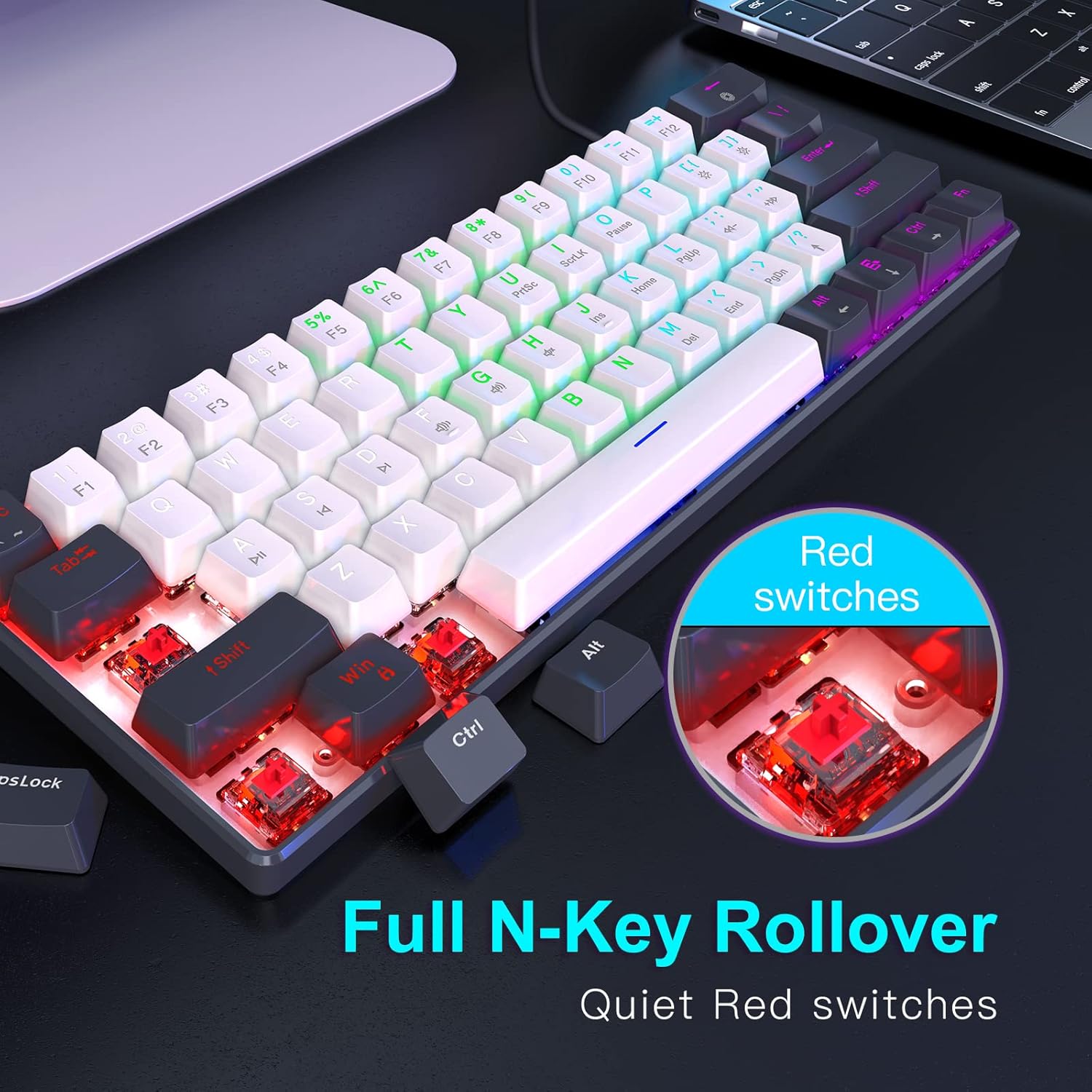
Foto: nso nso view of the Red mechanical switches and an illustration of the N-Key Rollover feature.
Nlekọta
Ndozi nke ọma na-achọpụta ogologo ndụ yana ezigbo arụmọrụ nke ahụigodo gị.
- Isi igodo nhicha: Jiri nwayọọ, damp cloth with a mild cleaning solution to wipe down the keycaps. Avoid excessive moisture.
- Cleaning Between Keys: Use compressed air to remove dust, crumbs, and debris from between the keycaps. A small brush can also be used.
- Nchacha izugbe: Wipe the keyboard's body with a dry or slightly damp cloth. Do not submerge the keyboard in water or use harsh chemicals.
- Nlekọta USB: Avoid sharp bends or kinks in the USB-C cable to prevent damage.
Nchọpụta nsogbu
If you encounter issues with your RAZEAK keyboard, refer to the following common troubleshooting steps:
| Nsogbu | Ihe nwere ike ime | Ngwọta |
|---|---|---|
| Keyboard not responding / Keys not registering | Loose cable connection, USB port issue, temporary software glitch. |
|
| Backlighting not working or stuck | Backlight turned off, mode selected has no animation, software conflict. |
|
| Igodo akọwapụtara anaghị arụ ọrụ | Njehie dị n'okpuru okpu igodo, nsogbu mgbanwe ahụ adịghị. |
|
Nkọwapụta
Detailed specifications for the RAZEAK Portable 60% Mechanical Keyboard:
- Nọmba nlereanya: X44-BKWT-RS
- Ntọala kiiboodu: 60% (Igodo 61)
- Ụdị mgbanwe: Mgbanwe igwe na-acha uhie uhie
- Njikọta: Wired USB-C (Detachable cable)
- Ngwa dakọtara: Windows PCs, Mac
- Ọkụ azụ: Multi-colored LED with 19 modes
- Ụdị igodo: Dual Colour Injection Moulded Translucent Keycaps
- N-Key Rollover: Supported (61 keys anti-ghosting)
- Akụkụ ngwaahịa: 11.5 x 4.02 x 1.57 sentimita (29.21 x 10.21 x 3.99 cm)
- Ibu ihe: 1.34 pound (0.61 n'arọ)
- Onye nrụpụta: WINSTAR TECHNOLOGY INDUSTRIAL LIMITED
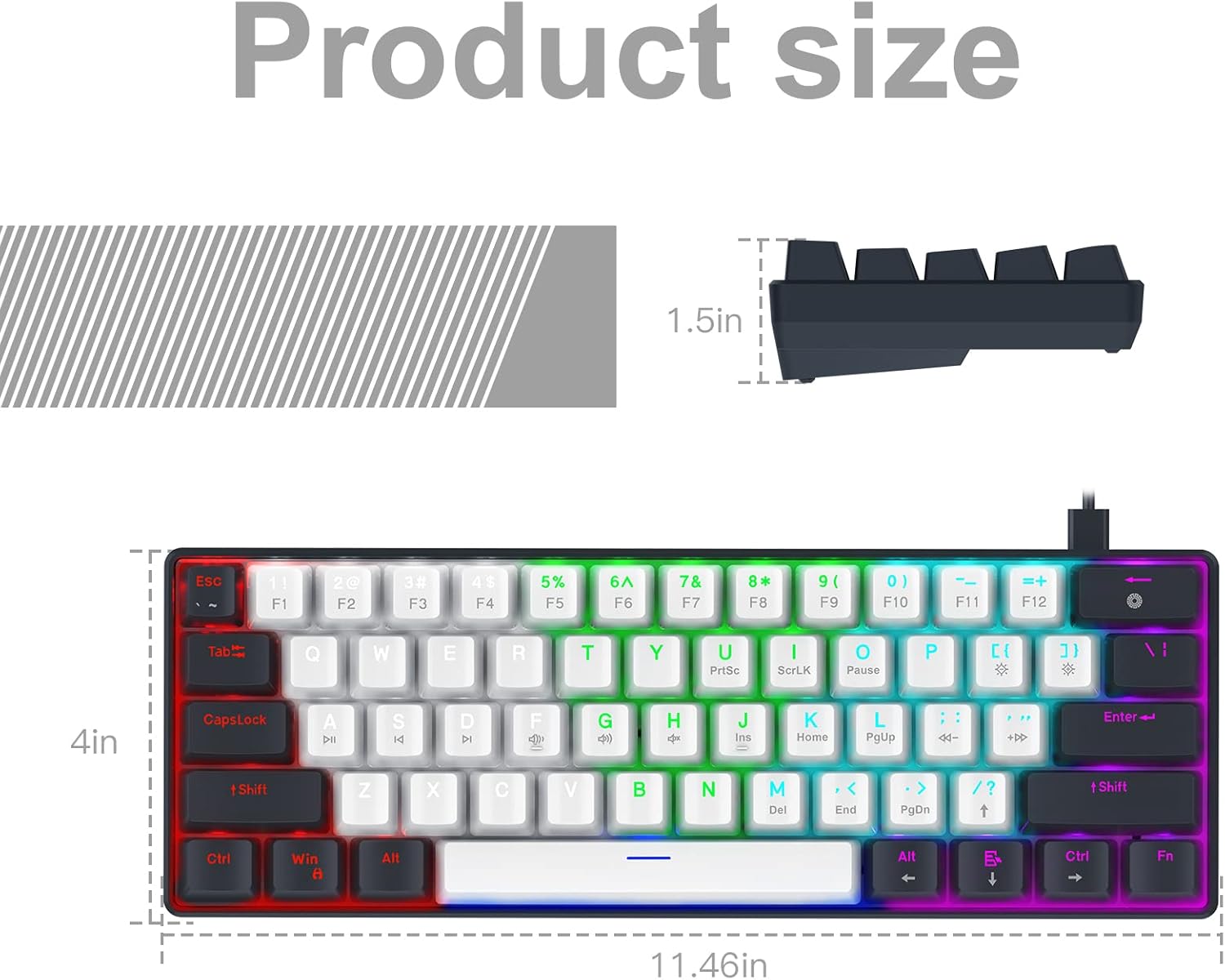
Image: Diagram illustrating the precise dimensions of the RAZEAK Portable 60% Mechanical Keyboard.
Akwụkwọ ikike na nkwado
For warranty information and customer support, please refer to the documentation included with your product or contact the seller directly. While specific warranty terms are not detailed in this manual, the product typically includes a return/replacement policy for a period of 30 days from purchase.
You can also visit the official RAZEAK store on Amazon for more information and support resources: RAZEAK Store
For direct inquiries, please contact the seller, Razeak-US, through the Amazon platform.


