1. Okwu mmalite
This manual provides detailed instructions for the assembly, operation, and maintenance of your SMUG 48x24 Inch Electric Height Adjustable Standing Desk. Designed for home and office use, this desk promotes a healthier work environment by allowing seamless transitions between sitting and standing positions. Please read this manual thoroughly before use to ensure proper setup and safe operation.
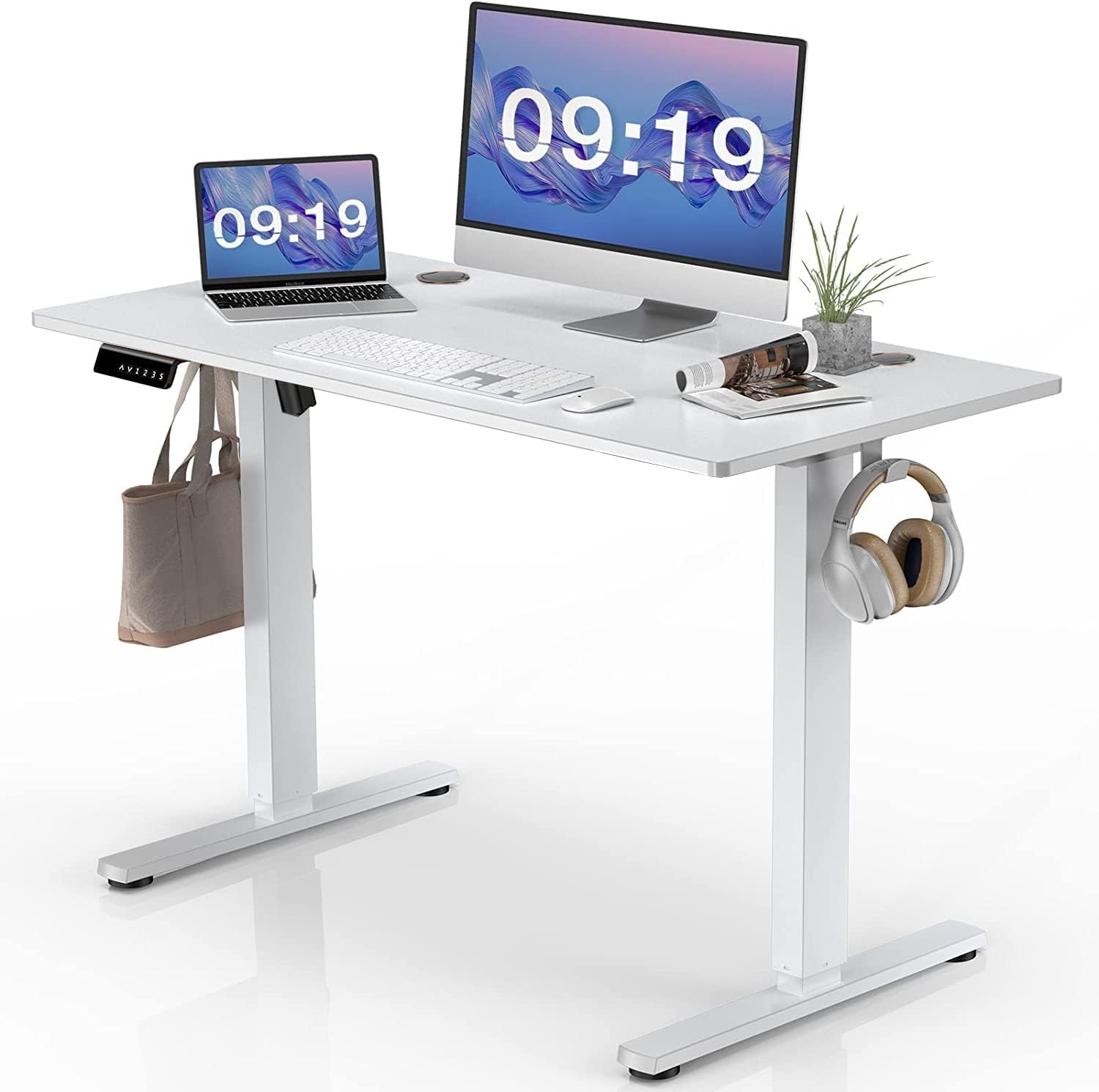
Figure 1.1: The SMUG 48x24 Inch Electric Height Adjustable Standing Desk, showcasing its clean white design and functional workspace.
2. Ozi nchekwa
This desk includes safety features such as a child safety lock function, anti-collision function, and overload protection function. Users should follow the assembly instructions carefully, ensure proper anchoring if necessary, and adhere to the recommended weight limit of 154 pounds. Always supervise children during use and avoid exceeding the maximum loadable weight to prevent potential hazards.

Figure 2.1: The desk's eco-friendly desktop material and safe rounded corners, designed for a healthy home environment.
3. Ihe ngwugwu
Before beginning assembly, please verify that all components are present and undamaged. The package should include:
- Desktop (48 x 24 Inches)
- Ogidi Ibuli Elu Eletriki (Ụkwụ)
- Control Panel with Memory Function
- Motor and Drive Rod
- Headphone Hook (2 units)
- Extra 2 rubber pads
- 4 kposara
- 2 wood dowel pins
- Ngwa mgbakọ niile dị mkpa
- Ihe nkwụnye ọkụ
- Akwụkwọ ntuziaka

Ọgụgụ 3.1: gbawara view of the SMUG standing desk components, illustrating all parts for assembly.
4. Ntọala & Mgbakọ
Assembly of the SMUG Electric Standing Desk is required. Please follow the detailed instructions provided in the included assembly guide. Ensure all screws are tightened securely to prevent wobbling. Pay particular attention to the hexagonal drive rod during installation; it may require slight rotation to align correctly between the legs. Incorrect alignment can lead to uneven height adjustment or instability.
The desk features pre-drilled wire holes for cable management and two headphone hooks for convenience. These can be installed on either side of the desk according to your preference.

Figure 4.1: The sturdy T-shaped metal frame of the desk, ready for desktop attachment.

Figure 4.2: Detail of the integrated headphone hook for convenient storage.
5. Ntuziaka ọrụ
5.1 Ndozi elu
The desk's height can be adjusted smoothly from 28.3 inches (minimum) to 46.5 inches (maximum). Use the up and down arrow buttons on the digital control panel to manually adjust the desk to your desired height.

Figure 5.1: Demonstrating the ergonomic height adjustment range of the SMUG standing desk.
5.2 Ntọala ebe nchekwa
The control panel allows you to save up to three preferred height settings. To set a memory position:
- Jiri akụ elu/ala gbanwee tebụl ahụ ka ọ dị n'ogo ịchọrọ.
- Press the "S" button.
- Press one of the numbered buttons (1, 2, or 3) to save the current height to that preset.
To recall a saved height, simply press the corresponding numbered button (1, 2, or 3).

Figure 5.2: The digital control panel, detailing the LED display, height adjustment, and memory preset functions.
5.3 Ọrụ Moto
The desk is equipped with a durable and quiet motor, operating at a speed of 1 inch per second with noise levels below 55 dB. This ensures smooth and discreet height adjustments without disturbing your work environment.

Figure 5.3: Illustration of the desk's motor and its integrated safety features.
5.4 Ọrụ nchekwa
- Ọrụ mkpọchi nchekwa: In the event of a power failure during operation, the desk's position will remain fixed, preventing unintended movement.
- Anti-Collision Function: The desk will automatically stop and slightly reverse if it encounters an obstruction during height adjustment.
- Nchekwa ibu ibu: If the desk's load exceeds the maximum capacity of 154 lbs, the motor will automatically stop to prevent damage.

Figure 5.4: The desk's sturdy frame and self-locking function ensure stability and safety.
6. Nlekọta
To ensure the longevity and optimal performance of your SMUG Standing Desk, follow these maintenance guidelines:
- Nhicha: Jiri nwayọ hichaa desktọpụ na etiti, damp akwa . Zere ihe nchacha abrasive ma ọ bụ kemịkalụ siri ike nke nwere ike imebi njedebe.
- Lelee njikọ: Periodically inspect all screws and connections to ensure they remain tight. Retighten if necessary to maintain stability.
- Njikwa USB: Keep cables organized using the integrated wire holes and any additional cable management solutions to prevent snagging or damage during height adjustments.
- Oke ibu: Do not exceed the maximum weight capacity of 154 lbs to prevent strain on the motor and frame.
7. Nchọpụta nsogbu
If you encounter any issues with your SMUG Standing Desk, please refer to the following common problems and solutions:
| Nsogbu | Ihe nwere ike ime | Ngwọta |
|---|---|---|
| Desktọpụ na-ada ụda ma ọ bụ na-akwụghị ụgwọ. | Loose screws or uneven assembly of the frame/legs. | Ensure all assembly screws are securely tightened. Verify that the drive rod is correctly aligned and fully inserted into both legs. Check that the desk is on a level surface. |
| Desk does not adjust height. | Power disconnected, motor overload, or anti-collision activated. | Check power connection. Reduce weight on the desk if it exceeds 154 lbs. Clear any obstructions around the desk legs. Try resetting the desk (refer to specific reset instructions in the full assembly manual if available). |
| Uneven height adjustment. | Drive rod misalignment or damage. | Carefully inspect the drive rod for proper installation and alignment. If the issue persists, contact customer support. |
If these solutions do not resolve the issue, please contact SMUG Customer Support for further assistance.
8. Nkọwapụta
| Njirimara | Nkọwa |
|---|---|
| Ụdị | SMUG |
| Nọmba nlereanya | 4824-WT |
| Desktop Dimensions (W x D) | 47.24" x 23.62" (48 x 24 Inches) |
| Oke ndozi ịdị elu | 28.3"-46.5" |
| Ikike ịdị arọ kacha | 154 n'arọ |
| Motor Noise Level | N'okpuru 55dB |
| Ihe Desktọpụ | Eco-friendly Laminated Board (EPA & CARB compliant) |
| Frame Ihe | Metal (T-shape) |
| Agba | Ọcha |
| Atụmatụ pụrụ iche | Memory Controller, Headphone Hooks, Wire Holes, Anti-Collision, Overload Protection, Safety Lock |
| Mgbakọ chọrọ | Ee |
| Asambodo | FCC/UL962/CP65 |

Figure 8.1: Key dimensions and weight capacity of the SMUG standing desk.
9. Akwụkwọ ikike Ozi
The SMUG 48x24 Inch Electric Height Adjustable Standing Desk comes with a limited warranty. For specific details regarding coverage, duration, and terms, please refer to the warranty card included with your product or contact SMUG Customer Support.
10. Nkwado ndị ahịa
For any questions, technical assistance, or warranty claims, please contact SMUG Customer Support. Refer to the contact information provided in your product packaging or visit the official SMUG websaịtị maka nkọwa nkwado kachasị ọhụrụ.
We are committed to providing excellent service and ensuring your satisfaction with your SMUG product.


