Okwu mmalite
Thank you for choosing the Varmilo Minilo VXB67 65% Bluetooth Mechanical Keyboard. This manual provides detailed instructions for setting up, operating, and maintaining your new keyboard. The VXB67 offers a compact 65% layout, dual-mode connectivity (wired USB-C and Bluetooth), and a comfortable typing experience with Varmilo EC Daisy V2 switches and durable ABS double-shot keycaps. It also features a Type-Cool sound dampening structure for a clear typing sound.

Image: The Varmilo Minilo VXB67 keyboard, showcasing its compact design and color scheme.
Ihe ngwugwu
Biko lelee ọdịnaya nke ngwugwu ahụ ka ị hụ na ihe niile dị:
- Varmilo Minilo VXB67 Mechanical Keyboard
- USB-C USB
- Onye na-adọkpụ igodo
- Gbanwee Puller
- Ihe mkpuchi uzuzu
- Akwụkwọ ntuziaka (akwụkwọ a)

Image: The Varmilo Minilo VXB67 keyboard alongside its USB-C cable, keycap puller, switch puller, and a clear dust cover.
Melite
1. Njikọ eriri
- Chọta ọdụ USB-C na ahụigodo ahụ.
- Jikọọ otu njedebe nke eriri USB-C enyere na ahụigodo.
- Jikọọ nsọtụ nke ọzọ nke eriri USB-C na ọdụ USB dị na kọmputa gị.
- Sistemu eji arụ ọrụ gị ga-amata ahụigodo na-akpaghị aka.
2. Njikọ Bluetooth
The VXB67 keyboard can connect to up to 3 devices via Bluetooth.
- Gbaa mbọ hụ na akwụgoro ma ọ bụ jikọọ ahụigodo site na USB-C.
- Turn on Bluetooth on your device (computer, tablet, or smartphone).
- Na ahụigodo ahụ, pịa ma jide Fn key and one of the Bluetooth keys (Q, W, ma ọ bụ E) for 3-5 seconds to enter pairing mode. The indicator light will flash.
- On your device, search for Bluetooth devices and select "Varmilo VXB67" (or similar) from the list.
- Ozugbo ejikọtara ọnụ, ọkụ egosi na ahụigodo ga-akwụsị ịcha ọkụ wee nọgide na-esi ike.
- Repeat for up to two additional devices using the other Bluetooth keys.
3. Ịgbanwe Akụkụ Igodo
The keyboard features 3-level adjustable kickstands on the bottom to customize your typing angle for comfort.

Image: The underside of the keyboard, highlighting the foldable kickstands for ergonomic adjustment.
Video: Demonstrates the features of the Varmilo Minilo Eucalyptus keyboard, including the adjustable kickstands and multi-device connectivity.
Ntuziaka ọrụ
1. Keycap and Switch Replacement
The VXB67 features hot-swappable switches, allowing you to change switches without soldering. Use the provided keycap and switch pullers for this process.
- Iwepu isi igodo: Use the keycap puller to gently grip the keycap and pull upwards.
- Na-ewepụ Mgbanwe: Use the switch puller to carefully grip the top and bottom clips of the switch and pull upwards.
- Ịwụnye mgba ọkụ: Dozie ntụtụ nke mgba ọkụ ọhụrụ ahụ na oghere dị na PCB. Pịa ala nke ọma ruo mgbe mgba ọkụ ahụ pịrị n'ime ebe. Gbaa mbọ hụ na agbagọghị atụdo.
- Ịwụnye isi igodo: Debe mkpuchi igodo ahụ n'elu ogwe aka mgba ọkụ ahụ wee pịa ala nwayọ ruo mgbe ọ ga-adị mma.
Video: Demonstrates the process of changing switches and keycaps on the Varmilo Minilo 67 keyboard.
2. Njikwa ọkụ azụ
The keyboard features white LED backlighting. Use the following key combinations to control the backlight:
- Fn + \ |: Cycle through backlight effects.
- Fn + ↑: Mụbaa nchapụta azụ azụ.
- Fn + ↓: Belata nchapụta ọkụ azụ.
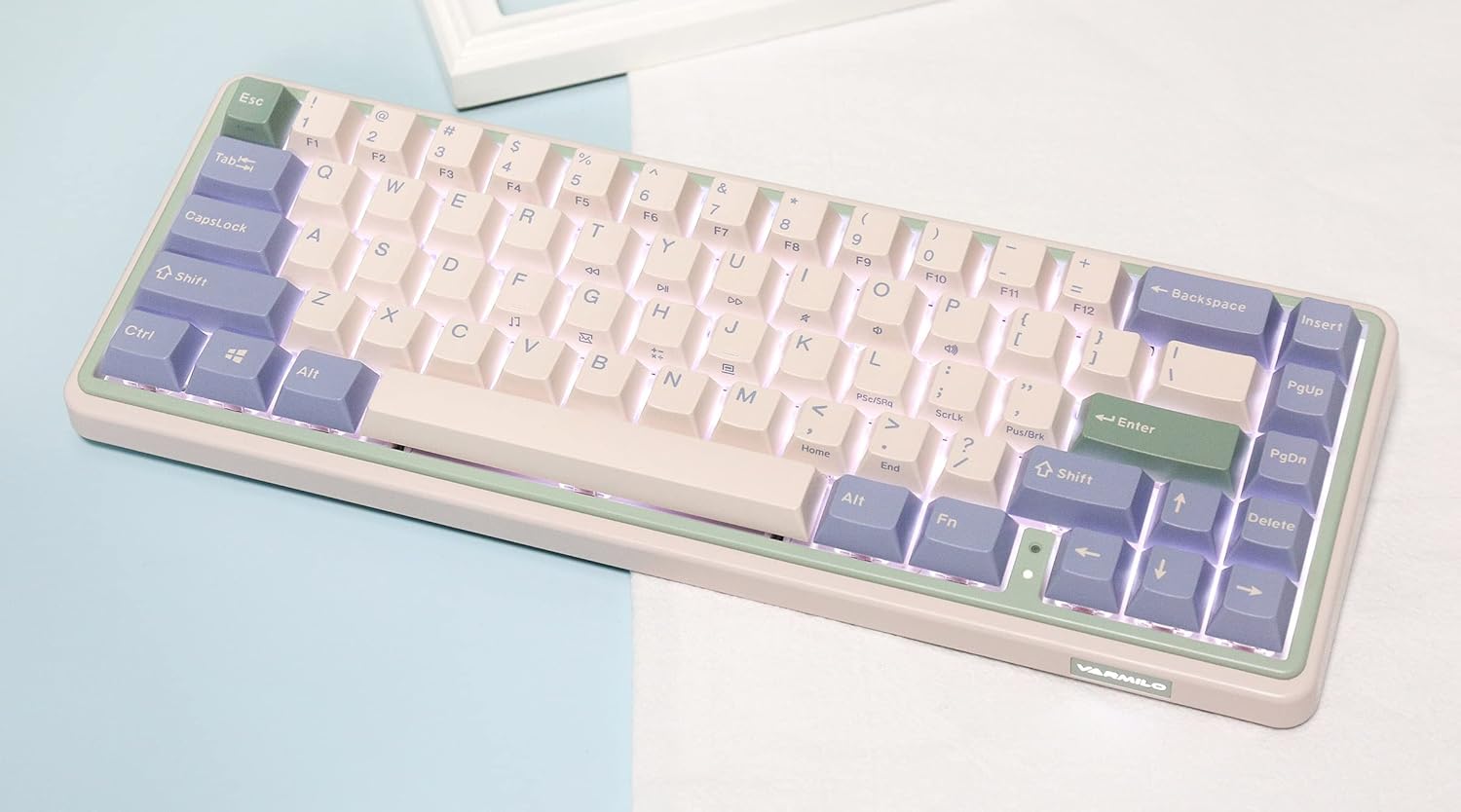
Image: The Varmilo Minilo VXB67 keyboard illuminated by its white LED backlighting.
3. Mgbanwe ọtụtụ ngwaọrụ
To switch between paired Bluetooth devices:
- Pịa Fn + Q to switch to Bluetooth Device 1.
- Pịa Fn + W to switch to Bluetooth Device 2.
- Pịa Fn + E to switch to Bluetooth Device 3.
The keyboard will quickly connect to the selected device.
Nlekọta
- Nhicha: Use a soft, dry cloth to wipe the keyboard surface. For deeper cleaning, remove keycaps using the provided keycap puller and use compressed air to clear debris.
- Ịchaji batrị: Connect the keyboard via the USB-C cable to a power source (computer USB port or USB wall adapter). The Escape key will light up while charging and flash when the battery is low.
- Nchekwa: When not in use, store the keyboard in a cool, dry place. Use the provided dust cover to protect it from dust and spills.
Nchọpụta nsogbu
- Ahụigodo anaghị aza (Ejikọrọ ya na eriri):
- Gbaa mbọ hụ na ejikọrọ eriri USB-C nke ọma na ma ahụigodo na kọmputa.
- Gbalịa ọdụ ụgbọ USB dị iche na kọmputa gị.
- Gbalịa eriri USB-C dị iche.
- Keyboard not responding (Bluetooth):
- Gbaa mbọ hụ na agbanyere Bluetooth na ngwaọrụ gị.
- Gbaa mbọ hụ na agbagoro ahụigodo.
- Re-enter pairing mode (Fn + Q/W/E) and attempt to re-pair with your device.
- Forget the device on your computer/tablet/phone and try pairing again.
- Igodo anaghị edebanye aha:
- Ensure the keycap and switch are properly seated. Remove and re-install if necessary.
- If using hot-swappable switches, ensure the switch pins are not bent.
- Ìhè azụ anaghị arụ ọrụ:
- Check backlight brightness settings (Fn + ↑/↓).
- Ensure the keyboard is not in a low power state.
Nkọwapụta
| Nlereanya | VXB67 |
| Nhazi | 65% (igodo 67) |
| Njikọta | Bluetooth 5.0, USB-C Waya |
| Mgbanwe | Varmilo EC Daisy V2 (Hot-swappable) |
| Isi okwu | 1.5mm thick ABS Double Shot |
| Ìhè azụ | Ọcha ọkụ ọkụ |
| Ike batrị | 3400mAh |
| Ngwa dakọtara | PC (and other Bluetooth-enabled devices) |
| Ihe onwunwe | Acrylonitrile Butadiene Styrene (ABS) |
| Akụkụ | Approx. 15 x 7 x 2.5 inches (based on package dimensions) |
| Ibu | 3.21 pound |
Akwụkwọ ikike na nkwado
For warranty information and technical support, please refer to the official Varmilo websaịtị ma ọ bụ kpọtụrụ onye na-ere ahịa gị. Debe ihe akaebe nke ịzụrụ ihe maka akwụkwọ ikike.
Varmilo Official Websaịtị: www.varmilo.com


