1. Okwu mmalite
Thank you for choosing the Midea Fresh Dry 10 Dehumidifier. This manual provides essential information for the safe and efficient operation, maintenance, and troubleshooting of your appliance. Please read it thoroughly before use and retain it for future reference.

The Midea Fresh Dry 10 Dehumidifier offers multiple air improvement features, including air purification and effective dehumidification for spaces up to 16 square meters.
2. Ozi nchekwa
To prevent injury to the user or others and property damage, the following instructions must be followed. Incorrect operation due to ignoring instructions may cause harm or damage.
- Hụ na e tinyere ngwa ahụ n'elu ebe kwụsiri ike ma dị larịị.
- Ejila eriri ma ọ bụ plọg mebiri emebi rụọ ọrụ ahụ.
- Debe ngwa ahụ pụọ na ebe okpomọkụ na ìhè anyanwụ.
- Do not block the air inlet or outlet. Maintain at least 20 cm clearance from walls or other objects.
- Kwupu ngwa ngwa tupu ihicha ma ọ bụ ịrụ ọrụ ọ bụla.
- Do not use the appliance in areas where flammable gases or liquids are stored.
- Ezubere ngwa a maka iji ndị mmadụ (gụnyere ụmụaka) nwere ike anụ ahụ, mmetụta uche ma ọ bụ nke uche, ma ọ bụ enweghị ahụmịhe na ihe ọmụma, ma ọ bụrụ na enyereghị ha nlekọta ma ọ bụ ntụziaka gbasara iji ngwa ahụ site n'aka onye na-ahụ maka nchekwa ha.
3. Akụrụngwa Ngwaahịa
- Silent Dehumidification: Operates at a low noise level of 39 dB, with a daily dehumidification capacity of up to 10 liters, suitable for rooms up to 16 m².
- Ụdị arụ ọrụ ọtụtụ: Includes Set Mode, Smart Mode, Dry Mode, and Continuous Mode for versatile use.
- Njikwa smart: Compatible with WLAN, Alexa, and Google Assistant for convenient remote operation via smartphone.
- Nsacha ikuku: Features an integrated ion generator and a high-density HEPA filter for simultaneous dehumidification and air cleaning.
- Ihe eji eme enyi: Equipped with universal wheels for easy movement, an ambient light indicator for quick humidity status, and a child lock to prevent accidental changes.
- Nchekwa ike: Includes a 24-hour timer and automatic shut-off function. Uses eco-friendly R290 refrigerant.
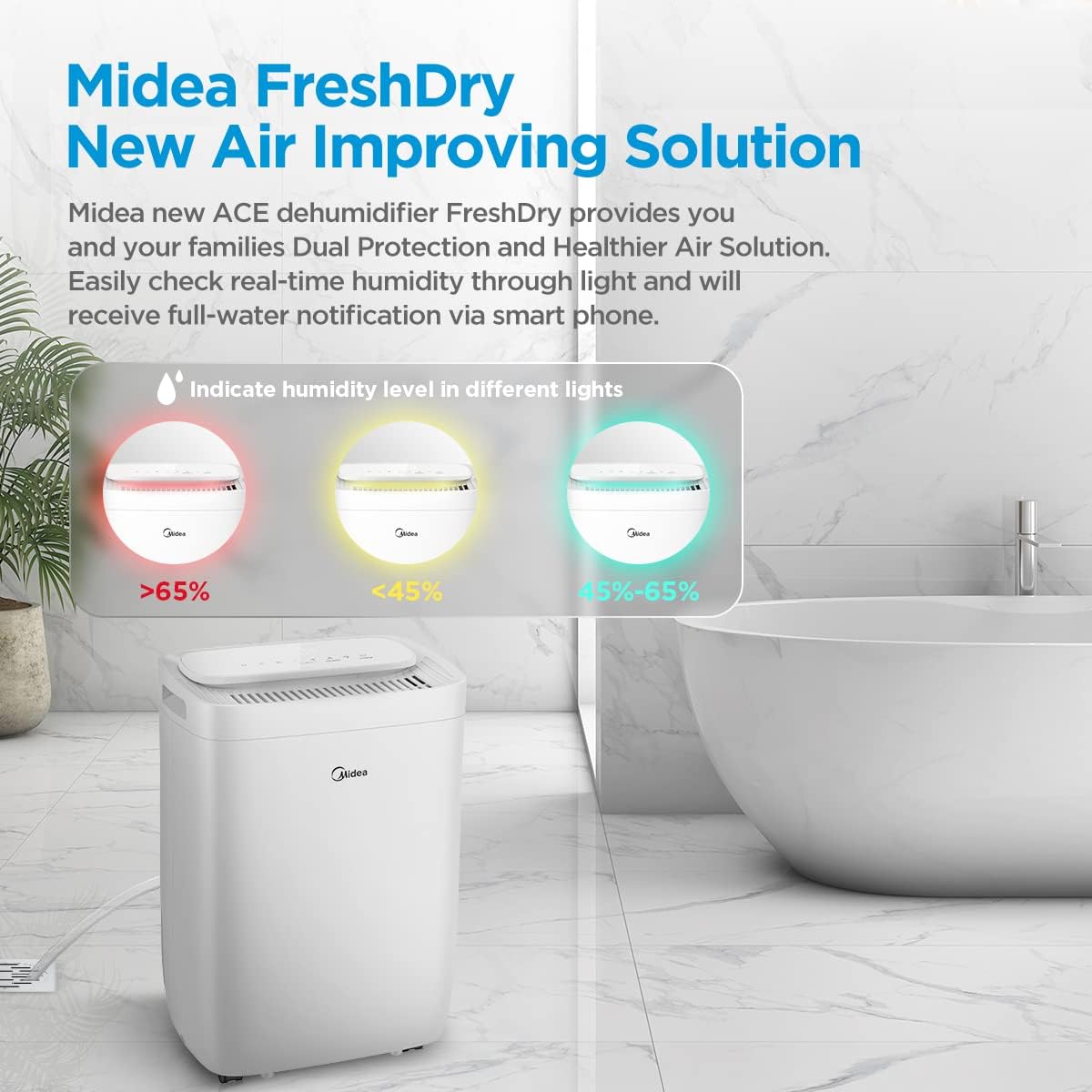
The ambient light indicates real-time humidity levels: Red (>65%), Yellow (<45%), and Green (45-65%).
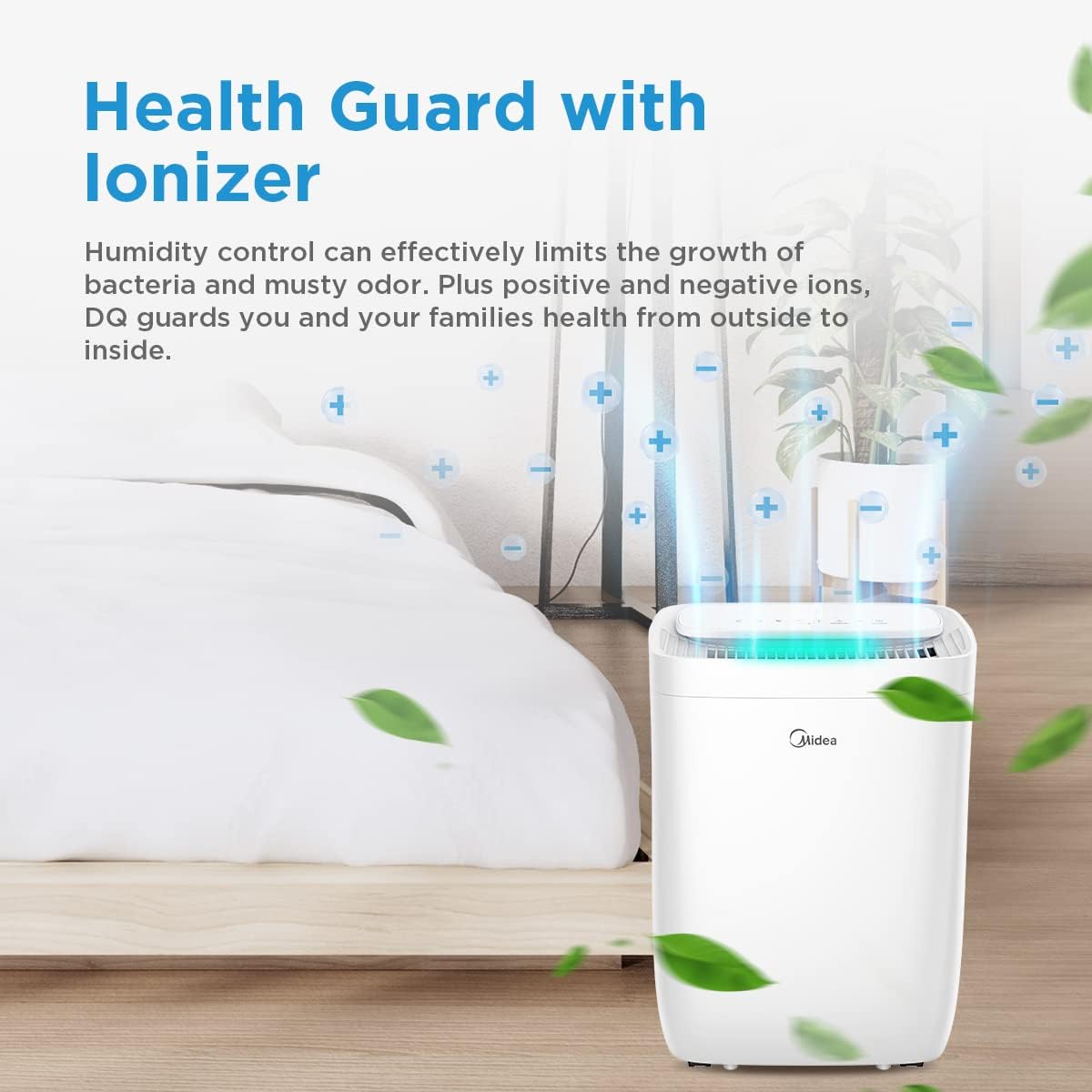
The built-in ionizer helps control humidity and reduce odors by releasing positive and negative ions.
4. Nhazi
- Iwepu: Jiri nlezianya wepụ ihe mgbapụta na nkwakọ ngwaahịa ya. Jido ihe nkwakọ ngwaahịa maka nchekwa ma ọ bụ mbugharị n'ọdịnihu.
- Nkwanye: Place the unit on a firm, level surface in the desired location. Ensure there is at least 20 cm of space around the unit for proper airflow. Avoid placing it near heat sources or in direct sunlight.
- Njikọ ike: Tinye eriri ọkụ n'ime oghere eletrik gbadoro ụkwụ. Gbaa mbọ hụ na voltage dakọtara na nkọwapụta nke unit ahụ.
- Mmiri na-aga n'ihu (Nhọrọ): For continuous operation without emptying the water tank, connect a drainage hose (not included) to the continuous drainage port at the back of the unit. Ensure the hose is sloped downwards to allow water to flow out by gravity.

The 360-degree wheels allow for easy movement of the dehumidifier to different rooms.
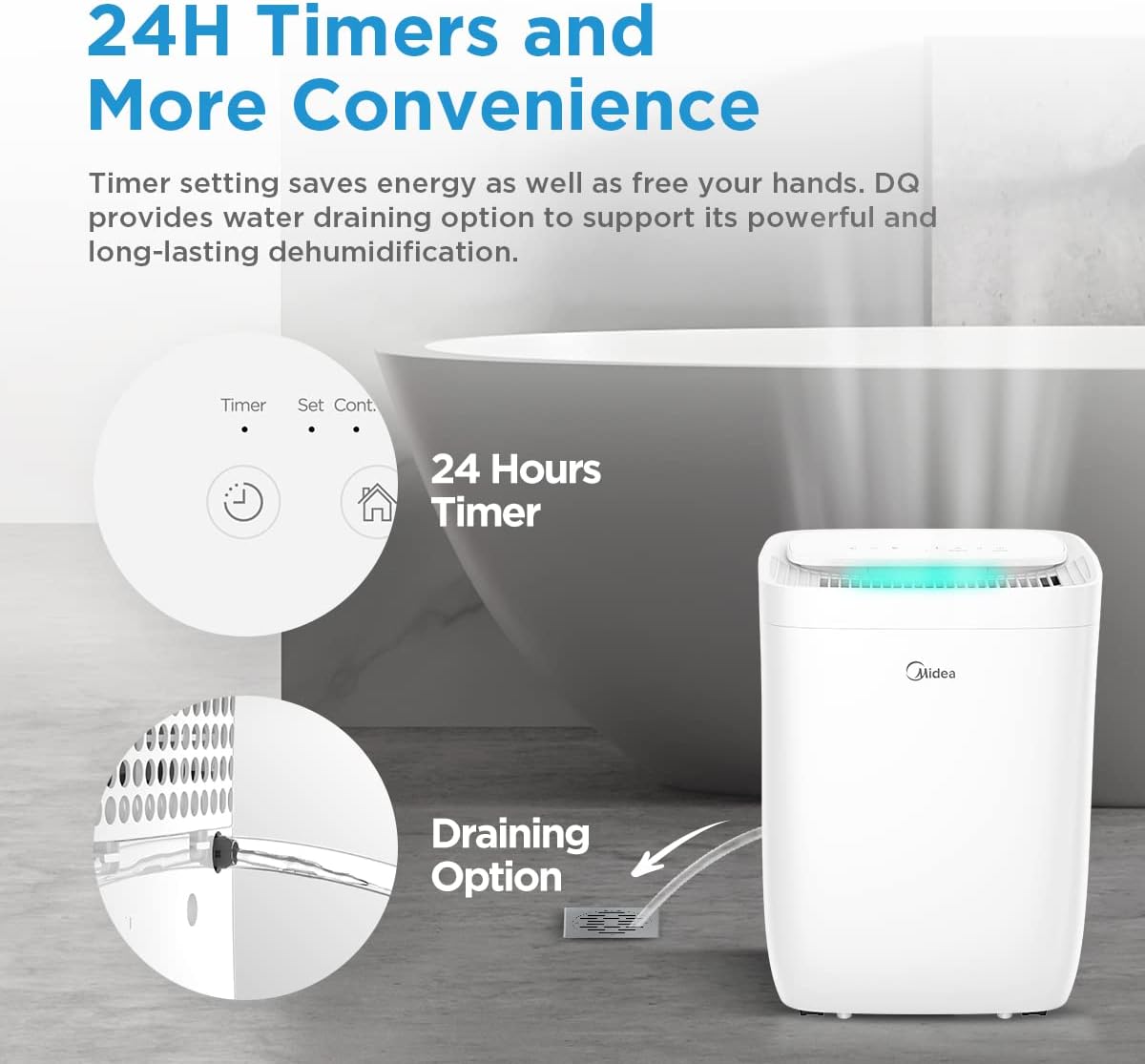
For continuous operation, connect a drainage hose to the designated port.
5. Ntuziaka ọrụ
5.1 Ogwe njikwa gafereview

The control panel allows access to all functions of the dehumidifier.
- Bọtịnụ ike: Gbanyụọ otu ahụ ma ọ bụ gbanyụọ.
- Bọtịnụ ụkpụrụ: Cycles through available operating modes (Set, Smart, Dry, Continuous).
- Humidity Setting Buttons (+/-): Na-emezi ọkwa iru mmiri achọrọ.
- Bọtịnụ ngụ oge: Na-edobe ngụ oge elekere 24 maka mmalite ma ọ bụ nkwụsị egbu oge.
- Bọtịnụ Ọsọ Ọsọ: Na-agbanwe ọsọ fan (Ọ dị ala, Ọkara, Elu).
- Bọtịnụ ọkụ: Controls the ambient light indicator.
- Bọtịnụ nrụpụta nzacha: Resets the filter indicator after cleaning/replacement.
- Jikọọ bọtịnụ: Initiates Wi-Fi pairing mode.
5.2 Basic Arụmọrụ
- Ike Na: Press the Power button to turn on the dehumidifier.
- Họrọ Ụdị: Press the Mode button to choose your desired operating mode.
- Iru mmiri nke setịpụrụ: In Set Mode, use the +/- buttons to set the target humidity level (e.g., 50%). The unit will operate until this level is reached.
- Nịm Oge: Press the Timer button to set a delay for the unit to turn on or off (up to 24 hours).
5.3 Smart Control (Wi-Fi, Alexa, Google Assistant)
The Midea Fresh Dry 10 can be controlled remotely via the Midea application and integrated with smart home systems.
- Budata ngwa: Download the Midea app from your smartphone's app store.
- Na-ejikọta: Follow the in-app instructions to connect your dehumidifier to your home Wi-Fi network. This typically involves pressing the 'Connect' button on the unit for 3 seconds.
- Ngwakọta Smart Home: Once connected to the Midea app, you can link it to Amazon Alexa or Google Assistant by following the instructions in their respective apps.
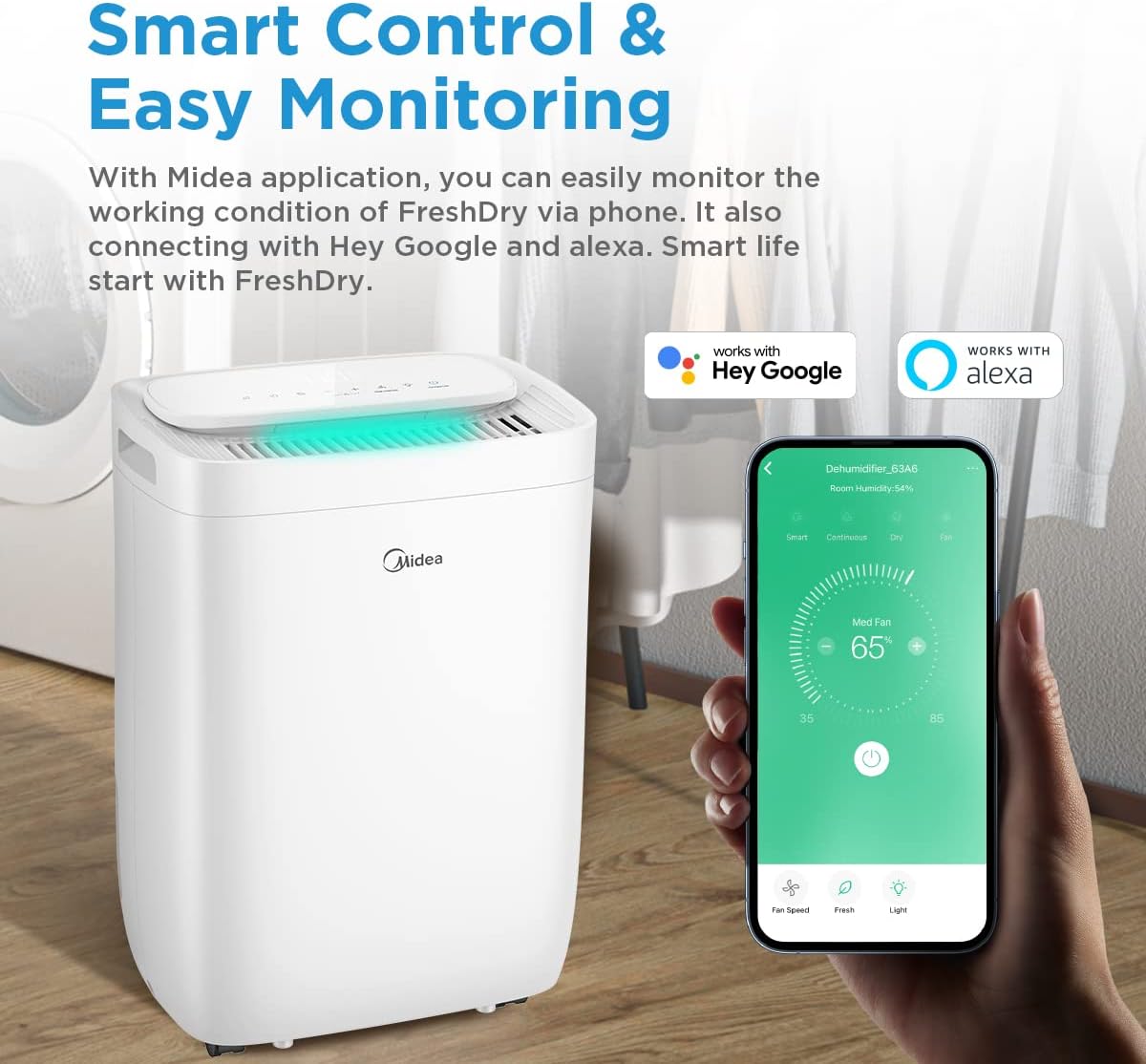
Control your dehumidifier remotely using the Midea app, compatible with Hey Google and Alexa.
6. Nlekọta
Ndozi mgbe niile na-eme ka arụ ọrụ kacha mma yana ogologo ndụ nke dehumidifier gị.
6.1 Na-ekpochapụ tankị mmiri
- When the water tank is full, the unit will automatically shut off and an indicator light will illuminate.
- Carefully pull out the water tank from the back of the unit.
- Gbanyụọ mmiri ahụ anakọtara.
- Slide the empty tank back into place until it clicks securely. The unit will resume operation.

The water tank is easily accessible from the rear of the unit for emptying.
6.2 Na-ehicha ihe nzacha ikuku
The dehumidifier is equipped with a washable pre-filter and an H13 True HEPA filter.
- Gbanyụọ: Gbanyụọ ma kwụpụ ihe dehumidifier.
- Wepu ihe nzacha: Locate the filter access panel (usually at the back or side) and remove the filter assembly.
- Ọcha tupu ihe nzacha: The washable pre-filter can be cleaned with a vacuum cleaner or rinsed with warm water. Ensure it is completely dry before reinstallation.
- HEPA Myọcha: The H13 True HEPA filter is not washable and should be replaced periodically (e.g., every 6-12 months, depending on usage and air quality). Do not wash the HEPA filter.
- Tinyegharịa: Place the clean/new filters back into the unit and close the access panel.
- Tọgharịa ihe ngosi nzacha: Press and hold the 'Reset Filter' button on the control panel for 3 seconds to clear the filter cleaning reminder.

The H13 True HEPA filter and washable pre-filter work together to capture 99.9% of air pollutants.
7. Nchọpụta nsogbu
Before contacting customer service, please refer to the following troubleshooting guide.
| Nsogbu | Ihe nwere ike ime | Ngwọta |
|---|---|---|
| Unit anaghị agbanwuo | No power supply; Power cord not plugged in; Water tank full or incorrectly placed. | Check power connection; Empty and re-seat water tank correctly. |
| Enweghị dehumidification | Ihe nzacha ikuku akpọchiri akpọchi; Okpomọkụ ụlọ dị oke ala; Iru mmiri dị elu nke ukwuu. | Clean or replace air filter; Ensure room temperature is above 5°C; Lower the target humidity setting. |
| Unit na -eme mkpọtụ | Unit abụghị n'elu larịị; Ihe nzacha ikuku mechiri; Ihe mgbochi na fan. | Place on a level surface; Clean air filter; Check for and remove any obstructions. |
| Njikọ Wi-Fi daa | Paswọọdụ Wi-Fi na-ezighi ezi; Rawụta dị oke elu; Emelitebeghị ngwa ahụ. | Verify Wi-Fi password; Move unit closer to router; Update Midea app. |
8. Nkọwapụta
| Njirimara | Nkọwapụta |
|---|---|
| Aha Nlereanya | FRESH DRY 10 |
| Dehumidification ikike | 10 lita kwa ụbọchị |
| Mpaghara Ọdabara | 16m² |
| Akụkụ (D x W x H) | 22.4 x 33.4 x 44.1 cm |
| Ibu | 10 n'arọ |
| Ọkwa mkpọtụ | 39 decibel |
| Wattage | 380 watt |
| Igwe nju oyi | R290 (Enweghị nsogbu gburugburu ebe obibi) |
| Ụdị nzacha | Washable Pre-filter, H13 True HEPA Filter |
| Njikọta | Wi-Fi, Alexa, Google Assistant |

Product dimensions for placement planning.
9. Akwụkwọ ikike na nkwado
Midea products are manufactured to the highest quality standards. For warranty information, please refer to the warranty card included with your purchase or visit the official Midea website. For technical support or service inquiries, please contact Midea customer service through their official channels.
Please have your model number (FRESH DRY 10) and purchase date ready when contacting support.


