Okwu mmalite
The Samsung M33 5G is a powerful smartphone designed for seamless connectivity and performance. Featuring a 6.6-inch Full HD+ 120Hz display, a versatile 50MP Quad Camera system, and a robust Octa-core processor, this device is built to handle demanding tasks, gaming, and multimedia consumption. This manual provides essential information for setting up, operating, maintaining, and troubleshooting your Samsung M33 5G.
Kedu ihe dị na Igbe ahụ
Upon unboxing your Samsung M33 5G, please ensure all the following items are present:
- Samsung M33 5G Smartphone
- 25W mgbidi chaja
- eriri USB
- SIM Tray Ejector
Ọ bụrụ na ihe ọ bụla efuo ma ọ bụ mebie, biko kpọtụrụ onye na-ere ahịa gị ma ọ bụ onye na-ahụ maka ndị ahịa Samsung.
Melite
1. Ntinye kaadị SIM na kaadị MicroSD
Your Samsung M33 5G supports dual Nano SIM cards and a MicroSD card for expanded storage. The device features a hybrid SIM slot.
- Chọta tray SIM dị n'akụkụ ekwentị gị.
- Insert the provided SIM tray ejector tool into the small hole next to the tray and push gently until the tray pops out.
- Place your Nano SIM card(s) and/or MicroSD card into the designated slots on the tray. Ensure the gold contacts face downwards.
- Jiri nlezianya tinyegharịa traị ahụ n'ime ekwentị ruo mgbe ọ batara n'ime ya.
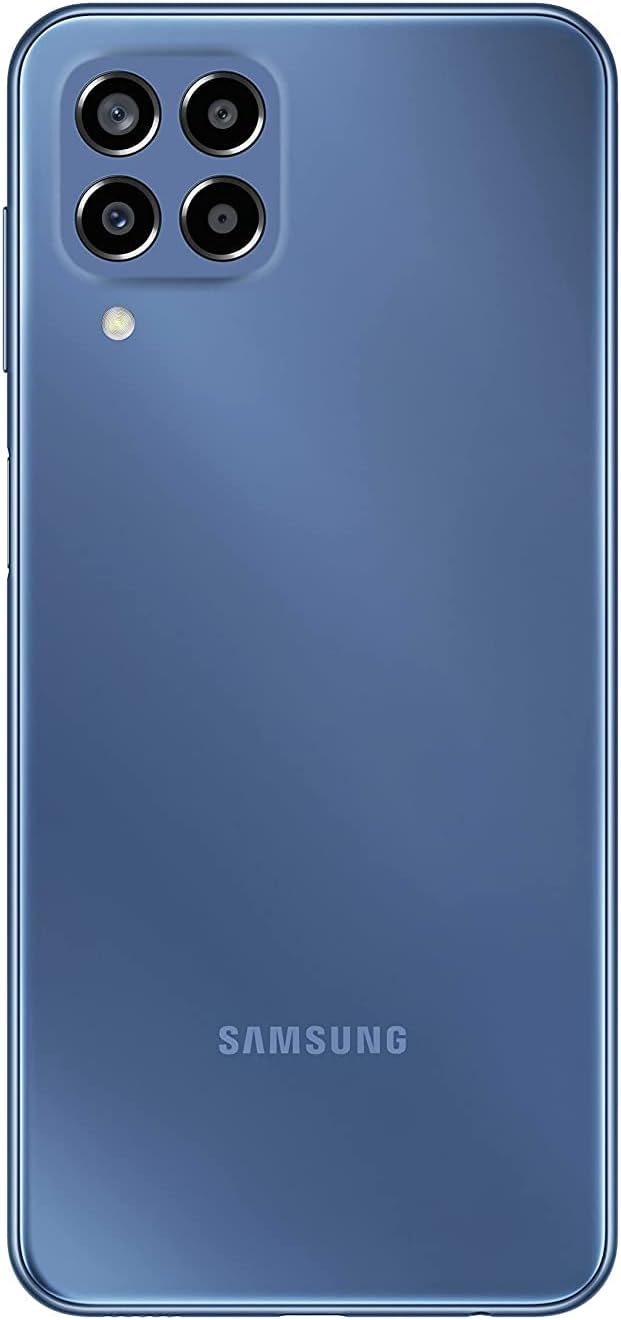
Foto: N'azụ view of the Samsung M33 5G smartphone, highlighting the camera module and the Samsung branding.
2. Nchaji mbụ na ịgbanwuo
Tupu ojiji mbụ, a na-atụ aro ka ị chajịa ngwaọrụ gị nke ọma.
- Connect the USB cable to the 25W Wall Charger and then to the USB-C port on your phone.
- Tinye chaja ahụ n'ime ebe a na-etinye ọkụ eletrik. Ihe ngosi chaja ahụ ga-apụta na ihuenyo ahụ.
- Once sufficiently charged, press and hold the Power button (located on the side) until the Samsung logo appears.
- Soro ntuziaka na ihuenyo ka ịmechaa nhazi mbụ, gụnyere nhọrọ asụsụ, njikọ Wi-Fi, na nhazi akaụntụ Google.
Na-arụ ọrụ ngwaọrụ gị
Ngosipụta na igodo
The Samsung M33 5G features a 6.6-inch PLS LCD display with Full HD+ resolution (1080 x 2408) and a 120Hz refresh rate for smooth scrolling and responsiveness.
- Mmegharị ihuenyo mmetụ: Navigate using taps, swipes, pinches, and long presses.
- Mkpisiaka mmetụta: The power button integrates a fingerprint sensor for secure unlocking.
Atụmatụ igwefoto
Your device is equipped with a versatile Quad Camera system:
- Igwefoto isi: 50.0 MP (F1.8) for high-resolution photos.
- Ultra Wide Camera: 5.0 MP (F2.2) with a 123-degree angle of view for expansive shots.
- Igwefoto nnukwu: 2.0 MP (F2.4) to capture fine details up close.
- Igwefoto omimi: 2.0 MP (F2.4) for adjustable background blur in portrait photos.
- Igwefoto ihu: 8.0 MP (F2.2) for selfies and video calls.
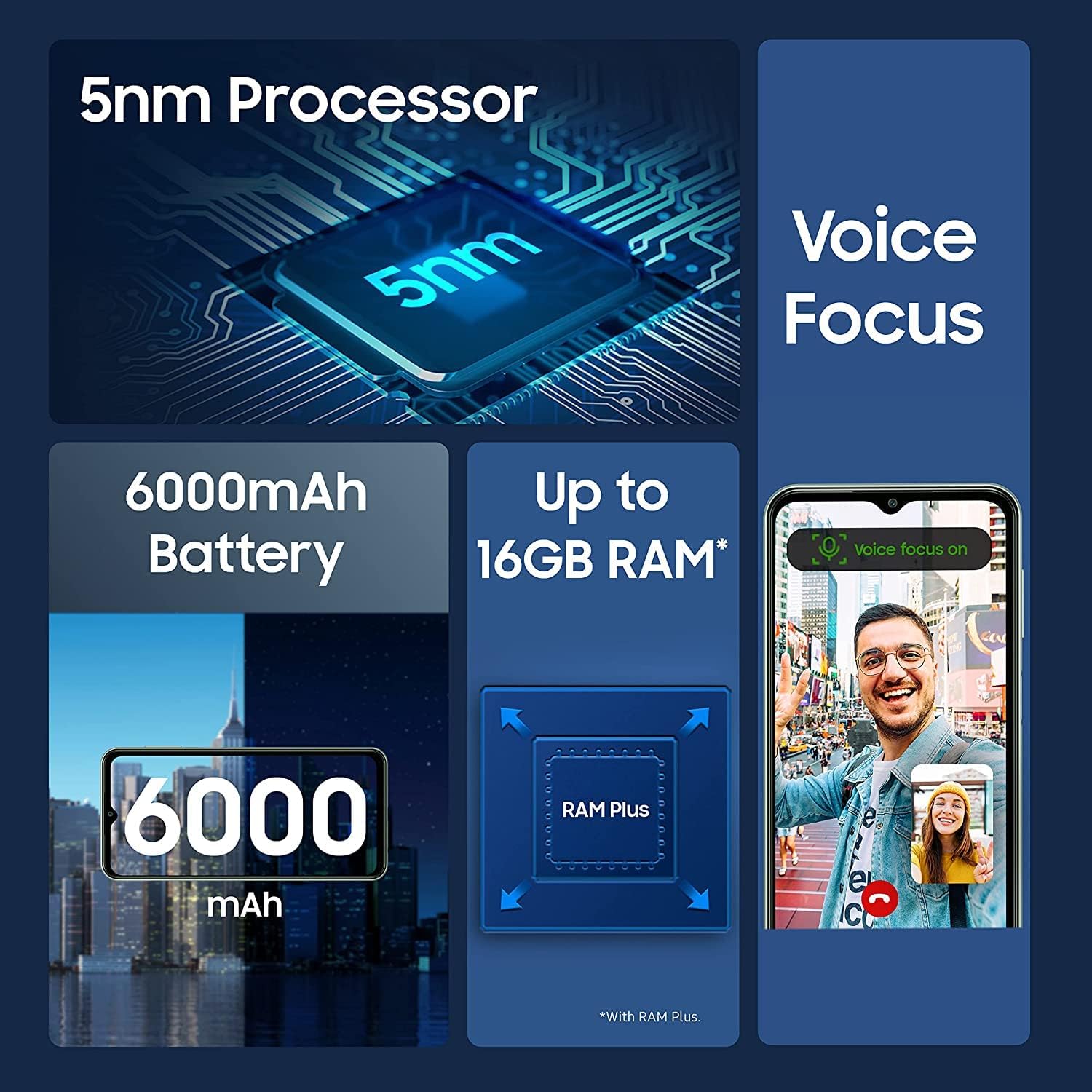
Image: Infographic detailing key features of the Samsung M33 5G, including its 5nm processor, Voice Focus technology, 6000mAh battery, and expandable RAM up to 16GB with RAM Plus.
Arụmọrụ na Nchekwa
The M33 5G is powered by an Octa-core processor (2x2.4 GHz Cortex-A78 & 6x2.0 GHz Cortex-A55) with a Mali-G68 GPU, ensuring smooth performance. It comes with 8GB of RAM, expandable with RAM Plus technology, and 128GB of internal storage. Storage can be further expanded up to 1TB using a MicroSD card.
Njikọta
The device supports 5G and 4G LTE cellular networks (unlocked for worldwide use, but not compatible with Verizon, AT&T, Boost, Cricket, or CDMA carriers). It also features Wi-Fi 802.11 a/b/g/n/ac (2.4G+5GHz), Bluetooth (version not specified but standard for smartphones), GPS, Glonass, Beidou, Galileo, and QZSS for location services. A 3.5mm stereo earjack is included.
Nlekọta
Nlekọta ngwaọrụ
- Keep your phone clean using a soft, dry cloth. Avoid harsh chemicals.
- Chekwaa ihuenyo site na iji ihe nkpuchi ma jiri ihe nchebe gbochie mmebi anụ ahụ.
- Avoid exposing the device to extreme temperatures, direct sunlight, or liquids.
Mmelite ngwanrọ
Regularly check for and install software updates to ensure your device has the latest features, security patches, and performance improvements. You can usually find this option in your phone's Settings menu under 'Software update'. The device runs on Android 12.0 out of the box.
Nchọpụta nsogbu
If you encounter issues with your Samsung M33 5G, try the following common solutions:
- Ngwaọrụ anaghị agbanye: Hụ na batrị ahụ agbajirila. Jikọọ na chaja ahụ ma chere nkeji ole na ole tupu ị nwaa ịgbanye ya ọzọ.
- Ngwa ndị na-eme ka oyi ghara ịdị ma ọ bụ na-emebi: Mechie ngwa nsogbu ahụ wee meghee ya. Ọ bụrụ na nsogbu ahụ anọgide, malitegharịa ekwentị gị.
- Mgbaàmà netwọk adịghị mma: Check if your SIM card is properly inserted. Move to an area with better network coverage.
- Batrị na-agbapụta ngwa ngwa: Reduce screen brightness, close unused apps, and disable unnecessary features like GPS or Wi-Fi when not in use.
- Enweghị ike imetụ aka na ihuenyo aka: Restart the device. If the issue continues, contact support.
For more complex issues, refer to the Samsung support websaịtị ma ọ bụ kpọtụrụ ndị ahịa.
Nkọwapụta
| Njirimara | Nkọwa |
|---|---|
| Aha Nlereanya | M33 5G |
| Nọmba Nlereanya ihe | SM-M336B/DSN (sm-m336b/ds) |
| Sistemụ nrụọrụ | Android 12.0 |
| Nhazi | Octa-core (2x2.4 GHz Cortex-A78 na 6x2.0 GHz Cortex-A55) |
| Ngosipụta nha | 6.6 sentimita asatọ |
| Ngosipụta teknụzụ | PLS LCD, 120Hz |
| Ngosipụta mkpebi | 1080 x 2408 (FHD+) |
| RAM | 8 GB (with RAM Plus support) |
| Nchekwa nke ime | 128 GB |
| Nchekwa enwere ike ịgbasa | MicroSD up to 1 TB |
| Igwefoto azụ (Isi) | 50.0 MP (F1.8) |
| Rear Camera (Ultra Wide) | 5.0 MP (F2.2) |
| Igwefoto azụ (Macro) | 2.0 MP (F2.4) |
| Rear Camera (Depth) | 2.0 MP (F2.4) |
| Igwefoto ihu | 8.0 MP (F2.2) |
| Ike batrị | 5000 ndeamp Oge elekere (mAh) |
| Ịchaji | Nchaji ngwa ngwa 25W |
| Teknụzụ ekwentị | 5G + 4G LTE (Unlocked) |
| Njikọ ikuku | Wi-Fi 802.11 a/b/g/n/ac (2.4G+5GHz), Bluetooth |
| Nkà na ụzụ ebe | GPS, Glonass, Beidou, Galileo, QZSS |
| Jack ọdịyo | 3.5 mm Stereo |
| Ihe mmetụta | Accelerometer, Fingerprint Sensor, Gyro Sensor, Geomagnetic Sensor, Virtual Light Sensing, Virtual Proximity Sensing |
| Ibu Ibu | 11 ounces |
| Akụkụ ngwugwu | 7 x 3 x 1 sentimita asatọ |
Akwụkwọ ikike na nkwado
Your Samsung M33 5G is covered by a manufacturer's warranty. Please refer to the warranty card included with your purchase or visit the official Samsung websaịtị maka nkọwa zuru oke usoro na ọnọdụ nke akọwapụtara mpaghara gị.
For technical support, software updates, or service inquiries, please visit the official Samsung support website or contact their customer service hotline. You can find contact information and FAQs on www.samsung.com/support/.