1. Ngwaahịa gafereview
This document provides instructions for the Geekworm DC 12V 5A 60W Power Adapter. This power adapter is a high-quality, UL Listed power supply designed to provide stable 12V DC power at up to 5A (60W maximum) from an AC 100-240V source. It features a DC5521 connection and is compatible with various electronic devices.
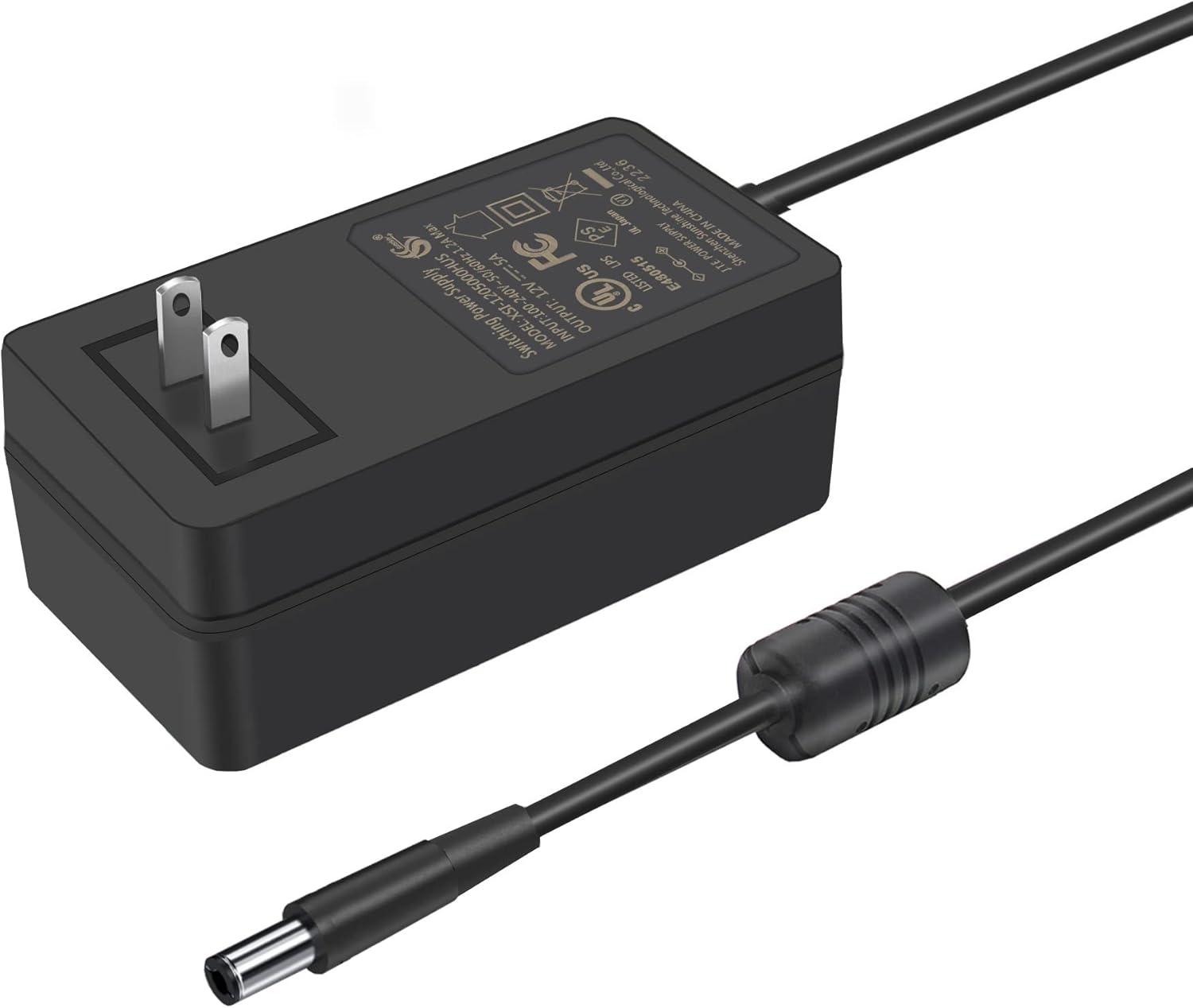
Figure 1: The Geekworm DC 12V 5A 60W Power Adapter with its attached power cable and DC output connector.
2. Nkọwapụta ngwaahịa
| Nkọwapụta | Uru |
|---|---|
| Aha ngwaahịa | Ihe nkwụnye ọkụ AC/DC |
| Ụdị | Geekworm |
| Nlereanya | PSU60 |
| Ntinye | 100-240V AC, 50/60Hz, 1.2A Max |
| Mpụta | 12V DC, 5A Max, 60W |
| Nha njikọ DC | 5.5 x 2.1 mm |
| Ogologo eriri USB | 1.2m / 47.24 sentimita asatọ |
| Akụkụ | 88 x 46 x 70 mm / 3.46 x 1.81 x 2.75 sentimita asatọ |
| Ibu Ibu | 7.1 ounces |
| Asambodo | Edepụtara UL |

Figure 2: Detailed dimensions of the power adapter and its DC output connector.
3. Ntọala na arụ ọrụ
The Geekworm DC 12V 5A 60W Power Adapter is designed for straightforward use. Follow these steps for proper setup and operation:
- Jikọọ na ngwaọrụ: Insert the DC 5.5x2.1mm output jack of the power adapter into the corresponding power input port of your electronic device. Ensure a secure connection.
- Jikọọ na nkwụnye ọkụ: Plug the AC input plug of the power adapter into a standard AC 100-240V wall outlet.
- Ike Na: Once connected, the power adapter will supply power to your device. Verify that your device powers on correctly.
The adapter features an anti-interference magnetic ring on the cable to help ensure stable current transmission and reduce electromagnetic interference.

Figure 3: The power adapter showing its US plug, DC 5.5x2.1mm output jack, and anti-interference magnetic ring.
4. Ndakọrịta
This power adapter is compatible with a wide range of devices requiring 12V DC power up to 5A, including:
- Raspberry Pi expansion boards such as X735 V3.0, X885, X729, X1202, X1203, X1205, X1009, X-UPS1, X1013, X880, X715, X1008, X1010, NASPi Gemini 2.5, NASPi Gemini 3.5.
- Iberibe LED
- Ndị na-ebi akwụkwọ 3D
- Igwefoto nchekwa
- Audio ampndị na -enye ndụ
- TFT monitors
- Igbe TV

Ọgụgụ 4: Ọpụamples of devices compatible with the power adapter, including Raspberry Pi expansion boards, monitors, and TV boxes.
5. Atụmatụ nchekwa
The Geekworm DC 12V 5A 60W Power Adapter is UL Listed and incorporates multiple safety protections to ensure reliable and safe operation:
- N'ime Voltage Nchedo: Safeguards connected devices from excessive voltage.
- N'okpuru Voltage Nchedo: Prevents damage from insufficient voltage ọkọnọ.
- Nchekwa oke okpomọkụ: Automatically shuts down if the adapter overheats.
- Karịrị Nchedo Ugbu a: Protects against damage from excessive current draw.
- Nchekwa sekit dị mkpụmkpụ: Na-egbochi mmebi ma ọ bụrụ na sekit dị mkpụmkpụ.

Figure 5: Visual representation of the multiple safety protections integrated into the power adapter.
6. Performance Test Video
Watch this video to see a performance test of the DC5521 12V 5A Power Supply, demonstrating its stability under load. The voltage fluctuation is maintained within ±5%.
Video 1: DC5521 12V 5A Power Supply Test. This video demonstrates the power adapter's performance, showing voltage stability under varying loads.
7. Nchọpụta nsogbu
- Enweghị mpụta ike:
- Ensure the AC plug is securely inserted into a live wall outlet.
- Verify the DC output jack is firmly connected to your device.
- Check if the device itself is functioning correctly with another power source, if available.
- Ngwaọrụ anaghị arụ ọrụ nke ọma:
- Confirm that your device requires 12V DC power and does not exceed the 5A (60W) maximum output of this adapter.
- Inspect the DC connector for any damage or debris.
- Ihe nkwụnye ọkụ gabiga ókè:
- Hụ na ejiri ihe nkwụnye ahụ mee ihe n'ebe ikuku na-anaghị eru ya ala.
- Verify that the total power consumption of the connected device(s) does not exceed 60W. It is recommended to keep the load below 80% (48W) for optimal performance and longevity.
8. Nlekọta
To ensure the longevity and optimal performance of your power adapter, follow these maintenance guidelines:
- Debe ihe nkwụnye ahụ ka ọ dị ọcha na enweghị uzuzu na irighiri ihe. Jiri akwa dị nro, kpọrọ nkụ maka nhicha.
- Zere ikpughe ihe nkwụnye ọkụ na oke okpomọkụ, iru mmiri, ma ọ bụ ìhè anyanwụ kpọmkwem.
- Do not place heavy objects on the power cable or adapter.
- Chekwaa nkwụnye ahụ n'ebe dị jụụ, kpọrọ nkụ mgbe ọ naghị eji ya.
9. Kedu ihe dị na Igbe ahụ
Ngwungwu ahụ gụnyere:
- 1x Geekworm DC 12V 5A 60W Power Adapter with US Plug
10. Akwụkwọ ikike na nkwado
For warranty information or technical support, please refer to the product packaging or contact Geekworm customer service directly. Specific warranty terms may vary.

