1. Okwu mmalite
This manual provides detailed instructions for the proper use and maintenance of your Obbug Bluetooth Headset, Model YYK-530. Please read this manual thoroughly before using the product to ensure optimal performance and longevity.
2. Ihe ngwugwu
Chọpụta na ihe niile dị na ngwugwu gị:
- 1 x Obbug Bluetooth Headset
- 1 x Akpa nchaji
- 1 x USB Ụdị-C eriri USB
- 1 x Ear Hat (replacement ear tip)
- 1 x Akwụkwọ ntuziaka onye ọrụ
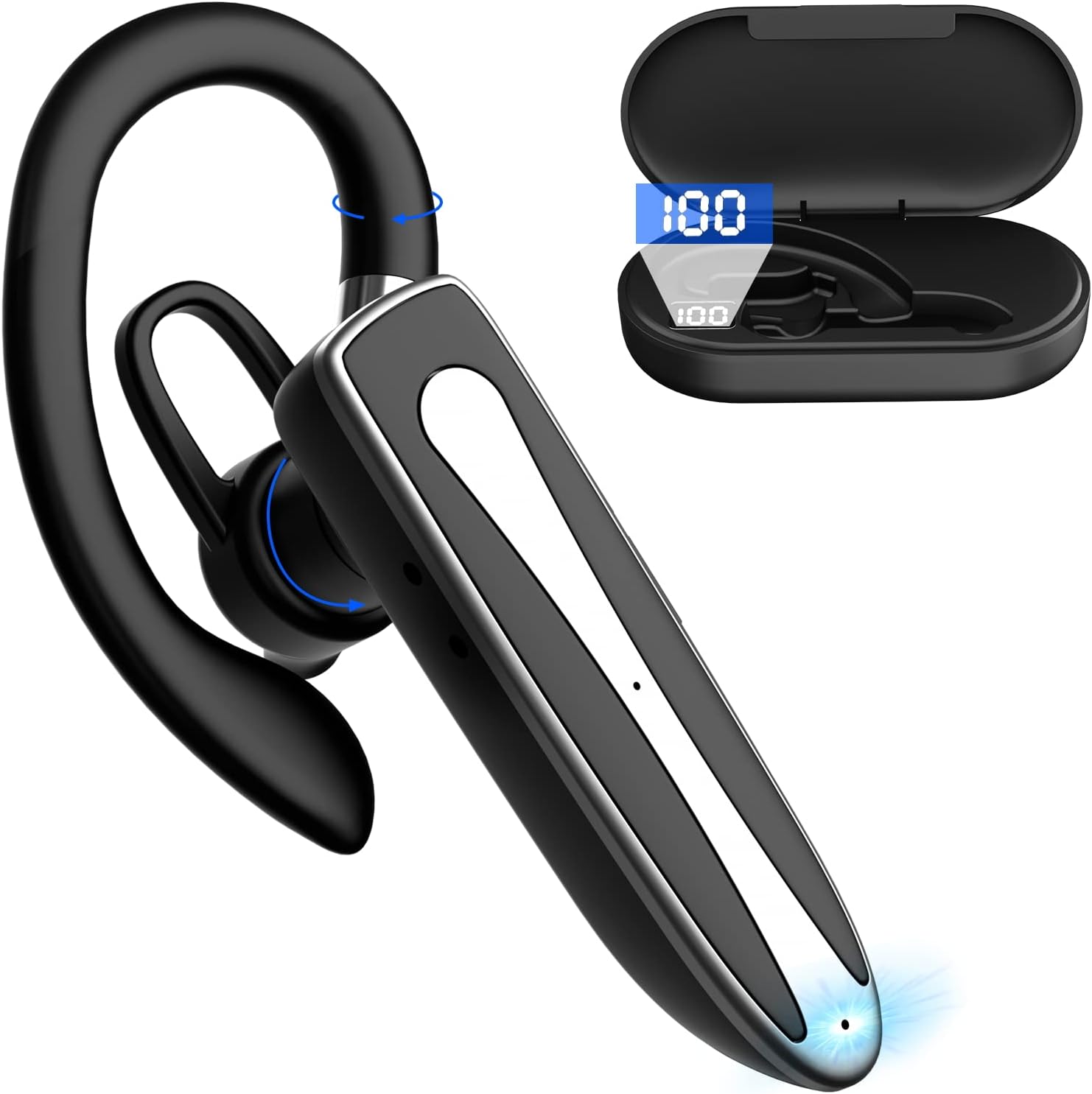
Image 2.1: Obbug Bluetooth Headset YYK-530 and its charging case.
3. Akụrụngwa Ngwaahịa
- Nkà na ụzụ Bluetooth 5.1: Provides stable connection and clear audio.
- Ndụ batrị agbatịkwuru: Up to 80 hours of continuous use with the charging case.
- Nkasi obi yana nhazigharị: Flexible earhook and rotatable boom mic for left or right ear wear.
- CVC8.0 Noise Reduction: Na-eme ka o doo anya site n'ibelata mkpọtụ ndabere.
- Ndakọrịta sara mbara: Connects with most Bluetooth-enabled devices including smartphones, tablets, and computers.
- Oku na-anaghị aka: Integrated microphone for convenient communication.

Image 3.1: Illustration of CVC8.0 Noise Reduction for clear audio.
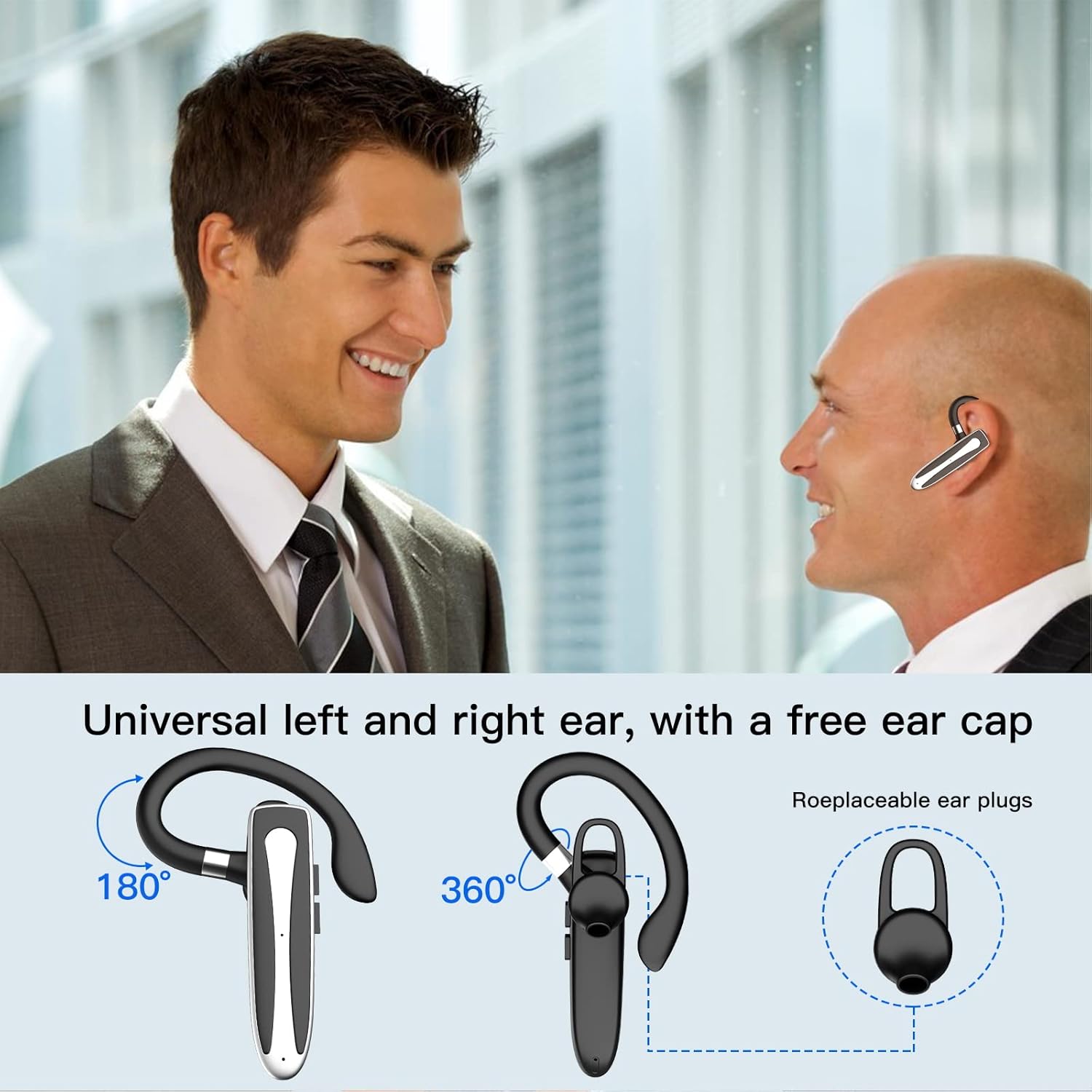
Image 3.2: Diagram illustrating the dual microphone noise reduction processing.
4. Nhazi
4.1 Ịchaji ekweisi na akpa ahụ
Before first use, fully charge the headset and its charging case.
- Place the headset into the charging case.
- Connect the USB Type-C cable to the charging port on the case and to a power source (e.g., USB wall adapter, computer USB port).
- The charging indicator on the case will show charging status. A full charge typically takes 1.5 hours.

Image 4.1: The Type-C charging port on the charging case.

Image 4.2: Battery life and charging time information for the headset and case.
4.2 Ijikọ na ngwaọrụ
The headset uses Bluetooth 5.1 for wireless connection.
- Ike Na: Take the headset out of the charging case, or press and hold the Multi-function Button until the indicator light flashes blue and red, indicating pairing mode.
- Mee ka Bluetooth rụọ ọrụ: Na ngwaọrụ gị (smartphone, mbadamba, wdg), gaa na ntọala Bluetooth wee gbanye Bluetooth.
- Họrọ Ngwaọrụ: In the list of available devices, select "YYK-530".
- Kwenye njikọ: Once connected, the headset indicator light will flash blue slowly, and your device will show "Connected".

Image 4.3: Illustration of optimal Bluetooth connection distance (within 10 meters).
4.3 Connecting to Two Devices Simultaneously
The headset supports connecting to two Bluetooth devices at the same time.
- Connect the headset to the first device (e.g., Phone A) as described in Section 4.2.
- Turn off Bluetooth on the first device. The headset will re-enter pairing mode.
- Connect the headset to the second device (e.g., Phone B) as described in Section 4.2.
- Turn on Bluetooth on the first device. The headset should automatically reconnect to both devices.
You can now answer calls or play music from either connected device.

Image 4.4: Step-by-step guide for connecting the headset to two devices.
4.4 Yi ekweisi
The headset is designed for comfortable wear on either the left or right ear.
- The earhook can rotate 360° vertically and 360° horizontally to fit your preferred angle.
- The retractable earhook can be adjusted to fit the shape of your ear.

Image 4.5: The headset's adjustable design for left or right ear wearing.
5. Ntuziaka ọrụ
5.1 Gbanyụọ ma ọ bụ gbanyụọ
- Ike Na: Take the headset out of the charging case, or press and hold the Multi-function Button for approximately 3 seconds until the indicator light flashes blue.
- Gbanyụọ: Place the headset back into the charging case, or press and hold the Multi-function Button for approximately 5 seconds until the indicator light flashes red and then turns off.
5.2 Njikwa oku
- Azịza/Kwụsị Oku: Pịa bọtịnụ Multi-function otu ugboro.
- Jụ oku: Press and hold the Multi-function Button for approximately 2 seconds.
- Nọmba Ikpeazụ emegharịgharịrị: Pịa bọtịnụ Multi-function ugboro abụọ.
5.3 Nghaghachi egwu
- Gwuo/kwụsịtụ: Pịa bọtịnụ Multi-function otu ugboro.
- Track na-esote: Press and hold the Volume Up button.
- Gara aga Track: Pịa ma jide bọtịnụ ụda ala.
5.4 Njikwa olu
- Dịkwuo Mpịakọta: Pịa bọtịnụ olu elu.
- Belata Mpịakọta: Pịa bọtịnụ ụda ala.
5.5 Mmelite Onye Enyemaka Olu
Activate your device's voice assistant (Siri, Google Assistant) directly from the headset.
- Mee ka onye enyemaka olu rụọ ọrụ: Pịa bọtịnụ Multi-function ugboro atọ.

Image 5.1: The headset supports activation of Siri and Google Assistant.
6. Nlekọta
- Clean the headset and charging case regularly with a soft, dry cloth.
- Zere ikpughe ngwaọrụ ahụ na oke okpomọkụ, iru mmiri, ma ọ bụ ihe ndị na-emebi emebi.
- Store the headset in its charging case when not in use to protect it and keep it charged.
- Anwala ịkwasa ma ọ bụ rụkwaa ngwaọrụ n'onwe gị. Kpọtụrụ ọrụ ndị ahịa maka enyemaka.
7. Nchọpụta nsogbu
7.1 Headset Not Powering On
- Ensure the headset is fully charged. Place it in the charging case and connect the case to a power source.
- Press and hold the Multi-function Button for 3-5 seconds to power on.
7.2 Enweghị ike ijikọ na ngwaọrụ
- Ensure the headset is in pairing mode (indicator flashes blue and red).
- Gbanyụọ Bluetooth na ngwaọrụ gị wee gbanye ya azụ.
- Ensure the headset is within 10 meters of your device and there are no significant obstacles.
- Hichapụ ndepụta njikọta Bluetooth dị na ngwaọrụ gị wee gbalịa ijikọ ọzọ.
7.3 Enweghị ụda ma ọ bụ ogo ụda adịghị mma
- Adjust the volume on both the headset and your connected device.
- Gbaa mbọ hụ na ejikọrọ ekweisi nke ọma na ngwaọrụ gị.
- Move closer to your device to ensure you are within Bluetooth range.
- Lelee maka ndabichi ọ bụla sitere na ngwaọrụ ikuku ndị ọzọ.
8. Nkọwapụta
| Njirimara | Nkọwapụta |
|---|---|
| Aha Nlereanya | YYK-530 |
| Ụdị | Obug |
| Teknụzụ Njikọta | Ikuku (Bluetooth) |
| Ụdị Bluetooth | 5.1 |
| Oke Bluetooth | Ruo 33 ụkwụ (mita 10) |
| Njikwa mkpọtụ | Sound Isolation (CVC8.0 Noise Reduction) |
| Ụdị ntị | nko ntị |
| Battery Life (Headset) | Oge awa 5 (ihe dị ka) |
| Ndụ batrị (ya na igbe nchaji) | Up to 80 Hours (approx.) |
| Oge Nchaji | Awa 1.5 |
| Nchaji ọdụ ụgbọ mmiri | USB Ụdị-C |
| Ọkwa Nguzogide mmiri | Waterproof |
| Ibu Ibu | 4.9 ounces (0.14 Kilogram) |
| Oke ugboro ugboro | 20Hz - 20,000Hz |
| Ngwa dakọtara | Cellphones, Desktops, Laptops, Telephones |

Image 8.1: The headset is compatible with a wide range of Bluetooth-enabled devices.
9. Akwụkwọ ikike na nkwado ndị ahịa
The Obbug Bluetooth Headset comes with a 1-month replacement warranty.
For any questions, issues, or support needs, please contact our customer service. We offer 24-hour customer service to assist you.
Biko lee akwụkwọ ịzụrụ ihe gị maka nkọwa kọntaktị kpọmkwem.


