1. Okwu mmalite
Thank you for choosing the Reflex Active PRO TWS In-Ear Headphones. These true wireless stereo earbuds are designed to provide a superior audio experience with advanced features like Active Noise Cancellation (ANC) and Transparency Mode. Enjoy crystal-clear sound, comfortable fit, and seamless connectivity for music, calls, and more.
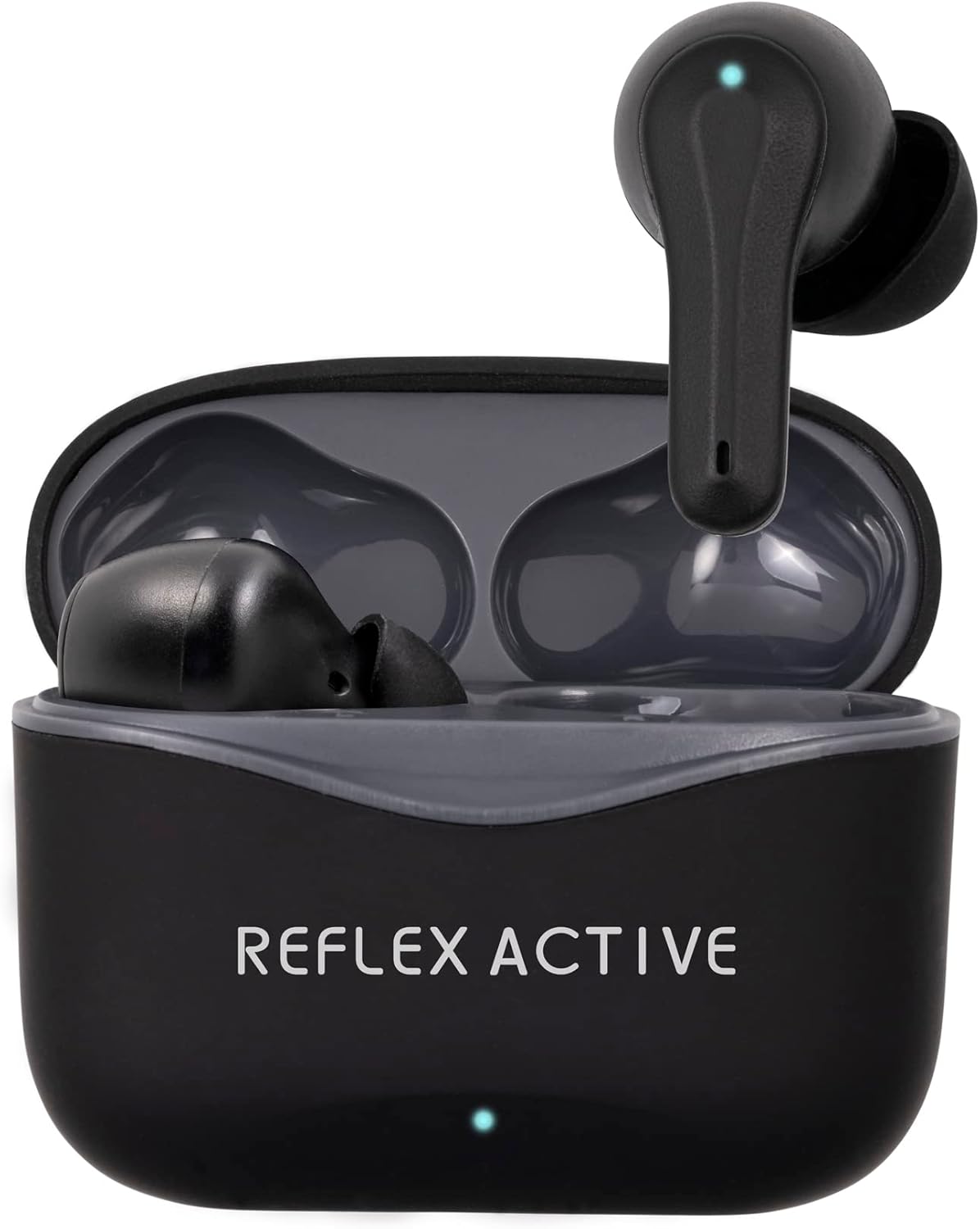
Image: The Reflex Active PRO TWS In-Ear Headphones, black, resting inside their open charging case. A small LED indicator is visible on the front of the case.
2. Ozi nchekwa
Please read this manual carefully before using the product to ensure safe and proper operation. Keep this manual for future reference.
- Nchedo Ntị: Zere ige ntị n'ogo dị elu ruo ogologo oge iji gbochie mmebi ntị.
- Nchekwa ịnya ụgbọ ala: Do not use the earbuds while driving or cycling, or in any situation where your inability to hear ambient sounds could pose a danger to yourself or others.
- Nguzogide mmiri: The earbuds are water-resistant, but not waterproof. Do not submerge them in water. Avoid exposure to excessive moisture.
- Ịchaji: Use only the provided charging cable and a certified power adapter. Do not attempt to disassemble or modify the product.
- Ụmụaka: Debe ya ebe ụmụaka na-agaghị eru ya aka. Akụkụ ndị dị nta nwere ike ibute ihe egwu nke ịpịa ya.
- Okpomọkụ: Do not expose the product to extreme temperatures (hot or cold) or direct sunlight.
3. Ihe ngwugwu
Gbaa mbọ hụ na ihe niile dị na ngwugwu gị:
- Reflex Active PRO TWS In-Ear Headphones (Left and Right earbuds)
- Nchaji case
- Igwe nchaji USB
- Ear Tips (3 sizes: Small, Medium, Large)
- Akwụkwọ ntuziaka onye ọrụ
4. Ngwaahịa gafereview
Familiarize yourself with the components of your Reflex Active PRO TWS In-Ear Headphones.

Foto: nso nso view of the left and right Reflex Active PRO TWS earbuds, showing their ergonomic design and the small LED indicator on each.
Atụmatụ ntị ntị:
- Mpaghara njikwa aka: Maka ịkpọghachi egwu, njikwa oku, na mgbanwe ọnọdụ.
- Ihe ngosi LED: Na-egosi ọnọdụ njikọta, ọkwa batrị, na ọnọdụ chaja.
- Igwe okwu: For calls and voice assistant.
- Ntị Ntị: Replaceable silicone tips for comfortable fit and sound isolation.
Atụmatụ Nchaji:
- Nchaji ọdụ ụgbọ mmiri (USB-C): Maka ịchaji ikpe ahụ.
- Ihe ngosi ika LED: Shows case battery level and charging status.
- Oghere Nchaji Earbud: Na-ejide ma na-eme ka ekweisi ndị ahụ sie ike.

Image: A graphic displaying key features of the earbuds, including True Wireless Stereo, Voice Control, Active Noise Cancelling, Touch Control, Audio Safe Mode, Wireless Connection, Studio Sound, and 250 Hours Standby.
5. Nhazi
5.1 Ịchaji ntị na akpa
Tupu i jiri ya nke mbụ, chajie ma ekweisi na ihe mkpuchi chaja ahụ nke ọma.
- Kpee ikpe ahụ: Connect the USB-C charging cable to the charging port on the case and the other end to a USB power source (e.g., wall adapter, computer USB port). The case LED indicator will show charging progress. A full charge takes approximately 2 hours for the base charge.
- Chajịa ekwe ntị: Place the earbuds into their respective slots in the charging case. Ensure they are correctly seated. The earbud LEDs will indicate charging. A full charge for the earbuds takes approximately 1 hour.
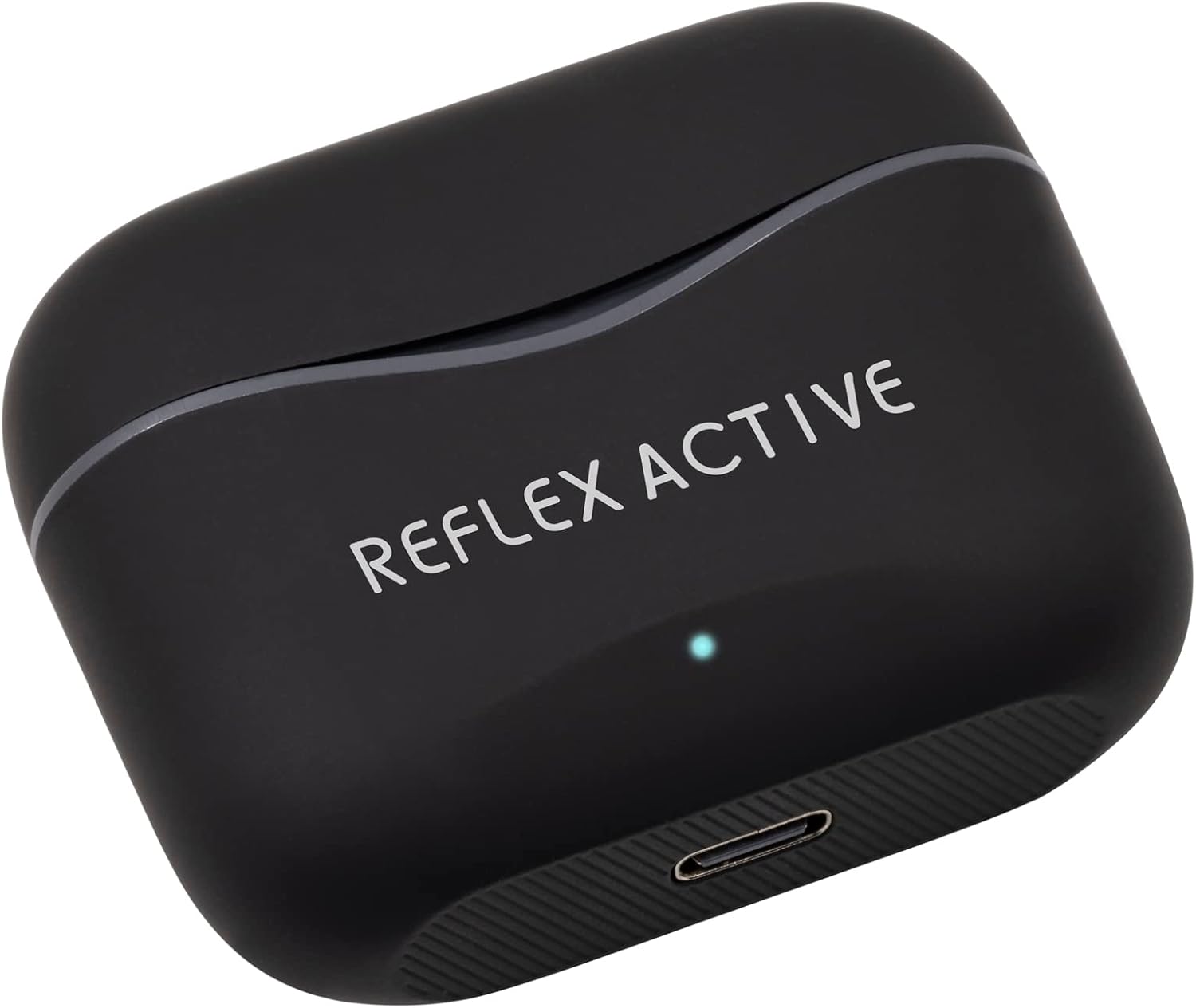
Image: The black Reflex Active PRO TWS charging case, showing the USB-C charging port at the bottom and the brand logo on the lid.
The earbuds provide approximately 5.5 hours of playtime on a single charge, with an additional 22 hours of combined playback time using the fully charged case.
5.2 Pairing with Your Device (Bluetooth)
Ekwe ntị ndị a ga-abanye na ọnọdụ njikọta ozugbo mgbe ewepụrụ ha na akpa chaja.
- Kwado Bluetooth: Turn on Bluetooth on your smartphone, tablet, or other compatible device.
- Remove Earbuds: Mepee igbe chaja ma wepụ ntị abụọ ahụ. Ha ga-agbanye ọkụ na akpaghị aka ma gbalịa ijikọ onwe ha.
- Họrọ Ngwaọrụ: On your device's Bluetooth settings, look for "Reflex Active PRO TWS" in the list of available devices and select it to connect.
- nkwenye: Once successfully paired, you will hear an audible confirmation from the earbuds, and the earbud LEDs will stop flashing.
If pairing fails, place the earbuds back into the case, close the lid, and repeat the steps. The wireless range is 15-20 meters.
6. Ntuziaka ọrụ
6.1 Basic Touch Controls
The earbuds feature intuitive touch controls on their outer surface.
| Omume | Ihe ntị aka ekpe | Nri ntị aka nri |
|---|---|---|
| Gwuo/kwụsịtụ | Otu mgbata | Otu mgbata |
| Track na-esote | Pịa ugboro abụọ | Pịa ugboro abụọ |
| Egwu gara aga | Mmaji okpukpu atọ | Mmaji okpukpu atọ |
| Elu elu | N/A | Pịa ogologo |
| Mpịakọta ọnụ | Pịa ogologo | N/A |
| Zaa/Kwụsị Oku | Otu mgbata | Otu mgbata |
| Jụ oku | Pịa ogologo | Pịa ogologo |
6.2 Mkpọtụ Na-arụ Ọrụ (ANC) na Ọnọdụ Nghọta
The Reflex Active PRO TWS earbuds feature both Active Noise Cancellation and Transparency Mode to adapt to your environment.
- Ụdị mgbanwe: To cycle between ANC On, Transparency Mode, and ANC Off, perform a specific touch gesture (e.g., press and hold the touch area for 2 seconds on either earbud, or as specified in the quick start guide).
- Nkagbu mkpọtụ mkpọtụ (ANC): Reduces ambient noise, ideal for travel or noisy environments.
- Ụdị nghọta: Allows you to hear your surroundings clearly without removing the earbuds, useful for conversations or being aware of traffic.

Image: A person sitting on a train, appearing relaxed with their eyes closed, demonstrating the use of Active Noise Cancellation to block out ambient sounds.
6.3 Njikwa olu
Activate your device's voice assistant (Siri, Google Assistant, etc.) directly from your earbuds.
- Nkwalite: Typically, a specific touch gesture (e.g., a long press or triple tap on a specific earbud) will activate the voice assistant. Refer to the quick start guide for the exact gesture.
- Iwu: Once activated, speak your command clearly into the earbud's microphone.
7. Nlekọta
Proper care will extend the life of your earbuds.
- Nhicha: Use a soft, dry, lint-free cloth to clean the earbuds and charging case. Do not use abrasive cleaners or solvents. For ear tips, remove them and clean with mild soap and water, then dry thoroughly before reattaching.
- Nchekwa: When not in use, always store the earbuds in their charging case to protect them and keep them charged. Store in a cool, dry place.
- Zere Oke Ọnọdụ: Do not expose the earbuds or case to extreme temperatures, humidity, or dust.
8. Nchọpụta nsogbu
If you encounter any issues, try the following solutions:
| Nsogbu | Ngwọta |
|---|---|
| Igwe ntị anaghị ejikọta ya na ngwaọrụ | Ensure Bluetooth is enabled on your device. Place earbuds back in case, close lid, then remove to re-enter pairing mode. Forget "Reflex Active PRO TWS" from your device's Bluetooth list and try pairing again. |
| Naanị otu earbud na-arụ ọrụ | Ensure both earbuds are charged. Place both earbuds back in the case, close the lid, wait a few seconds, then remove them. They should automatically connect to each other. |
| Enweghị ụda ma ọ bụ olu dị ala | Check volume levels on both your device and the earbuds. Ensure earbuds are properly seated in your ears. Try cleaning the ear tips and speaker mesh. |
| Nchaji anaghị akwụ ụgwọ | Check the USB-C cable and power adapter. Ensure the cable is securely connected to both the case and the power source. Try a different cable or power source. |
| ANC/Transparency mode not working | Ensure earbuds are properly seated in your ears for optimal seal. Cycle through the modes using the touch controls. |
9. Nkọwapụta
| Njirimara | Nkọwa |
|---|---|
| Nọmba nlereanya | REF-200PRO-BK |
| Ụdị Bluetooth | 5.2 |
| Ikuku iche | 15-20 mita |
| Oge egwu ntị | Ruo awa iri abụọ |
| ngụkọta oge egwuregwu (ya na ikpe) | Ruo awa iri abụọ |
| Oge nkwụnye ntị | Ihe ruru. 1 elekere |
| Case Charge Time | Ihe ruru. awa 2 |
| Nkagbu mkpọtụ | Nkagbu Noise nọchiri anya (ANC) |
| Ụdị nghọta | Ee |
| Ụdị njikwa | Njikwa aka, Njikwa olu |
| Ihe onwunwe | Rubber/silicone (and possibly plastic/soft-touch for case) |
| Ibu | 19 grams |
| Ọkwa Nguzogide mmiri | Mmiri na-eguzogide |
| Ngwakọta batrị | Lithium |
| Ngwa gụnyere | Earbuds, Charging Case |
10. Akwụkwọ ikike na nkwado
For warranty information and customer support, please refer to the warranty card included in your product packaging or visit the official Reflex Active websaịtị. Debe ihe akaebe nke ịzụrụ ihe maka akwụkwọ ikike ọ bụla.
Onye nrụpụta: Peers Hardy
Mba onye si: China


