Okwu mmalite
This manual provides essential information for the proper setup, operation, and maintenance of your AOC CU34V5C 34-inch Ultrawide QHD VA monitor. The CU34V5C features a curved panel with Ultrawide QHD 21:9 resolution, designed for an immersive viewing experience and enhanced productivity. It includes USB-C with Power Delivery up to 65W, multiple USB ports, and HDMI connectivity, along with Picture by Picture MultiView arụmọrụ.
Melite
1. Ịkwapụ ihe na nguzozi
Carefully remove the monitor and all components from the packaging. Place the monitor face down on a soft, clean surface to prevent scratches. Assemble the stand base to the stand column, then attach the assembled stand to the monitor. Ensure all screws are securely tightened.
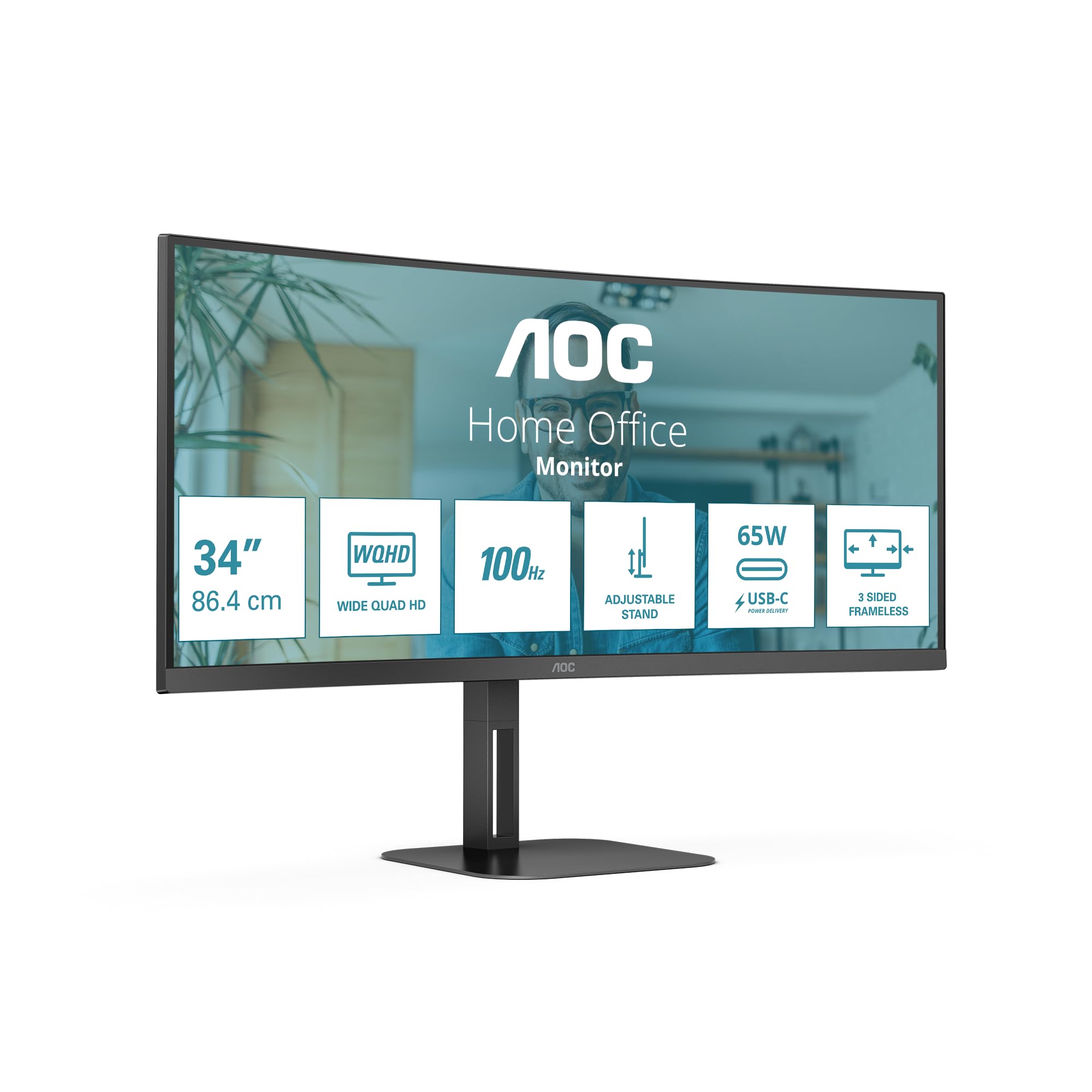
Foto: N'ihu view of the AOC CU34V5C monitor, illustrating its curved screen and adjustable stand.
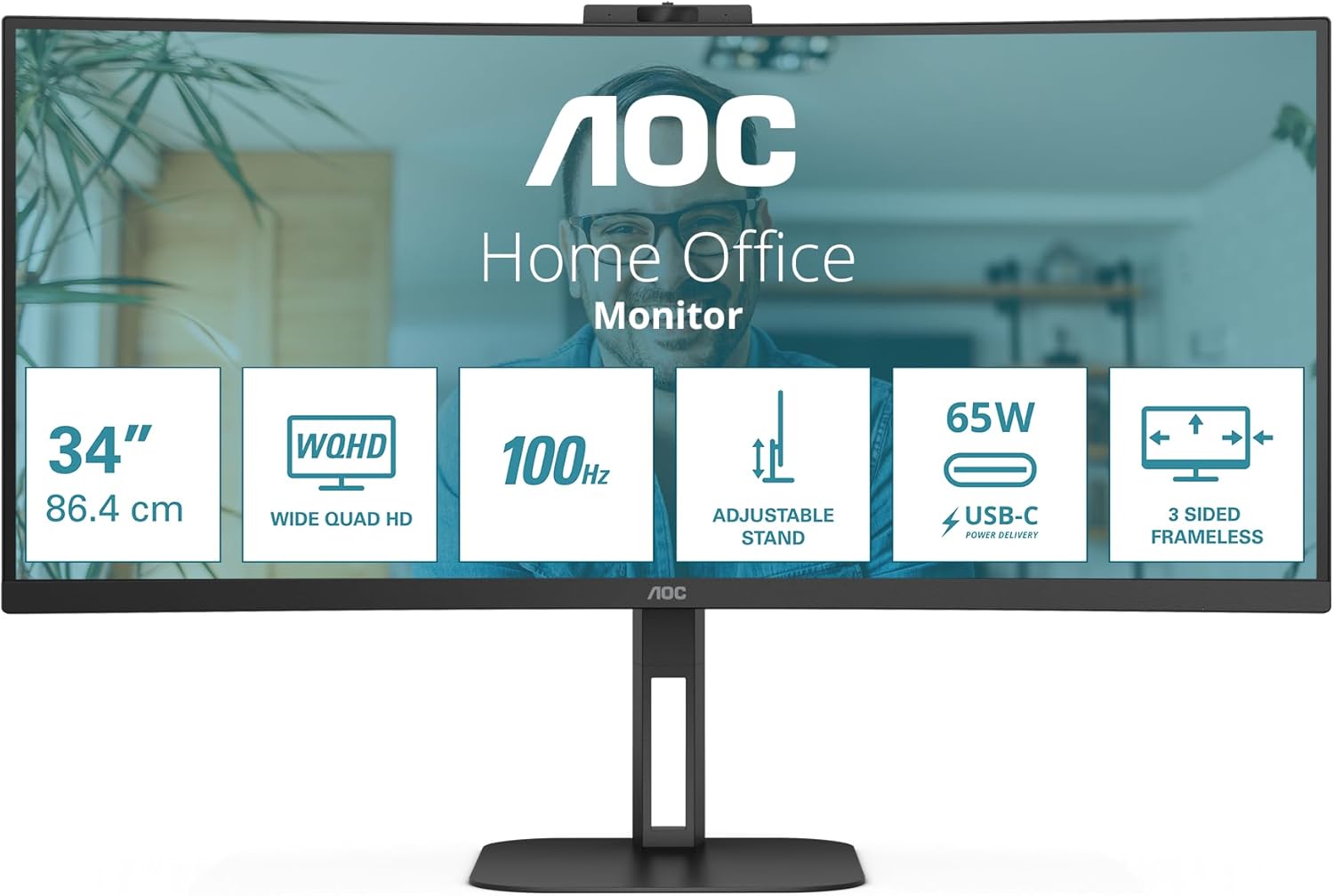
Foto: N'azụ view of the AOC CU34V5C monitor, showing the attachment point for the stand and the overall design.
2. Njikọ eriri
Connect the necessary cables to the monitor's input ports. The monitor supports various connections for versatility.
- Ike Ike: Connect the AC power cable to the monitor's power input and then to a power outlet.
- HDMI: Use an HDMI cable to connect your computer or other video source to the monitor's HDMI 1x2.0 port.
- DisplayPort: For optimal performance, connect your computer to the monitor using a DisplayPort cable.
- USB-C: Connect a USB-C cable from your compatible device to the monitor's USB-C port. This port supports video, data transfer, and Power Delivery up to 65W, allowing you to charge your device while displaying content.
- Igwe USB: Utilize the integrated USB hub by connecting the upstream USB cable (if not using USB-C for data) from your computer to the monitor. Then, connect your USB peripherals (keyboard, mouse, etc.) to the monitor's 4x USB 3.2 ports.
- Apụọ ọdịyo: Connect external speakers or headphones to the Audio Out port if desired.
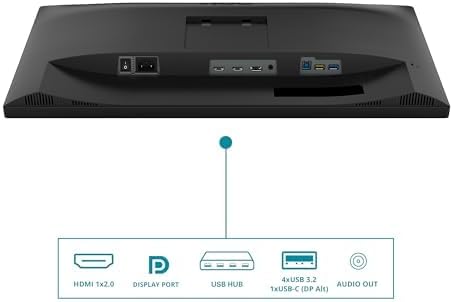
Image: Diagram illustrating the various input and output ports on the AOC CU34V5C monitor, including HDMI, DisplayPort, USB Hub, USB-C, and Audio Out.
3. Adjusting the Stand
The monitor features an adjustable stand for ergonomic viewing. You can adjust the tilt and height of the display to suit your preference.
- Ndozi elu: Gently push or pull the monitor up or down to adjust its height. The stand allows for up to 130 mm of vertical adjustment.
- Ndozi Tilt: Tilt the screen forward or backward to find your optimal viewakụkụ n'akuku.

Foto: Akụkụ view of the AOC CU34V5C monitor, highlighting the range of height adjustment available with its stand.
Ntuziaka ọrụ
1. Gbanyụọ / gbanyụọ
Press the power button, usually located on the bottom right or rear of the monitor, to turn the display on or off. The power indicator light will illuminate when the monitor is active.
2. Ngosipụta ihuenyo (OSD) NchNhr
The OSD menu allows you to configure various monitor settings. Use the control buttons (joystick or individual buttons) typically found on the bottom or rear of the monitor to navigate the menu.
- Ntọala foto: Adjust brightness, contrast, color temperature, and other image parameters.
- Nhọrọ ntinye: Manually select the input source (HDMI, DisplayPort, USB-C).
- Ntọala ọdịyo: Control volume and other audio-related options for the built-in speakers or audio output.
- Ntọala OSD: Customize the OSD menu's language, transparency, and timeout.
3. MultiView (Picture by Picture)
The AOC CU34V5C supports MultiView, specifically Picture by Picture (PbP) mode. This feature allows you to display content from two different input sources simultaneously on the screen, side-by-side. Refer to the OSD menu for specific instructions on activating and configuring PbP mode.
4. USB-C Functionality
The USB-C port provides a single-cable solution for compatible devices, offering:
- Mgbama vidiyo: Display content from your device.
- Nyefee data: Access devices connected to the monitor's USB hub.
- Power Delivery (65W): Charge your connected laptop or device directly through the monitor.
Nlekọta
1. Na-ehicha ihuenyo
Iji hichaa ihuenyo monitor ahụ, jiri ákwà dị nro, nke na-enweghị ihe e ji ehicha ya hichaa ya nke ọma. Maka akara siri ike, jiri obere ákwà hichaa ya.ampen the cloth with water or a non-abrasive, monitor-safe cleaning solution. Avoid using harsh chemicals, alcohol, or ammonia-based cleaners, as these can damage the screen surface.
2. Nlekọta n'ozuzu
- Debe ihe nlele ahụ ka ọ ghara ịcha anyanwụ kpọmkwem, oke okpomọkụ, na iru mmiri.
- Hụ na ikuku na-abata nke ọma gburugburu ihe nlele ahụ iji gbochie oke okpomọkụ.
- Zere itinye ihe ndị dị arọ na igwe nleba anya ma ọ bụ eriri ya.
- Unplug the monitor from the power outlet during electrical storms or when not in use for extended periods.
Nchọpụta nsogbu
Ọ bụrụ na ị hụ nsogbu na ihe nlele gị, gaa na usoro ndị a na-emekarị maka nchọpụta nsogbu:
- Enweghị ike: Ensure the power cable is securely connected to both the monitor and the power outlet. Check if the power outlet is functional.
- Enweghị akara: Verify that the video cable (HDMI, DisplayPort, or USB-C) is correctly connected to both the monitor and your computer. Ensure the correct input source is selected in the monitor's OSD menu.
- Foto na-egbuke egbuke ma ọ bụ gbagọrọ agbagọ: Check the video cable for damage. Try a different cable or input port. Ensure your computer's graphics drivers are up to date.
- Foto gbara ọchịchịrị/na-egbuke egbuke nke ukwuu: Hazie ntọala nchapụta na ọdịiche dị na menu OSD.
- Ọdụ ụgbọ mmiri USB anaghị arụ ọrụ: Ensure the USB upstream cable (or USB-C cable) is connected from the monitor to your computer. Check device manager on your computer for any USB driver issues.
If problems persist after trying these steps, contact AOC customer support for further assistance.
Nkọwapụta
Key technical specifications for the AOC CU34V5C monitor:
| Njirimara | Nkọwapụta |
|---|---|
| Nha ihuenyo | 34 sentimita (86.36 cm) |
| Ụdị panel | VA |
| Mkpebi | 3440 x 1440 Pixels (QHD Ultra Wide) |
| Akụkụ akụkụ | 21:9 |
| Ihu Ihuenyo | Agbagọ |
| Ihe onyonyo | 300 cd/m² |
| Ọnụego ume ọhụrụ | 100 Hz |
| Mgbakọta ọdụ ụgbọ mmiri USB | 4 (USB 3.2) |
| Nnyefe ike USB-C | Ruo 65W |
| Akụkụ ngwaahịa | 7.36 x 19.57 x 42.44 sentimita asatọ |
| Ibu Ibu | 26.6 pound |
| Onye nrụpụta | AOC |
| Nọmba nlereanya | CU34V5C/BK |
Ozi ike
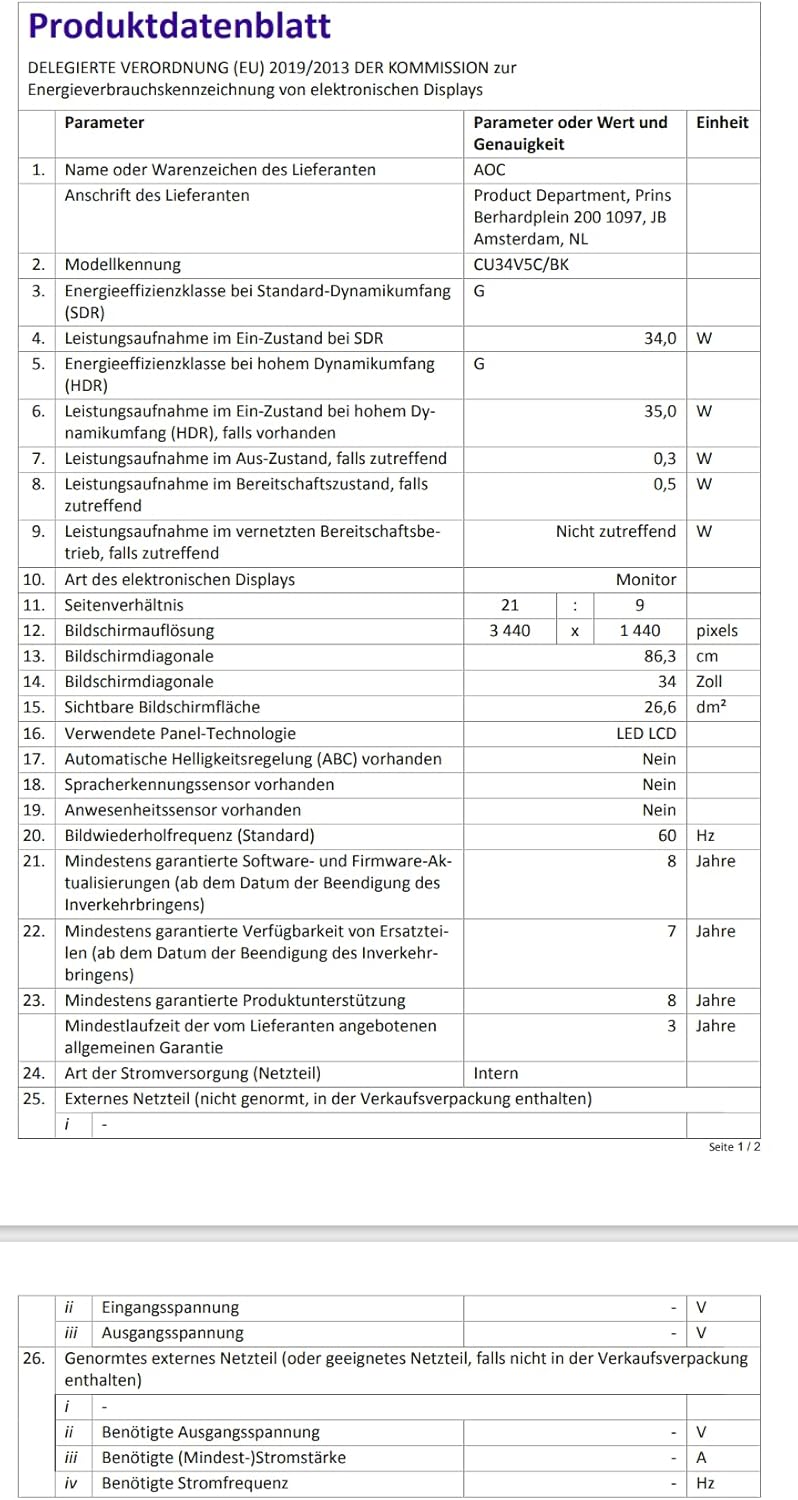
Image: EU Energy Label for the AOC CU34V5C monitor, indicating its energy efficiency class and consumption.
For detailed product information and energy efficiency data, please visit the EPREL database: https://eprel.ec.europa.eu/qr/1245431
Ozi akwụkwọ ikike
AOC monitors typically come with a limited warranty. The exact terms and duration of your warranty may vary by region and retailer. Please refer to the warranty card included with your purchase or visit the official AOC website for detailed warranty information specific to your product and location. Keep your proof of purchase for warranty claims.
Nkwado
For technical assistance, troubleshooting beyond this manual, or warranty inquiries, please contact AOC customer support. You can usually find contact information, FAQs, and driver downloads on the official AOC websaịtị.
Thank you for choosing AOC.


