1. Okwu mmalite
Welcome to the world of VTech Zoef Zoef Animals! Loes the Cute Cat is an interactive toy designed to engage children aged 1 to 5 years with fun sound effects, cheerful phrases, and sung songs. This manual provides essential information for safe and optimal use of your new toy.
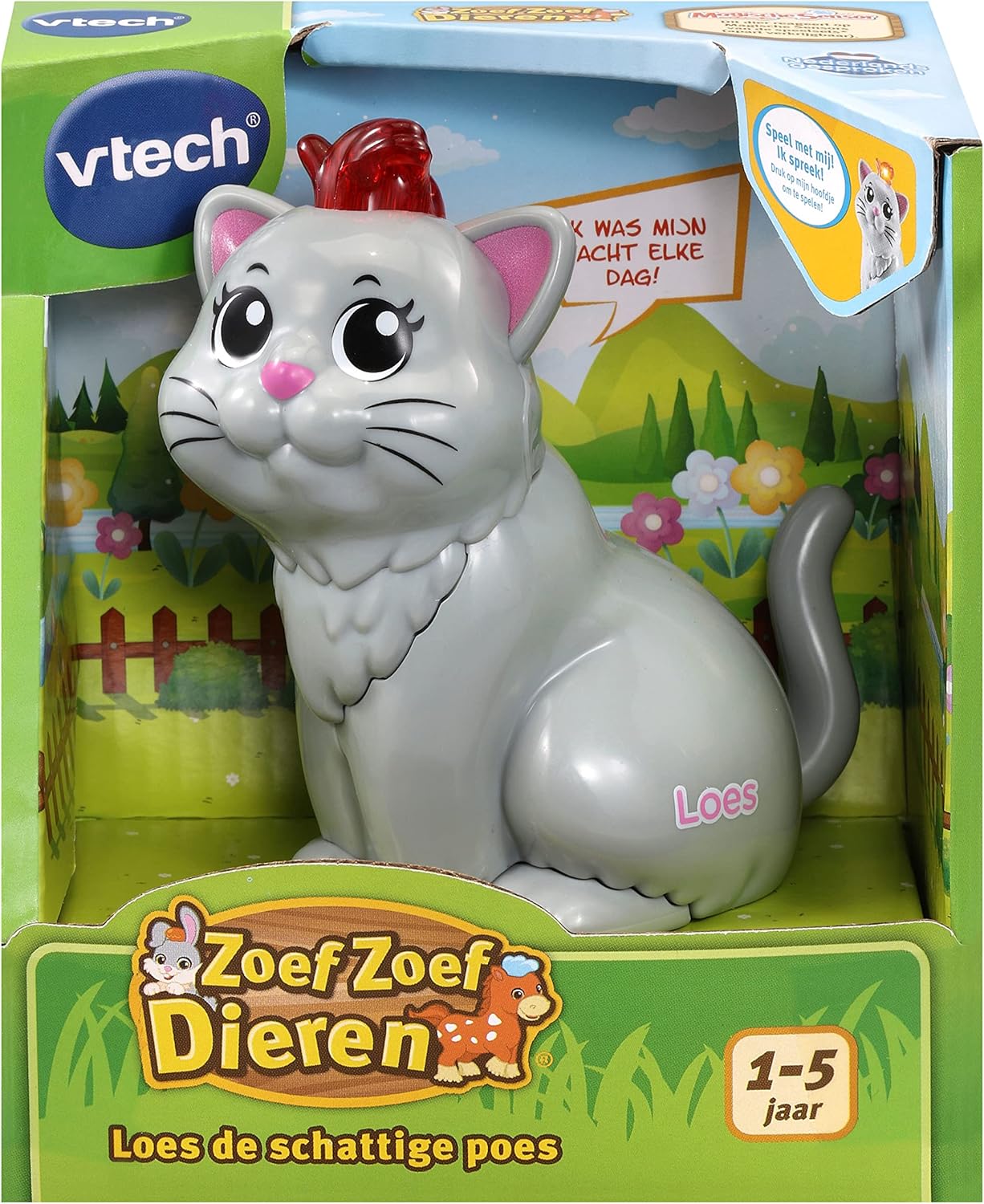
Image: Loes the Cute Cat, an interactive toy from VTech Zoef Zoef Animals, shown in its retail packaging.
Loes the Cute Cat is part of the VTech Zoef Zoef Animals collection, which includes other characters like Zayn the Zebra and Louis the Lion. Each animal features unique sounds and phrases, and interacts with Zoef Zoef Animals playsets (sold separately) via a Magic Sensor.

Image: A collection of VTech Zoef Zoef Animals, showcasing Loes the Cat alongside other characters and a compatible playset.
2. Nhazi
2.1 Ntinye batrị
Loes the Cute Cat requires 2 AAA batteries (included). Follow these steps to install or replace batteries:
- Locate the battery compartment on the underside of the toy.
- Using a screwdriver, loosen the screw on the battery compartment cover and remove the cover.
- Insert 2 new AAA batteries, ensuring correct polarity (+/-) as indicated inside the compartment.
- Dochie mkpuchi nke batrị ahụ ma sie ike nke ọma.
Ihe dị mkpa: Always use fresh batteries of the same type. Do not mix old and new batteries, or different types of batteries. Non-rechargeable batteries are not to be recharged. Rechargeable batteries are only to be charged under adult supervision. Exhausted batteries are to be removed from the toy. Dispose of batteries safely and responsibly.
3. Ntuziaka ọrụ
Loes the Cute Cat is designed for easy and intuitive play. Here's how to interact with your toy:
3.1 Mmekọrịta Isi
- Press the Head: Press the blinking head of Loes the Cat to hear sound effects, cheerful phrases, and sung songs.
- Nwepu akpaaka: To conserve battery life, the toy will automatically switch off after a period of inactivity.
- Njikwa olu: The volume is adjustable. Refer to the toy's underside or side for a volume switch (usually a slider or two-position switch).
3.2 Interaction with Zoef Zoef Animals Playsets
Loes the Cute Cat features a Magic Sensor on its underside, allowing it to interact with compatible VTech Zoef Zoef Animals playsets (sold separately).
- Magic Sensor Activation: Place Loes on a Magic Sensor spot on a Zoef Zoef Animals playset. The sensor on the underside of the toy will be pressed, triggering unique phrases, sounds, and songs specific to that playset location.
- Discover what Loes likes to do, what she is good at, and much more as she interacts with the playset.

Image: A child interacting with a VTech Zoef Zoef Animals playset, demonstrating how the animals can be used with the environment.
4. Nlekọta
4.1 Nhicha
To keep your Loes the Cute Cat toy clean, wipe it with a slightly damp cloth. Do not immerse the toy in water. Do not use harsh cleaners or solvents.
4.2 Nchekwa
When not in use for extended periods, store the toy in a cool, dry place away from direct sunlight. Remove batteries if the toy will not be used for several months to prevent leakage.
5. Nchọpụta nsogbu
5.1 Enweghị ụda ma ọ bụ ụda na-akwụsị akwụsị
- Lelee ma ọ bụrụ na etinyere batrị ndị ahụ nke ọma na polarity ziri ezi.
- Dochie batrị ndị ọhụrụ.
- Ensure the volume switch is not set to the lowest setting or off.
5.2 Toy Not Responding
- Verify that the batteries are fresh and correctly installed.
- If the toy has an On/Off switch, ensure it is in the "On" position.
- If interacting with a playset, ensure Loes is correctly placed on the Magic Sensor.
6. Nkọwapụta
| Njirimara | Nkọwa |
|---|---|
| Nọmba nlereanya | 80-553123 |
| Akụkụ ngwaahịa | 5.7 x 9.6 x 9.6 cm |
| Ibu | 135 g |
| Afọ akwadoro | Ọnwa 12 - afọ 5 |
| Batrị achọrọ | 2 x AAA (gụnyere) |
| Ihe onwunwe | Plastic |
| Asụsụ | Dutch spoken songs and phrases |
7. Ozi nchekwa
Please read and retain this safety information for future reference.
- Maka ojiji mpụga naanị.
- Zere kọntaktị na anya.
- Keep away from naked flame or direct heat sources.
- A na-atụ aro ka ndị okenye na-elekọta ha mgbe ha na-egwu egwuregwu, ọkachasị maka ụmụaka ndị dị obere.
- Do not attempt to disassemble or modify the toy.


