Okwu mmalite
This manual provides detailed instructions for the safe and efficient operation of your HWWR S55-T Portable Karaoke Machine. Please read this manual thoroughly before use and retain it for future reference.
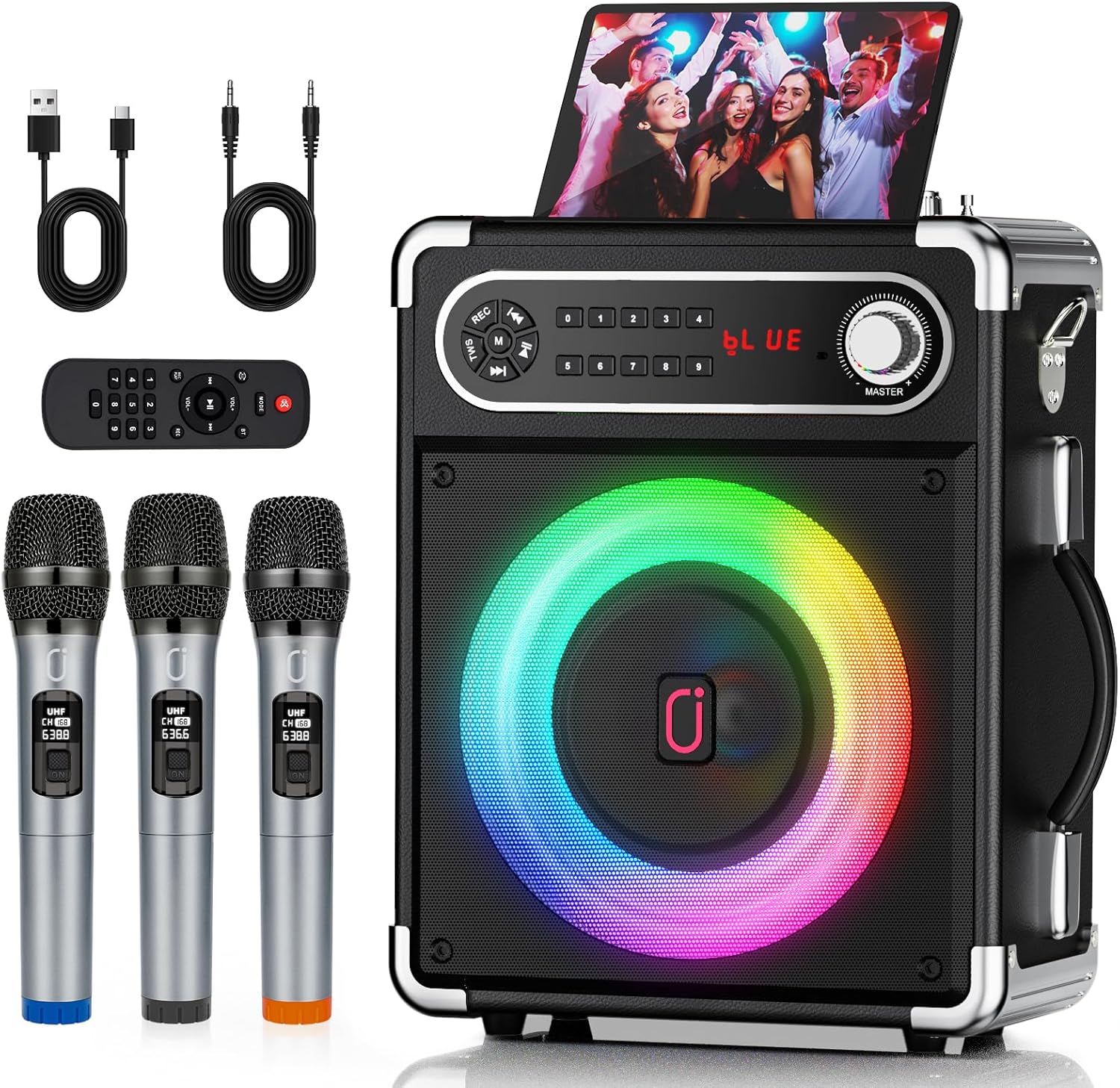
Image: The HWWR S55-T Portable Karaoke Machine, showcasing the main unit with a tablet in its stand, three wireless microphones, a remote control, and various connection cables.
Ngwa gụnyere
Chọpụta na ihe niile dị na ngwugwu:
- HWWR S55-T Karaoke Machine
- 3 Igwe okwu ikuku
- Njikwa anya
- AUX-na USB
- Igwe nchaji USB
- Ubu eriri
Melite
1. Charging the Karaoke Machine
- Connect the provided USB charging cable to the charging port on the karaoke machine.
- Connect the other end of the USB cable to a compatible 5V/1A USB power adapter (not included).
- The charge indicator light will be RED while charging and turn BLUE when fully charged.
2. Microphone Preparation
- Each wireless microphone requires AA batteries (not included). Insert batteries according to polarity markings.
- The microphones are designed to connect automatically to the karaoke machine upon power-on.

Image: Close-up of three wireless microphones, highlighting their UHF channel displays and anti-noise features.
Ntuziaka ọrụ
1. Gbanyụọ / gbanyụọ
Press and hold the Power button on the karaoke machine to turn it on or off.
2. Njikọ Bluetooth
- Turn on the karaoke machine. It will automatically enter Bluetooth pairing mode.
- Kwado Bluetooth na ngwaọrụ mkpanaka gị (smartphone, tabletị, wdg).
- Chọọ maka "HWWR S55-T" in the list of available devices and select it to pair.
- Ụda nkwenye ga-egosi njikọ na-aga nke ọma.
3. TWS (Ezigbo Stereo ikuku ikuku) ijikọ
To achieve 360° surround stereo sound, you can connect two identical HWWR S55-T speakers wirelessly:
- Ensure both HWWR S55-T speakers are powered on and not connected to any Bluetooth device.
- On one speaker, press and hold the TWS button (refer to control panel diagram).
- The speakers will automatically search and pair with each other. A confirmation sound will indicate successful TWS pairing.
- Once paired, connect your mobile device to one of the speakers via Bluetooth as described above.
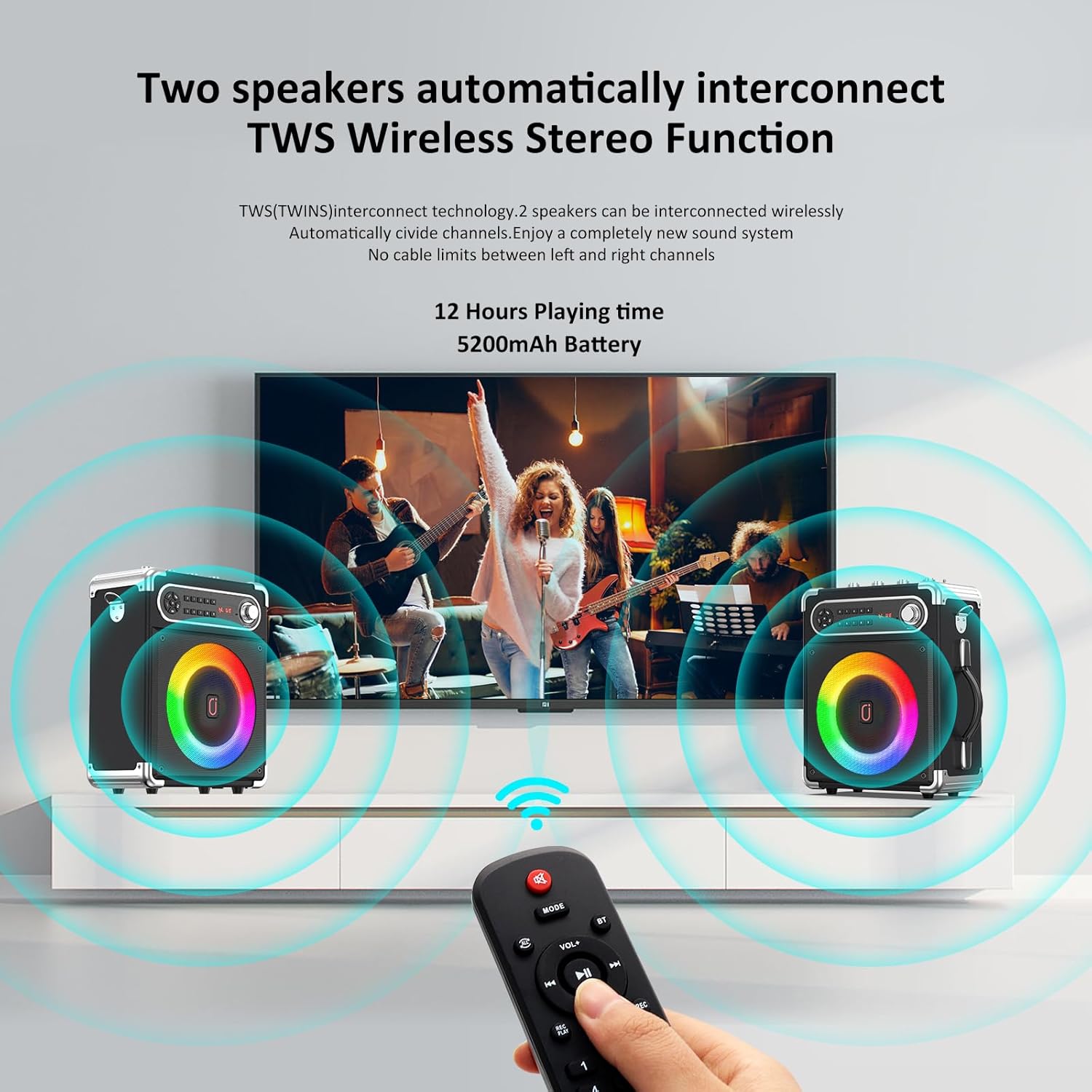
Image: Illustration of two HWWR S55-T speakers wirelessly interconnected via TWS technology, providing stereo sound from a connected device.
4. Microphone Usage and Controls
- Olu igwe okwu: Adjust the "MIC VOL" knob on the control panel to increase or decrease microphone volume.
- Mmetụta Echo: Adjust the "ECHO" knob to add or reduce reverberation to your voice.
- Bass/Table: Use the "BASS" and "TREBLE" knobs to fine-tune the audio output.

Image: Detailed diagram of the karaoke machine's control panel, showing knobs for microphone volume, echo, bass, treble, and various input ports.
5. Input Modes (AUX, USB, TF Card)
The machine supports multiple input sources:
- MGBE-IN: Connect external audio devices (e.g., TV, guitar) using the provided AUX cable.
- Ụdị Play USB: Jiri ọdịyo tinye draịva USB files. The machine will automatically play content. Recording function is available in this mode.
- Ụdị egwuregwu kaadị TF: Tinye kaadị TF (microSD) nwere ọdịyo files. The machine will automatically play content. Recording function is available in this mode.

Image: Visual representation of the multiple connectivity options for the karaoke machine, including Bluetooth, AUX-IN, SD Card, and USB.
6. Igwe ọkụ disco
The integrated disco lights can be activated and changed to various effects. The lights can synchronize with the music rhythm.

Image: A visual demonstration of seven distinct disco lighting patterns available on the karaoke machine, illustrating dynamic light effects.
7. Remote Control
The included infrared remote control allows for convenient operation of all functions from a distance.
8. Gita AmpỌrụ lifier
The karaoke machine can also function as a guitar amplifier. Connect your guitar to the AUX-in jack. Use the Bass and Treble controls on the machine to adjust your guitar's tone.

Image: A user playing an acoustic guitar connected to the karaoke machine via the AUX-in port, demonstrating its guitar amplifier capability.
Nlekọta
- Nhicha: Use a soft, dry cloth to clean the exterior of the machine. Do not use liquid cleaners or abrasive materials.
- Nlekọta batrị: To prolong battery life, fully charge the machine before first use and recharge it regularly, even if not in use. Avoid extreme temperatures.
- Nchekwa: Store the machine in a cool, dry place away from direct sunlight and moisture when not in use for extended periods.
Nchọpụta nsogbu
| Nsogbu | Ihe nwere ike ime | Ngwọta |
|---|---|---|
| Enweghị ike | Battery depleted; Power button not pressed. | Charge the machine; Press and hold the Power button. |
| Enweghị ụda sitere na ọkà okwu | Volume too low; Incorrect input mode; Device not connected. | Increase master volume; Select correct input mode (Bluetooth, AUX, USB, TF); Ensure device is paired/connected. |
| Igwe okwu anaghị arụ ọrụ | Microphone batteries low/dead; Microphone not powered on; MIC VOL too low. | Replace microphone batteries; Turn on microphone; Increase "MIC VOL" knob. |
| Excessive microphone echo | "ECHO" knob set too high. | Adjust the "ECHO" knob counter-clockwise to reduce the effect. |
| Ọdịda ijikọ Bluetooth | Device too far; Interference; Machine already paired. | Move device closer; Restart both devices; Disconnect from other Bluetooth devices. |
Nkọwapụta
- Ụdị: S55-T
- Akara: HWWR
- Akụkụ ngwaahịa: 7.09 x 11.42 x 16.14 sentimita asatọ
- Ibu ihe: 6.52 pound
- Nhazi Ọkà Okwu: 5.25" Woofer, 2" Tweeter
- Ọnụ ọgụgụ kasị elu Power: 400W
- Ụdị Bluetooth: 5.3
- Ụdị igwe okwu: Wireless UHF (3 included)
- Oke igweokwu ikuku: Ruo mita 30 (ụkwụ 98)
- Ike batrị: 5200mAh
- Oge egwuregwu: Up to 8-10 hours (depending on usage)
- Isi mmalite ike: Akwanyere batrị
- Atụmatụ pụrụ iche: PA System, Adjustable Microphone Sensitivity, Stereo Pairing (TWS), Disco Lights, Guitar Amplifier Function, Recording Function
- Nhọrọ ntinye: Bluetooth, AUX-in, USB, TF Card

Image: Technical diagram illustrating the speaker's internal components, including the 5.25-inch subwoofer and 2-inch tweeter, and highlighting its 400W peak power output.

Image: The HWWR S55-T Karaoke Machine with its dimensions (12.6in H x 9.8in W x 5.1in D) and weight (6.52 lbs) indicated, demonstrating its compact and portable design.
Akwụkwọ ikike na nkwado
For warranty information and customer support, please refer to the documentation included with your purchase or contact the manufacturer directly. Keep your proof of purchase for warranty claims.


