1. Okwu mmalite
Thank you for choosing the R-Music Novo RM483874 Wireless Bluetooth Earbuds. This manual provides essential information for setting up, operating, and maintaining your earbuds to ensure optimal performance and longevity. Please read this manual thoroughly before use.
2. Ihe ngwugwu
Gbaa mbọ hụ na ihe niile dị na ngwugwu gị:
- R-Music Novo RM483874 Wireless Earbuds
- Akpa nchaji ikuku
- USB-C eriri USB
- Akwụkwọ ntuziaka onye ọrụ
3. Ngwaahịa gafereview
The R-Music Novo RM483874 earbuds are designed for daily use, offering clear stereo sound and an integrated microphone for calls. The compact charging case provides extended battery life.

Figure 3.1: R-Music Novo RM483874 wireless earbuds and open charging case.
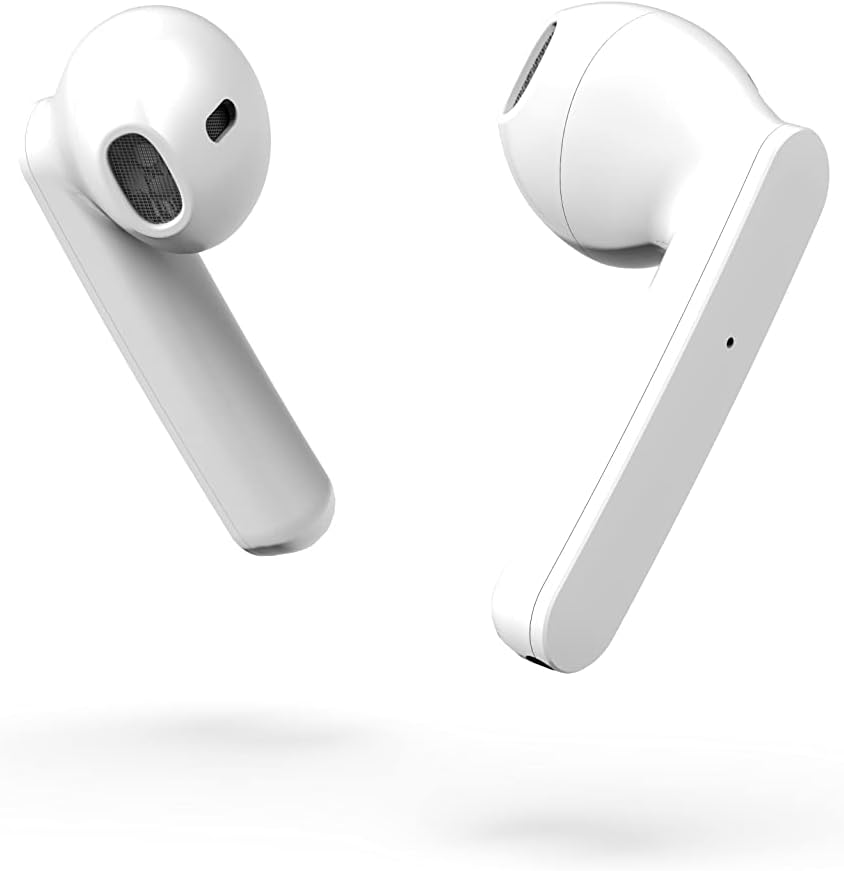
Foto nke 3.2: Akụkụ dị nso view of the earbuds, highlighting their design.
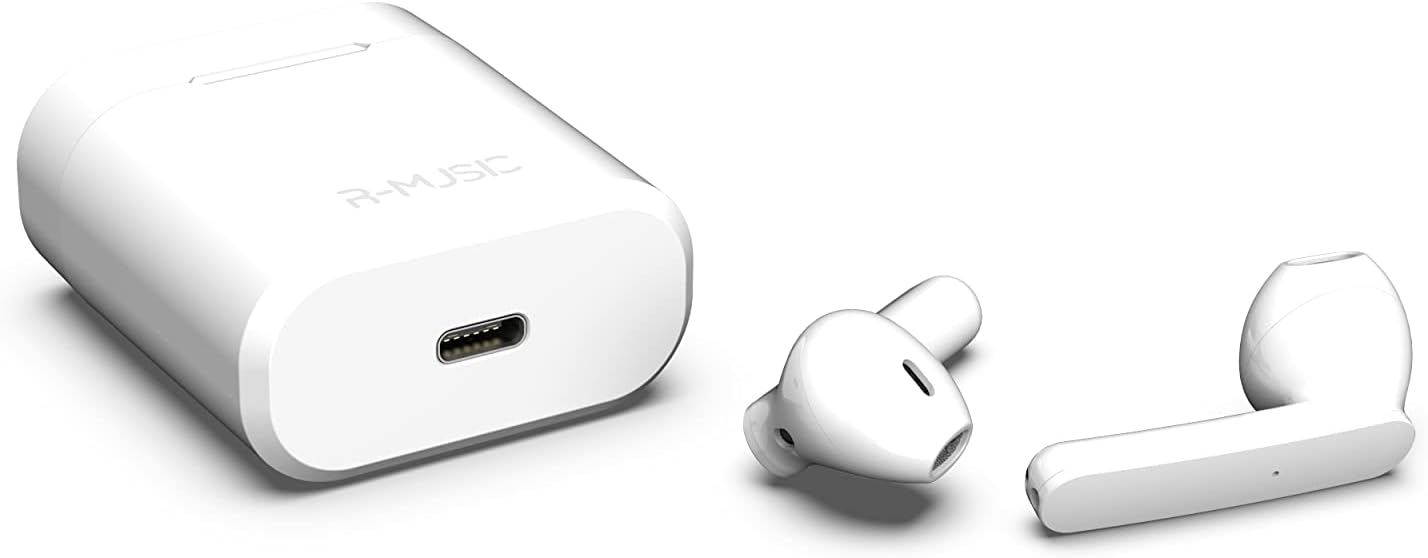
Figure 3.3: Charging case with USB-C port and earbuds.
4. Nhazi
4.1 Nchaji izizi
- Before first use, place both earbuds into the charging case.
- Connect the USB-C charging cable to the port on the charging case and to a power source.
- An indicator light inside the case will show the battery level during charging. Ensure the case and earbuds are fully charged.
4.2 Ijikọ na ngwaọrụ
The R-Music Novo RM483874 earbuds feature quick and easy pairing:
- Open the charging case and remove both earbuds. They will automatically enter pairing mode.
- On your device (e.g., smartphone), navigate to the Bluetooth settings.
- Chọọ maka available devices and select "R-Music Novo" (or similar name) from the list.
- Once connected, you will hear an audio confirmation, and the earbuds will be ready for use.
5. Ntuziaka ọrụ
5.1 Gbanyụọ ma ọ bụ gbanyụọ
- Ike Na: Remove the earbuds from the charging case. They will automatically power on and attempt to connect to the last paired device.
- Gbanyụọ: Place the earbuds back into the charging case. They will automatically power off and begin charging.
5.2 Njikwa mmetụ
The earbuds are equipped with touch controls for convenient operation:
- Gwuo/kwụsịtụ: Otu mgbata na ntị ntị.
- Track na-esote: Pịa bọtịnụ ntị aka nri ugboro abụọ.
- Gara aga Track: Kpatụ ntị ugboro abụọ n'akụkụ aka ekpe.
- Azịza/Kwụsị Oku: Otu pịa ma ọ bụ ekwe ntị n'oge oku mbata ma ọ bụ oku nọ n'ọrụ.
- Jụ oku: Pịa ma jide na ntị ntị n'oge oku mbata.
- Mee ka onye enyemaka olu rụọ ọrụ: Pịa aka ugboro atọ na ntị abụọ ahụ (ọrụ ya nwere ike ịdị iche site na ngwaọrụ).
5.3 Ịkpọ oku
The integrated microphone allows for hands-free calling. Ensure the earbuds are connected to your phone via Bluetooth. Use the touch controls to manage calls.
5.4 Listening to Music
Enjoy clear and balanced stereo sound. Use the touch controls to manage playback.
6. Ịchaji
The earbuds provide approximately 3 hours of playback on a single charge. The charging case offers an additional 11 hours of battery life, allowing for multiple recharges on the go.
- Nchaji ekwe ntị: Place the earbuds into the charging case. They will automatically charge.
- Nchaji akpa: Connect the supplied USB-C cable to the charging port on the case and a compatible USB power adapter. The indicator light will show charging status and battery level.
7. Nlekọta
- Nhicha: Use a soft, dry cloth to clean the earbuds and charging case. Avoid using harsh chemicals or abrasive materials.
- Nchekwa: Mgbe ejighị ya, chekwaa earbuds n'ime akpa nchaji ha iji chebe ha ma debe ha ebubo.
- Nguzogide mmiri: The earbuds are water-resistant. However, they are not designed for swimming or prolonged submersion. Avoid exposure to saltwater or other corrosive liquids.
8. Nchọpụta nsogbu
| Nsogbu | Ngwọta enwere ike |
|---|---|
| Eti ntị anaghị agba ọkụ. | Ensure the charging case and earbuds are charged. Place earbuds in case, then remove them. |
| Earbuds do not pair. | Make sure Bluetooth is enabled on your device. Forget the device in your Bluetooth settings and try pairing again. Ensure earbuds are removed from the case. |
| Enweghị ụda sitere na otu ntị ntị. | Place both earbuds back into the charging case, close the lid, then reopen and remove them. Check device audio settings. |
| Nchaji anaghị akwụ ụgwọ. | Check the USB-C cable and power adapter. Ensure the cable is securely connected. |
9. Nkọwapụta
| Njirimara | Nkọwa |
|---|---|
| Aha Nlereanya | Novo |
| Nọmba nlereanya | RM483874 |
| Teknụzụ Njikọta | Bluetooth (ikuku) |
| Ụdị njikwa | Njikwa aka |
| Igwe okwu | Ejikọtara |
| Ndụ batrị (Earbuds) | Ihe ruru. awa 3 |
| Ndụ batrị (ya na igbe) | Approx. 3H + 11H (total 14 hours) |
| Nchaji ọdụ ụgbọ mmiri | USB-C |
| Ọkwa Nguzogide mmiri | Mmiri na-eguzogide |
| Ihe onwunwe | Plastic |
| Ibu | 37 grams |
| Akụkụ | 5.3 x 4.7 x 2.4 cm |
| Mgbochi | 3 Ohm |
| Njikwa mkpọtụ | Acoustic Isolation |
| Nzaghachi ugboro ugboro | 20 Hz |
| Mmetụta | 109 dB |
10. Ozi nchekwa
- Ewepụla, rụkwaa, ma ọ bụ gbanwee ngwaahịa.
- Keep the earbuds and charging case away from extreme temperatures, direct sunlight, and moisture.
- Zere ige ntị n'ogo dị elu ruo ogologo oge iji gbochie mmebi ntị.
- Debe ebe ụmụaka na anụ ụlọ na-apụghị iru.
- Tụfuo ngwaahịa ahụ nke ọma dịka iwu mpaghara siri dị.
11. Akwụkwọ ikike na nkwado
R-Music products are designed for reliability and performance. For warranty information or technical support, please refer to the contact details provided at the point of purchase or visit the official R-Music websaịtị. Biko dowe ihe akaebe nke ịzụrụ ihe maka akwụkwọ ikike.