Okwu mmalite
Thank you for choosing the HTC Neckband Headphones. These headphones are designed to provide a superior audio experience with advanced features such as Bluetooth 5.0 connectivity, Active Noise Cancellation (ANC), and Environmental Noise Cancellation (ENC) for clear calls. With an IPX5 waterproof rating and up to 16 hours of playtime, they are suitable for various activities, from daily commutes to intense workouts.

Image: The HTC Neckband Headphones in red, showcasing their ergonomic design and in-ear earbuds.
Ozi nchekwa
- Zere ige ntị ruo ogologo oge n'olu dị elu iji gbochie mmebi ntị.
- Do not use the headphones in situations where inability to hear ambient sounds could be dangerous (e.g., driving, cycling, walking in traffic).
- Keep the headphones dry. Do not expose them to extreme temperatures or humidity.
- Jiri naanị eriri nchaji enyere ma ọ bụ ihe dabara adabara.
- Tụfuo ngwaahịa ahụ nke ọma dịka iwu mpaghara siri dị.
Ihe ngwugwu
- HTC Neckband Headphones
- USB Type-C Nchaji USB
- Ọnụ ọgụgụ dị ukwuu nke ndụmọdụ ntị
- Akwụkwọ ntuziaka onye ọrụ
Ngwaahịa gafereview
The HTC Neckband Headphones feature a flexible neckband design with integrated controls and magnetic earbuds for secure storage. The earbuds are designed for comfortable in-ear fit, and the neckband rests lightly around your neck.
Njikwa na egosi

Foto: Zuru ezu view of the control panel on the neckband, indicating buttons for On/Off, Volume +, Volume -, ANC Noise Reduction, Type-C charging port, and LED indicator.
- Bọtịnụ ngbanwu/ gbanyụọ: Powers the headphones on or off.
- Mpịakọta + bọtịnụ: Increases volume, next track (long press).
- Mpịakọta - bọtịnụ: Decreases volume, previous track (long press).
- Bọtịnụ ANC: Activates or deactivates Active Noise Cancellation.
- Ụdị-C ọdụ ụgbọ mmiri: Maka ịchaji ngwaọrụ.
- Ihe ngosi LED: Shows power status, charging status, and pairing mode.
Melite
1. Ịchaji ekweisi
Before first use, fully charge your headphones. Connect the provided USB Type-C charging cable to the charging port on the neckband and the other end to a USB power source. The LED indicator will show charging status. A full charge takes approximately 1 hour and 50 minutes, providing up to 16 hours of playtime.
2. Njikọ Bluetooth
- Gbaa mbọ hụ na agbanyụrụ ekweisi.
- Press and hold the On/Off button until the LED indicator flashes rapidly (usually blue and red), indicating pairing mode.
- Na ngwaọrụ gị (smartphone, tabletị, wdg), gbanye Bluetooth wee chọọ ngwaọrụ dịnụ.
- Select "HTC Neckband Headphones" from the list of devices.
- Ozugbo ejikọtara ya, ihe ngosi LED ga-egosikarị ìhè acha anụnụ anụnụ siri ike ma ọ bụ ọkụ nwayọọ nwayọọ.
Ntuziaka ọrụ
Gbanyụọ/ Gbanyụọ
- Iji gbanye: Press and hold the On/Off button for approximately 3 seconds until the LED indicator lights up.
- Iji gbanyụọ: Press and hold the On/Off button for approximately 5 seconds until the LED indicator turns off.
Egwu Egwu
- Gwuo/kwụsịtụ: Pịa bọtịnụ ngbanwu/ gbanyụọ otu ugboro.
- Olu elu: Pịa bọtịnụ + Mpịakọta.
- Olu ala: Pịa bọtịnụ olu.
- Track na-esote: Pịa bọtịnụ Olu + ogologo oge.
- Gara aga Track: Pịa bọtịnụ olu ogologo.
Njikwa Oku
- Azịza/Kwụsị Oku: Pịa bọtịnụ ngbanwu/ gbanyụọ otu ugboro.
- Jụ oku: Long press the On/Off button.
- Nọmba Ikpeazụ emegharịgharịrị: Double-press the On/Off button.
Nkagbu Noise nọchiri anya (ANC)
The ANC feature reduces ambient noise, allowing for a more immersive audio experience. The headphones also feature Environmental Noise Cancellation (ENC) for clearer voice calls.

Image: HTC Neckband Headphones with visual representation of sound waves, highlighting the ANC + ENC Noise Reduction feature for pure music enjoyment.
- Mee ka ANC rụọ ọrụ/gbanyụọ ya: Press the ANC button once. The LED indicator may change to confirm activation/deactivation.
Yi ekweisi
For optimal comfort and sound quality, ensure the earbuds fit snugly in your ears. The neckband is designed to rest comfortably around your neck. The magnetic design of the earbuds allows them to securely attach to each other when not in use, preventing tangling and ensuring they stay in place around your neck.

Image: A woman wearing the red HTC Neckband Headphones comfortably around her neck and in her ears while exercising, demonstrating the secure fit.

Image: A man and a woman wearing HTC Neckband Headphones, illustrating the comfortable and secure fit. Inset shows different ear tip sizes (L and S) for customization.
Nlekọta na nlekọta
- Nhicha: Gently wipe the headphones with a soft, damp akwa . Ejila kemịkalụ siri ike ma ọ bụ ihe abrasive.
- Nchekwa: When not in use, store the headphones in a cool, dry place, away from direct sunlight and extreme temperatures. The magnetic earbuds help keep them tidy.
- Nguzogide mmiri: The headphones are IPX5 waterproof, meaning they are resistant to sweat and light splashes of water. Do not submerge them in water or expose them to heavy rain.

Image: A man exercising, wearing the HTC Neckband Headphones, with an overlay indicating IPX5 Waterproof Design, suitable for sweat and light rain.
Nchọpụta nsogbu
- Ekweisi anaghị agba ọkụ: Gbaa mbọ hụ na chajịrị ekweisi nke ọma.
- Enweghị ụda: Check if the headphones are paired correctly and the volume is turned up on both the headphones and your device.
- Okwu njikọta: Make sure the headphones are in pairing mode (flashing LED). Turn off Bluetooth on other nearby devices to avoid interference. Try unpairing and re-pairing.
- Ogo oku na-adịghị mma: Ensure the microphone is not obstructed. Check for strong Bluetooth signal.
Nkọwapụta
| Njirimara | Nkọwapụta |
|---|---|
| Ụdị | HTC |
| Aha Nlereanya | Neckband Headphones Bluetooth 5.0 ANC |
| Teknụzụ nzikọrịta ozi ikuku | Bluetooth |
| Ọkwa Nguzogide mmiri | IPX5 (ihe mgbochi mmiri) |
| Ike batrị | 130mAh (approximate, inferred from image) |
| Oge egwu egwu | Up to 16 hours (inferred from product title and image) |
| Oge Oku Oge | Up to 10 hours (inferred from image) |
| Oge Njikere | Up to 180 days (inferred from image) |
| Oge Nchaji | Approx. 1 hour 50 minutes (inferred from video) |
| Ihe onwunwe | Rọba, Silikọn |
| Ibu Ibu | 9.1 ounces |
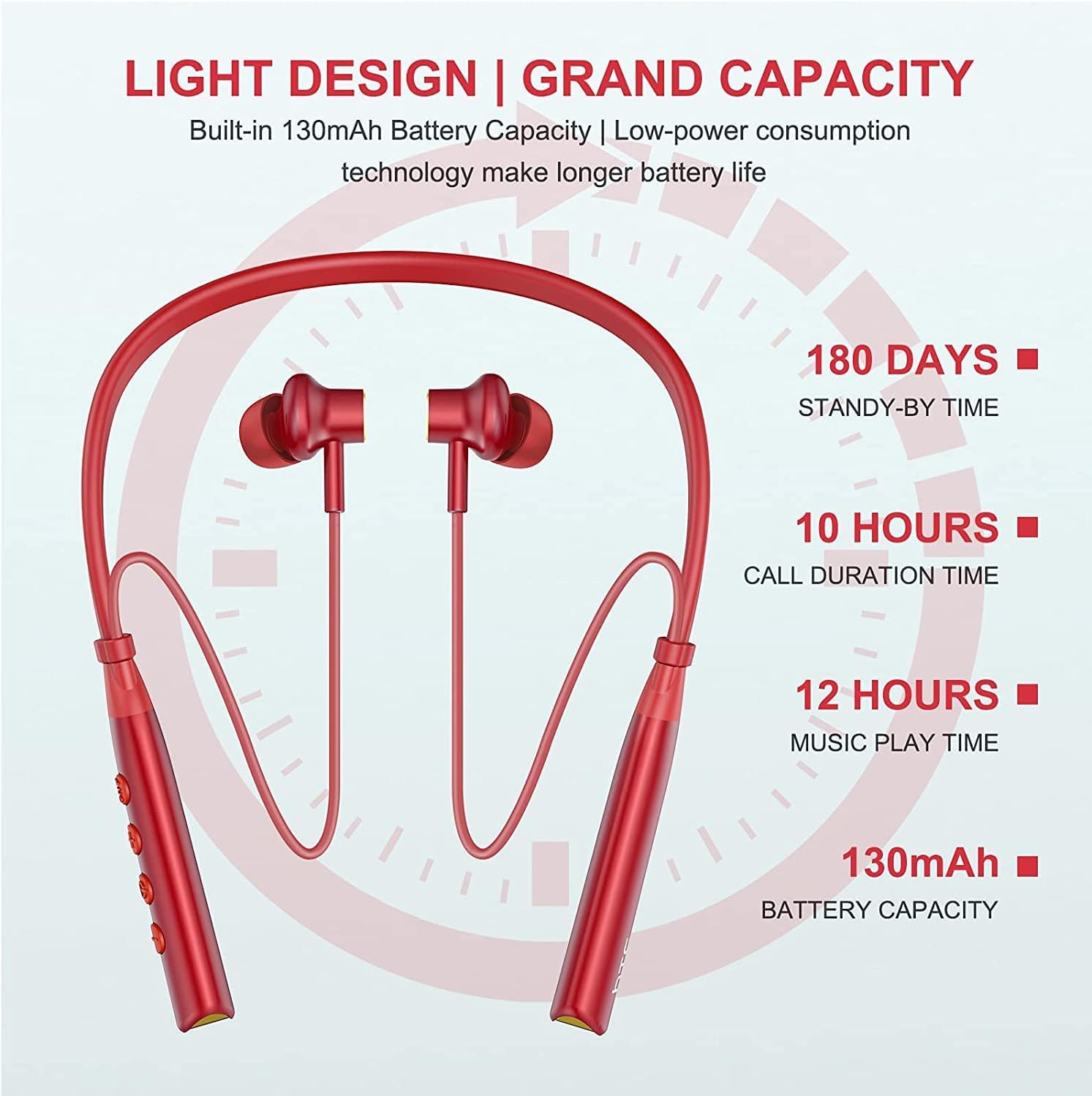
Image: Visual representation of battery specifications, including 180 days standby, 10 hours call duration, 12 hours music playtime, and 130mAh battery capacity.
Akwụkwọ ikike na nkwado
HTC products are manufactured to the highest quality standards. For warranty information or technical support, please refer to the official HTC website or contact your local customer service representative. Keep your purchase receipt for warranty claims.
Ntuziaka vidiyo ngwaahịa
Video: An official product video demonstrating the features and usage of the HTC Wireless Neckband Bluetooth Headphones, including pairing, controls, and comfort.


