Okwu mmalite
Thank you for choosing Link Dream Kids Bluetooth Headphones. This manual provides detailed instructions for setting up, operating, and maintaining your headphones to ensure optimal performance and longevity. Please read this manual thoroughly before use.
Ngwaahịa gafereview

Image: Link Dream Kids Bluetooth Headphones in Pink, showcasing the overall design and LED light feature.
Akụkụ ndị bụ isi:
- HD Clear Sound: Equipped with a built-in noise reduction card for clearer audio.
- Ndụ batrị dị ogologo: Up to 32 hours of playtime (without lights) with a 500mAh lithium battery, 2 hours charging time.
- 3 Modes RGB Lights: Choose between Blue Light, Green Light, and Alternately Flashing modes.
- Comfortable Wearing: Earpads made of Protein leather and soft foam for extended comfort.
- Ndakọrịta sara mbara: Supports both Bluetooth and wired modes, compatible with cellphones, computers, tablets, and iPads.
Ngwa na njikwa:

Foto: Zuru ezu view of the headphone's right earcup, highlighting the Volume +/-, Multifunctional Button, Bluetooth LED Indicator, Type-C Charging Port, 3.5mm Audio Jack, and Microphone.
The headphones feature an adjustable headband and a foldable design for portability. The earpads are crafted from protein leather and soft foam for maximum comfort during prolonged use.

Image: Visual representation of the adjustable headband, foldable design, and soft protein leather earpads, emphasizing comfort and durability.
Melite
1. Ịchaji ekweisi:
Before first use, fully charge the headphones. Connect the supplied USB-C charging cable to the Type-C Charging Port on the headphone and the other end to a USB power source (e.g., computer, wall adapter). A full charge takes approximately 2 hours. The LED indicator will show charging status.
Video: An official product video demonstrating the features and usage of the KH22B Kids Headphones, including charging and LED light functions. This video is provided by the seller, yaanl.
2. Njikọ Bluetooth:
- Gbaa mbọ hụ na agbanyụrụ ekweisi ma gbanyụọ ya.
- Press and hold the Multifunctional Button (Power button) for 3 seconds until the red and blue lights flash alternately. This indicates pairing mode.
- On your device (cellphone, computer, tablet, iPad), enable Bluetooth and search for "KH22B" or "Link Dream Headphones" in the list of available devices.
- Select the headphones to connect. Once successfully paired, the blue LED indicator will flash slowly or remain solid blue.
- The headphones will automatically reconnect to the last paired device when turned on, if Bluetooth is enabled on the device.

Image: Illustration of the headphones establishing a stable Bluetooth 5.0 connection with a mobile device, highlighting the 15-meter connection distance.
3. Ọnọdụ ikuku:
To use the headphones in wired mode, simply connect a 3.5mm audio cable (not included) to the 3.5mm Audio Jack on the headphone and the other end to your audio source. This mode does not require battery power.

Image: Demonstrates the "Super Long Working Time" of the headphones, showing infinite playtime in wired mode and 32 hours (light off) / 22 hours (light on) in Bluetooth mode.
Ntuziaka ọrụ
Gbanyụọ/ Gbanyụọ:
- To turn on the headphone: Press the Multifunctional Button for 3 seconds.
- To turn off the headphone: Press the Multifunctional Button for 3 seconds.
Njikwa olu:
- Volume +: Press the '+' button.
- Volume -: Press the '-' button.
Njikwa Track:
- Track na-esote: ogologo pịa bọtịnụ '+'.
- Egwu gara aga: ogologo pịa bọtịnụ '-'.
Njikwa oku:
- Answer/End Call: Press the Multifunctional Button once.
- Reject Call: Long press the Multifunctional Button.
Ikanam Light Control:
- To turn on/off the LED lights: Press the dedicated LED Light Control Button for 1 second.
- To change light mode: Press the dedicated LED Light Control Button for 1 second repeatedly to cycle through Blue Light, Green Light, and Alternately Flashing modes.
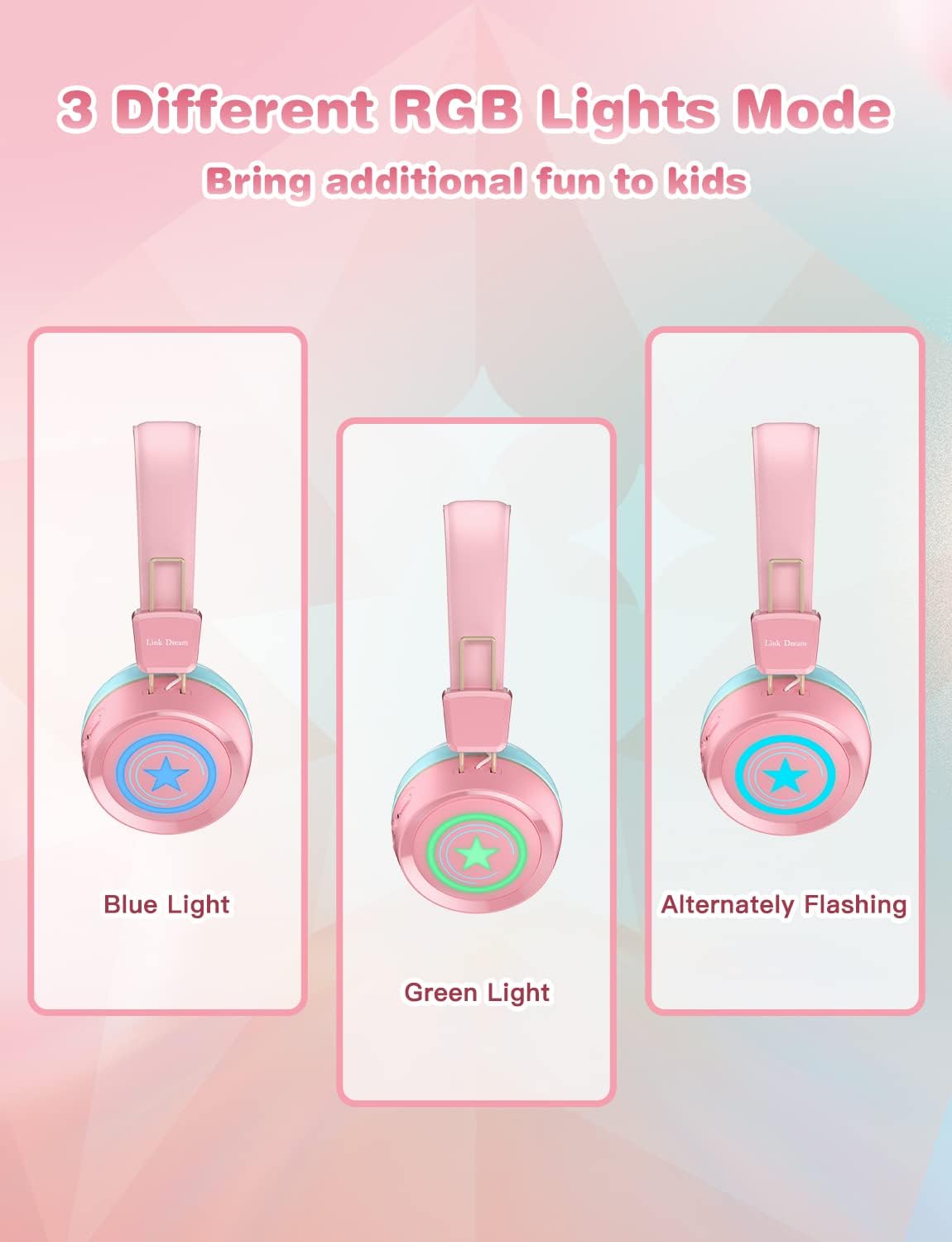
Image: Visual demonstration of the three distinct RGB light modes available on the headphones: Blue Light, Green Light, and Alternately Flashing, adding a fun element for kids.
Nlekọta
- Jiri akwa dị nro hichaa ekweisi mgbe niile. Ejila kemịkalụ siri ike ma ọ bụ ihe abrasive.
- Zere ikpughe ekweisi na oke okpomọkụ, iru mmiri, ma ọ bụ ìhè anyanwụ kpọmkwem.
- Store the headphones in a cool, dry place when not in use, preferably in their original packaging or a protective case.
- Anwala ịkwasa ma ọ bụ rụkwaa ekweisi n'onwe gị, n'ihi na nke a ga-emebi akwụkwọ ikike.
- Debe ọdụ ụgbọ mmiri na-akwụ ụgwọ n'enweghị uzuzu na irighiri ihe.
Nchọpụta nsogbu
| Nsogbu | Ngwọta enwere ike |
|---|---|
| Ekweisi agaghị agbanwu. | Hụ na ekweisi ndị ahụ chajịchara nke ọma. Jikọọ na isi iyi ọkụ wee nwaa ọzọ. |
| Enweghị ike ijikọ na ngwaọrụ. |
|
| Enweghị ụda ma ọ bụ obere olu. |
|
| Ọkụ LED anaghị arụ ọrụ. | Press the LED Light Control Button to cycle through modes or turn them on/off. Ensure battery is not critically low. |
| Ogo ụda adịghị mma. |
|
Nkọwapụta
| Njirimara | Nkọwa |
|---|---|
| Aha Nlereanya | KH22B |
| Teknụzụ Njikọta | Ikuku (Bluetooth), waya (Jack3.5mm) |
| Teknụzụ nzikọrịta ozi ikuku | Bluetooth 5.0 |
| Oke Bluetooth | Mita 10 (ihe dị ka 33 ụkwụ) |
| Ndụ batrị | Up to 32 Hours (lights off) |
| Oge Nchaji | Awa 2 |
| Ụdị ntị | Na-ntị |
| Ihe onwunwe | Protein Leather (earpads) |
| Njirimara Pụrụ Iche | Microphone Included, LED Lights |
| Ogologo afọ (Nkọwa) | 3-15 afọ |
| Ibu Ibu | 10.2 ounces |
| Onye nrụpụta | Nrọ njikọ |
Akwụkwọ ikike na nkwado
Link Dream products typically come with a manufacturer's warranty. For specific warranty details, returns, or technical support, please refer to the warranty card included with your product or contact Link Dream customer service directly through their official webebe nrụọrụ weebụ ma ọ bụ ụlọ ahịa ebe ị zụtara ngwaahịa ahụ. Debe risit ịzụrụ ihe gị dị ka ihe akaebe nke ịzụrụ ihe.
Maka enyemaka ọzọ, ị nwere ike ịga na Link Dream Store on Amazon.


